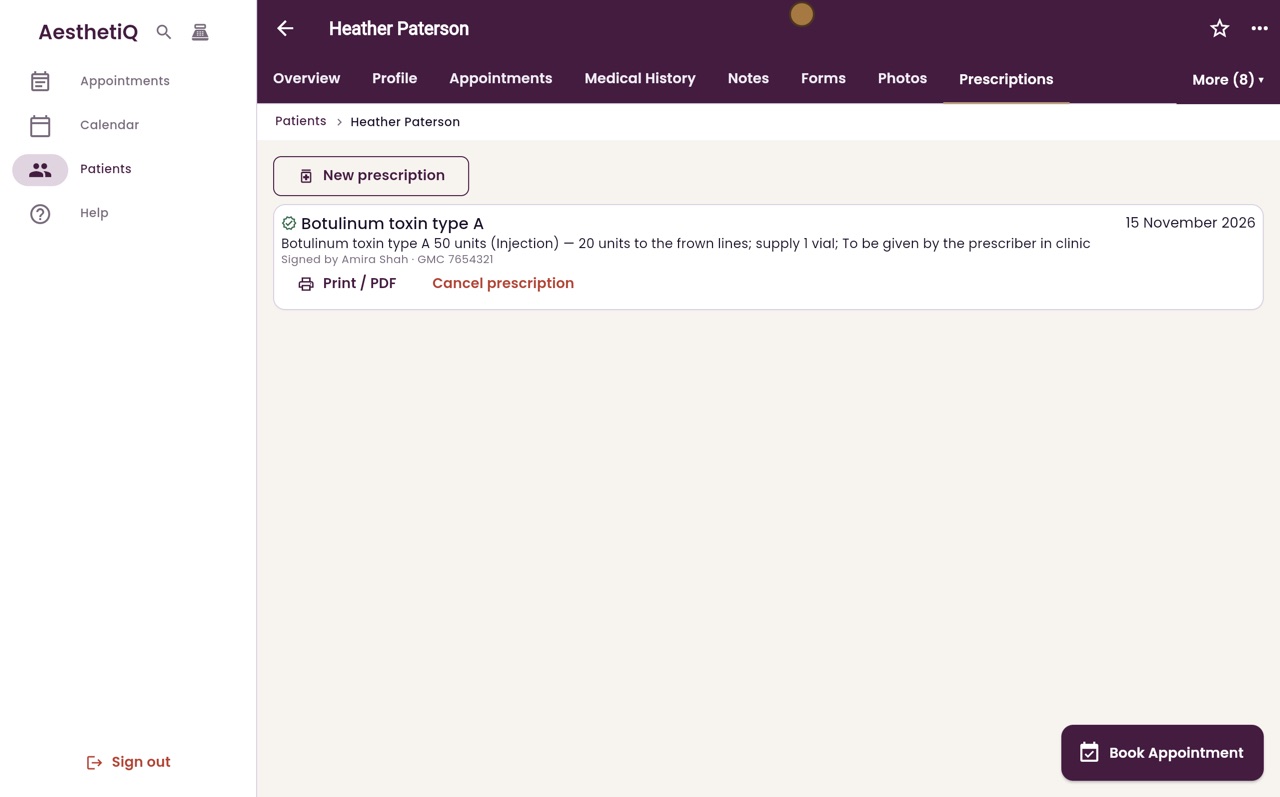
Writing a private prescription
Prescribers issue private prescriptions from the patient's record. Each one is signed with the prescriber's name and registration number.
Where
The patient's profile, More, Prescriptions, New prescription.
Who
Prescribers with a registration number on their staff record.
After
Signed and listed. It can be printed or cancelled, never edited.
Step by step
- 01Libby
Private prescriptions
Hi, I am Libby. Prescribers can issue a private prescription from the patient's record. It is signed with their name and professional registration number.
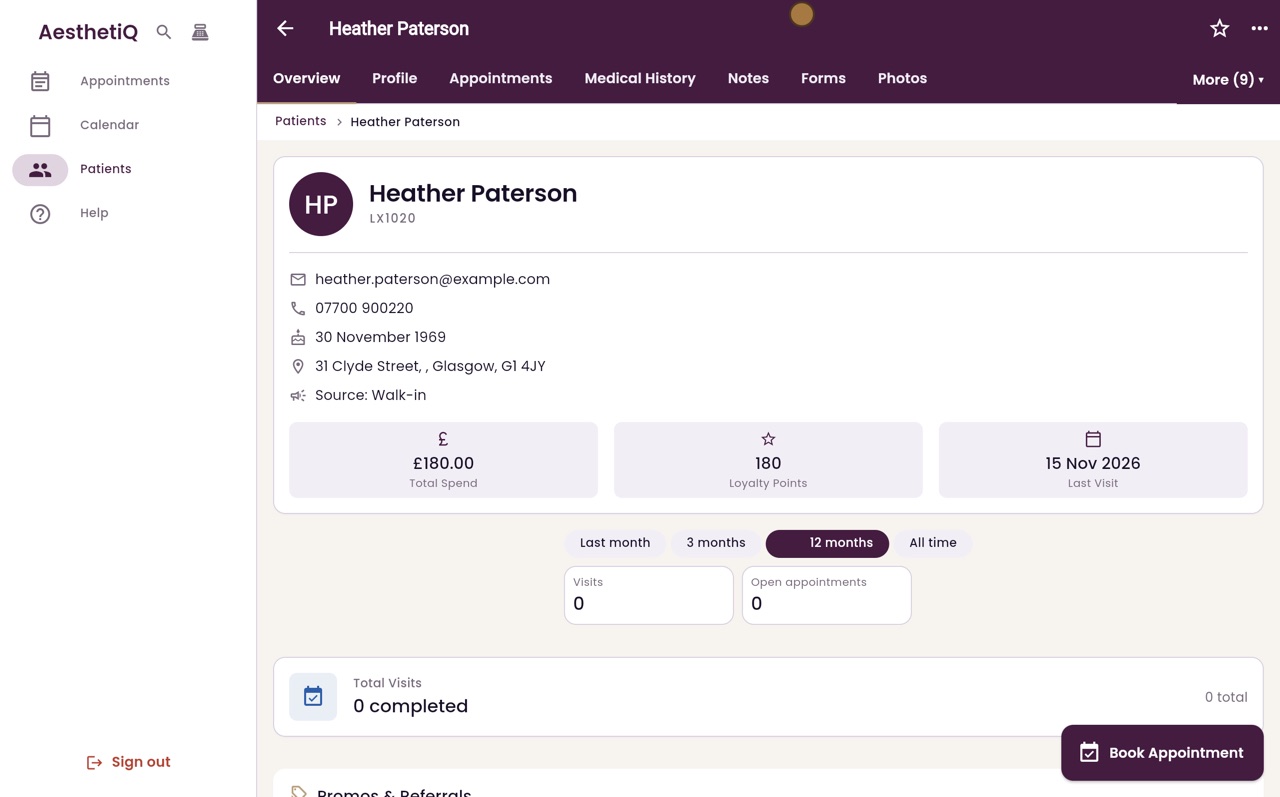
- 02Ryan
New prescription
Thanks Libby. Doctor Amira Shah is a prescriber. On Heather Paterson's profile, click More, then Prescriptions, then New prescription.
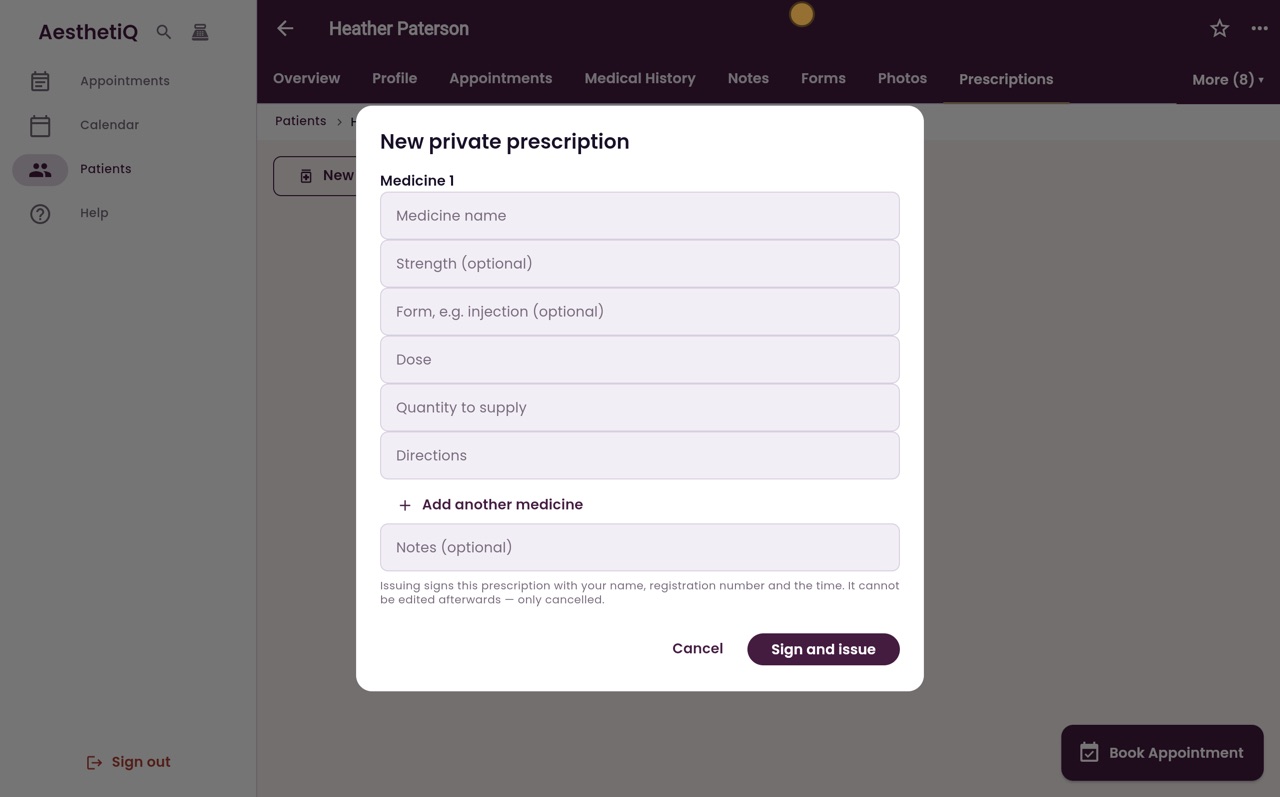
- 03Ryan
Medicine, strength and dose
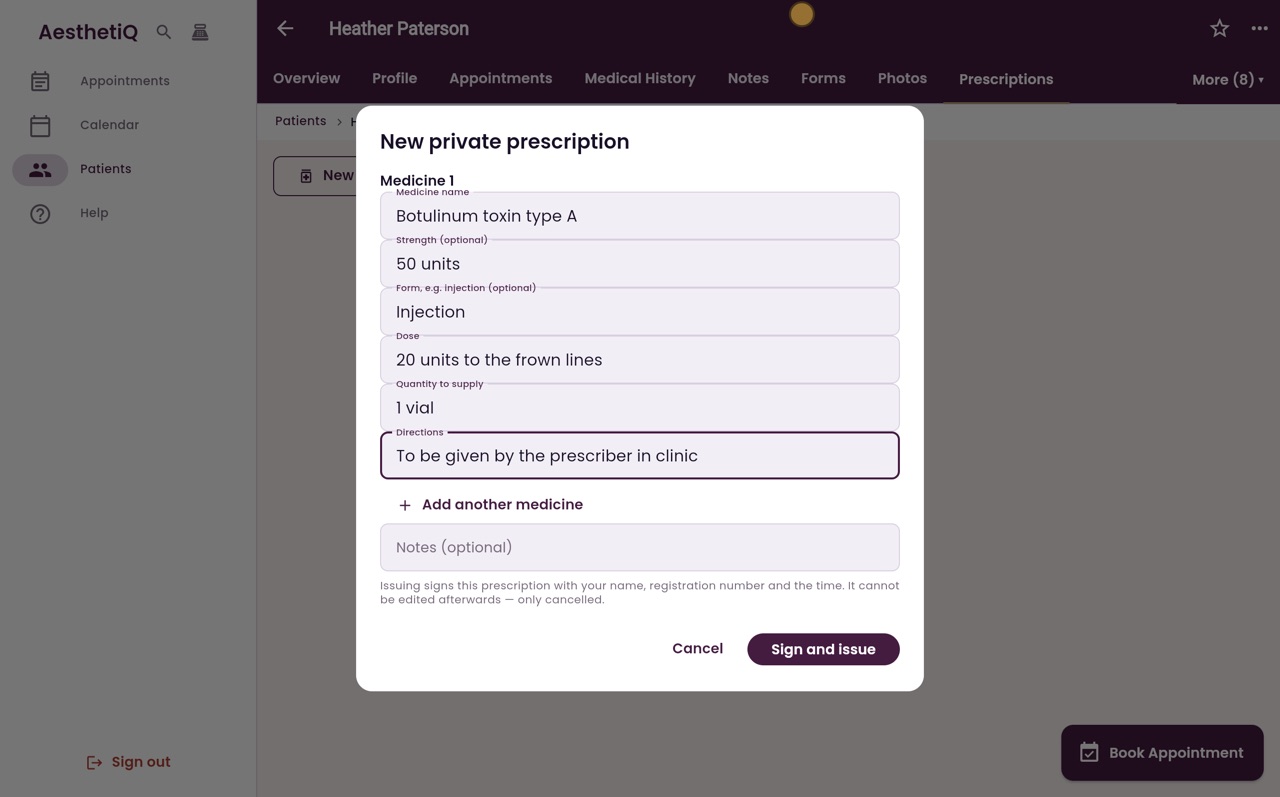
Type the medicine name, its strength and form, then the dose.
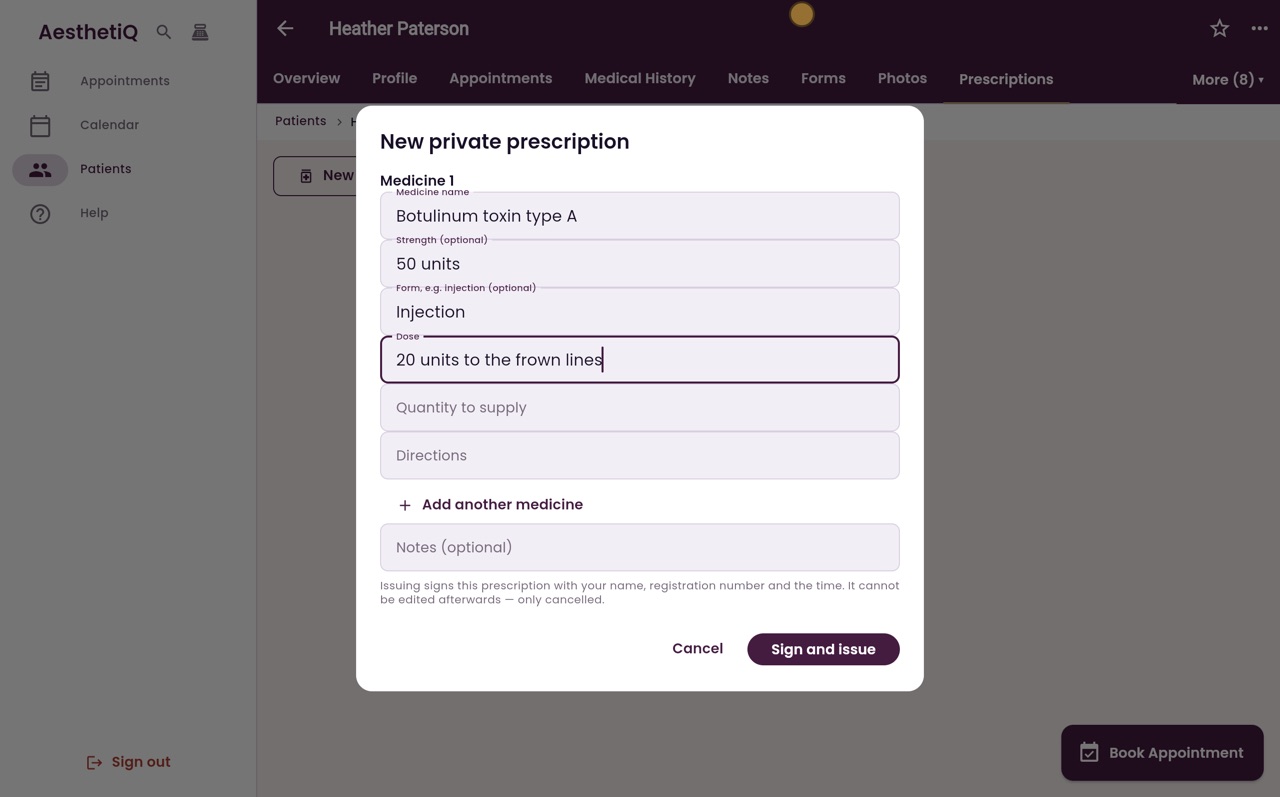
- 04Ryan
Quantity and directions
Then the quantity to supply and the directions. Add another medicine adds a second one if you need it.
- 05Ryan
Sign and issue
Check the prescription carefully, then click Sign and issue.
- 06Ryan
Issued
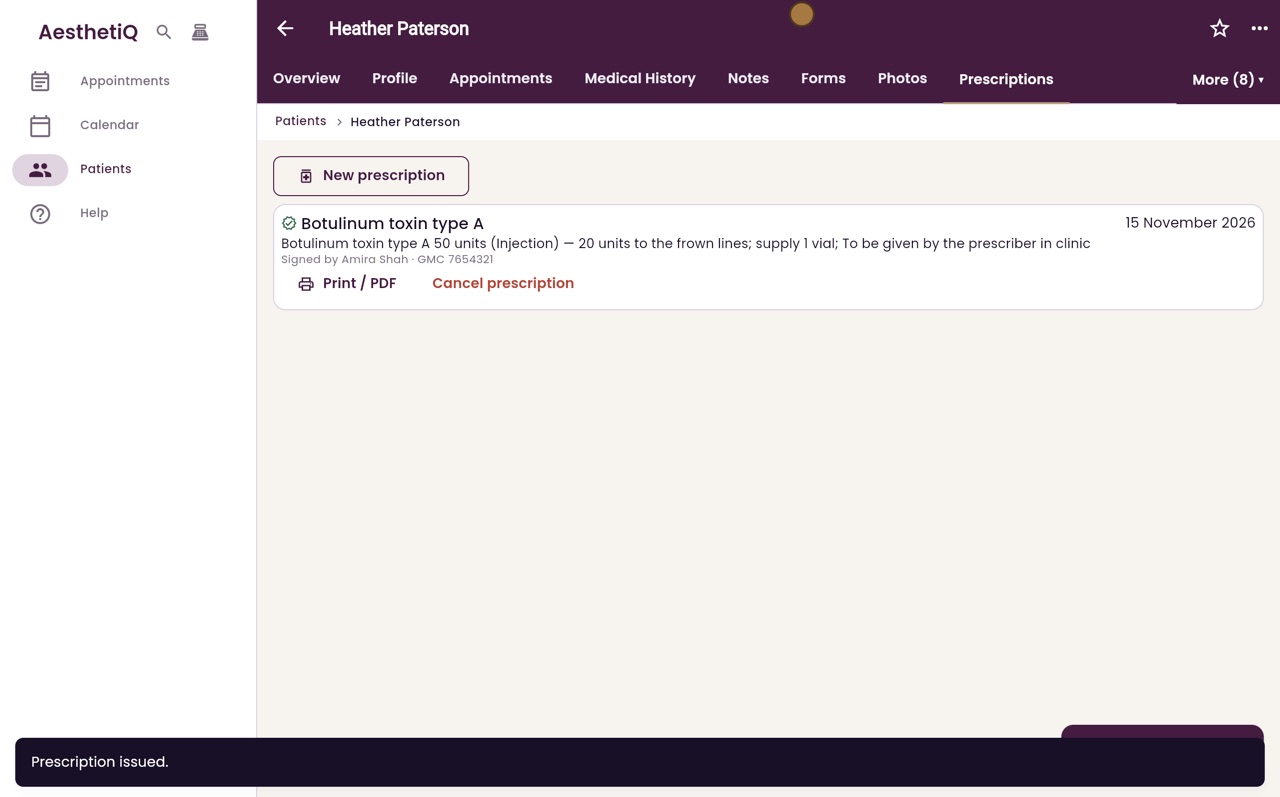
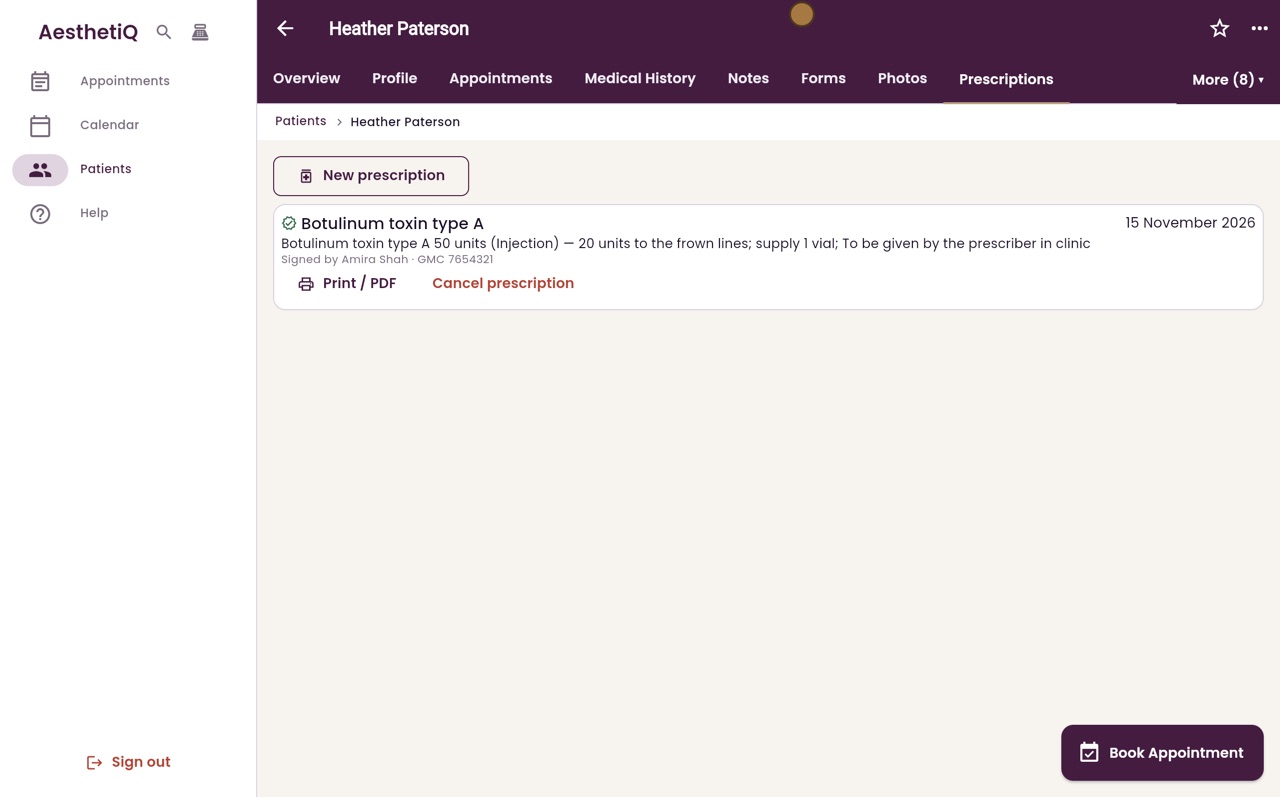
The prescription is listed with the medicine, the dose and directions, and Doctor Shah's name and GMC number.
- 07Libby
Done
That is writing a private prescription. If one is issued by mistake, the prescriber or a clinic manager can cancel it with a reason, and it stays on the record marked as cancelled.