Taking a card payment
Open the appointment, tick Card Terminal and process the payment. The patient taps their card on the clinic's terminal.
Where
Calendar, the patient's appointment, then Take Payment.
Terminal
The Card Terminal screen shows the amount and the terminal it goes to.
After
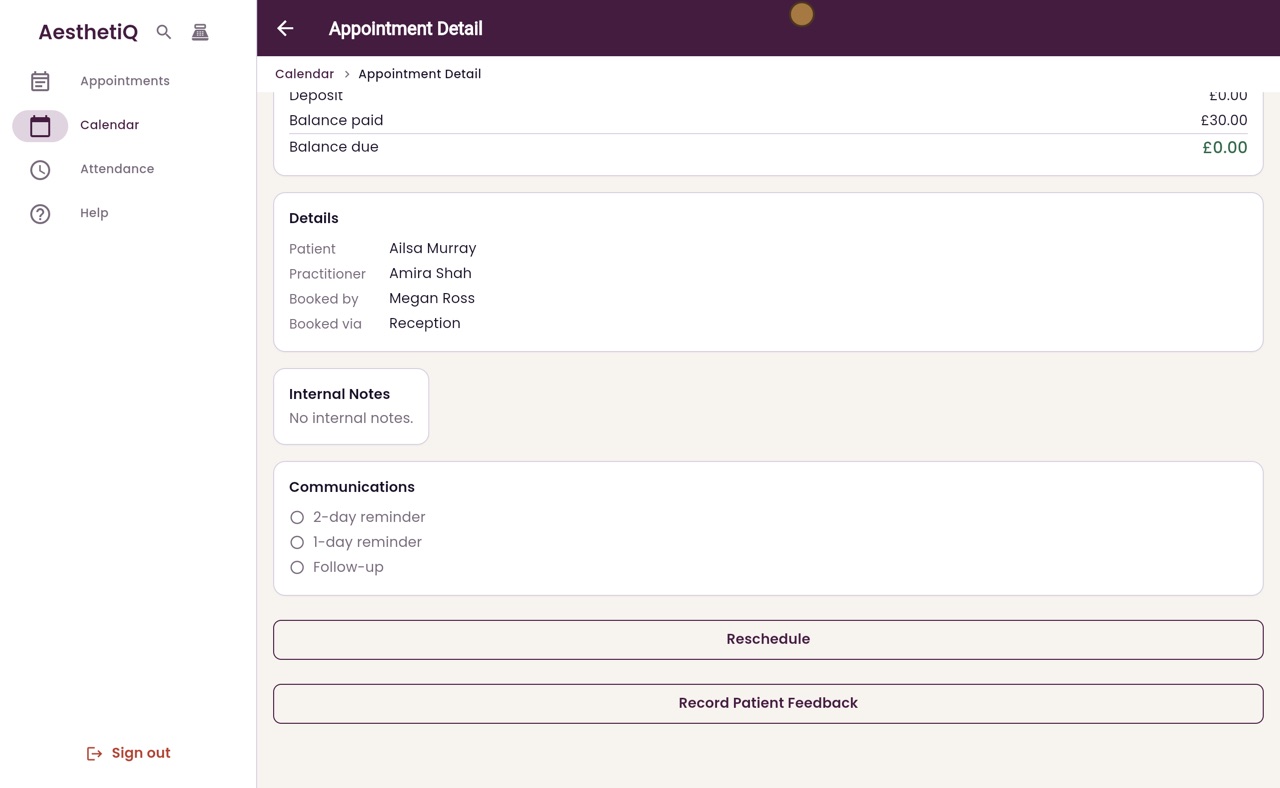
The balance due is zero and the calendar shows Paid.
Step by step
- 01Libby
Paying by card
Hi, I am Libby. Most patients pay by card. Reception sends the amount to the clinic's card terminal, and the patient taps their card.
- 02Ryan
Open the appointment
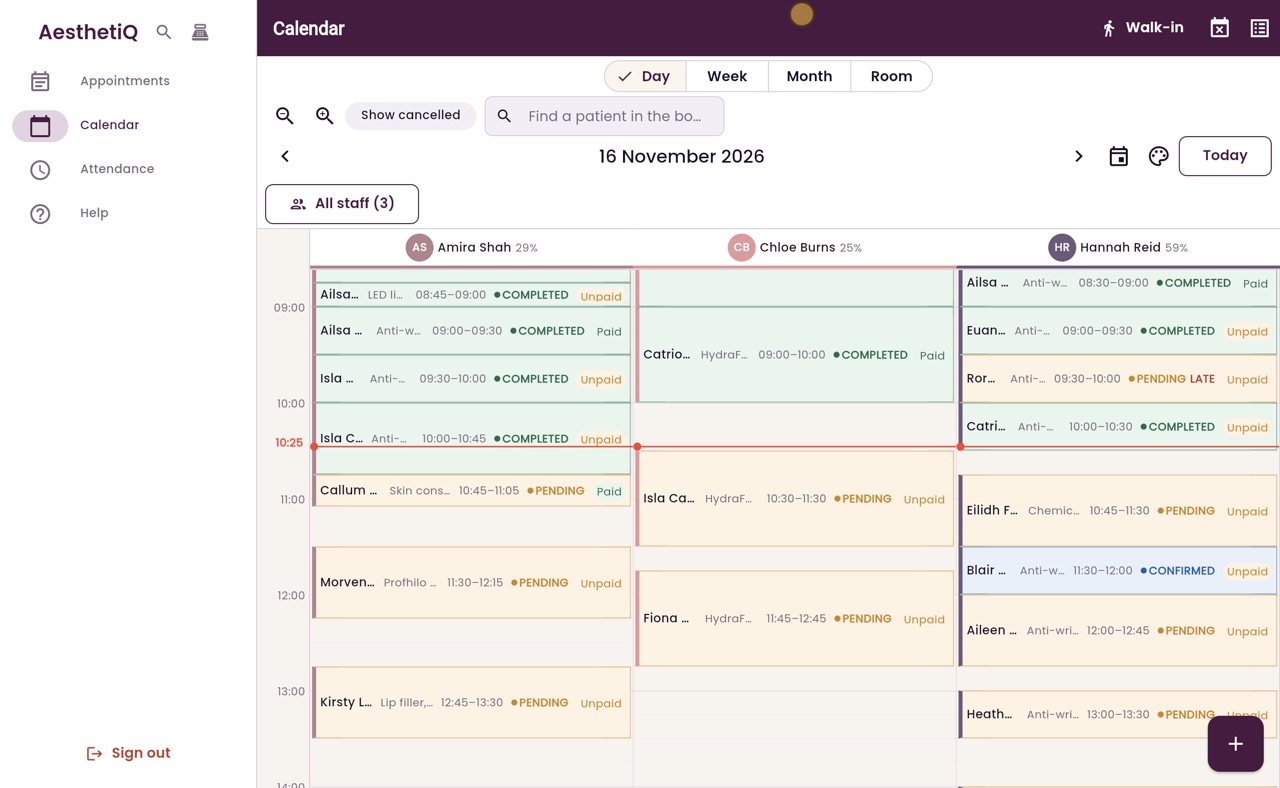
Thanks Libby. Ailsa Murray has had LED light therapy with Amira Shah, and she would like to pay by card. Scroll up to the start of the day, and click her appointment to open it.
- 03Ryan
Take Payment
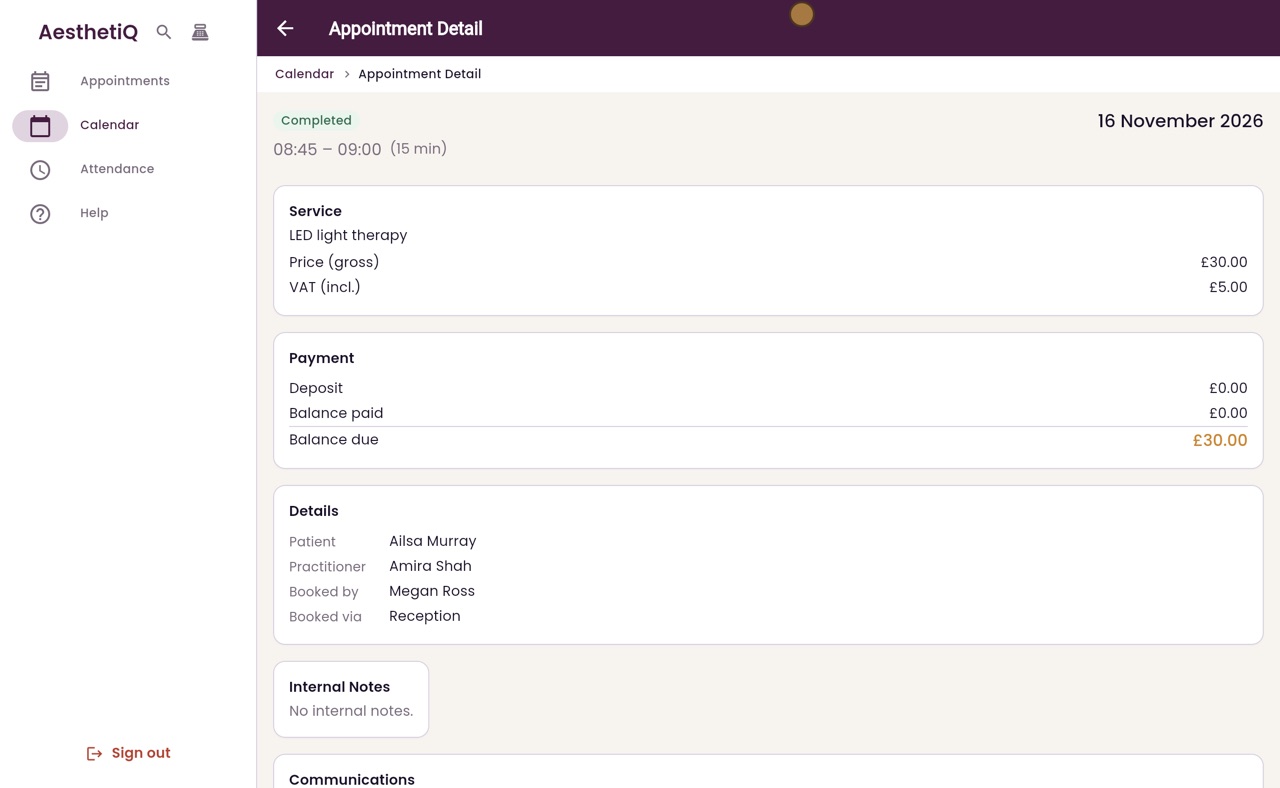
The Payment section shows thirty pounds still to pay. Scroll down and click Take Payment.
- 04Ryan
Card Terminal
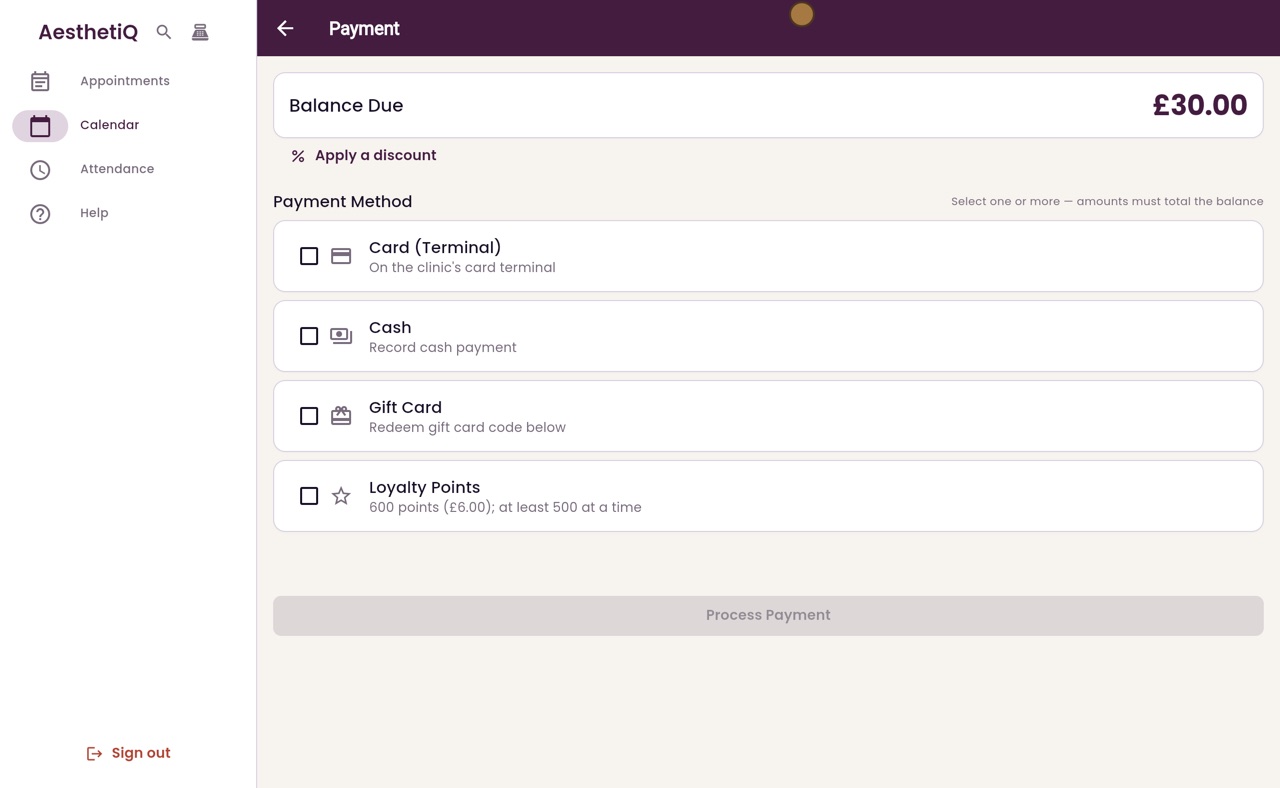
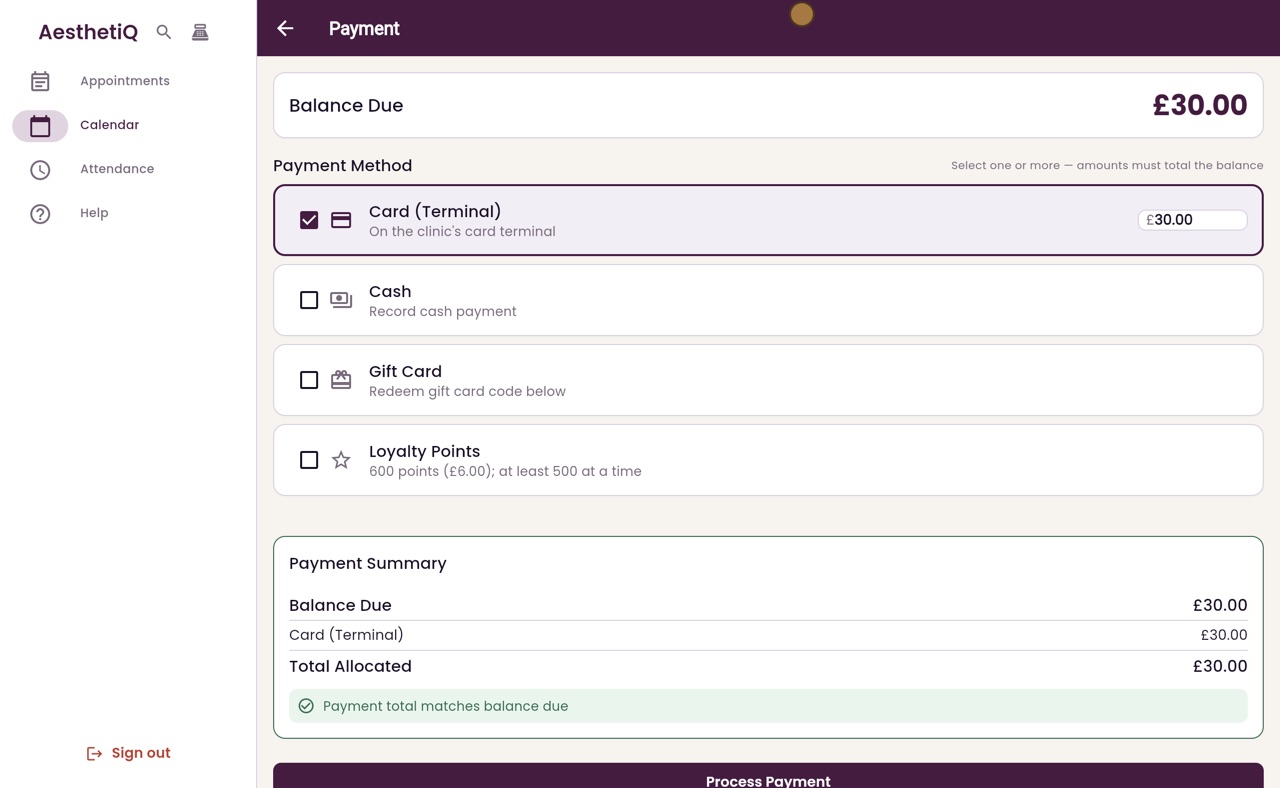
The Payment screen lists the ways to pay. Tick Card Terminal. The amount fills in with the whole balance, and the summary shows the payment matches the balance due.
- 05Ryan
Process the payment
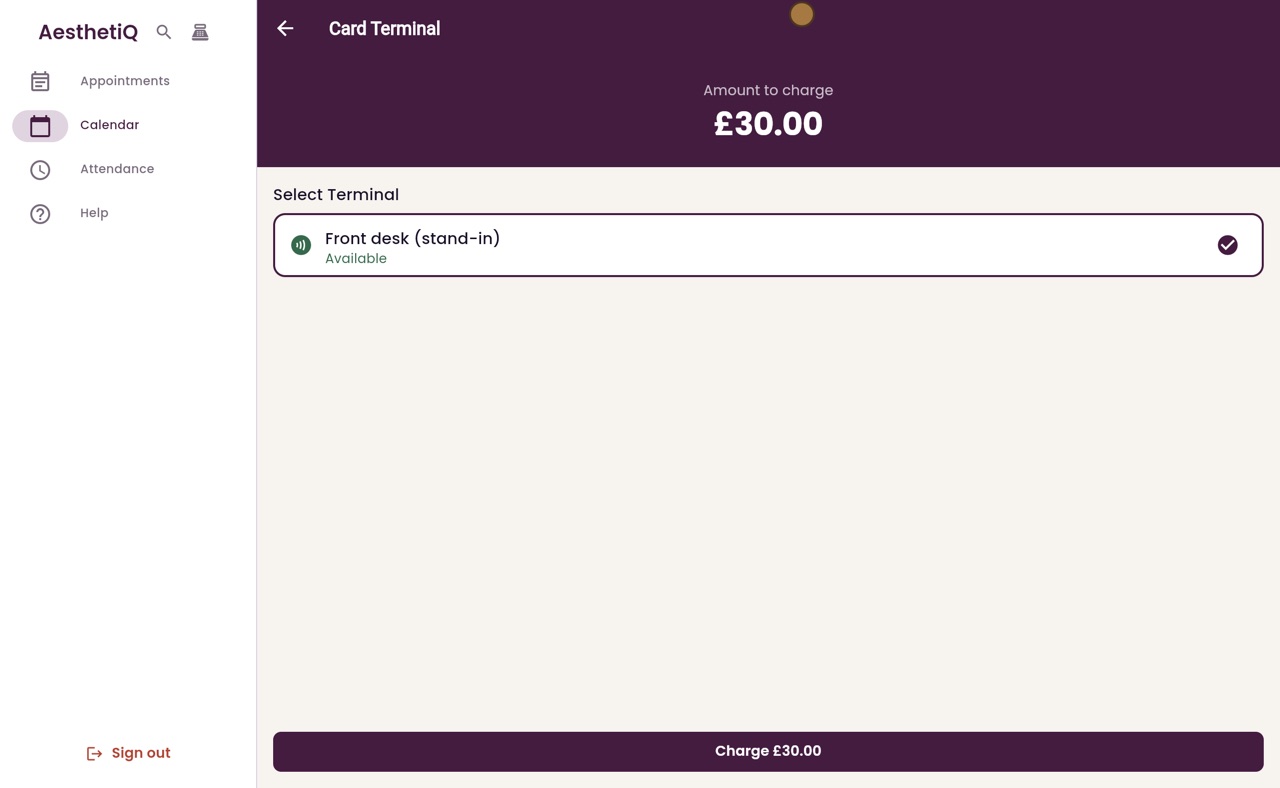
Click Process Payment. The Card Terminal screen shows the amount to charge, with the Front desk terminal selected.
- 06Ryan
The patient taps their card
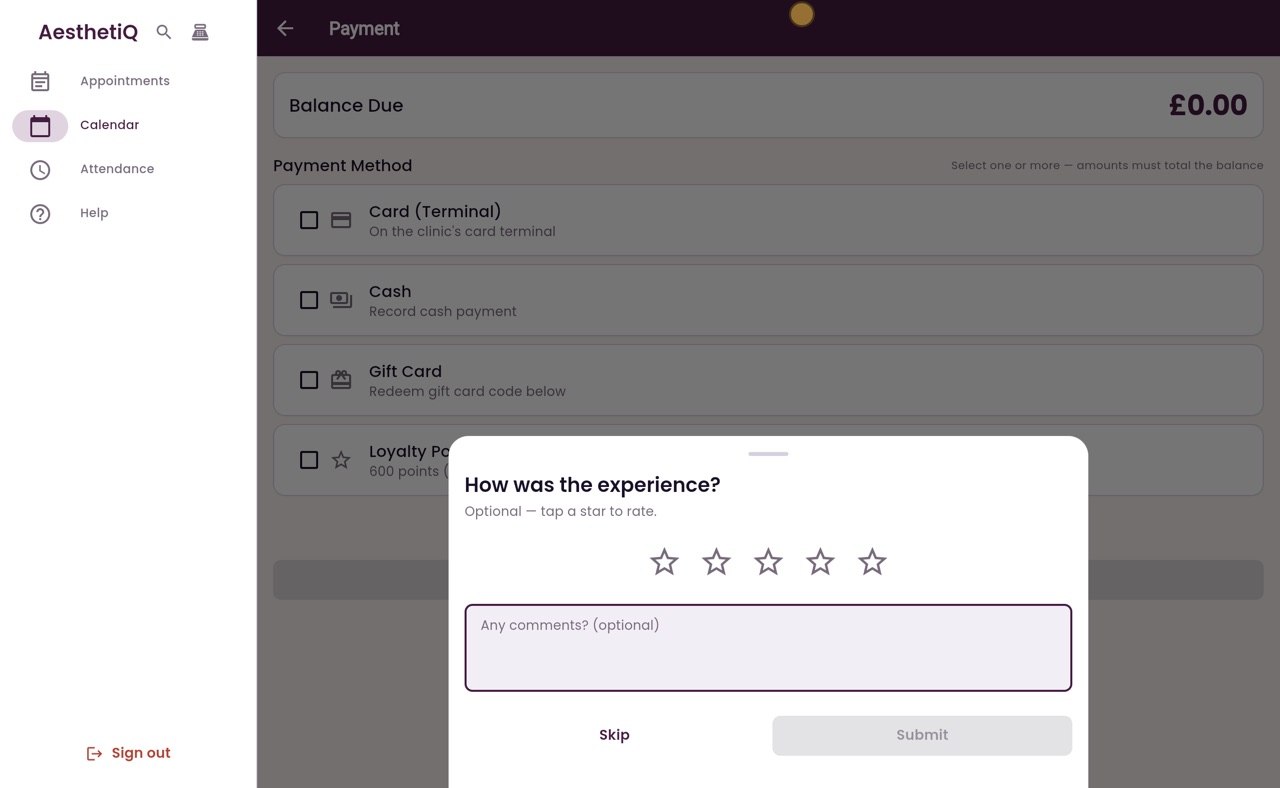
Click Charge, and the patient taps their card on the terminal. When the payment is approved, AesthetiQ asks how the visit was.
- 07Ryan
Paid
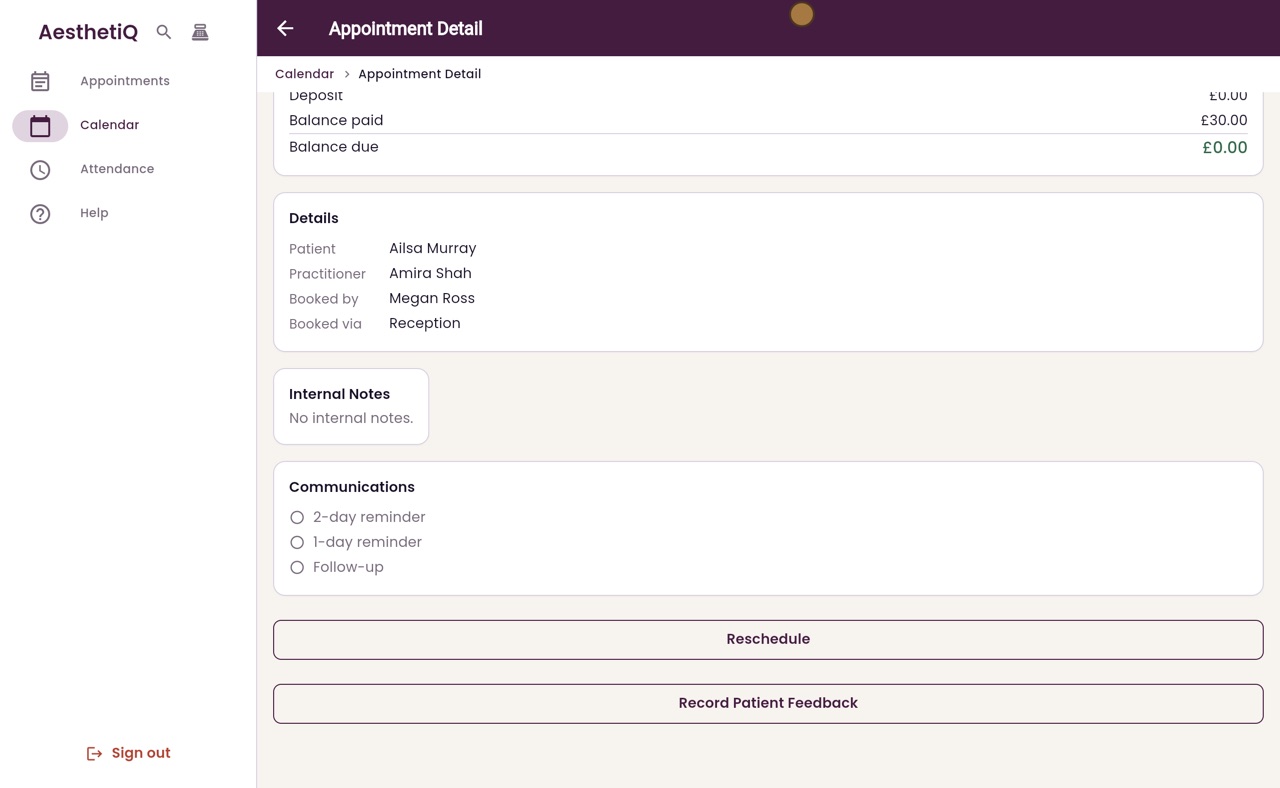
Ailsa can tap a star to rate the visit, or you can click Skip. A message confirms the payment, and the appointment shows thirty pounds paid, with nothing left to pay.
- 08Libby
Done
That is taking a card payment. The payment is recorded against Ailsa's appointment, with nothing left to pay.