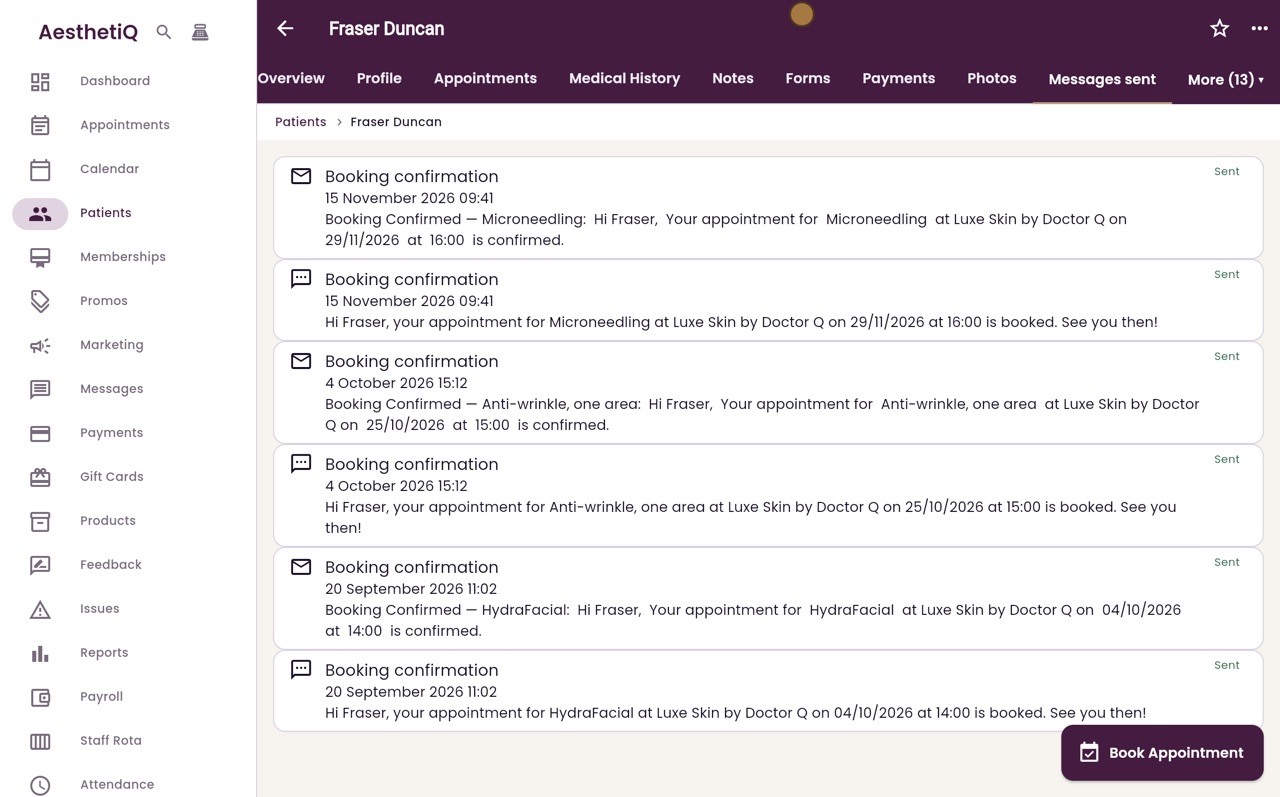
Messages sent to a patient
See every text and email AesthetiQ has sent a patient, when it went, and whether it was sent or held back.
Where
The patient's profile, More, then Messages sent.
Who
Reception and the clinic manager.
Statuses
Sent, Not sent with a reason, or Failed.
Step by step
- 01Libby
A record of every message
Hi, I am Libby. AesthetiQ keeps a record of every text and email it sends to a patient. Here is where to find them.
- 02Ryan
Open Messages sent
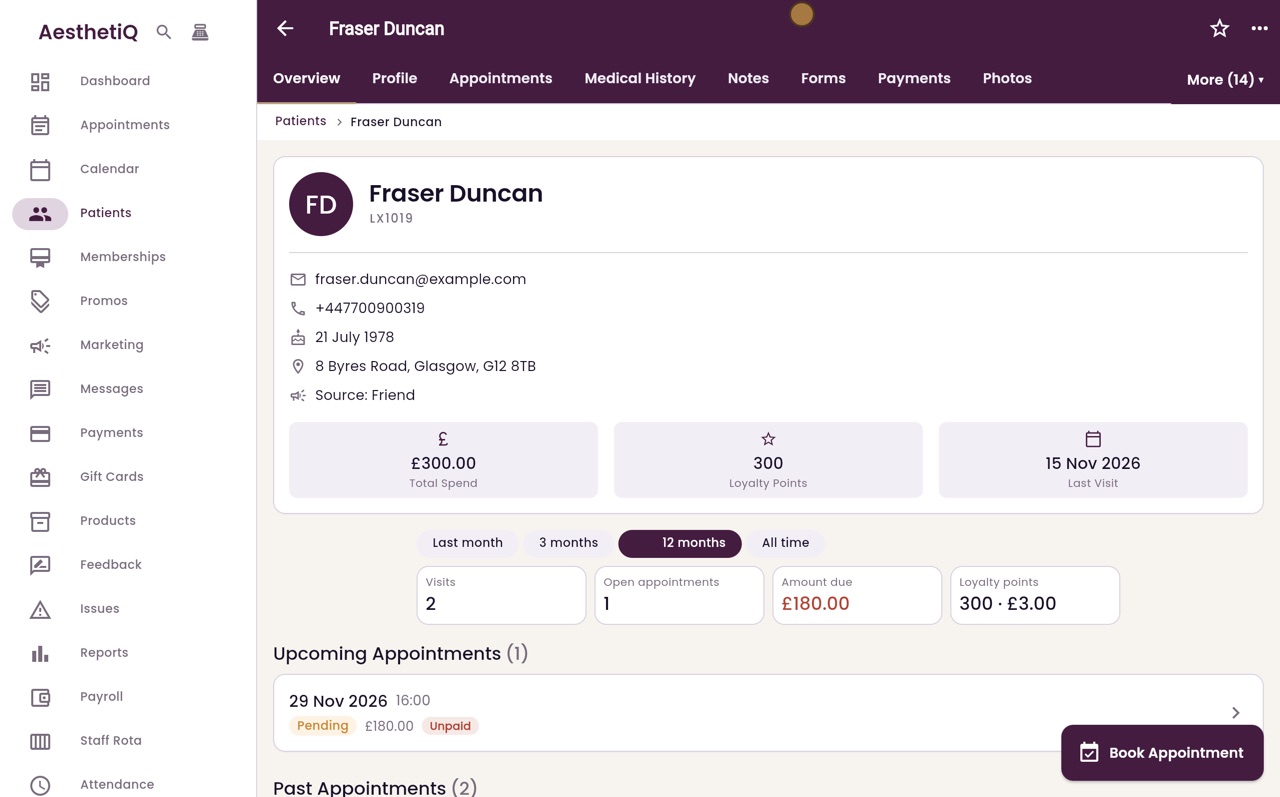
Thanks Libby. Open the patient's profile, here Fraser Duncan's. Click More at the top right, then Messages sent.
- 03Ryan
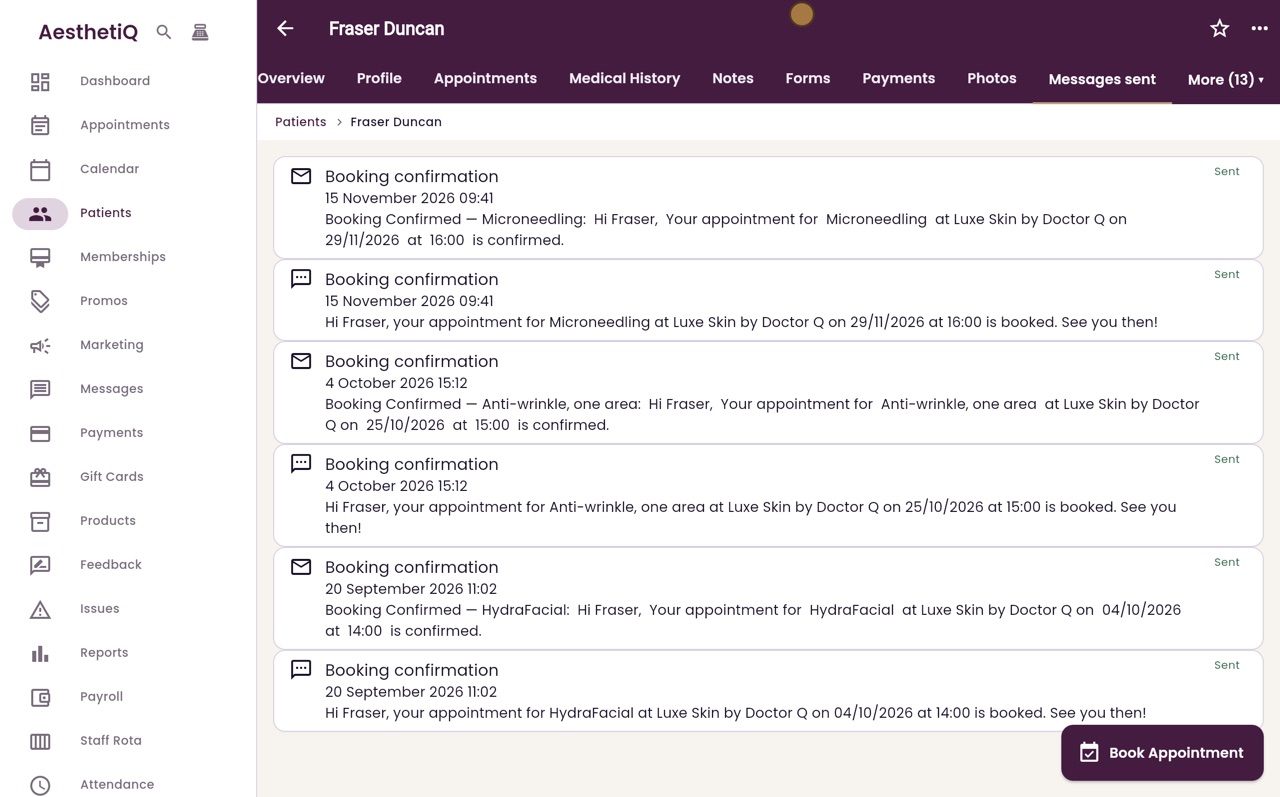
Newest first
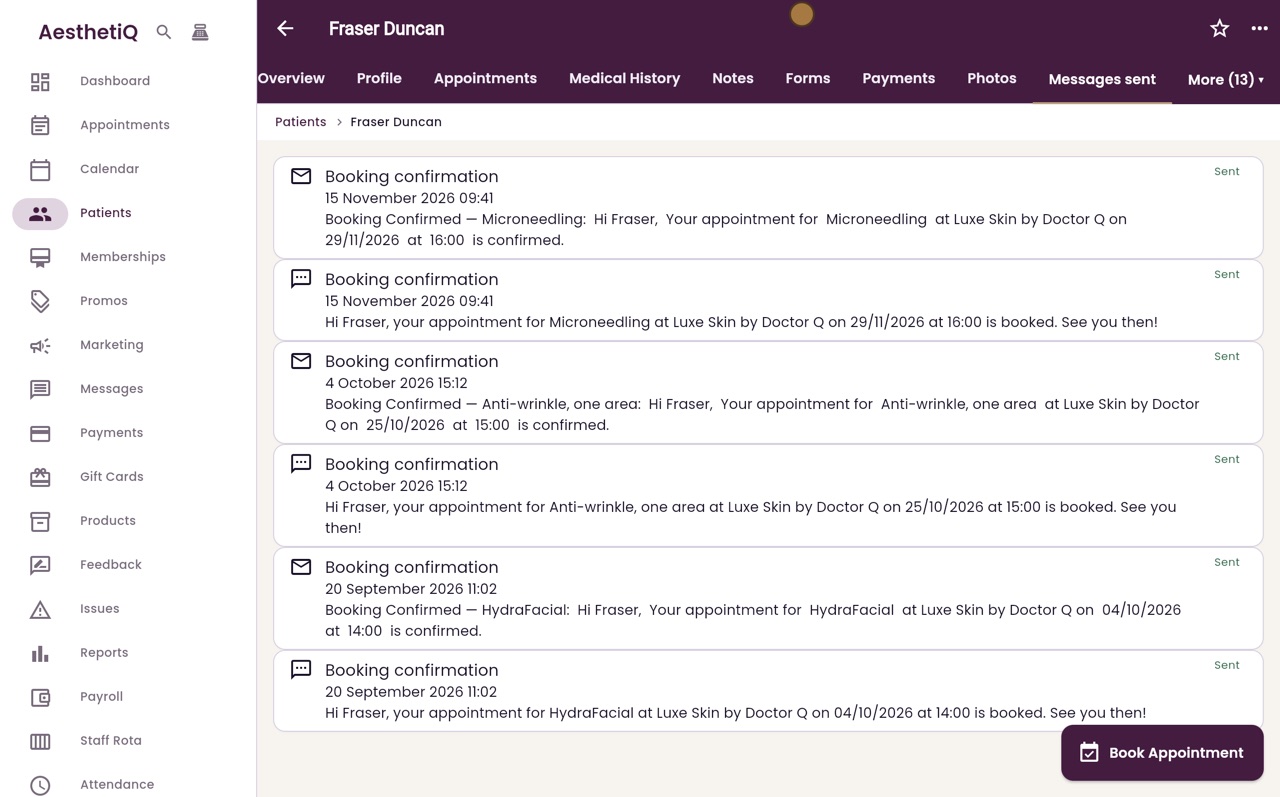
The newest messages are at the top. Each one shows what it was for, the date and time it was sent, and the start of what it said.
- 04Ryan
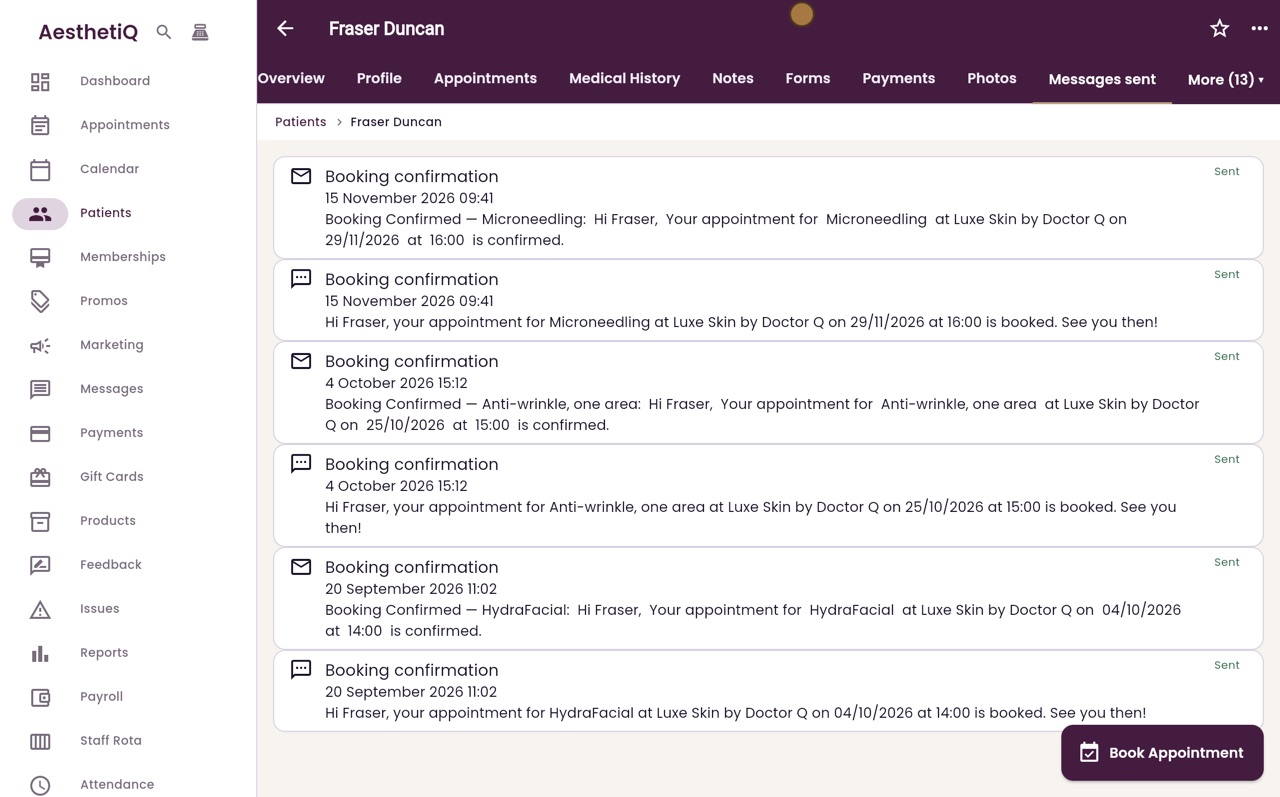
Email or text
The envelope means an email and the speech bubble means a text. When Fraser booked his Microneedling, he was sent a confirmation both ways.
- 05Ryan
Sent or not
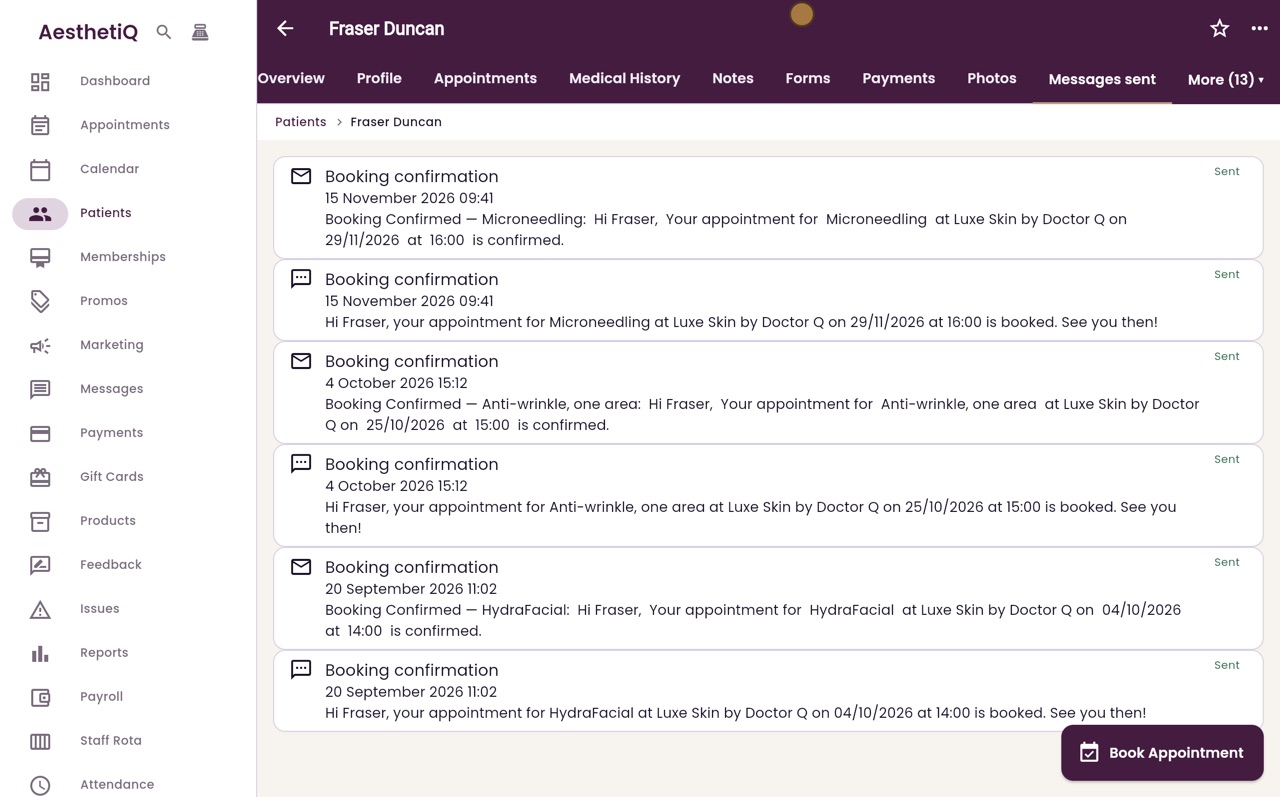
On the right is whether each message went. Sent means it left AesthetiQ. A message that was held back says Not sent, with the reason, for example when the patient has not agreed to offers.
- 06Libby
Done
That is the messages sent to a patient. If a patient says a message never arrived, check here first.