Practitioner: a typical day
A practitioner checks their own diary, opens each appointment, and keeps the forms, products and notes up to date.
Your diary
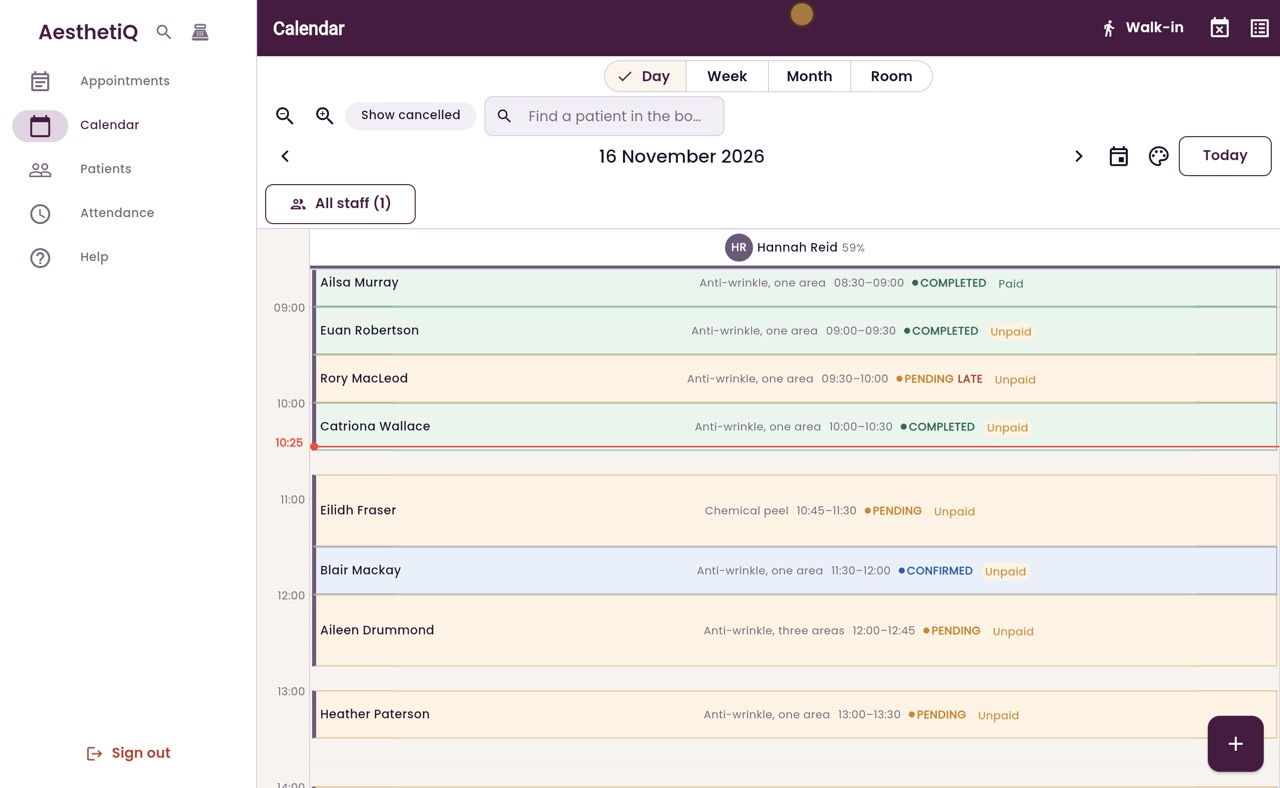
The calendar shows only your own column.
Before treatment
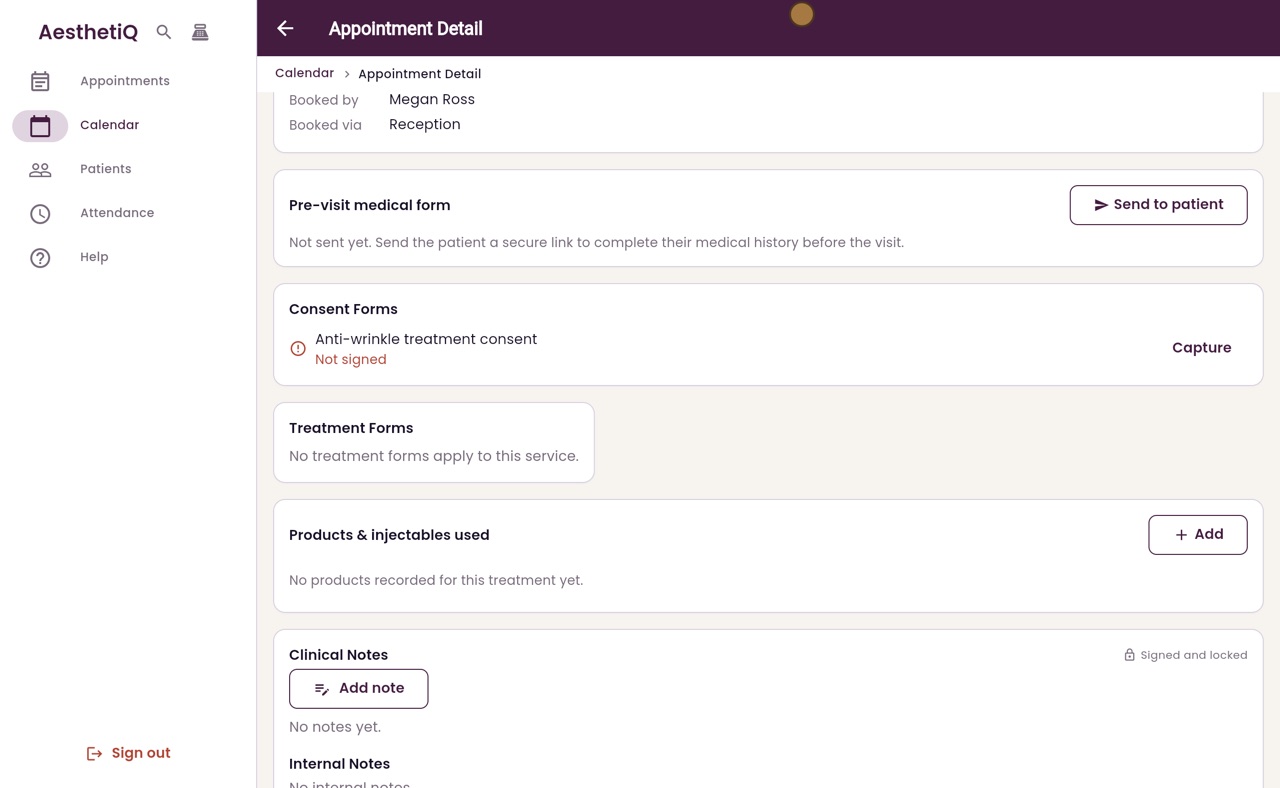
Pre-visit medical form and Consent Forms on the appointment.
After treatment
Products and injectables used, then a signed clinical note.
Step by step
- 01Libby
A typical day
Hi, I am Libby. Here is a typical day for a practitioner: checking your own diary, opening an appointment, and keeping the forms and notes up to date.
- 02Ryan
Your own diary
Thanks Libby. When Hannah signs in, she sees her own diary: only her column, with each patient and treatment for the day. Blair Mackay is booked with her at half past eleven. She clicks his appointment.
- 03Ryan
The appointment
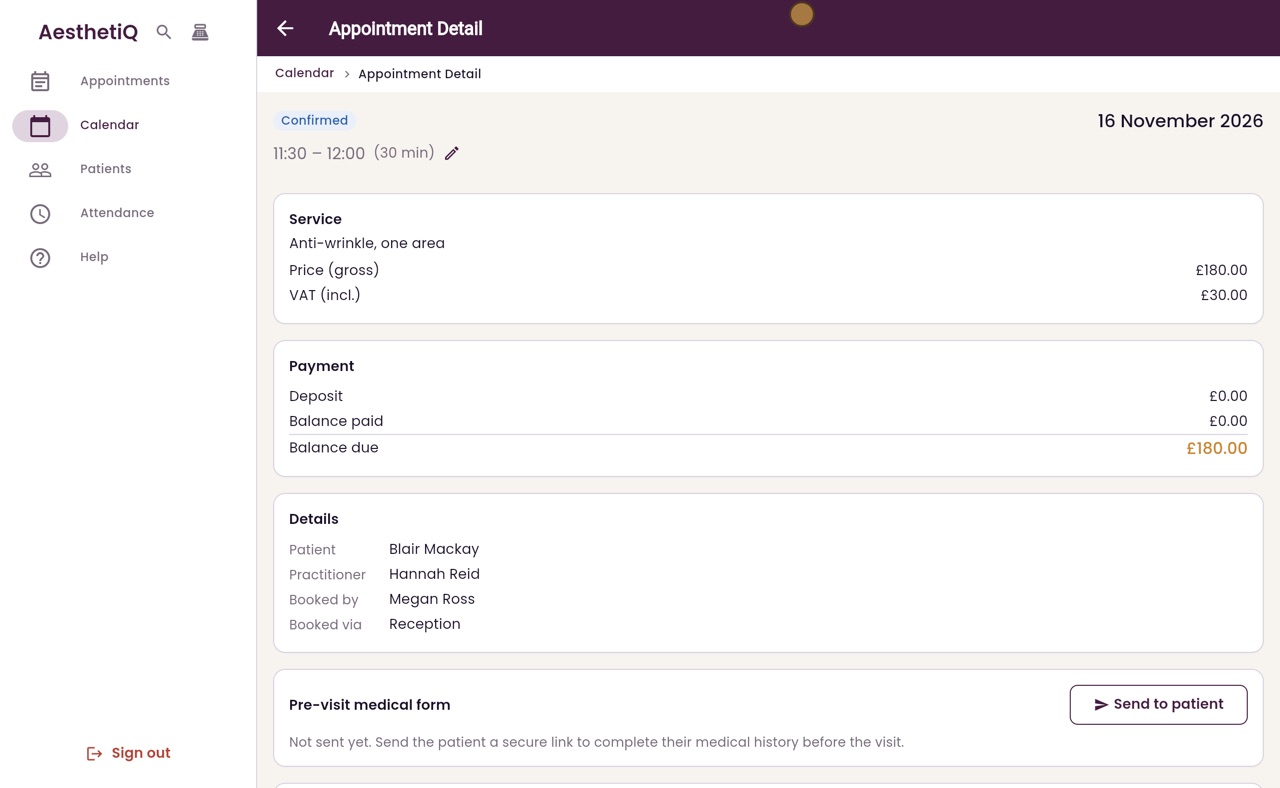
The appointment shows the treatment, the price and what is still to pay. Further down are the clinical sections, which only practitioners and the clinic manager see.
- 04Ryan
Medical form and consent
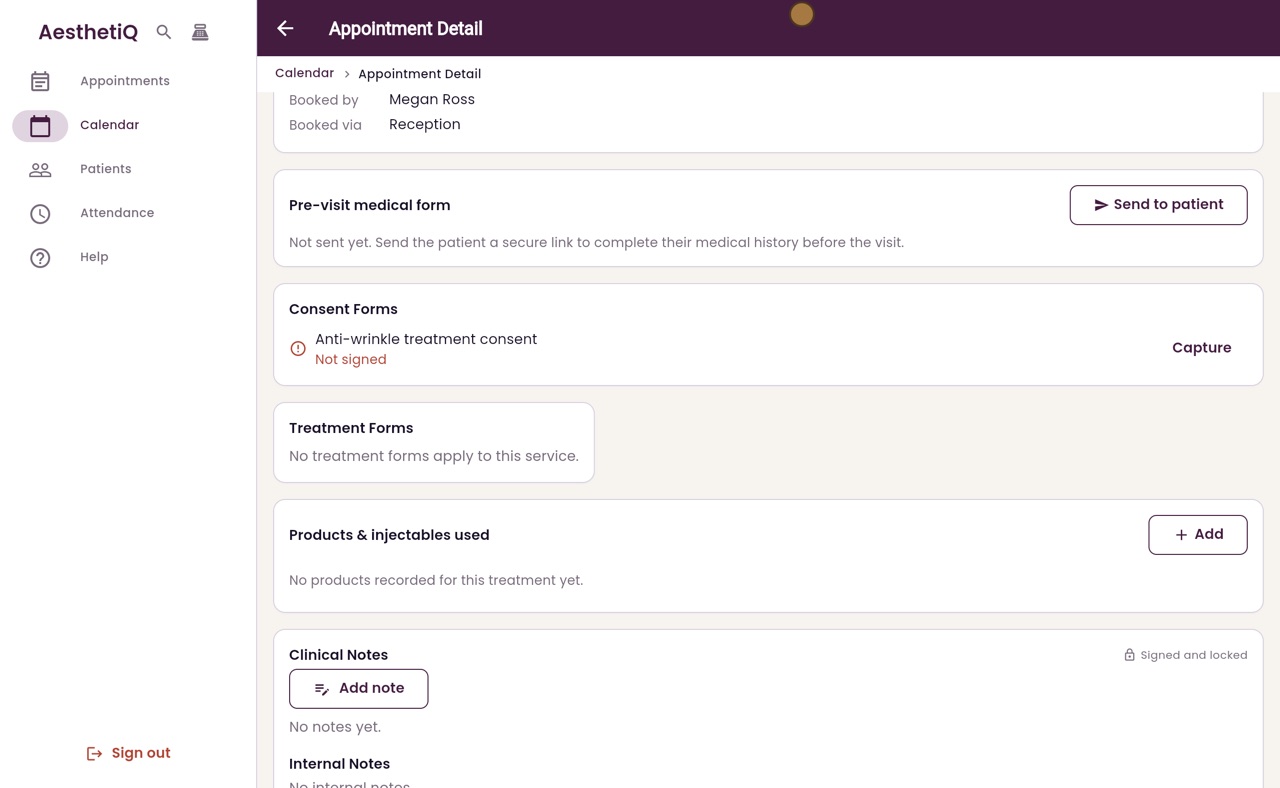
The pre-visit medical form shows whether Blair has sent his medical history. Consent Forms shows that the anti-wrinkle consent is not signed yet. Capture opens the form for Blair to sign before his treatment.
- 05Ryan
Products used
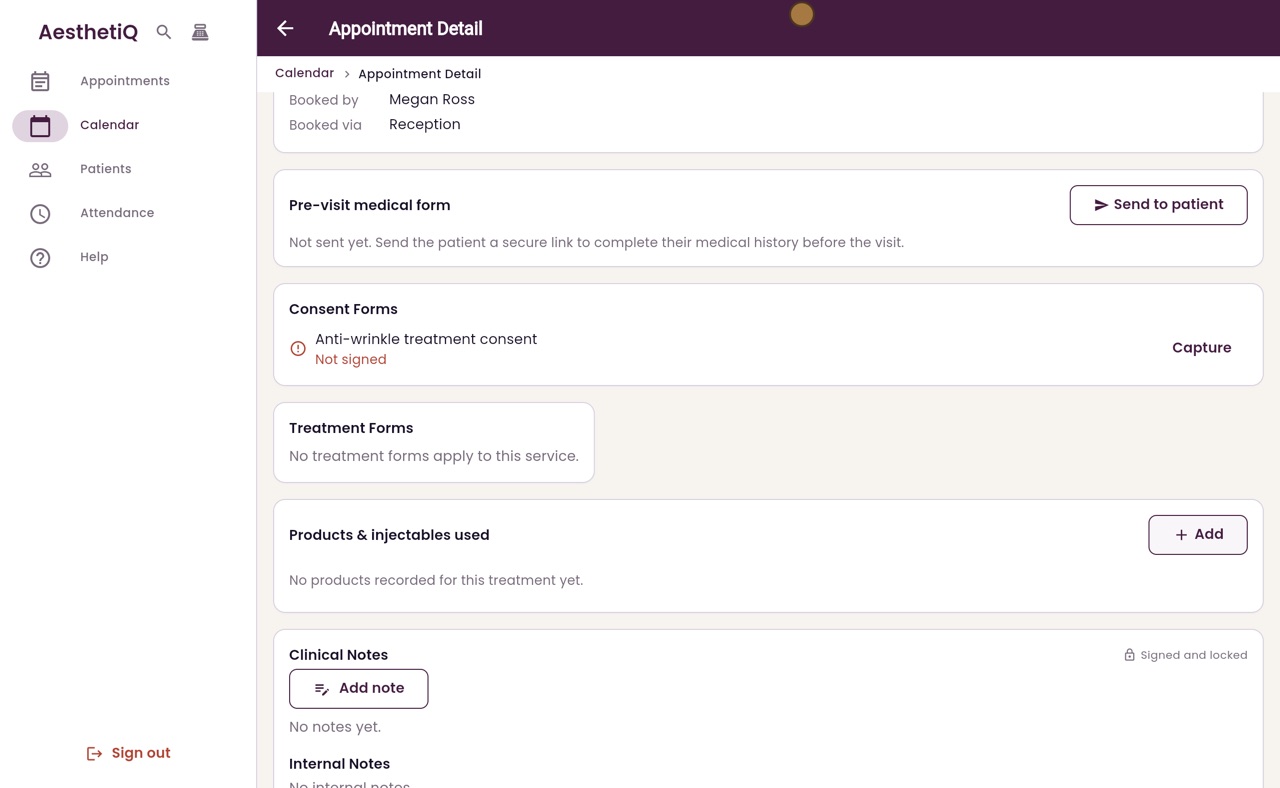
After the treatment, Products and injectables used is where she records the product, its batch number and expiry date, with Add.
- 06Ryan
The clinical note
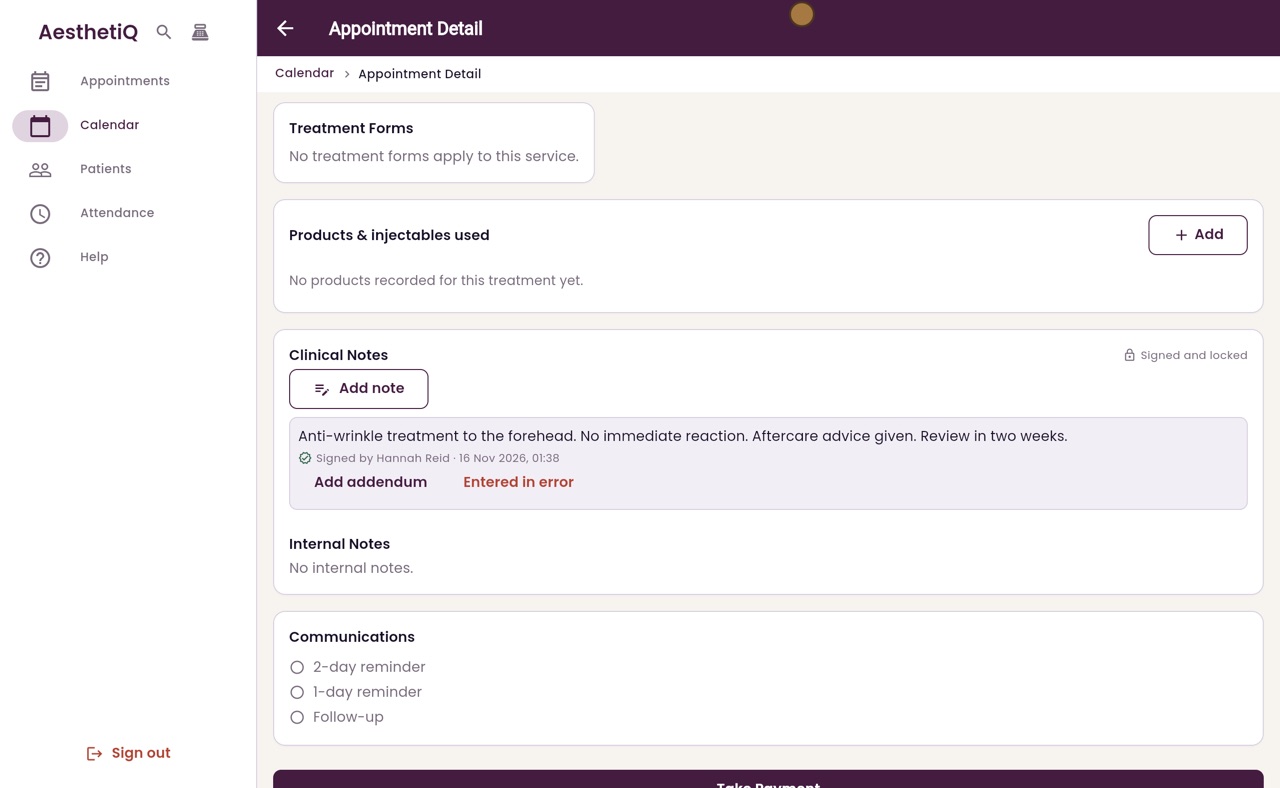
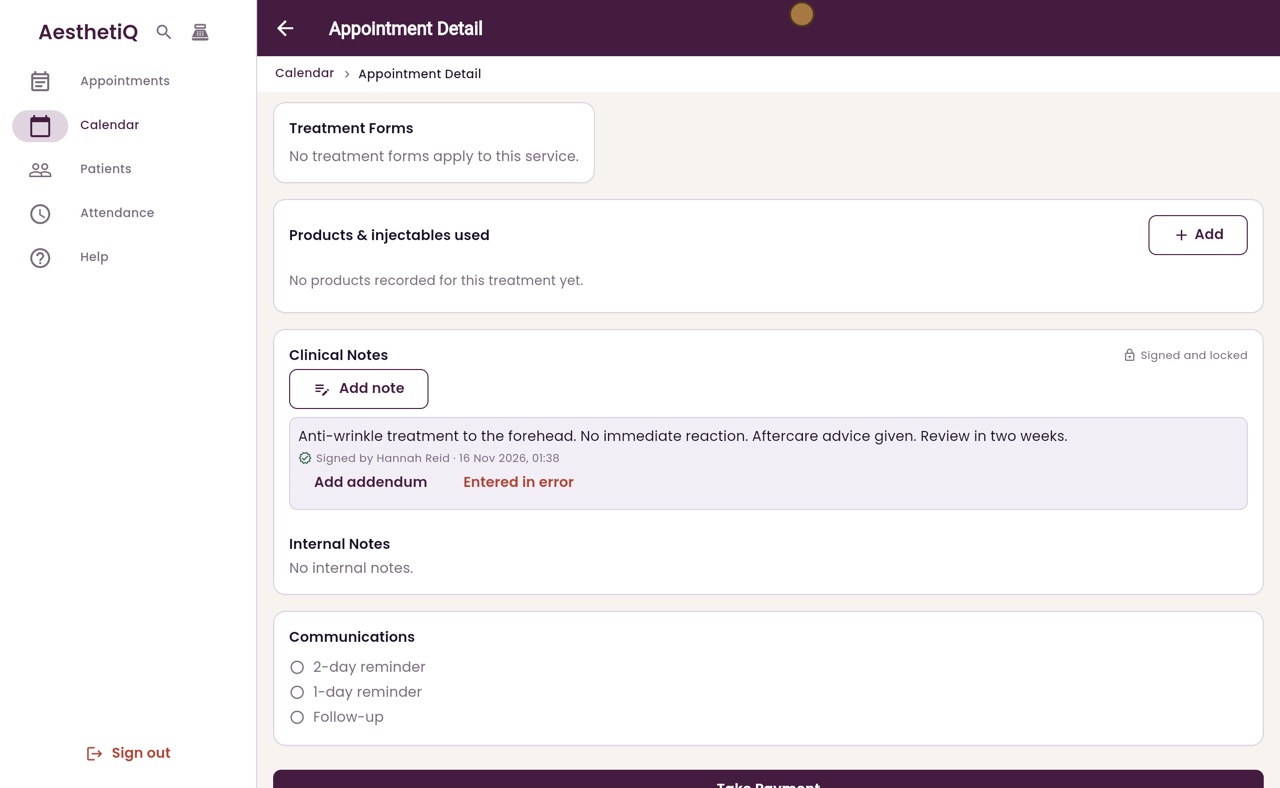
Then she writes her clinical note. She clicks Add note, types what she did, and clicks Sign and save. The note is signed with her name and the time, and it can never be edited or deleted.
- 07Libby
Done
That is a practitioner's typical day. To look back at a patient's history, open Patients in the menu.