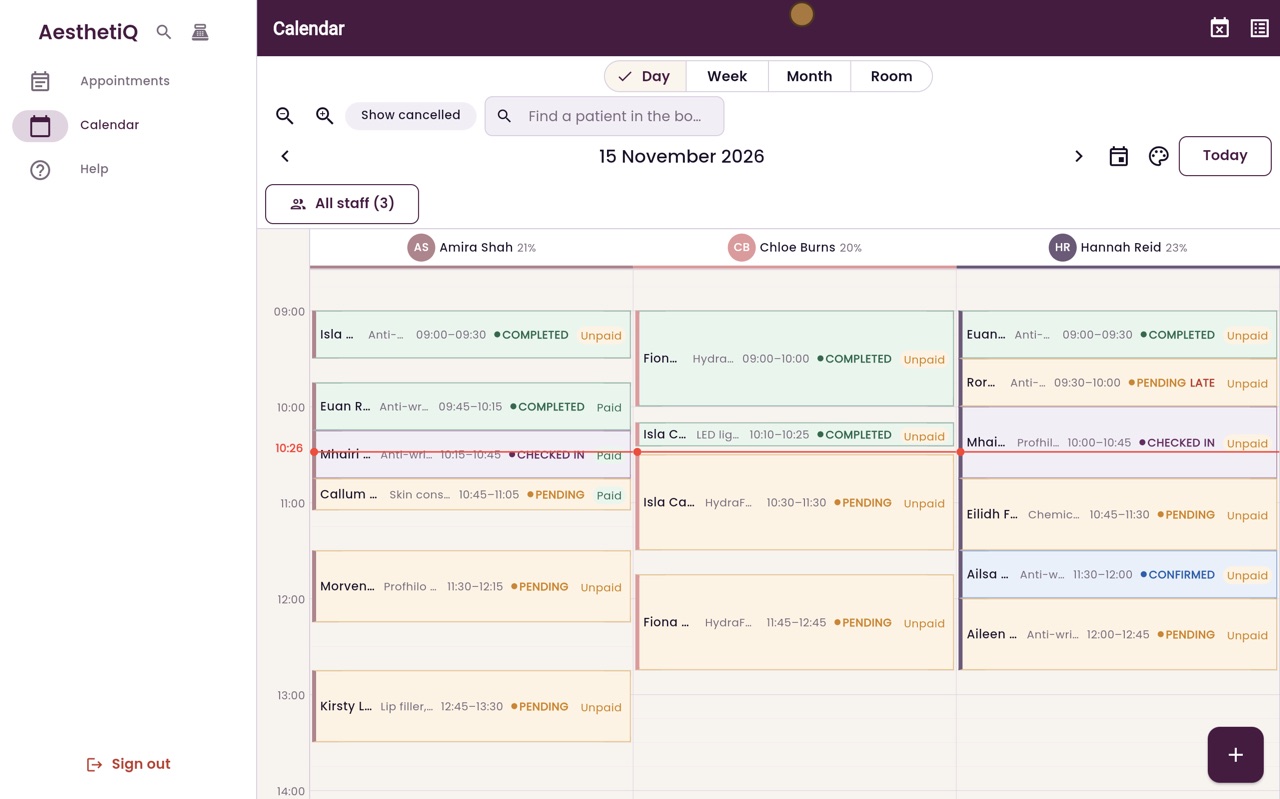
What the calendar colours mean
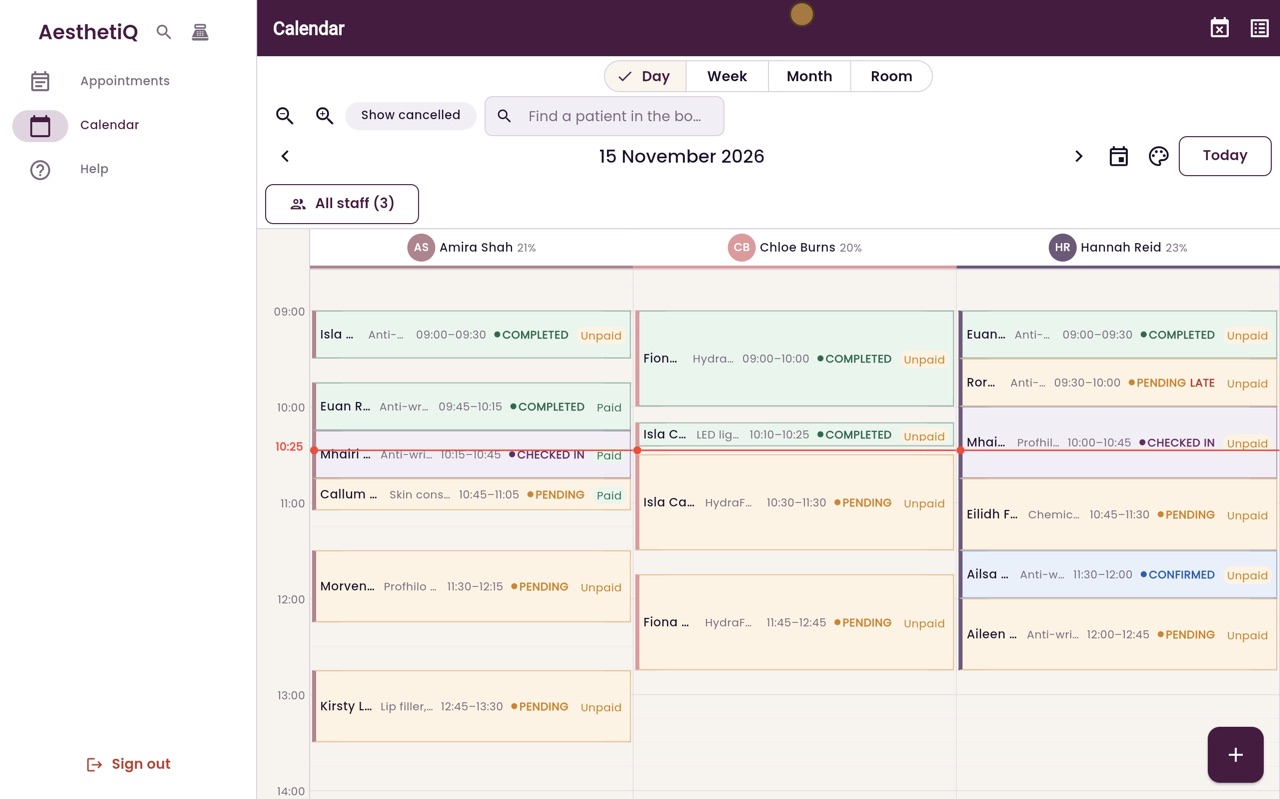
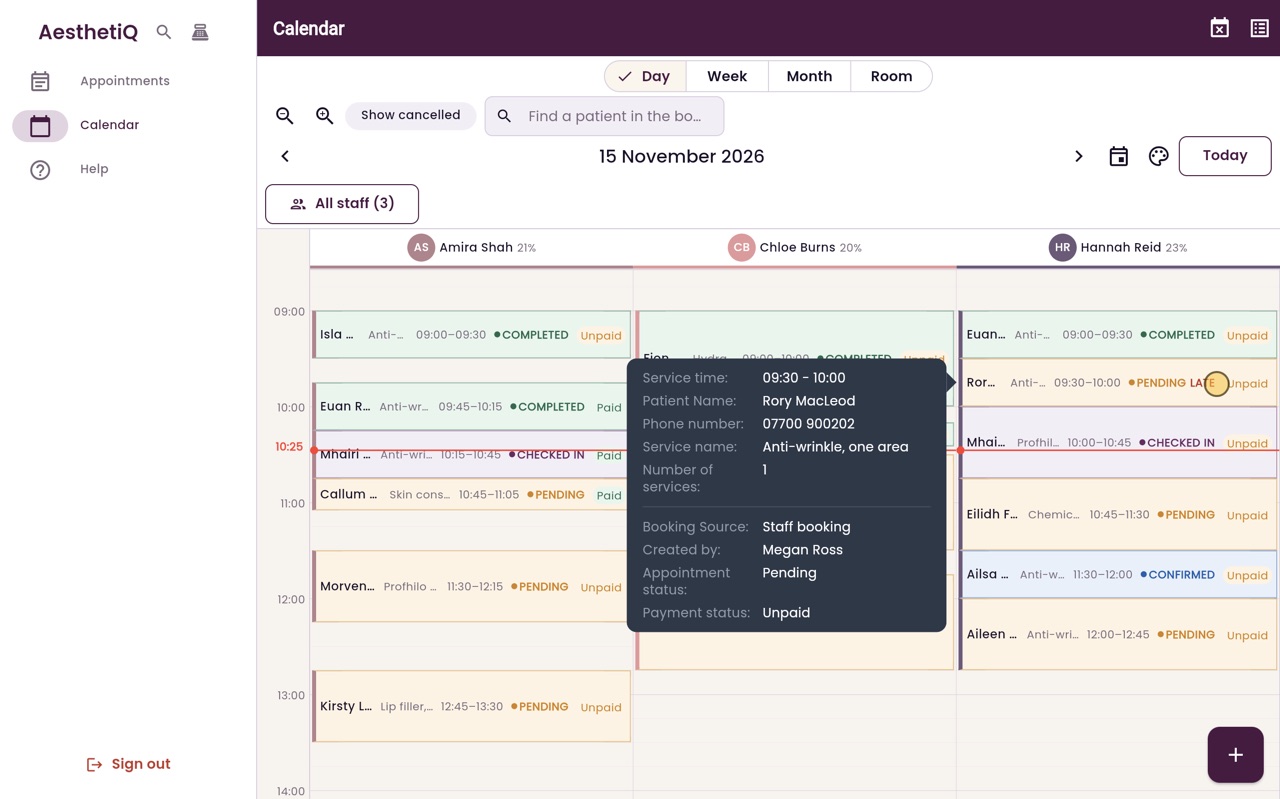
Each appointment's colour shows its status, the left stripe shows the practitioner, and a tag shows whether it is paid. Late patients are marked Late.
Colour
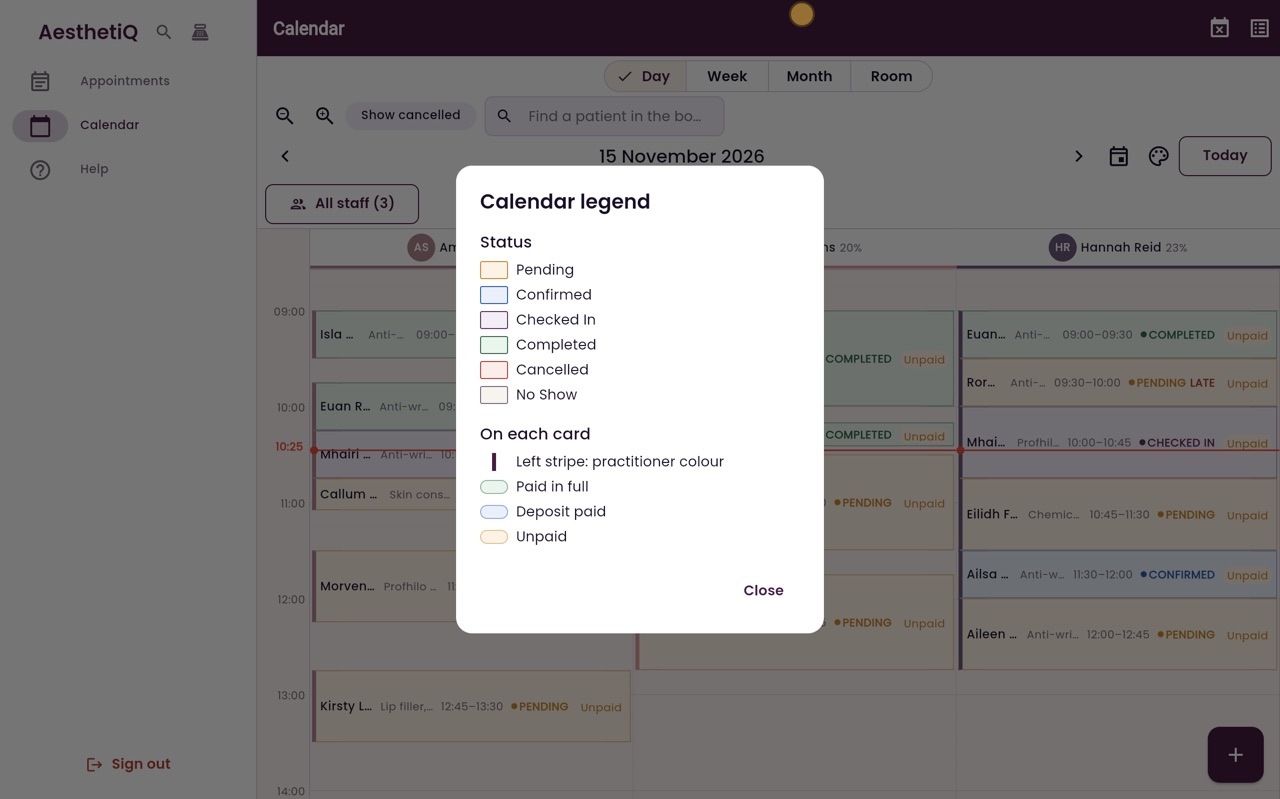
Pending, Confirmed, Checked In, Completed, Cancelled or No Show.
Tags
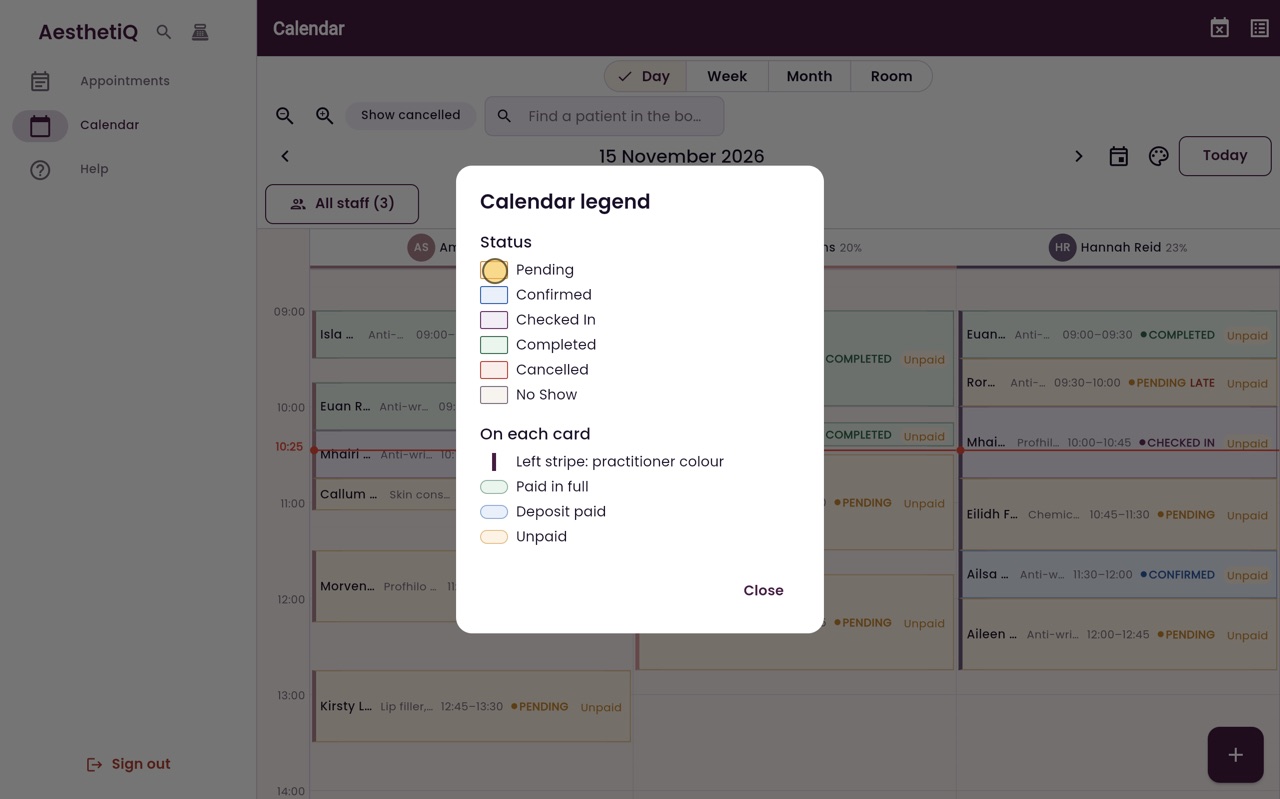
Paid in full, deposit paid, or unpaid.
Late
Not checked in five minutes after the start time.
Step by step
- 01Libby
Colours and labels
Hi, I am Libby. The calendar uses colours and short labels, so you can see at a glance where each patient is up to.
- 02Ryan
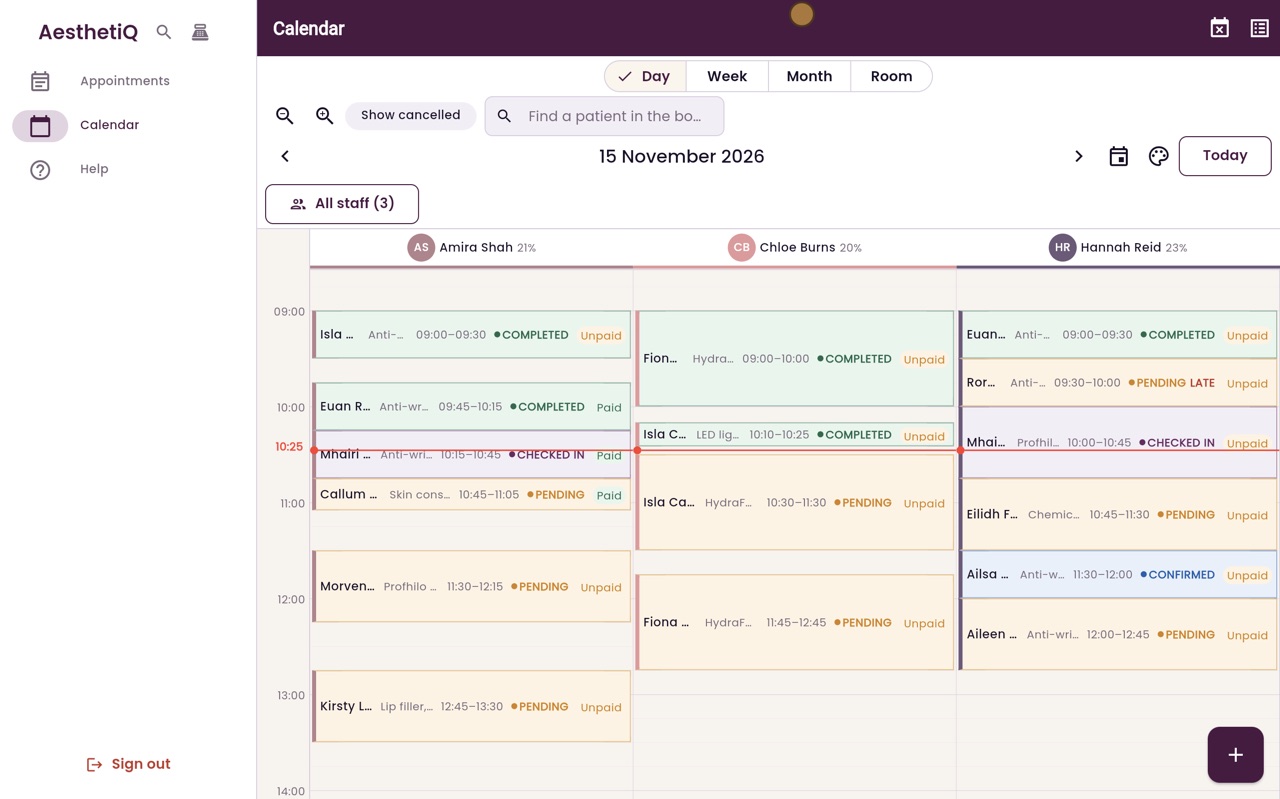
Open the legend
Thanks Libby. If you forget what a colour means, click the Legend button beside the date.
- 03Ryan
Status colours
The colour of a card shows its status: Pending, Confirmed, Checked In, Completed, Cancelled or No Show. A new booking starts as Pending.
- 04Ryan
Stripe and payment tag
On each card, the stripe down the left is the practitioner's colour. The tag on the right shows whether it is paid in full, has a deposit paid, or is still unpaid. Click Close.
- 05Ryan
Late
If a patient has not been checked in five minutes after their start time, the card says Late beside the status. Rest the pointer on it to see who it is and their phone number, so you can give them a call.
- 06Libby
Done
That is the calendar colours. Once a patient is checked in, the card changes colour, so the practitioner knows they are waiting.