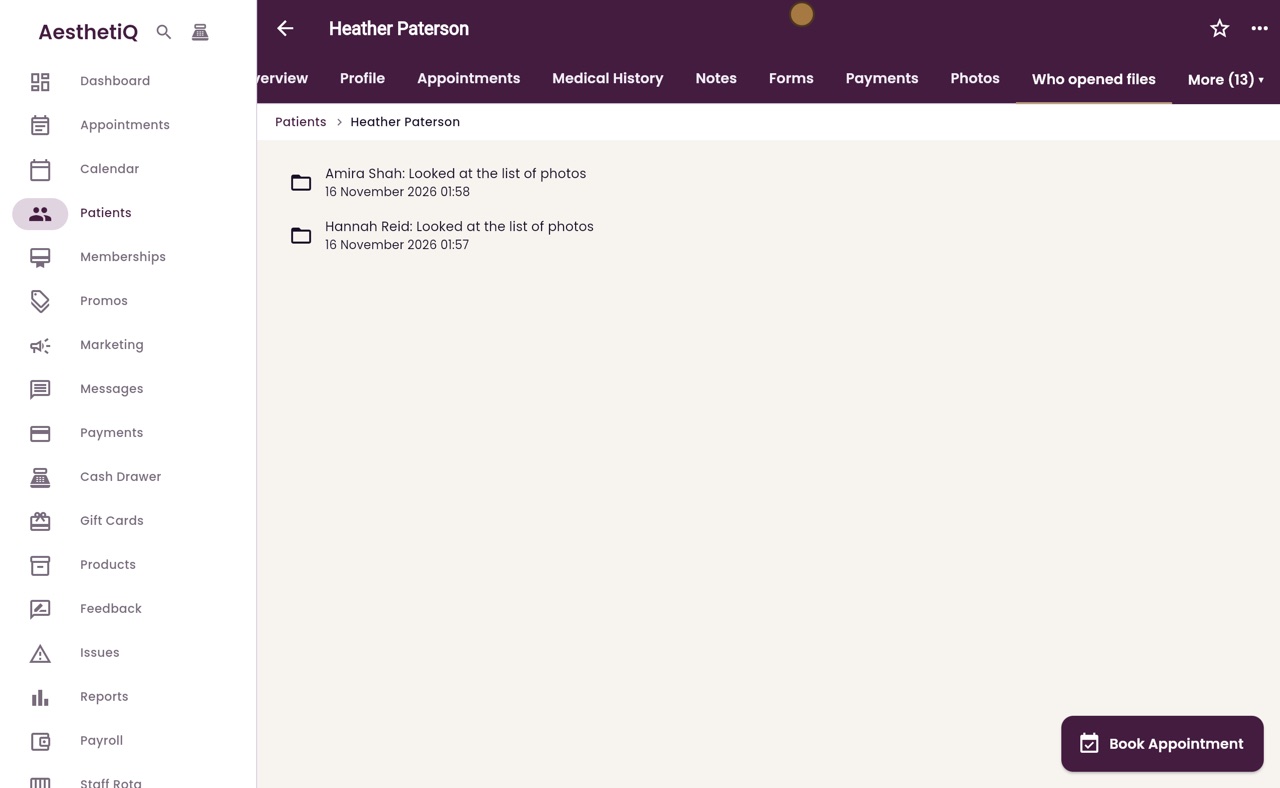
Who opened a patient's files
Every time a member of staff opens a patient's photos or documents, AesthetiQ records it. The clinic manager can see the list on the patient's profile.
Where
The patient's profile, More, then Who opened files.
Each line
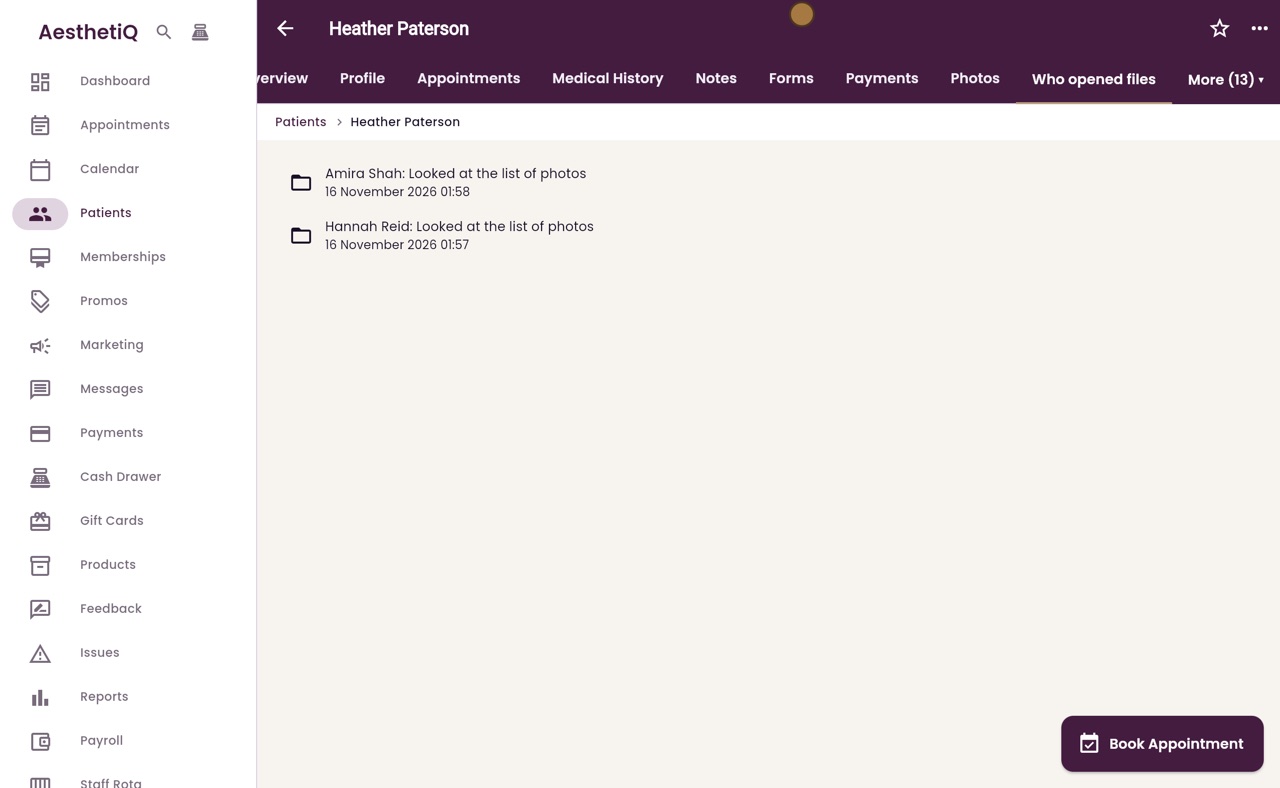
Who it was, what they did, and the date and time, newest first.
Who sees it
Only the clinic manager. Nobody can change or delete the list.
Step by step
- 01Libby
Who opened the files
Hi, I am Libby. A patient's photos and documents are sensitive. AesthetiQ records each time a member of staff opens them, so the clinic manager can check who has looked.
- 02Ryan
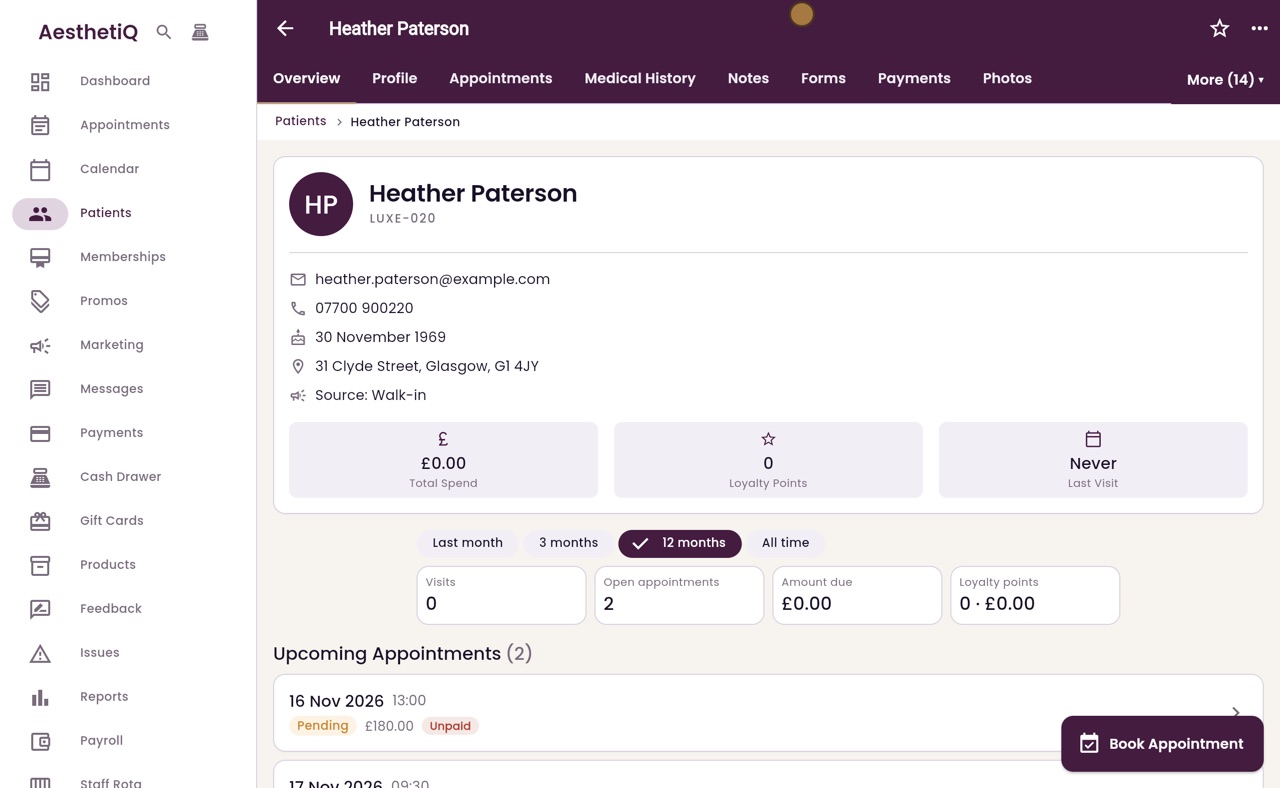
The patient's profile
Thanks Libby. Open the patient's profile, here Heather Paterson, then open More at the top right.
- 03Ryan
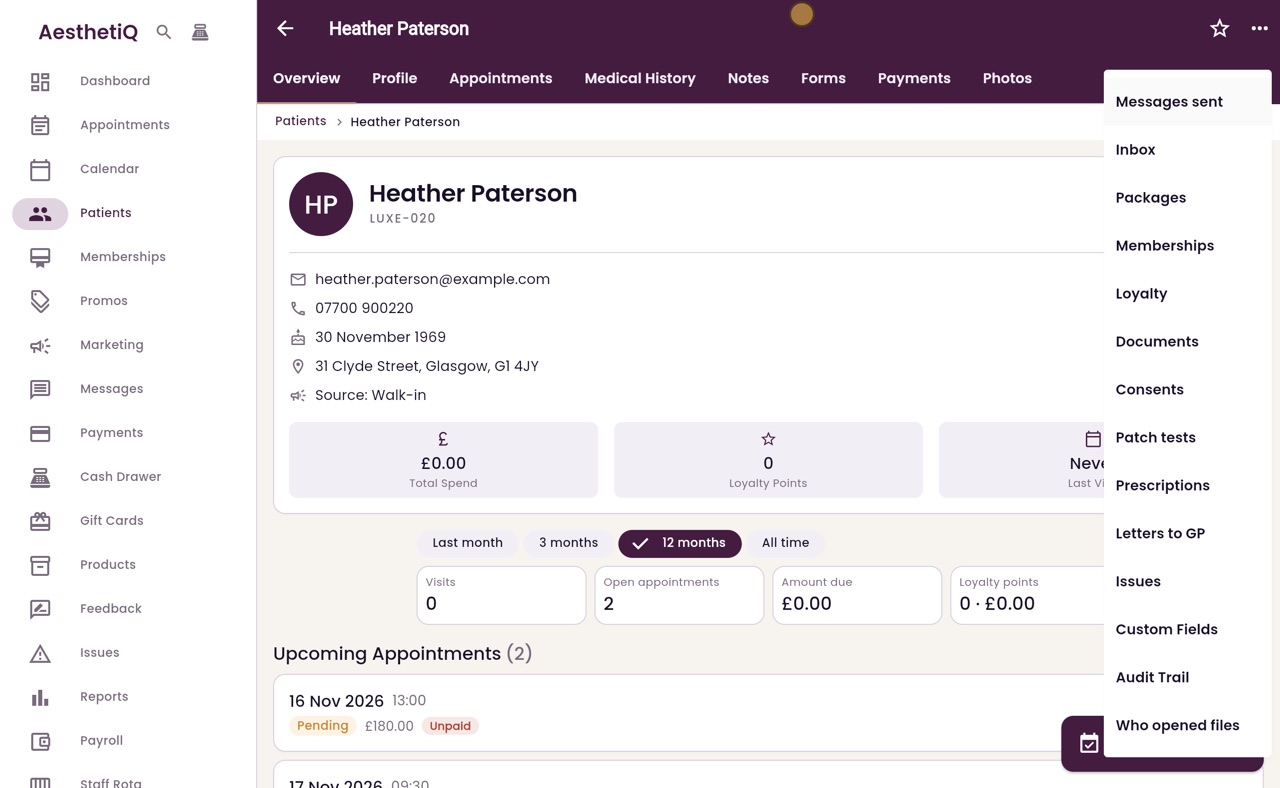
Who opened files
At the bottom of the list, choose Who opened files.
- 04Ryan
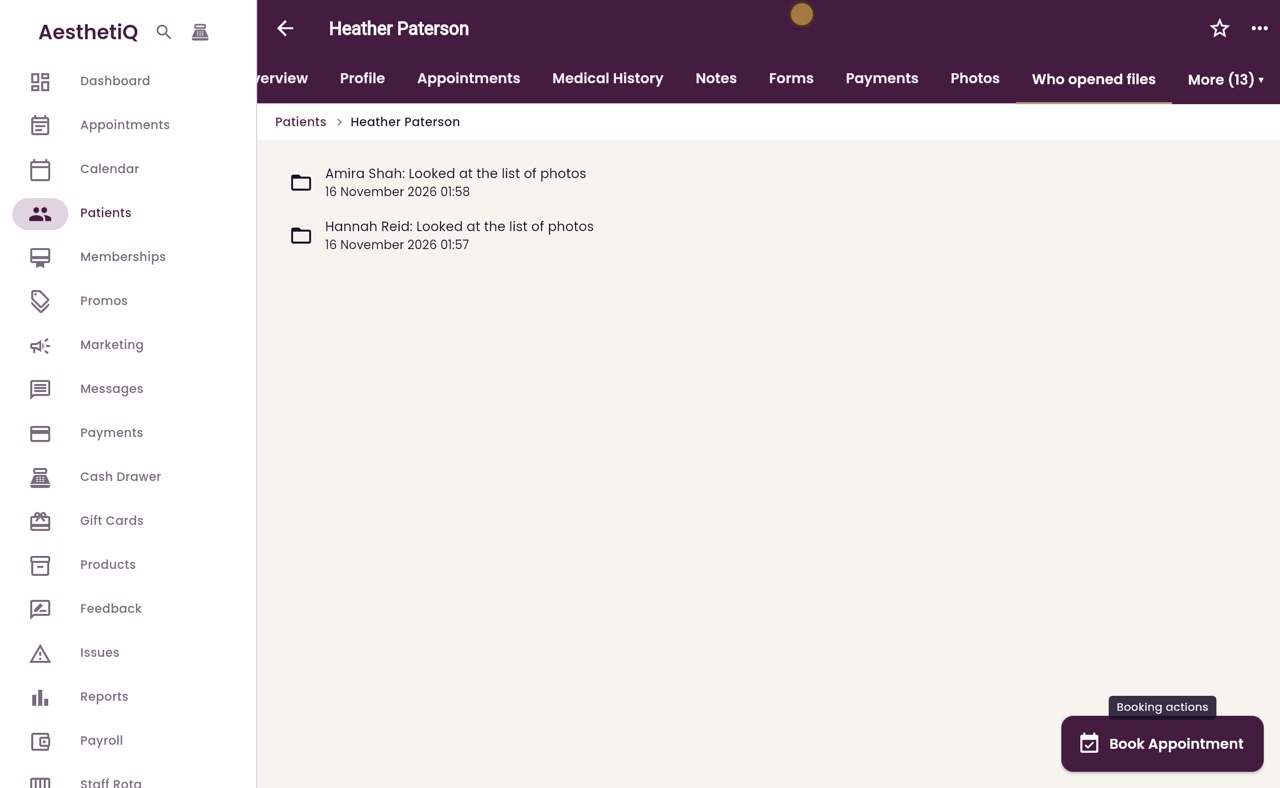
The list
Each line shows the member of staff, what they did, and the date and time, newest first. Here Amira Shah and Hannah Reid have each looked at the list of Heather's photos.
- 05Libby
Done
That is checking who opened a patient's files. Only the clinic manager can see this list, and nobody can change or delete it.