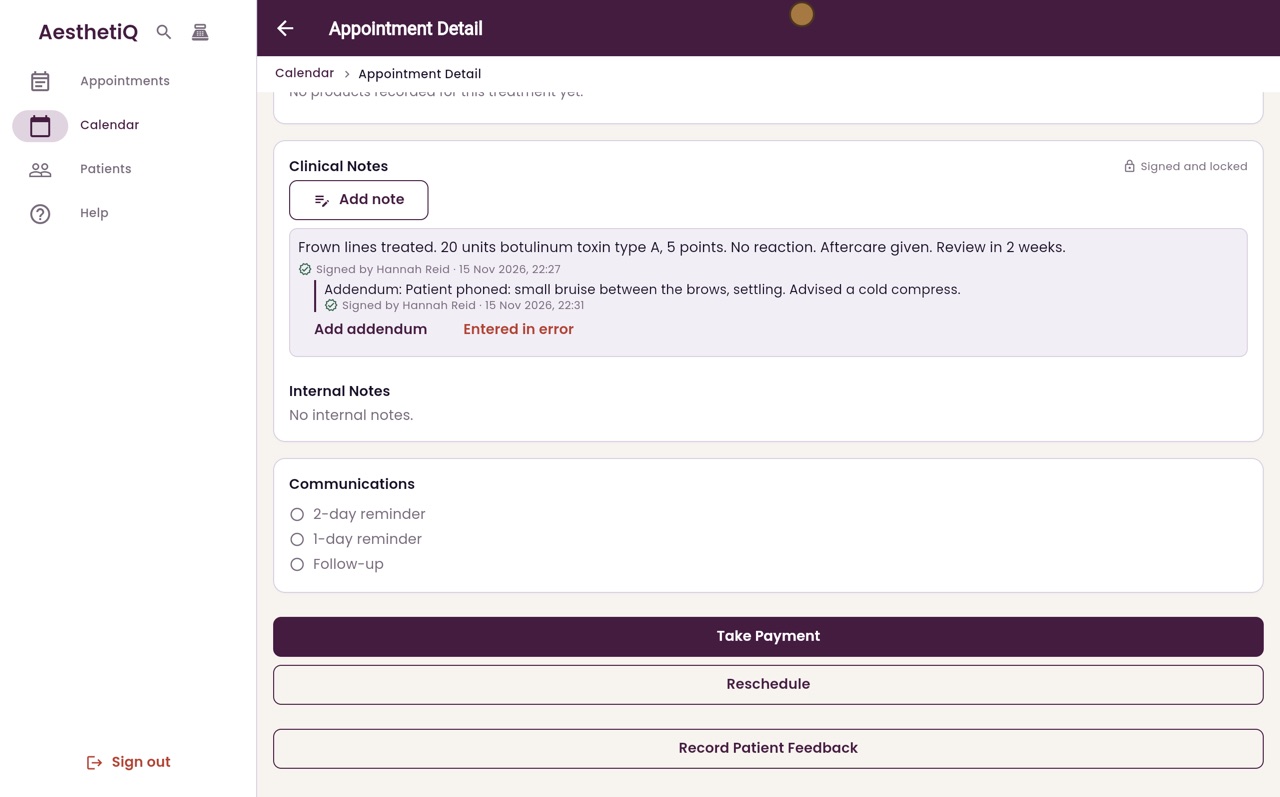
Adding an addendum to a note
A signed note cannot be changed. To add to it, write an addendum: it is signed and shown under the original note.
Where
The appointment, Clinical Notes, Add addendum under the note.
Who
Practitioners.
After
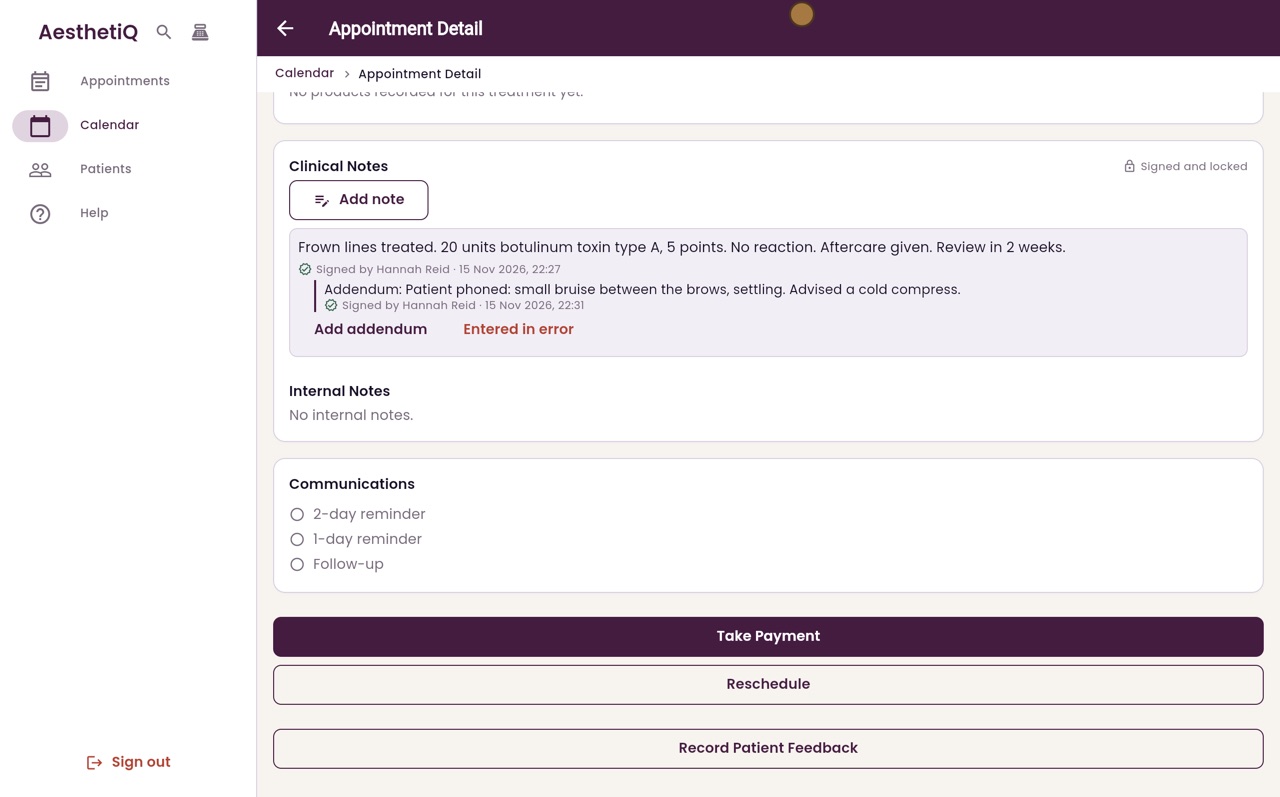
The addendum shows under the note with its own signature.
Step by step
- 01Libby
Adding to a signed note
Hi, I am Libby. A signed clinical note can never be changed. To add something to it later, you add an addendum.
- 02Ryan
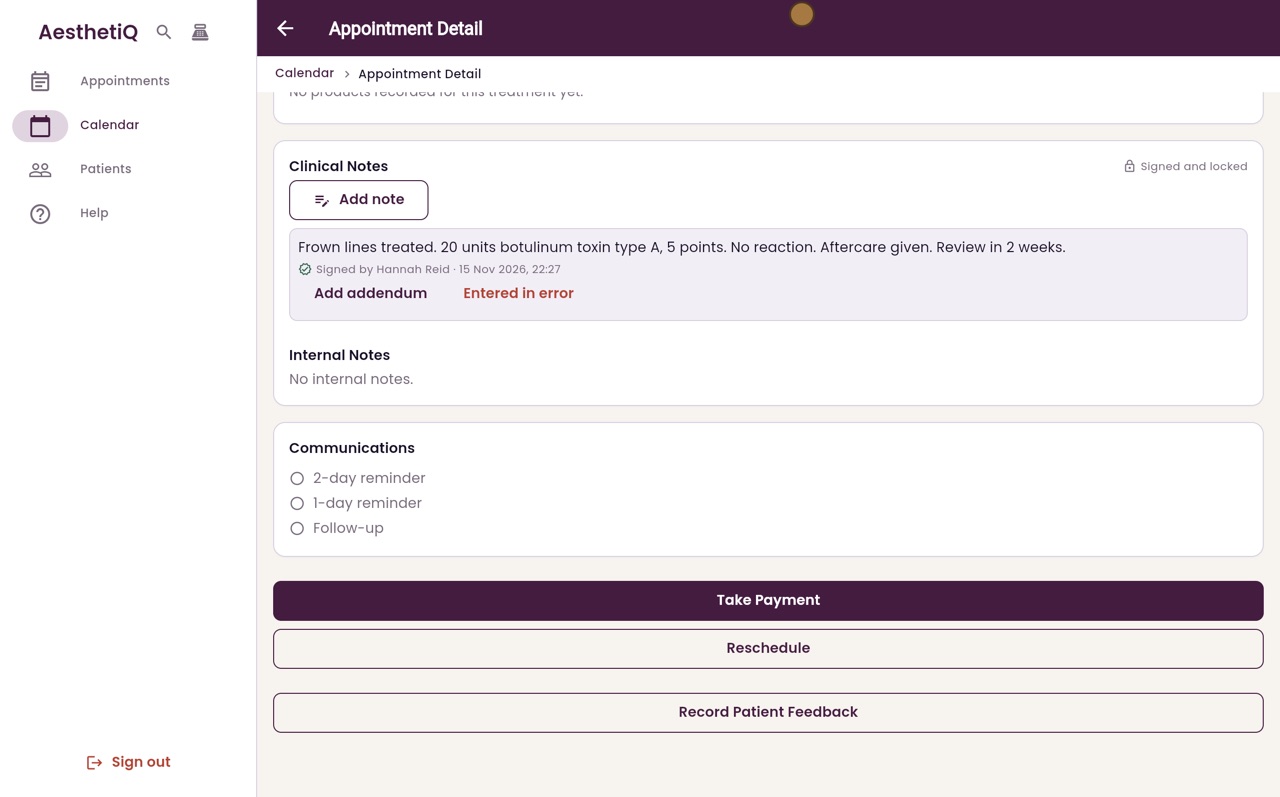
Add addendum
Thanks Libby. This is Heather Paterson's appointment from this morning, with Hannah Reid's signed note. Under the note, click Add addendum.
- 03Ryan
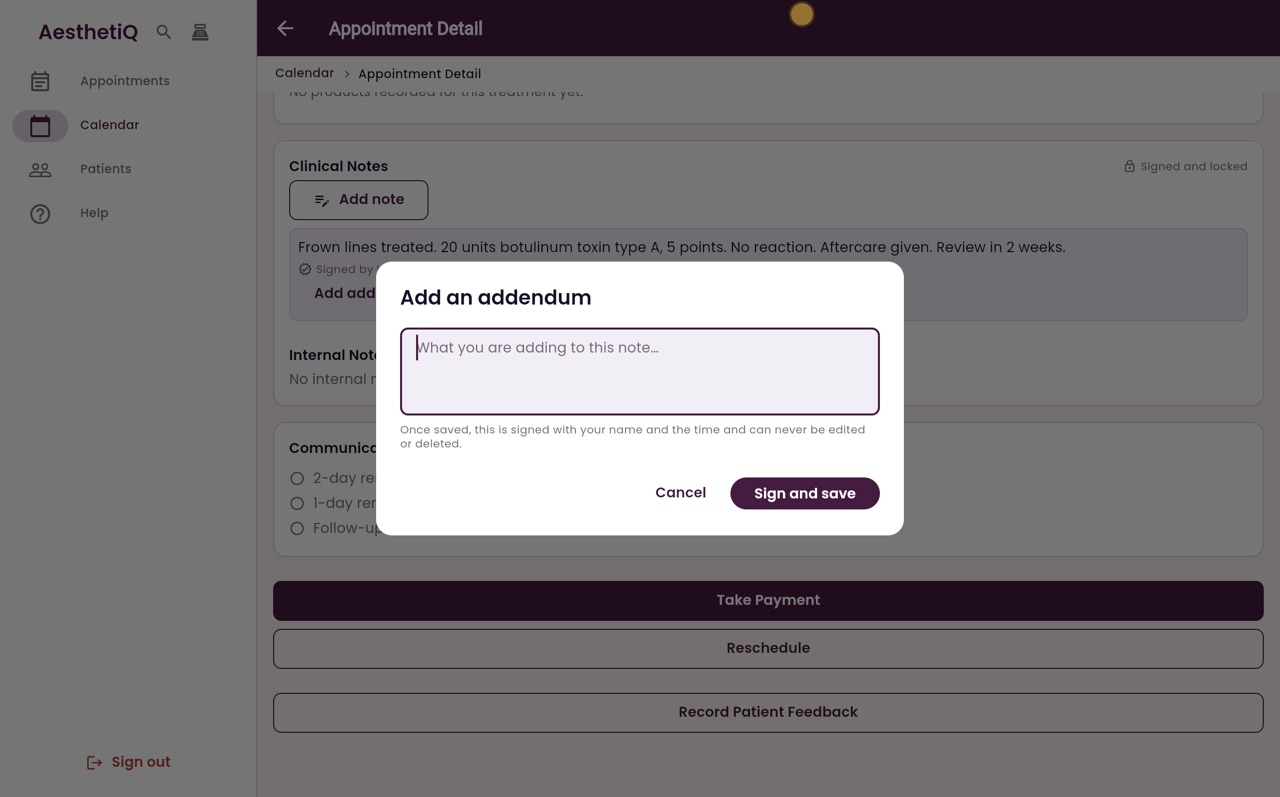
Write the addendum
Write what you are adding. Here, Heather phoned about a small bruise.
- 04Ryan
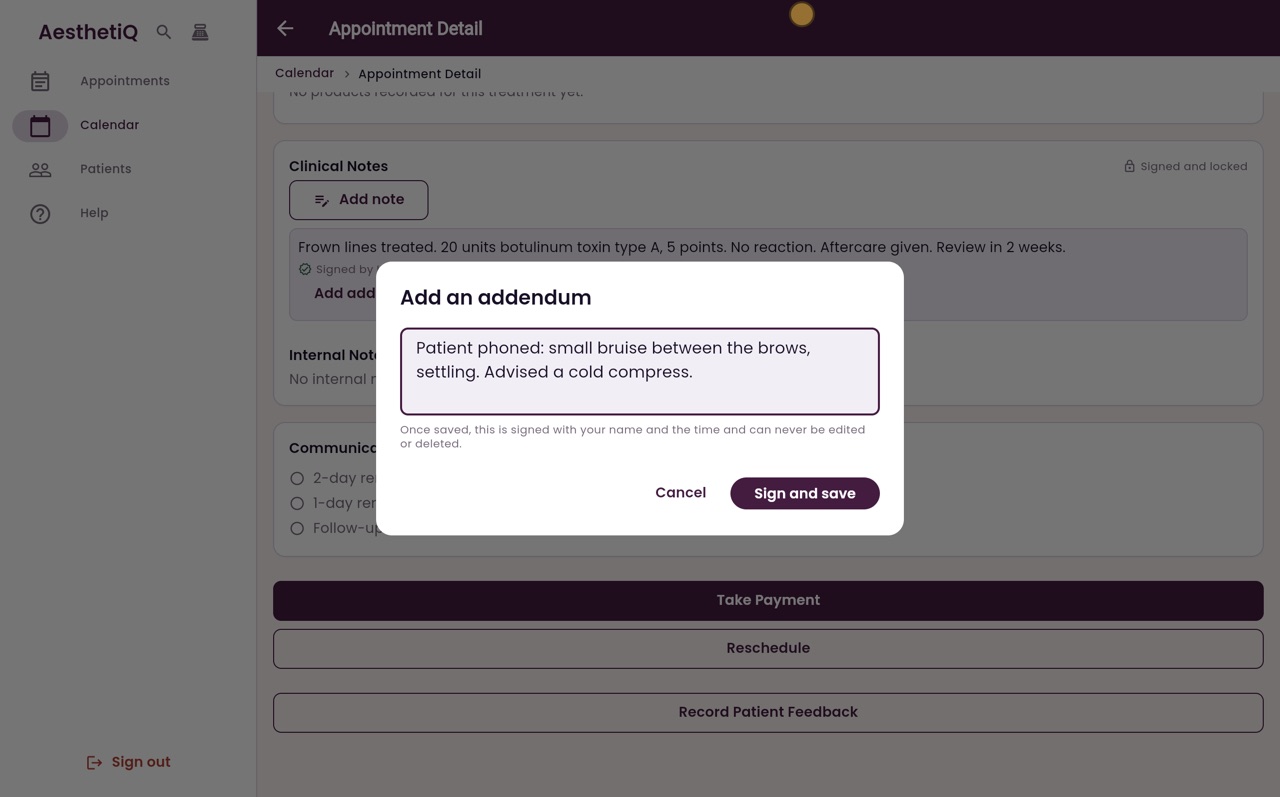
Sign and save
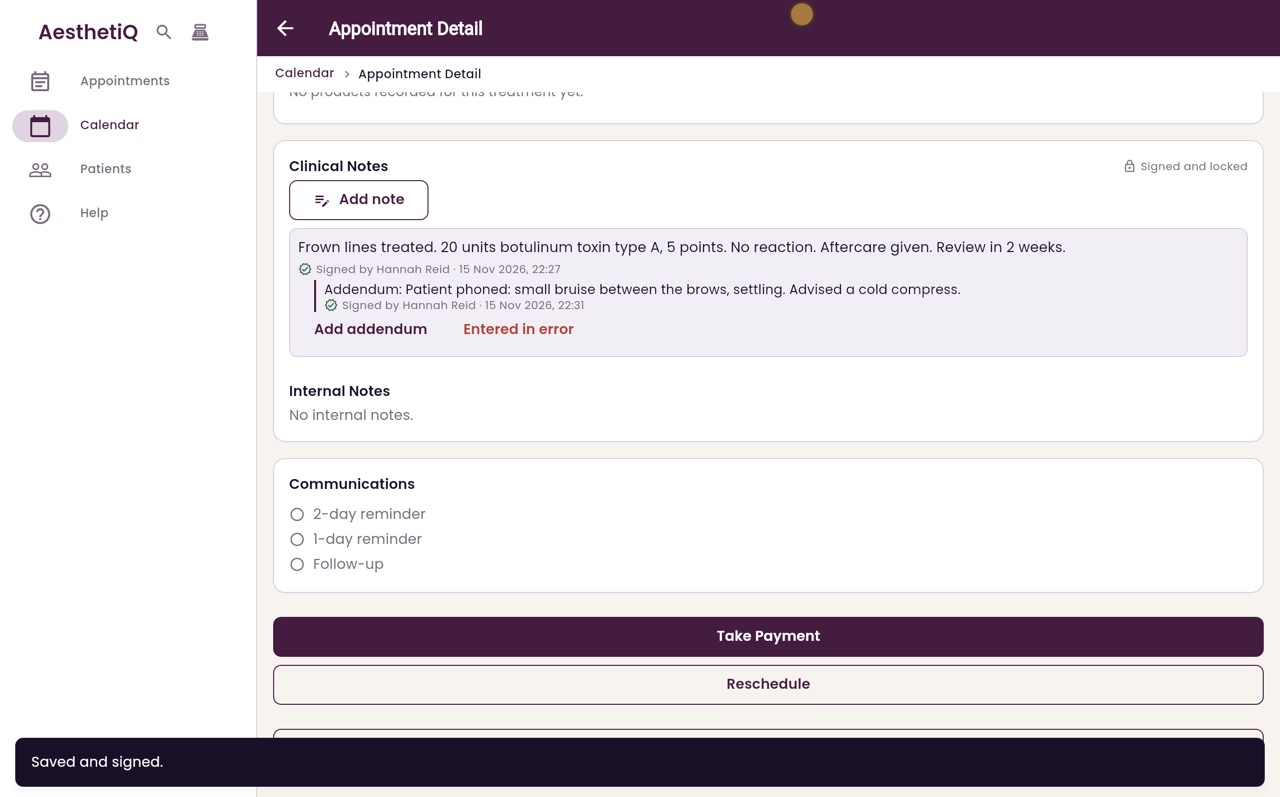
Like the note itself, the addendum is signed with your name and the time, and can never be edited. Click Sign and save.
- 05Ryan
Under the note
The addendum shows under the original note, with its own signature. The original note stays exactly as it was.
- 06Libby
Done
That is adding an addendum. If a note was written on the wrong patient, mark it as entered in error instead.