How patients book online
On the clinic's booking page, a patient chooses a treatment, a practitioner and a time, types their details and confirms the booking.
Treatment
Each shows its length, price and any online deposit.
Who and when
A practitioner or Any Available, then a free time.
Details and confirm
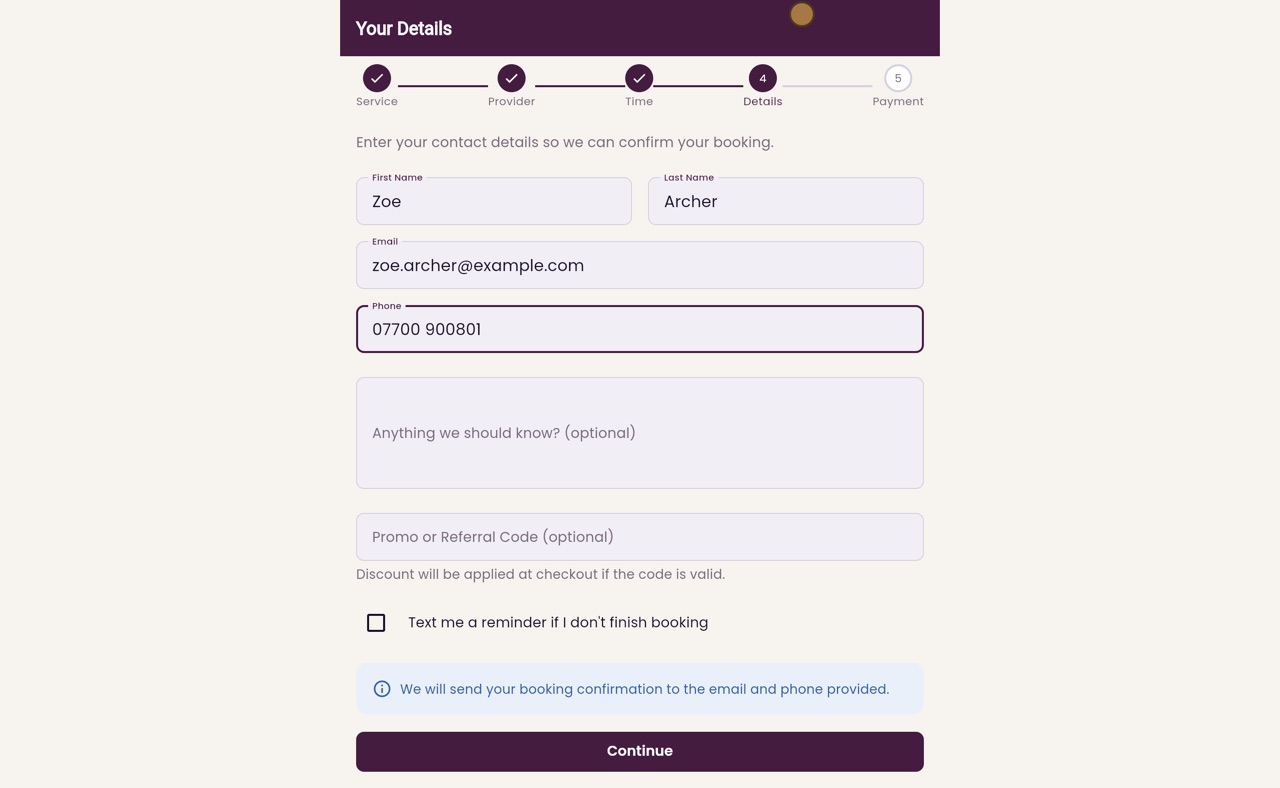
Name, email, mobile, notes and an optional promo code, then Confirm booking.
Step by step
- 01Libby
Booking online
Hi, I am Libby. Patients can book a treatment themselves on the clinic's booking page, at any time of day. This is what they see.
- 02Ryan
Choose a treatment
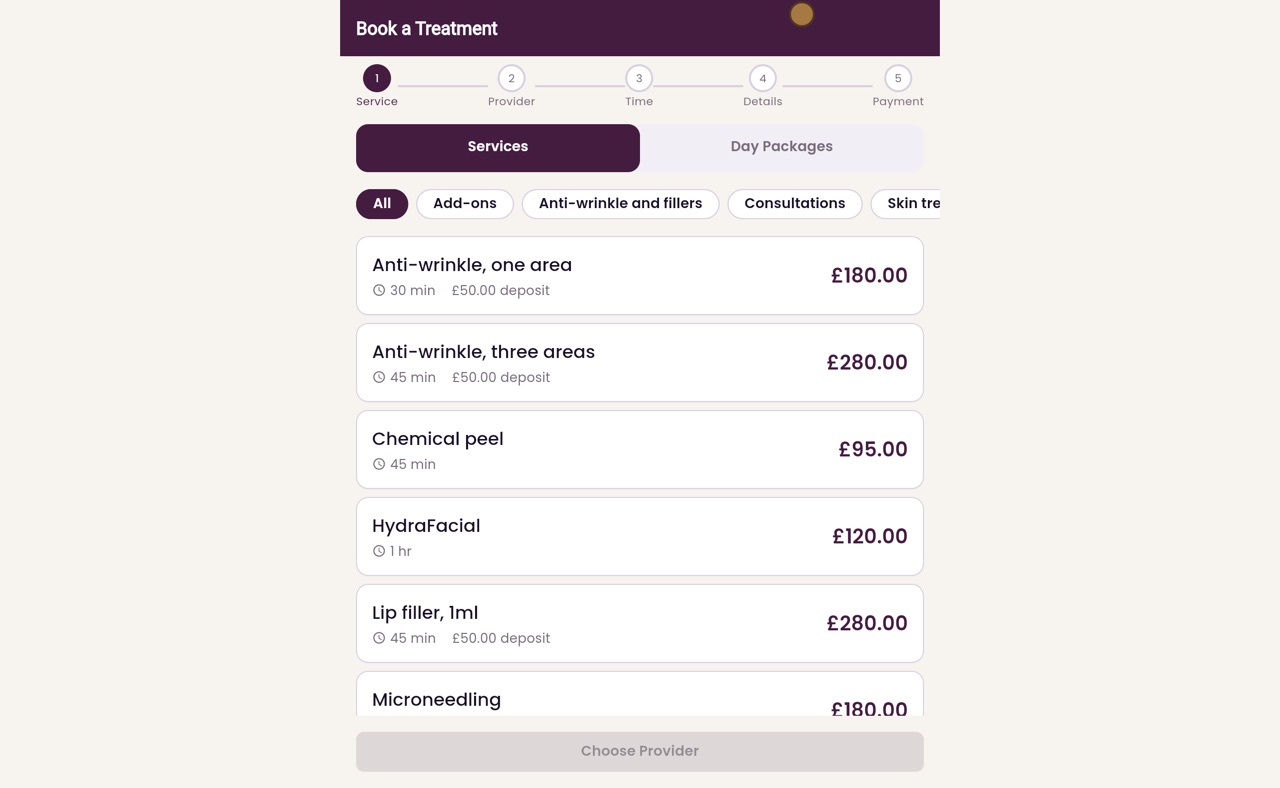
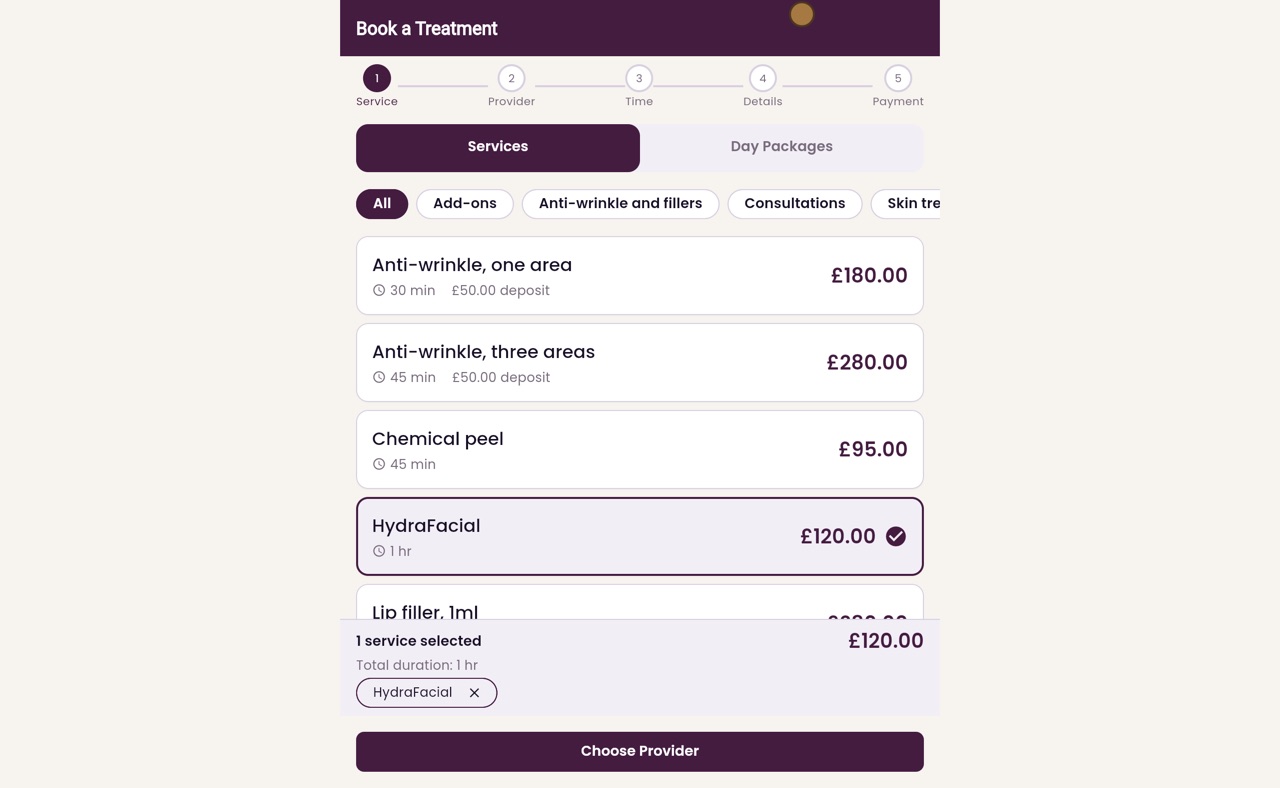
Thanks Libby. First, the patient chooses a treatment. Each one shows how long it takes, its price, and any deposit to pay online. Zoe Archer would like a HydraFacial, which has no deposit, so she clicks it.
- 03Ryan
Choose a practitioner
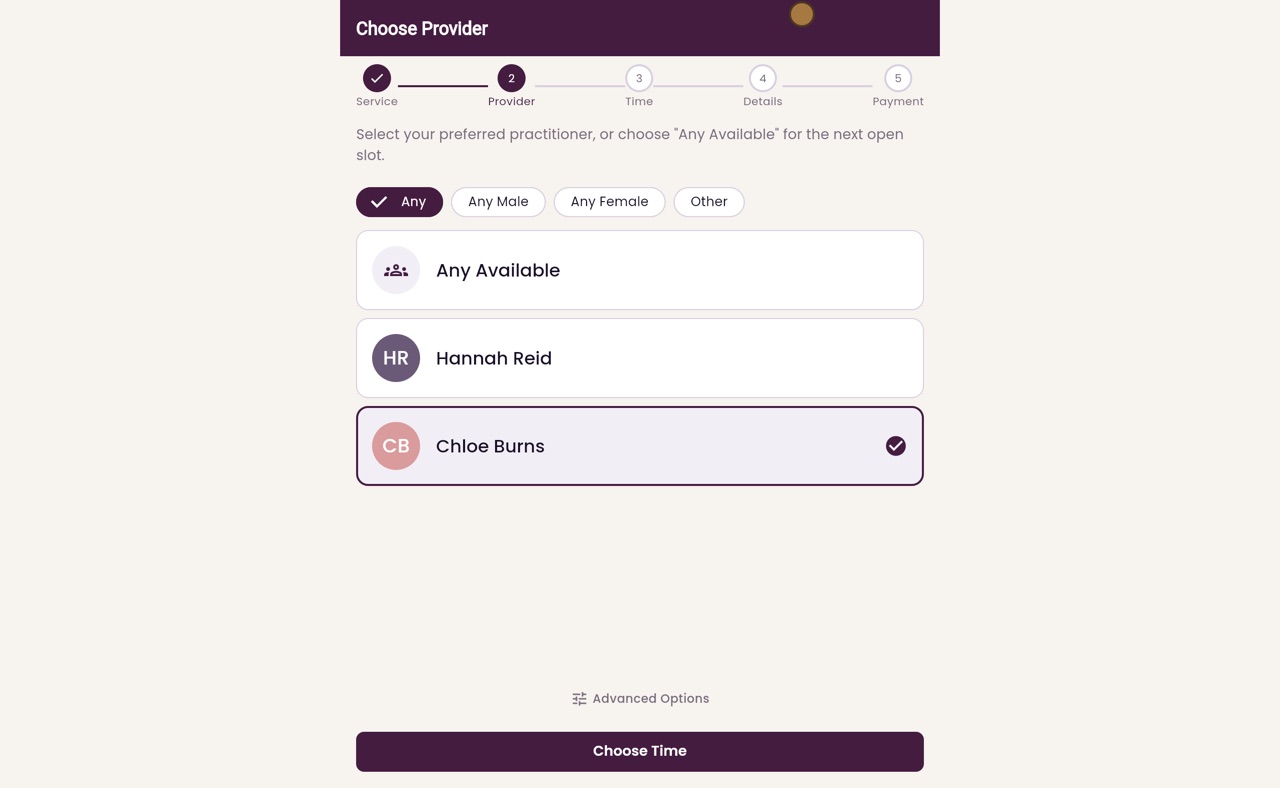
She clicks Choose Provider. Next she chooses who she would like to see, or Any Available for the first free time. She picks Chloe Burns.
- 04Ryan
Choose a time
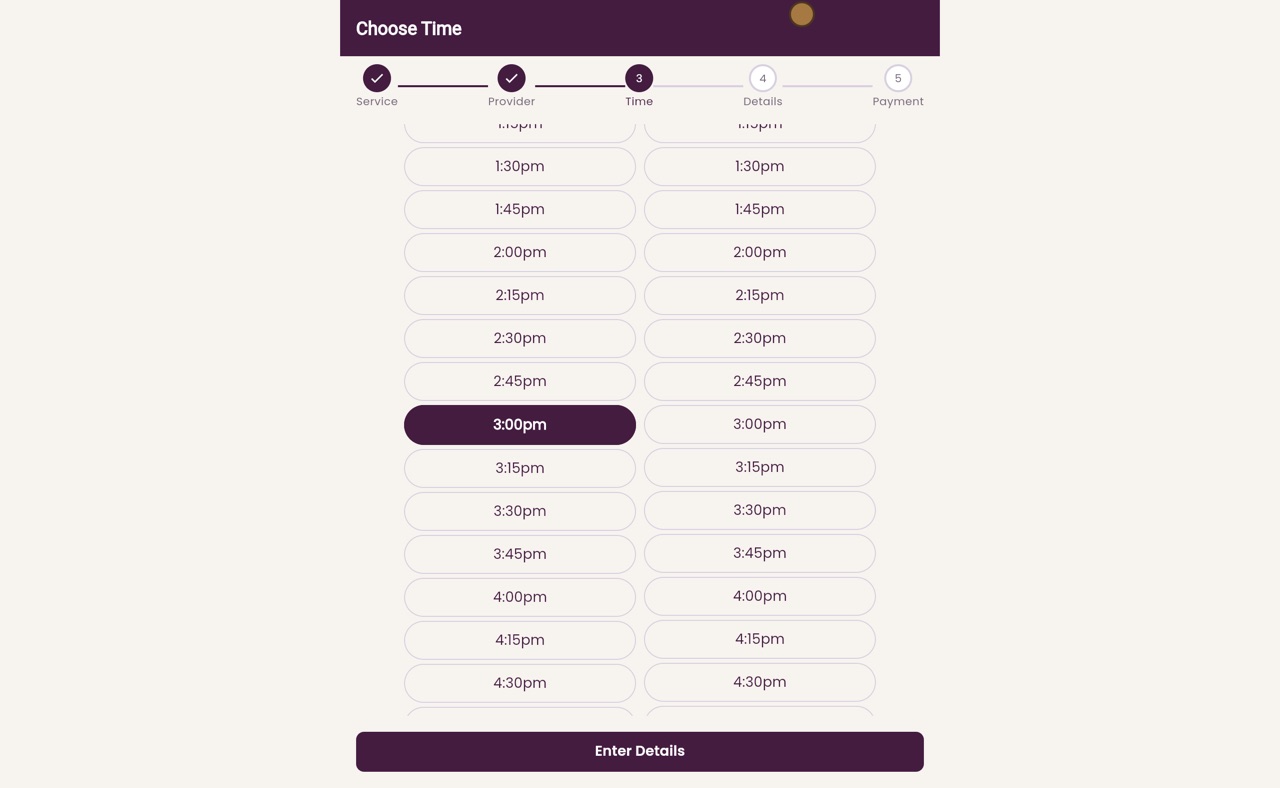
She clicks Choose Time. The calendar shows the days with free times. She clicks Wednesday the eighteenth, then three o'clock.
- 05Ryan
Your details
She clicks Enter Details, and types her name, email address and mobile number. There is room for anything the clinic should know, and for a promo code if she has one.
- 06Ryan
Confirm your booking
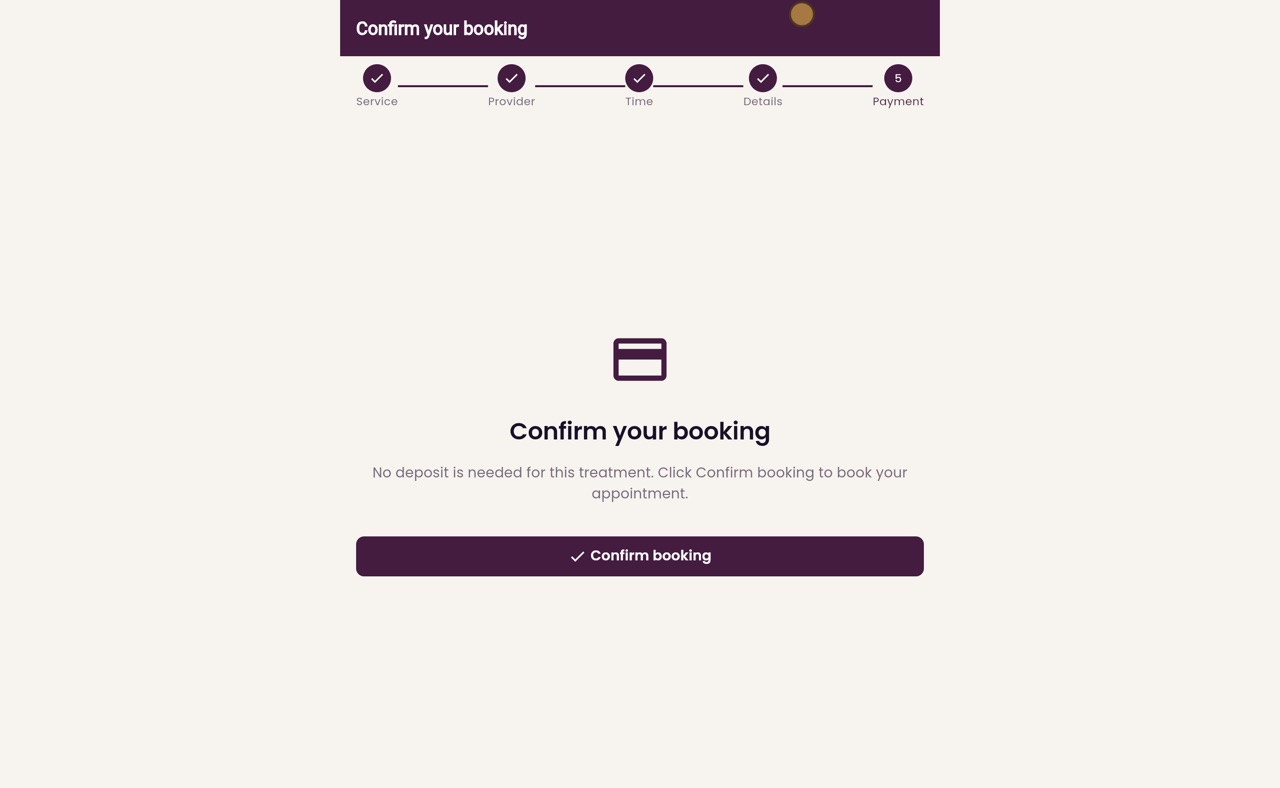
She clicks Continue. No deposit is needed for a HydraFacial, so the last step simply asks her to confirm her booking.
- 07Ryan
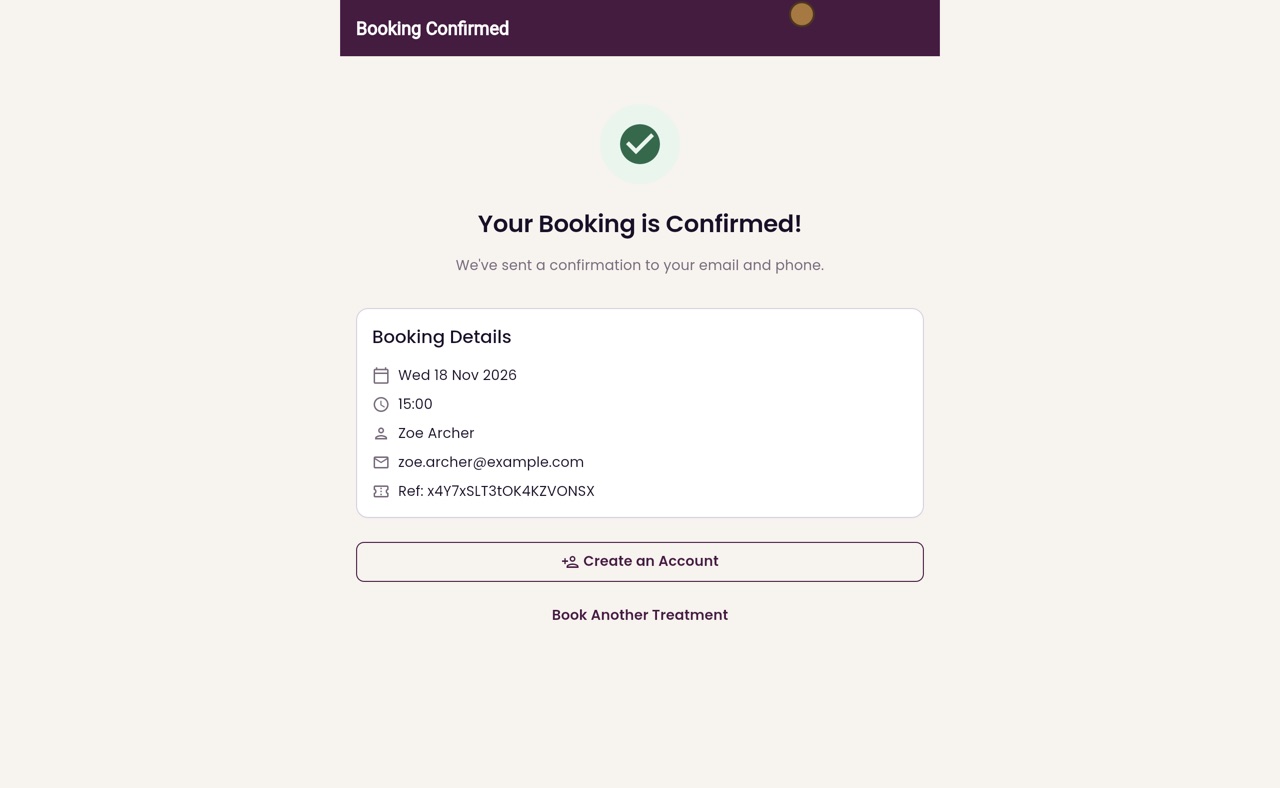
Booking confirmed
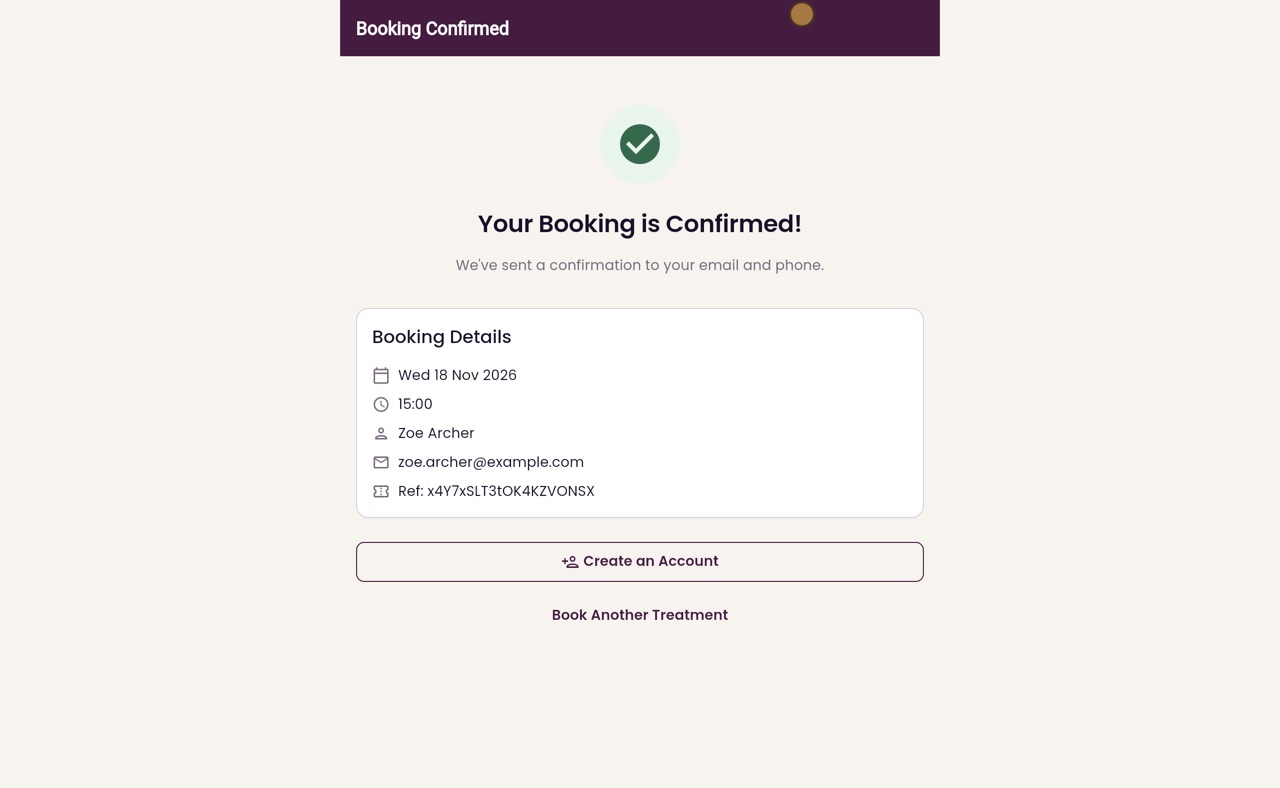
She clicks Confirm booking. Her booking is confirmed. The page shows the day, the time and a booking reference, and says a confirmation has gone to her email and phone.
- 08Libby
Done
That is how patients book online. The booking goes straight onto the clinic's calendar, ready for reception to confirm.