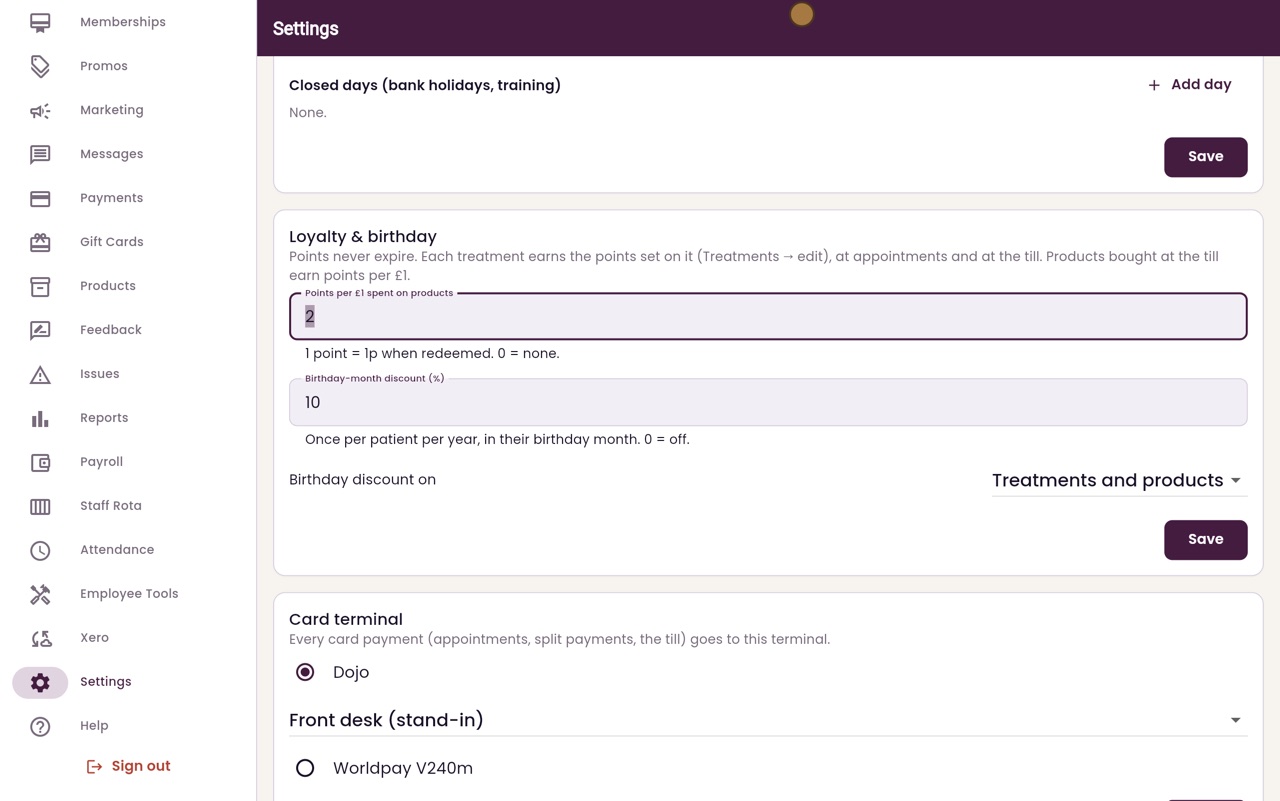
Loyalty and birthday discount settings
Set the points earned on products and the discount patients get in their birthday month.
Points
Treatments earn the points set on each treatment; products earn points per £1.
Value
One point is worth 1p when used. Points never expire.
Birthday
A discount once a year, in the birthday month. 0 turns it off.
Step by step
- 01Libby
Points and birthdays
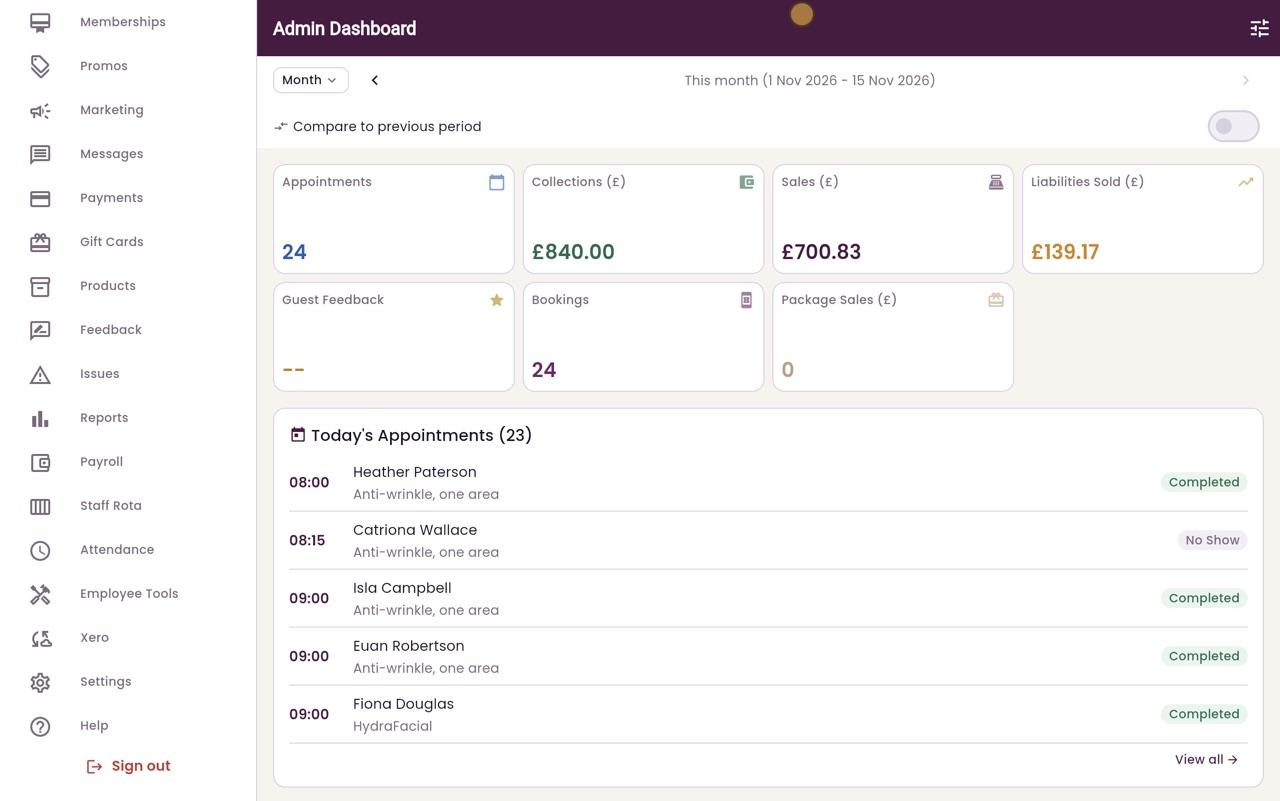
Hi, I am Libby. Patients earn loyalty points on treatments and products, and can have a discount in their birthday month. Both are set up in Settings.
- 02Ryan
Loyalty & birthday
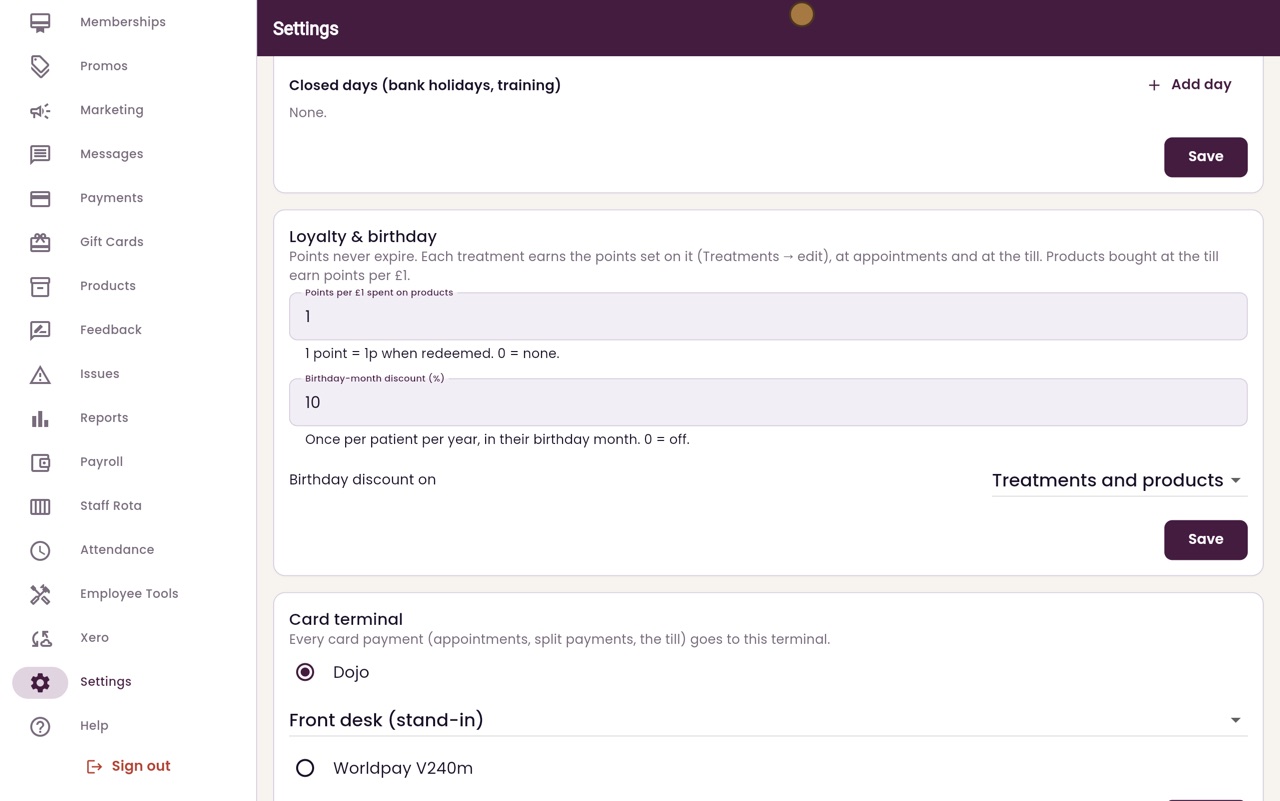
Thanks Libby. Click Settings in the menu, and scroll down to Loyalty and birthday.
- 03Ryan
Points
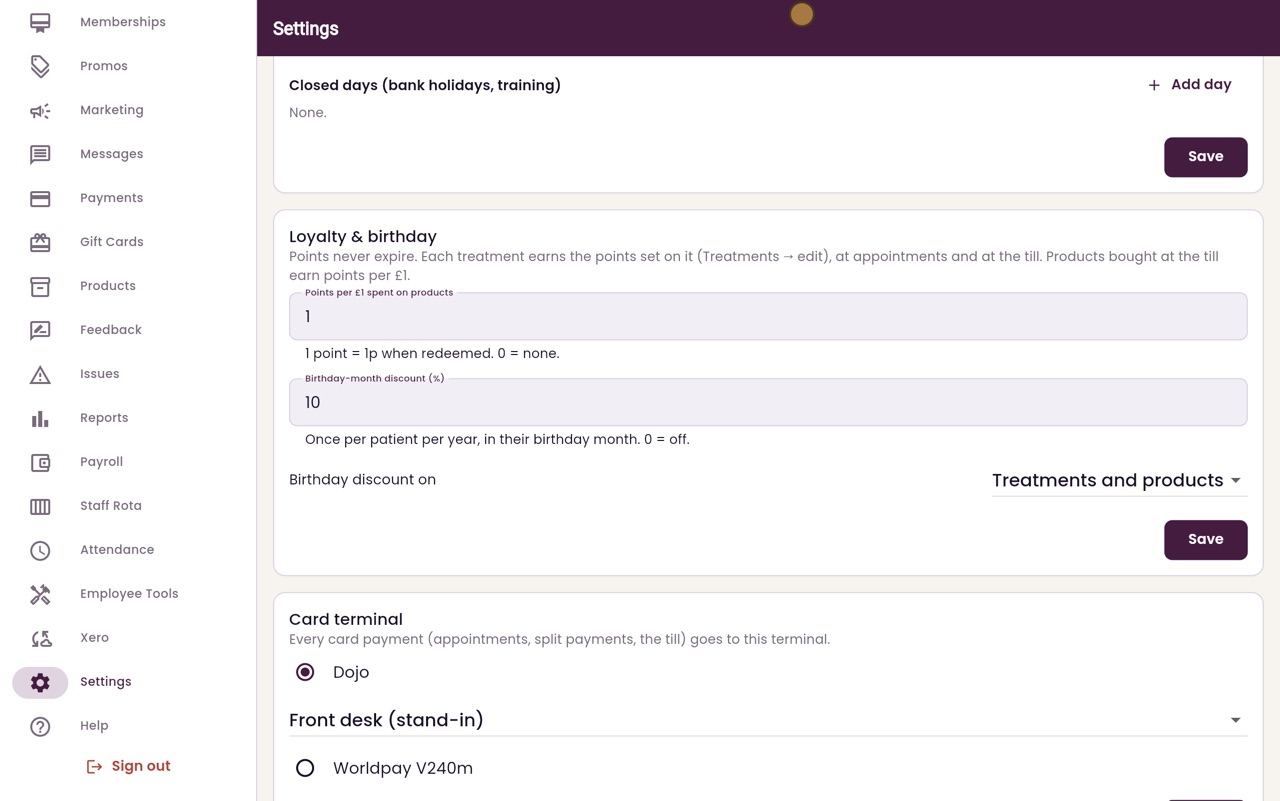
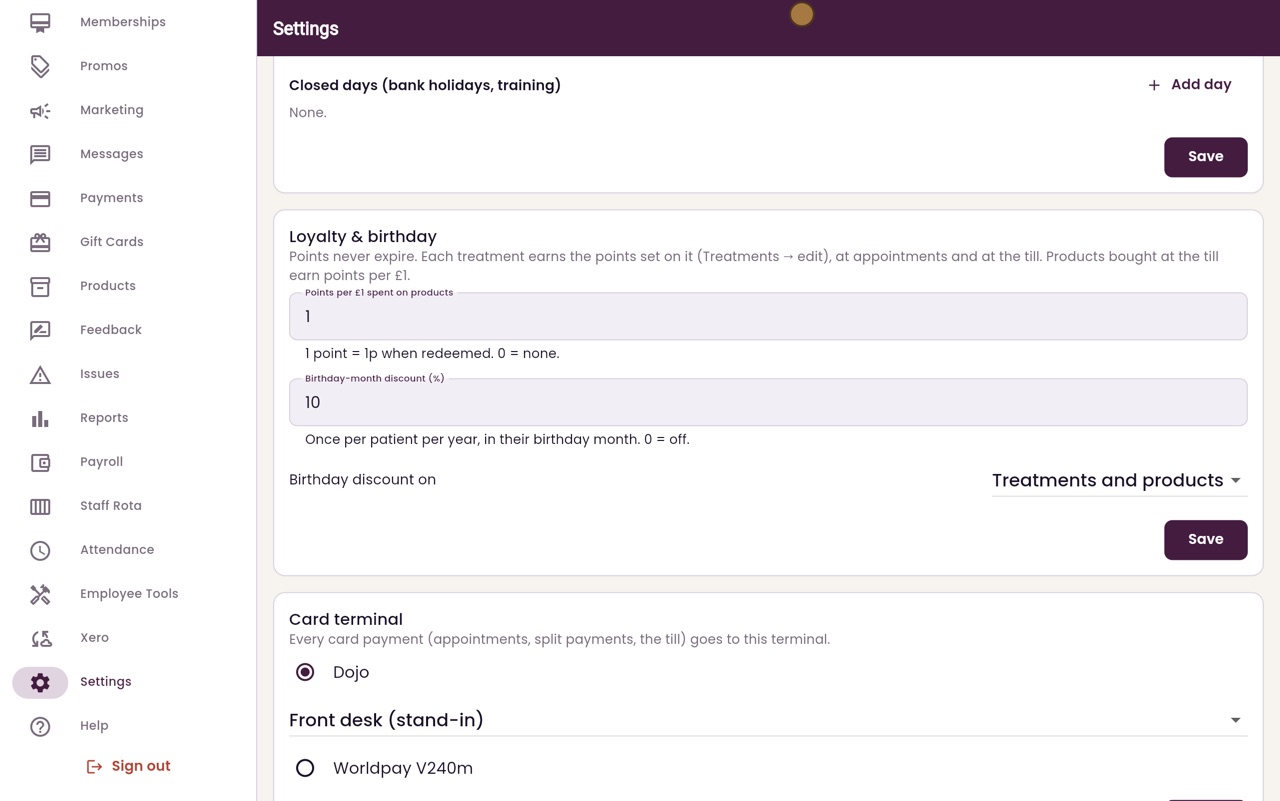
Points never expire. Each treatment earns the points set on that treatment. Products bought at the till earn the points per pound set here. One point is worth one penny when it is used.
- 04Ryan
Birthday discount
The birthday-month discount is taken off once a year, in the patient's birthday month. Here it is ten percent, on treatments and products. Set it to nought to turn it off.
- 05Ryan
Change and save
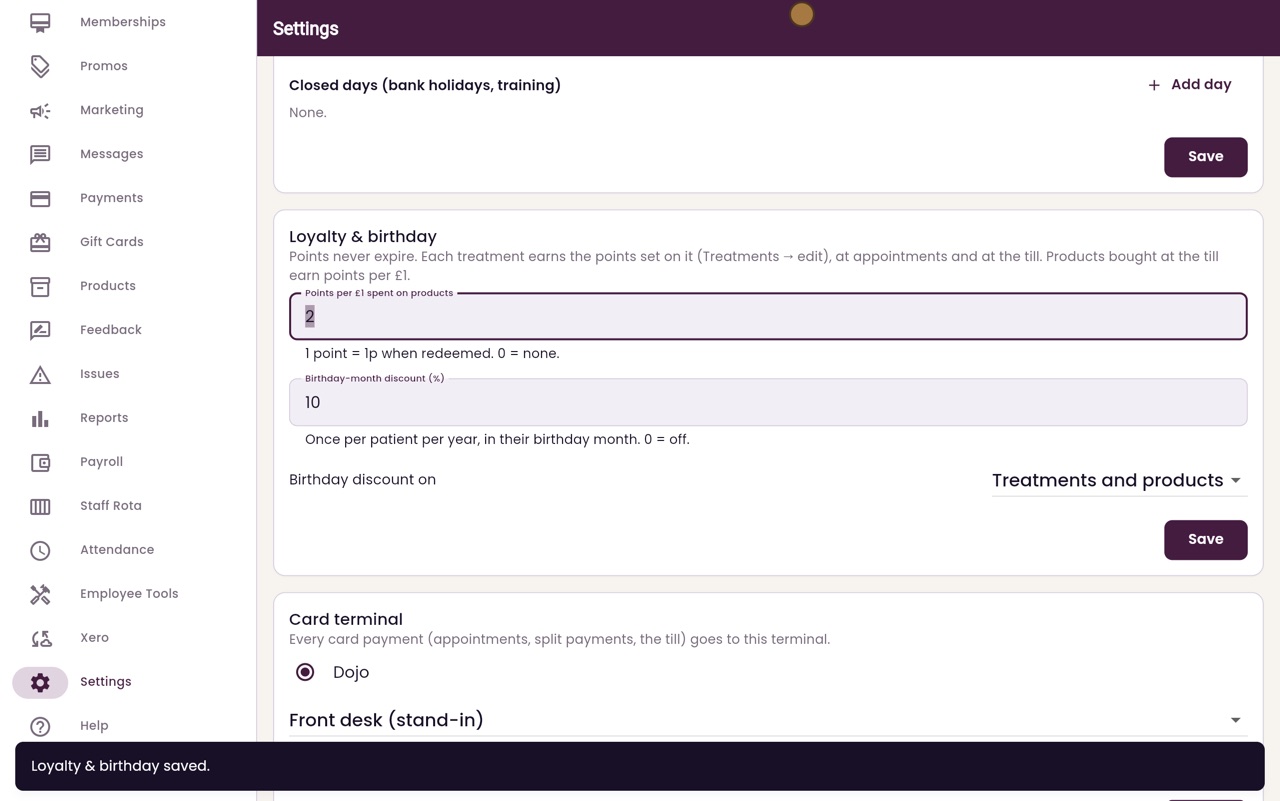
To change a setting, type the new value. Here, two points for every pound spent on products. Then click Save.
- 06Libby
Done
That is the loyalty and birthday settings. At checkout, reception can use a patient's points to pay, and the birthday discount is offered in their birthday month.