Paying with a gift card
Tick Gift Card, look up the code and redeem it. If the card does not cover the balance, tick another way to pay the rest.
Look up
Type the code and click Look Up. The card's status and remaining balance are shown.
Redeem
Redeem puts the card's amount, up to the balance due, against Gift Card.
The rest
Tick Card Terminal or Cash for anything the gift card does not cover.
Step by step
- 01Libby
Gift cards
Hi, I am Libby. Patients can pay for a treatment with a Luxe Skin gift card. If the card does not cover everything, the rest is paid another way.
- 02Ryan
Open the payment
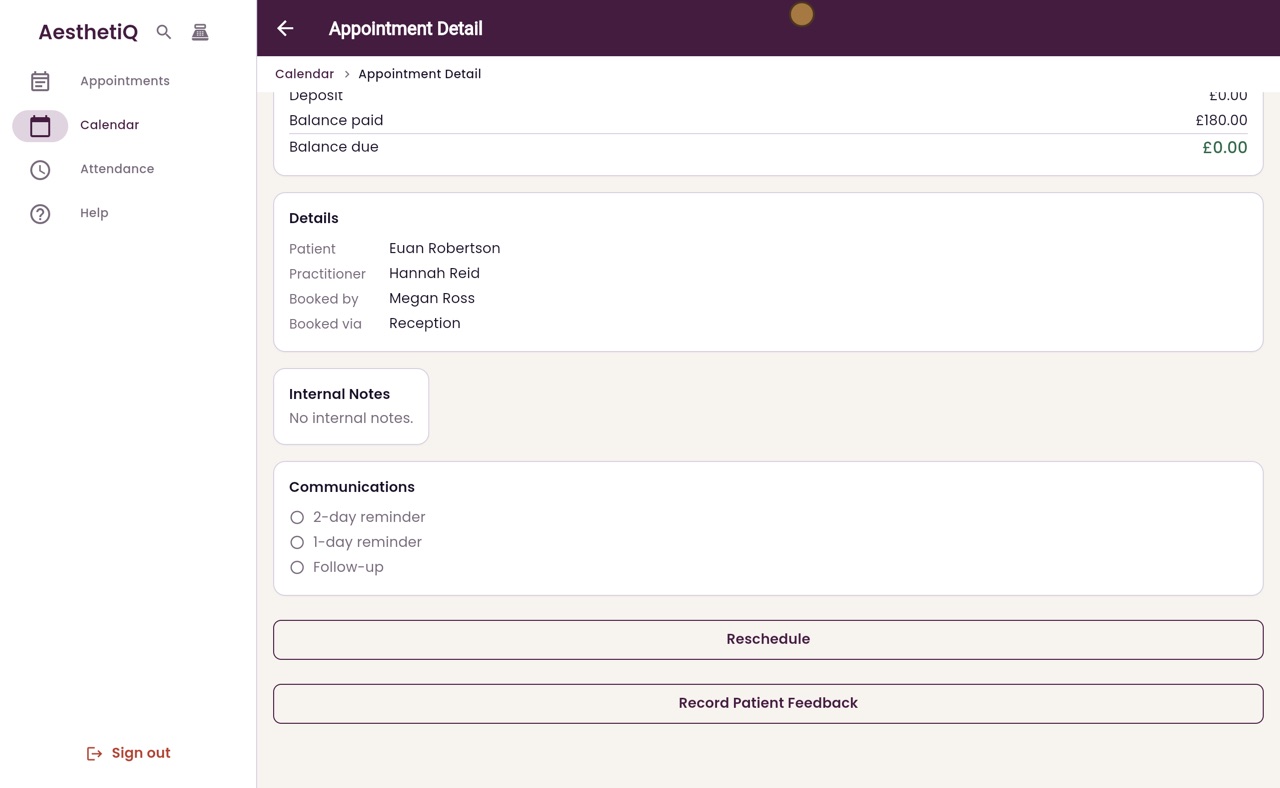
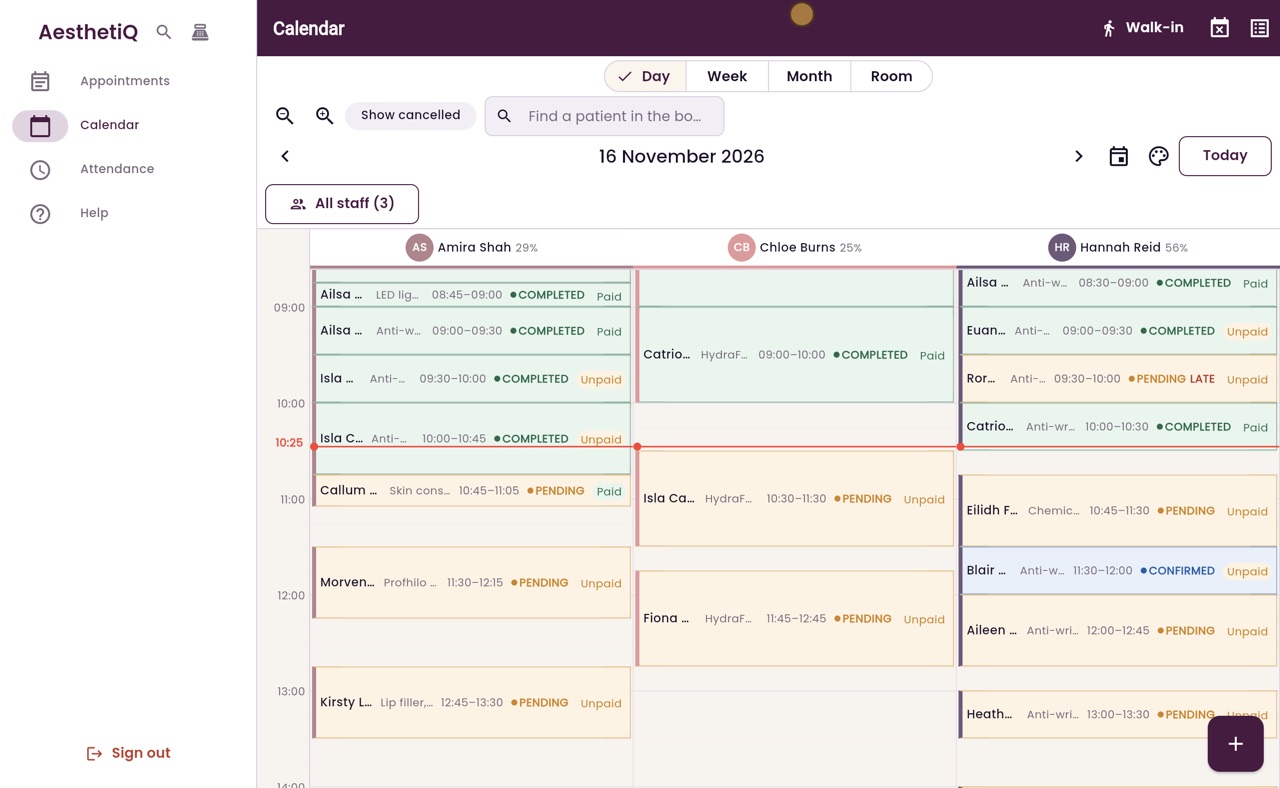
Thanks Libby. Euan Robertson has finished his anti-wrinkle treatment with Hannah Reid, and he has a gift card. Open his appointment, scroll down and click Take Payment.
- 03Ryan
Look up the card
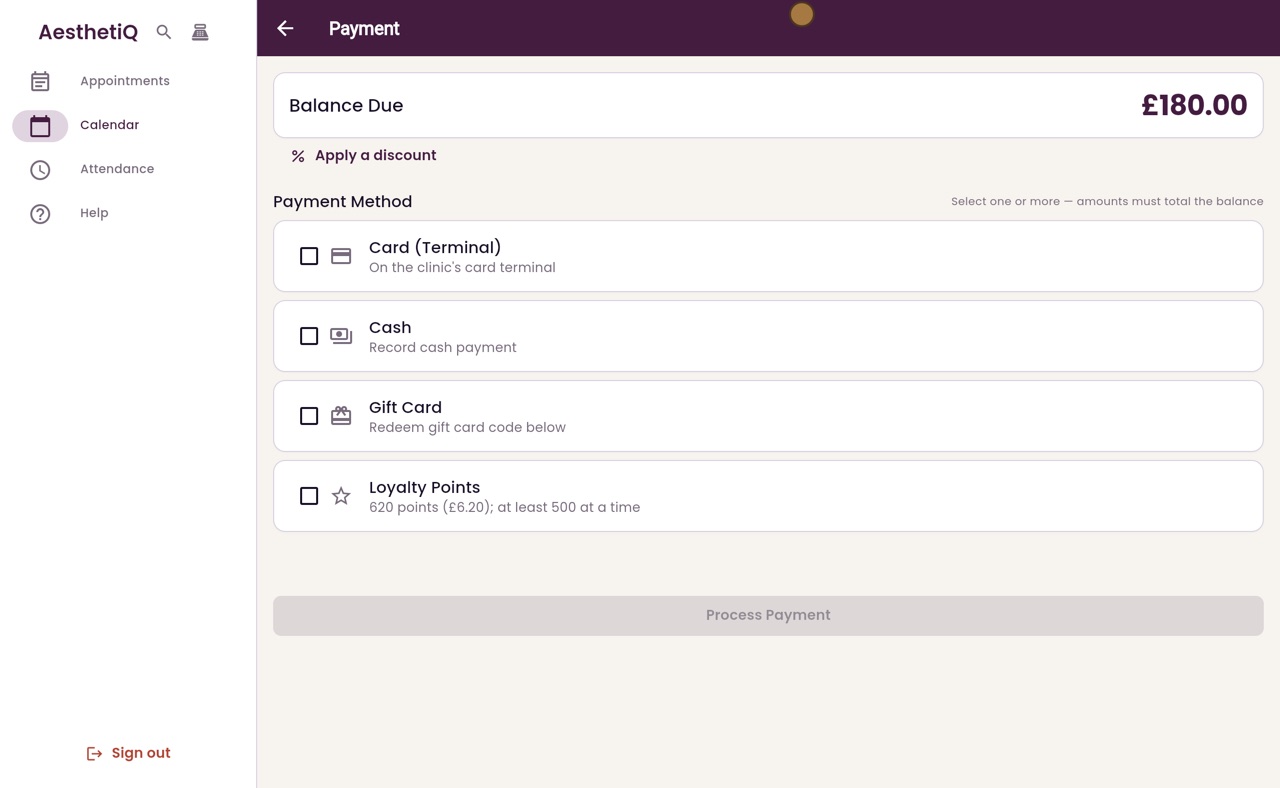
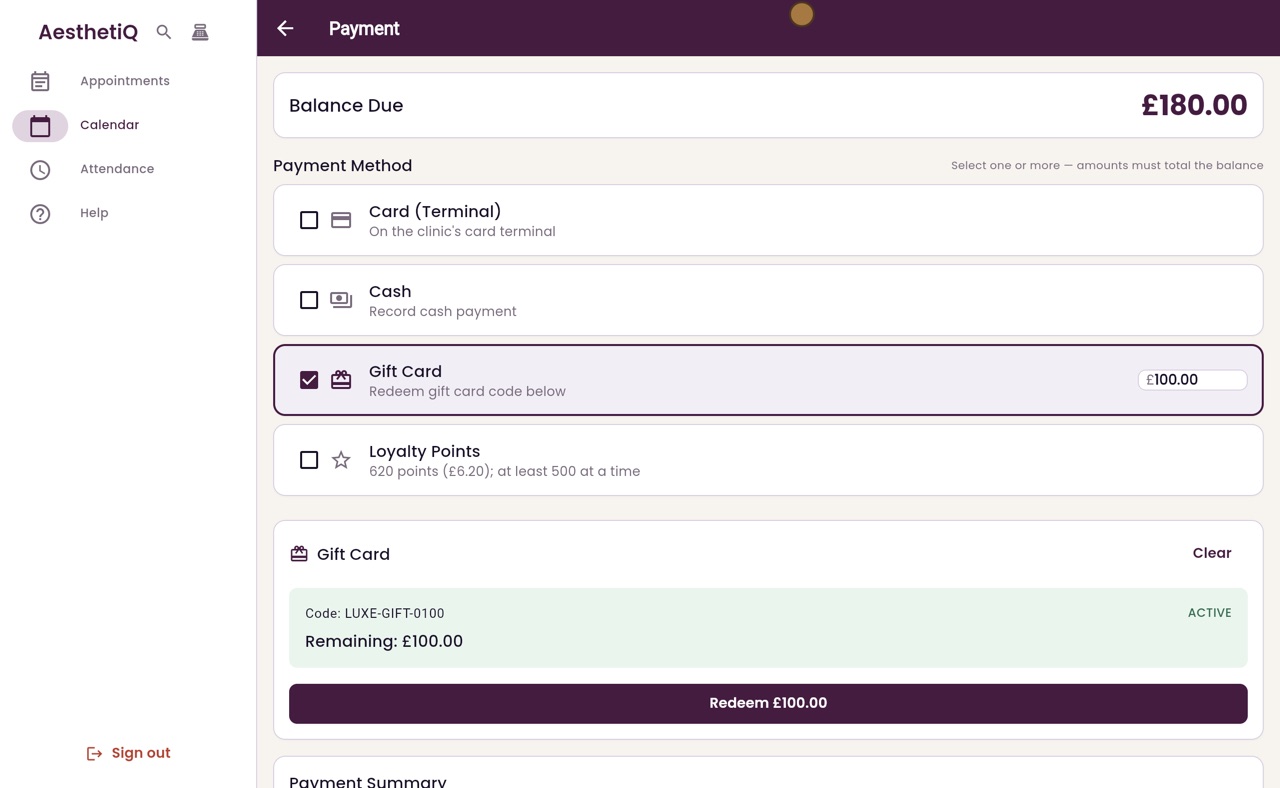
One hundred and eighty pounds is due. Tick Gift Card, and a Gift Card box opens below. Type the code from the card, and click Look Up.
- 04Ryan
Redeem
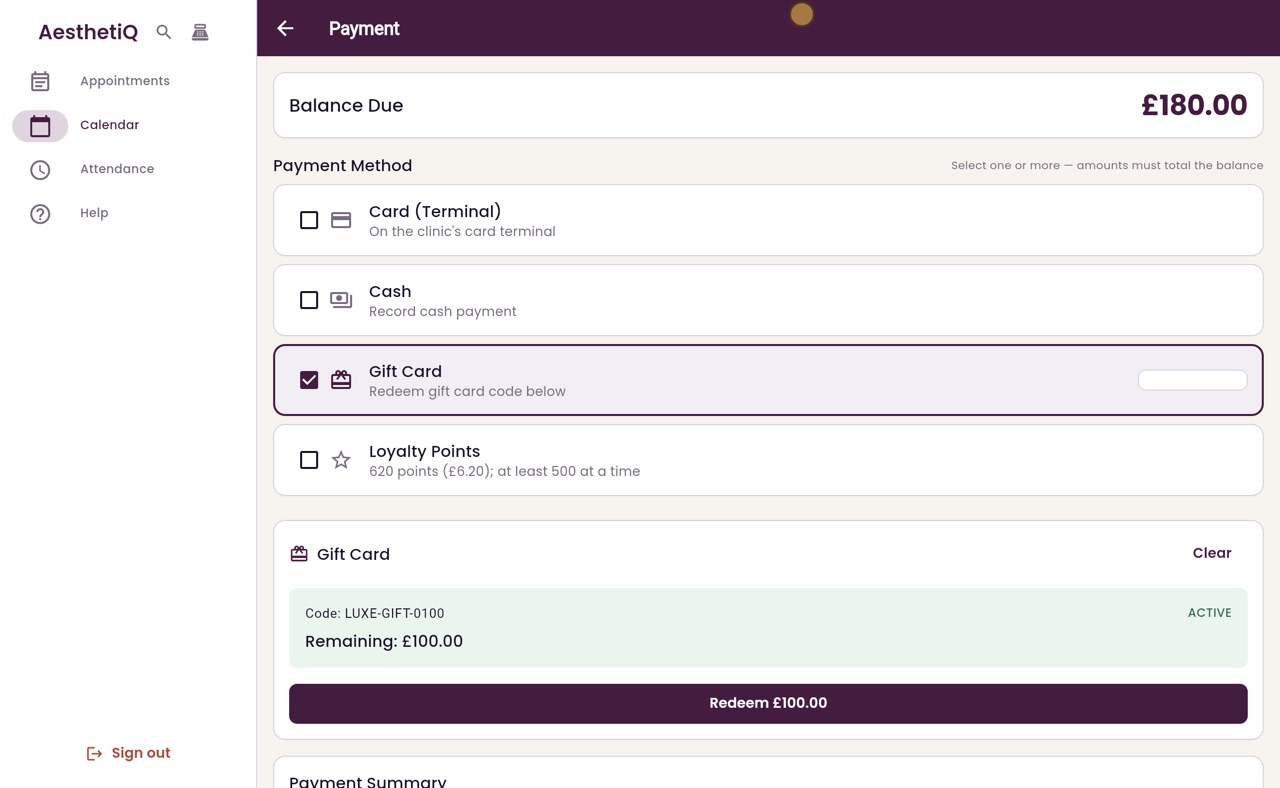
The card is active, with one hundred pounds remaining. Click Redeem one hundred pounds, and the amount goes against Gift Card.
- 05Ryan
The rest by card
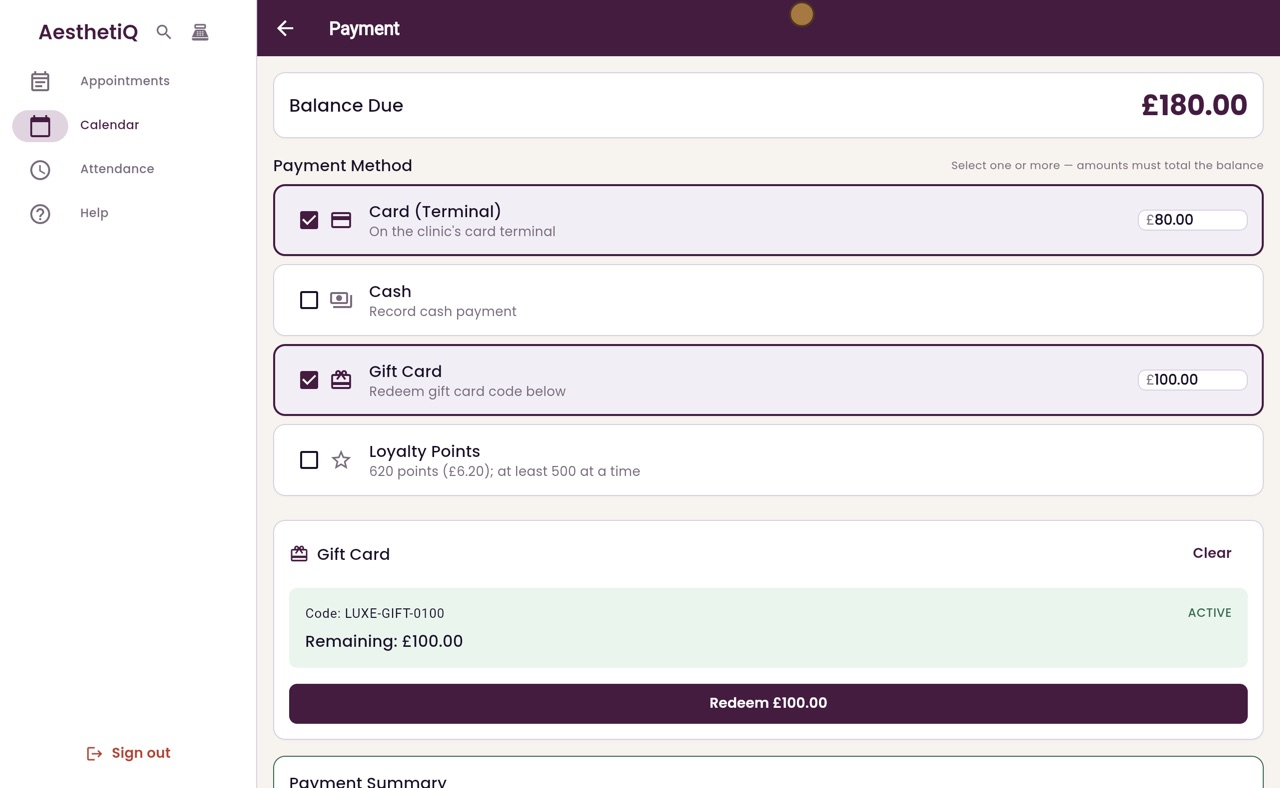
Euan pays the other eighty pounds by card. Tick Card Terminal, and eighty pounds fills in. The payment now matches the balance due.
- 06Ryan
Process the payment
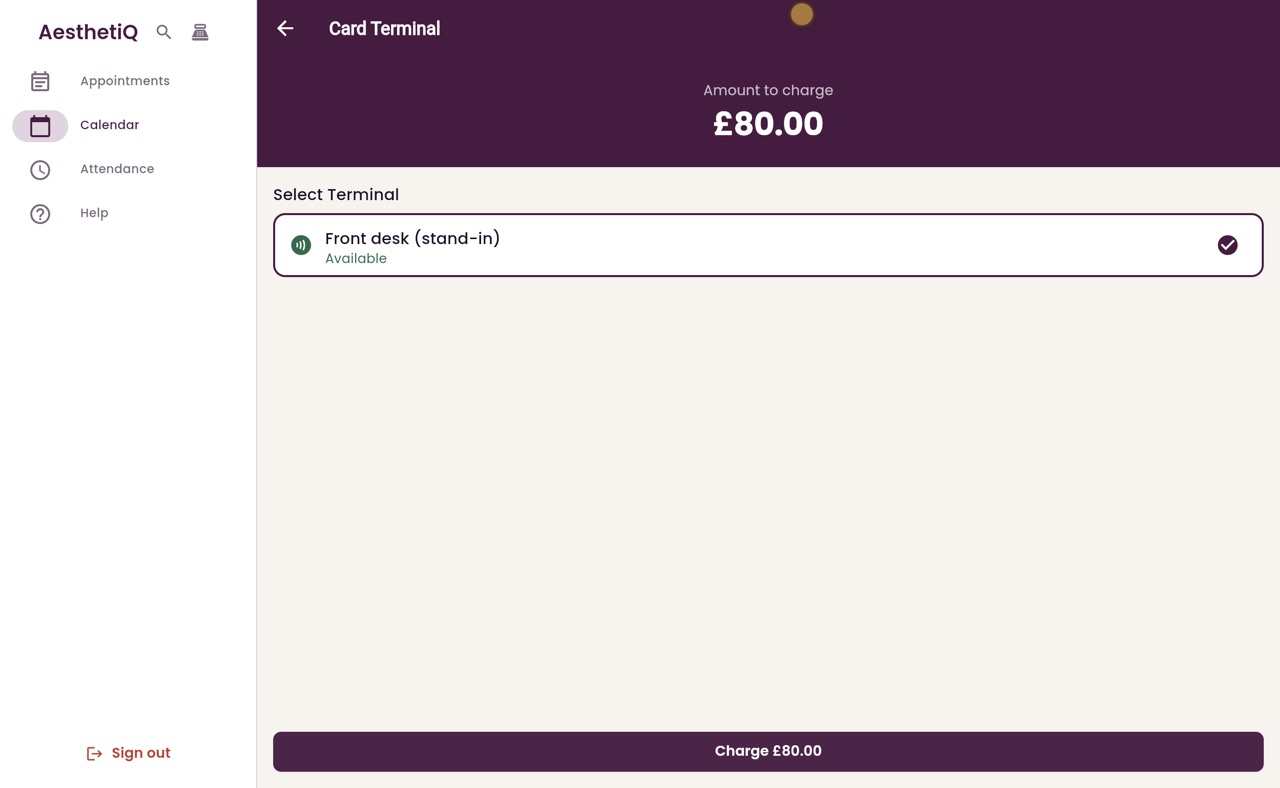
Click Process Payment. The Card Terminal screen shows eighty pounds to charge.
- 07Ryan
The patient taps their card
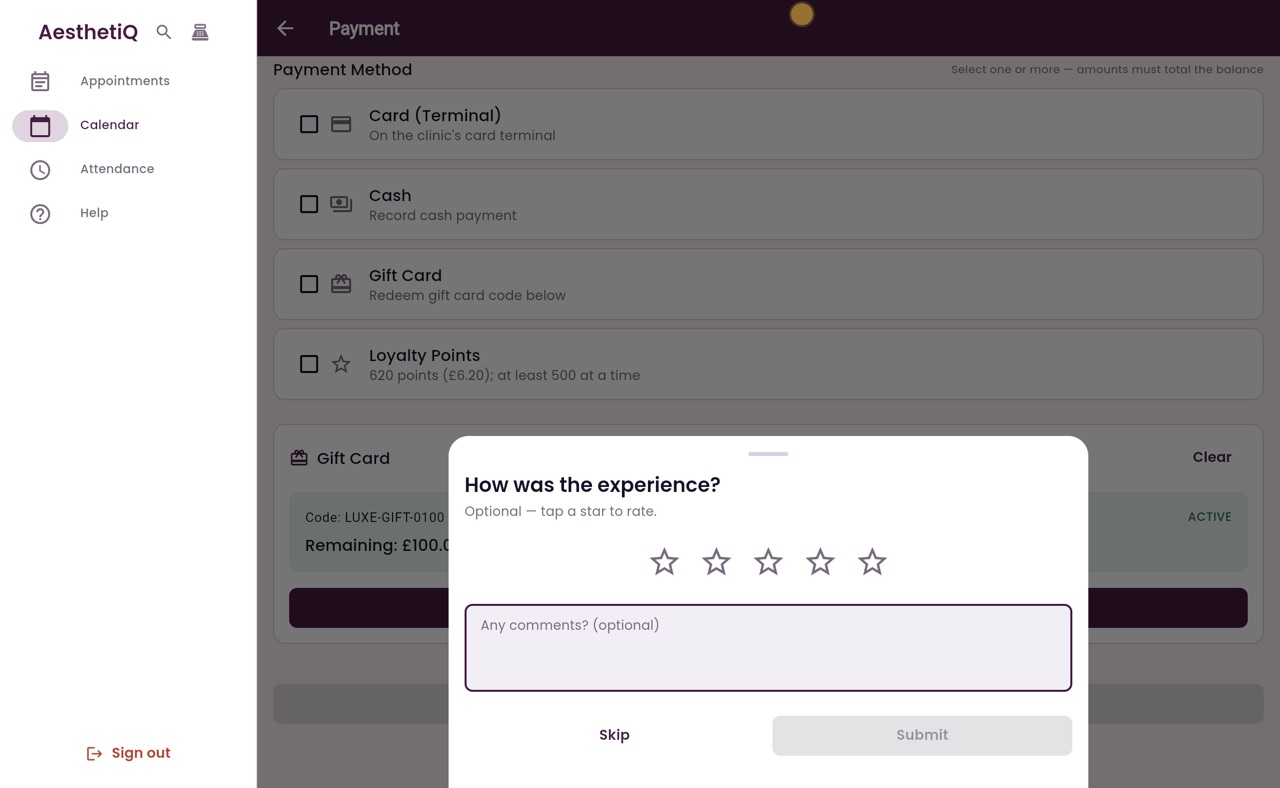
Click Charge, and the patient taps their card on the terminal. When it is approved, AesthetiQ asks how the visit was.
- 08Ryan
Paid
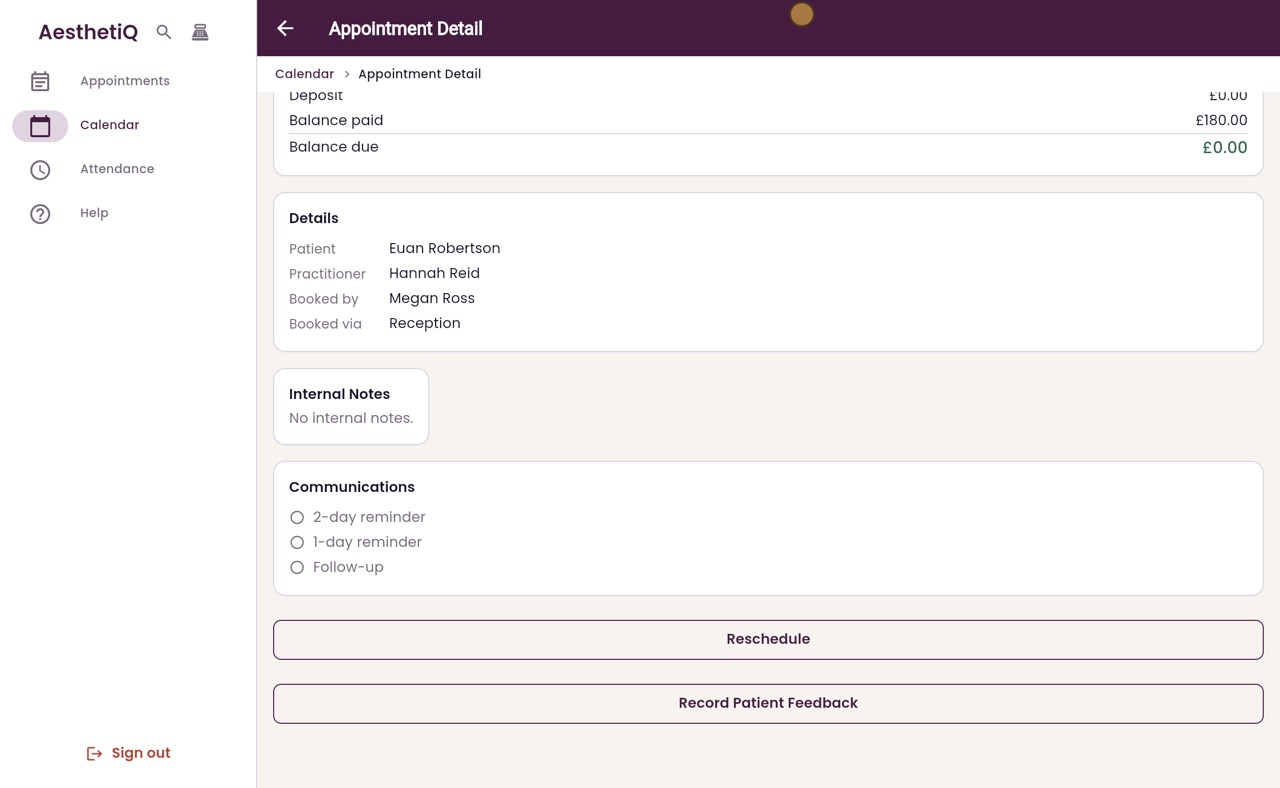
Click Skip. The appointment now shows one hundred and eighty pounds paid, and nothing left to pay.
- 09Libby
Done
That is paying with a gift card. The amount used comes off the card, and anything left stays on it for next time.