Writing a letter to a patient's GP
Write to the patient's GP from their profile. AesthetiQ fills the letter in from the clinic's template; you add the treatment details, then sign and save it.
Where
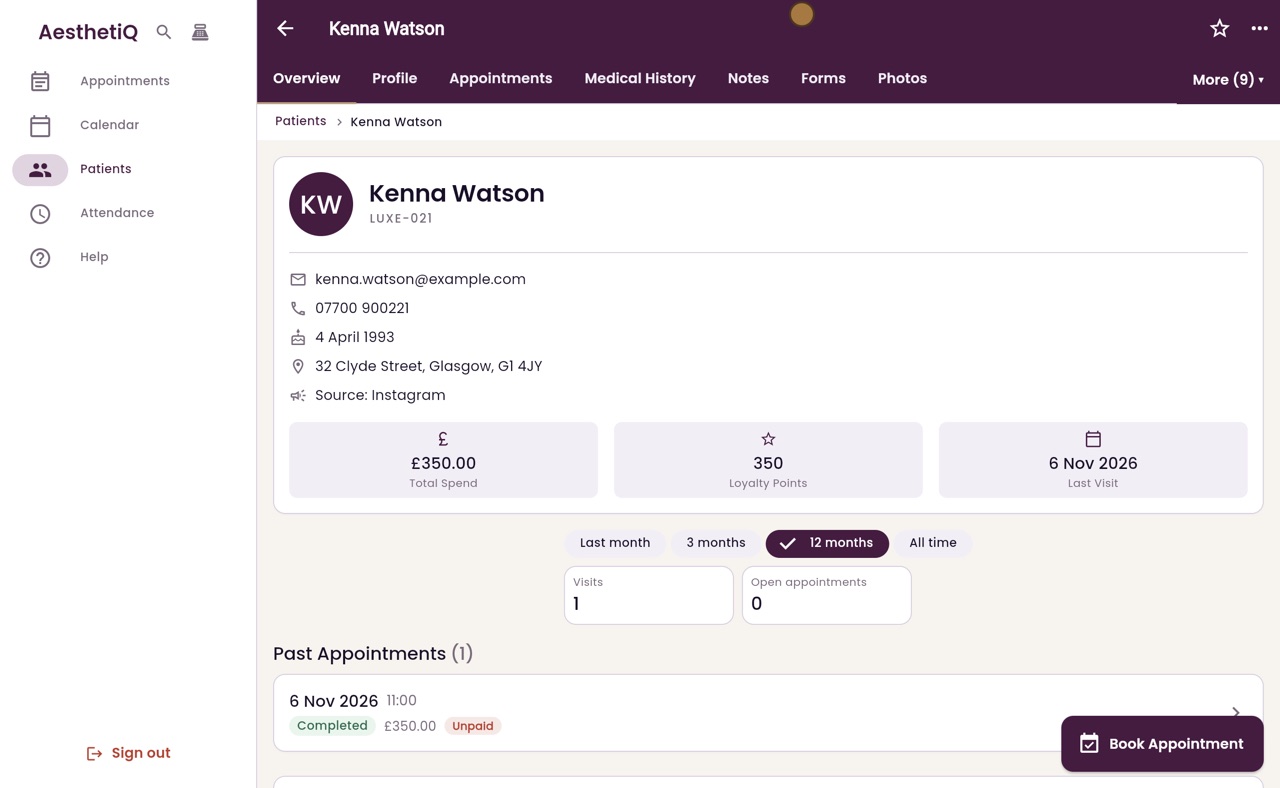
The patient's profile, More, then Letters to GP.
Write
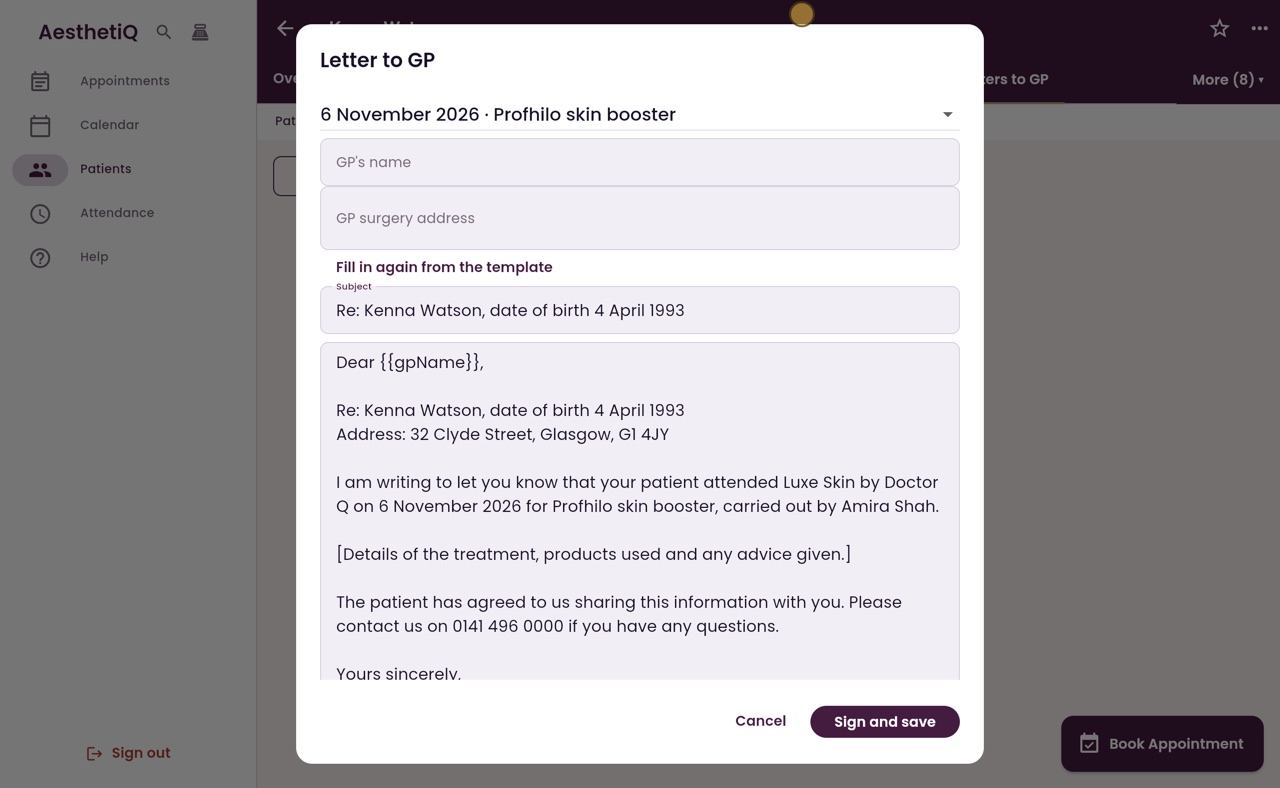
Add the GP's name and surgery, then Fill in again from the template, and replace the line in square brackets.
After
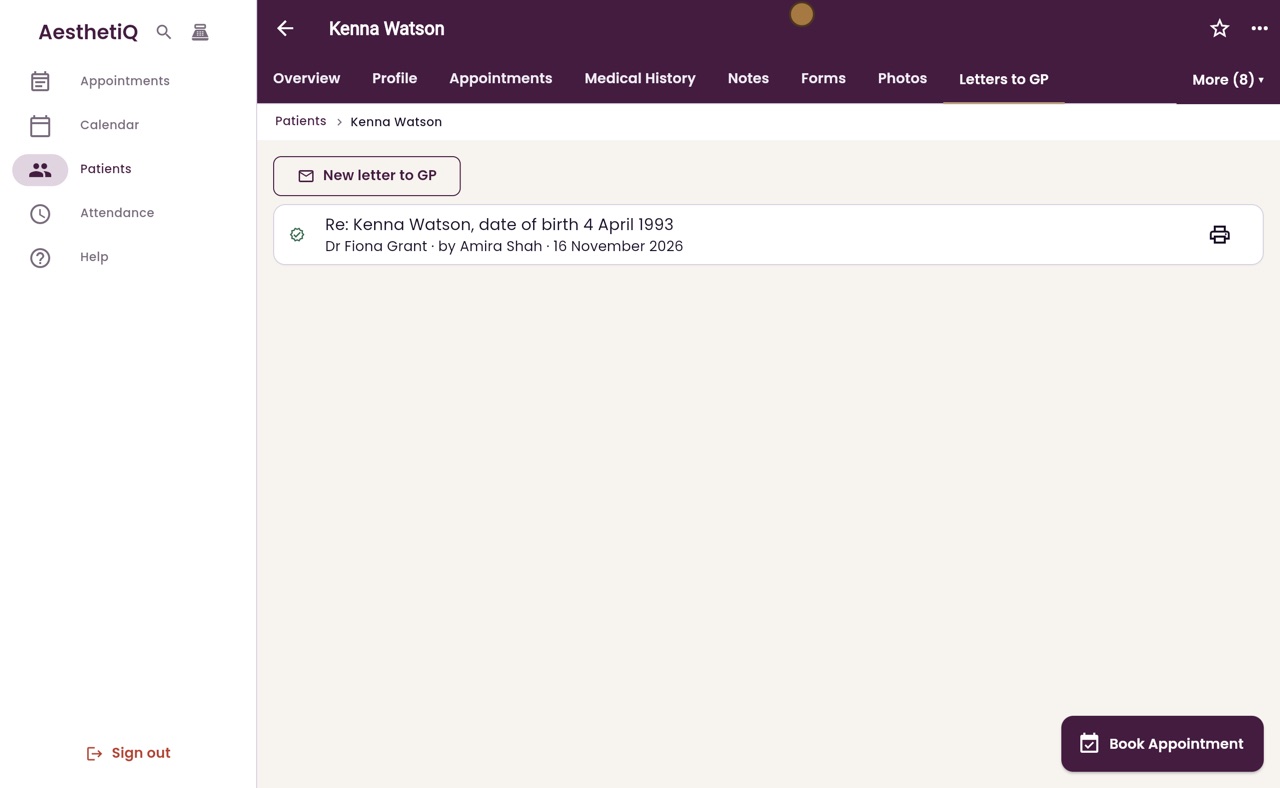
Sign and save adds the letter to the record. The print button makes a PDF.
Step by step
- 01Libby
Letters to GP
Hi, I am Libby. After a treatment, the practitioner can write to the patient's GP. AesthetiQ fills in the letter from the clinic's template, and keeps a signed copy on the patient's record.
- 02Ryan
Letters to GP
Thanks Libby. Amira Shah is writing to Kenna Watson's GP about her Profhilo skin booster treatment. On Kenna's profile, open More and choose Letters to GP.
- 03Ryan
New letter
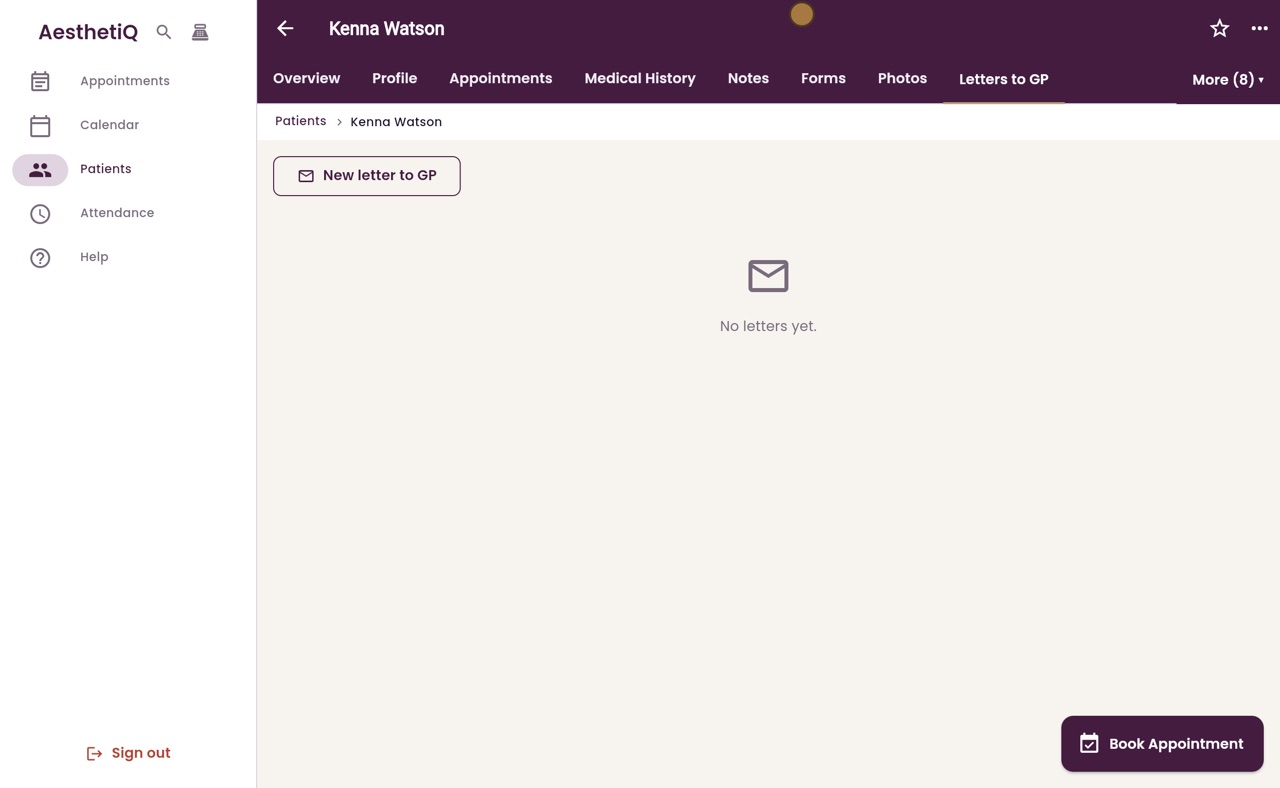
Click New letter to GP.
- 04Ryan
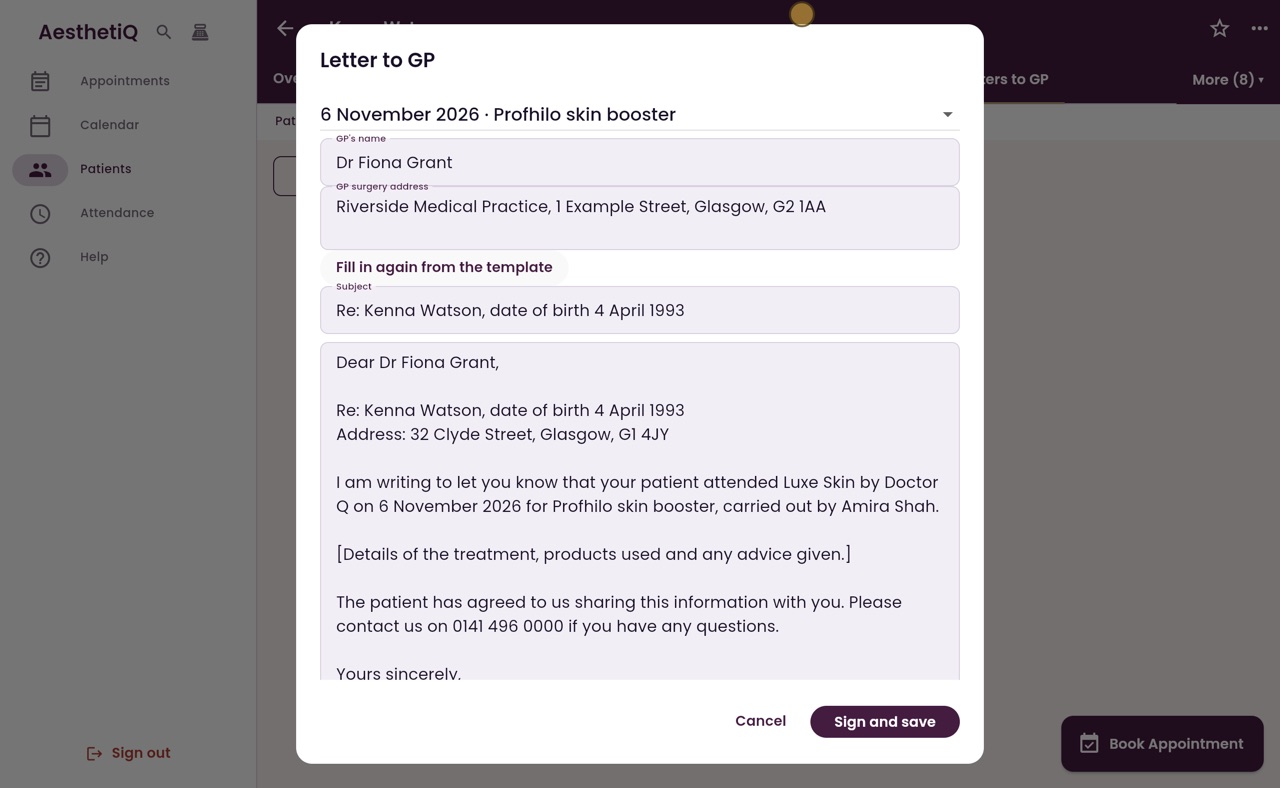
The GP's details
The letter is about her latest treatment, shown at the top. Type the GP's name and the surgery address, then click Fill in again from the template, so the name goes into the letter.
- 05Ryan
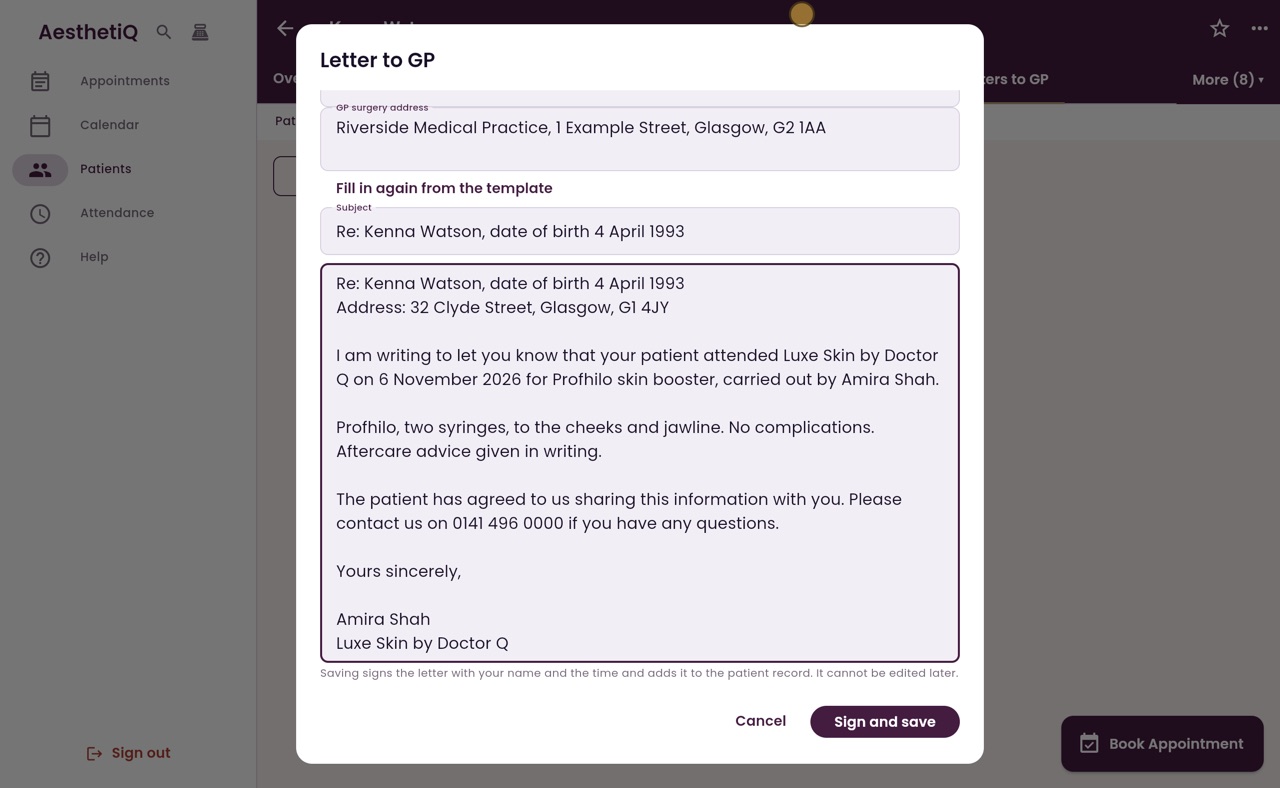
The treatment details
The subject and the letter are filled in from her record. Replace the line in square brackets with the details of the treatment and the advice given.
- 06Ryan
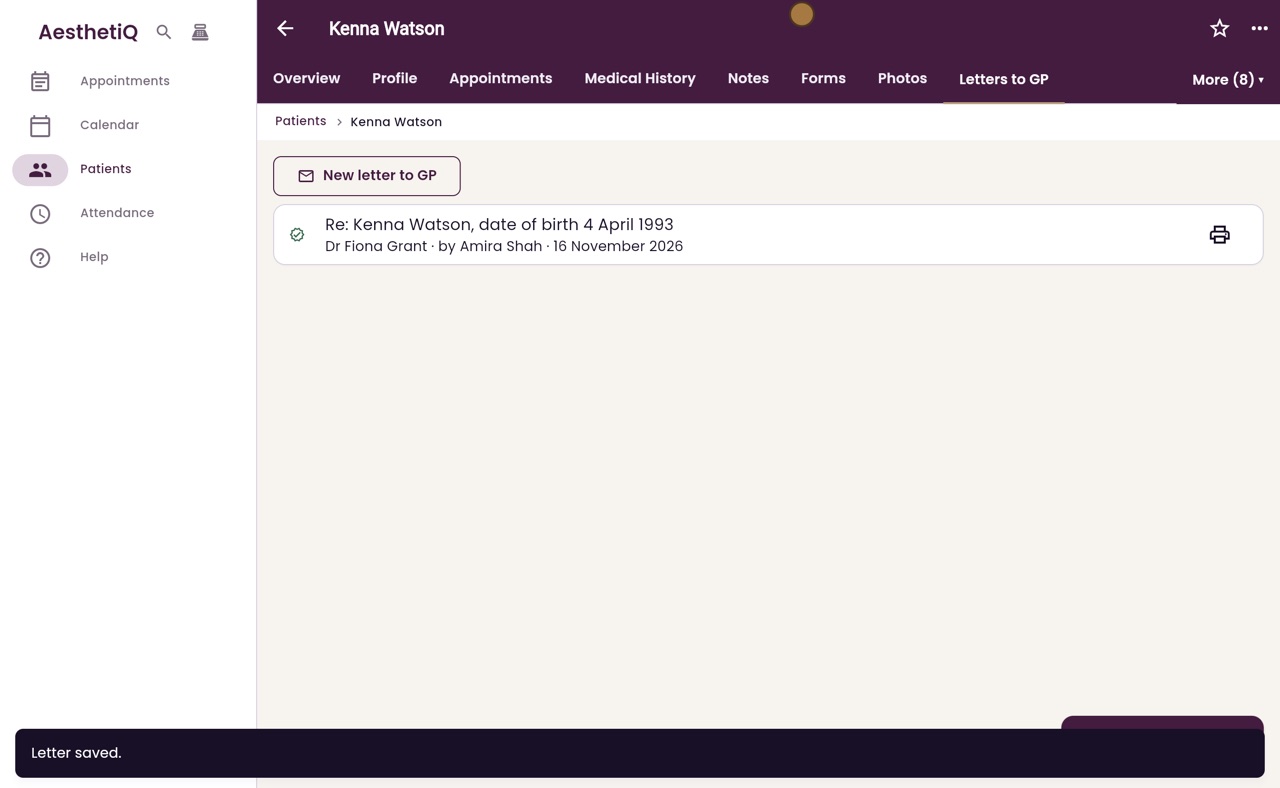
Sign and save
Read it through. Saving signs the letter with your name and the time, and it cannot be edited later. Click Sign and save.
- 07Ryan
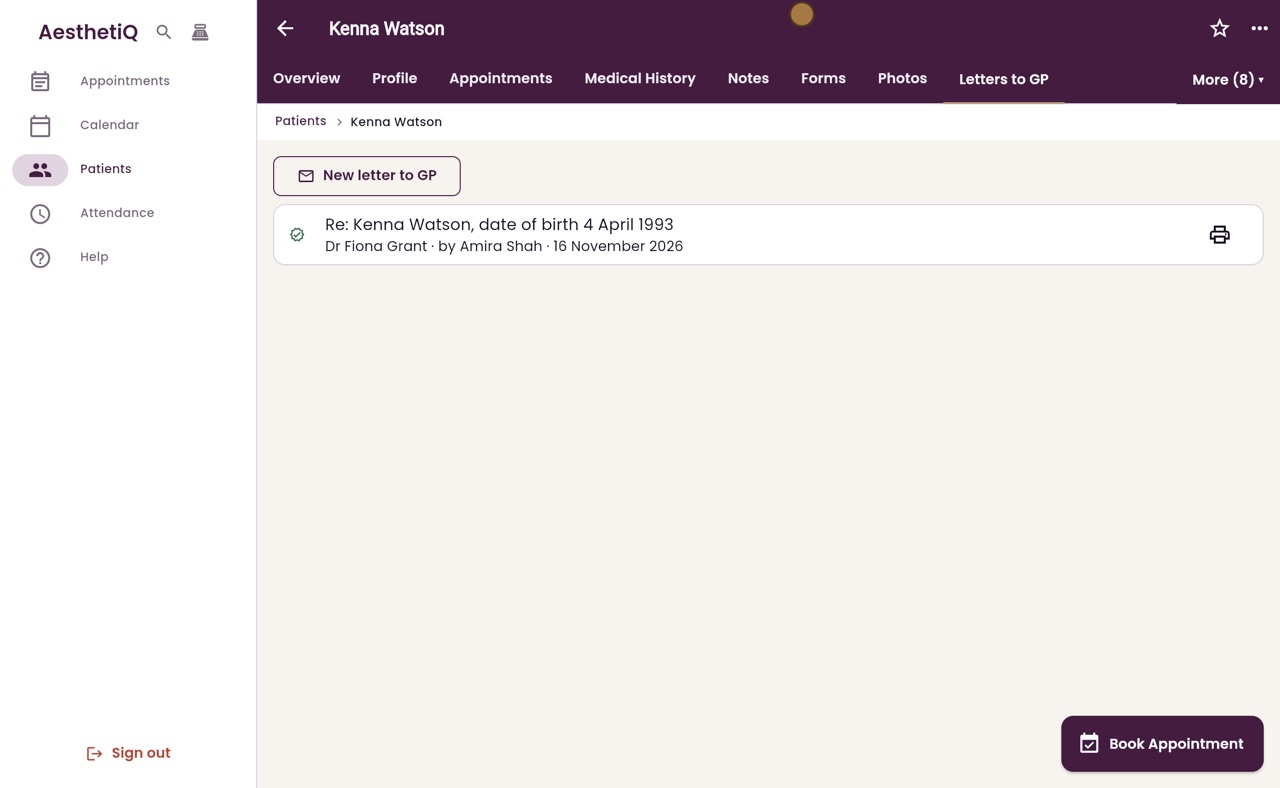
On the record
The letter is now on Kenna's record, with the GP's name, who wrote it and the date. The print button beside it makes a PDF to send to the surgery.
- 08Libby
Done
That is writing a letter to a GP. The clinic manager can change the wording of the template in Settings.