Checking a patient in
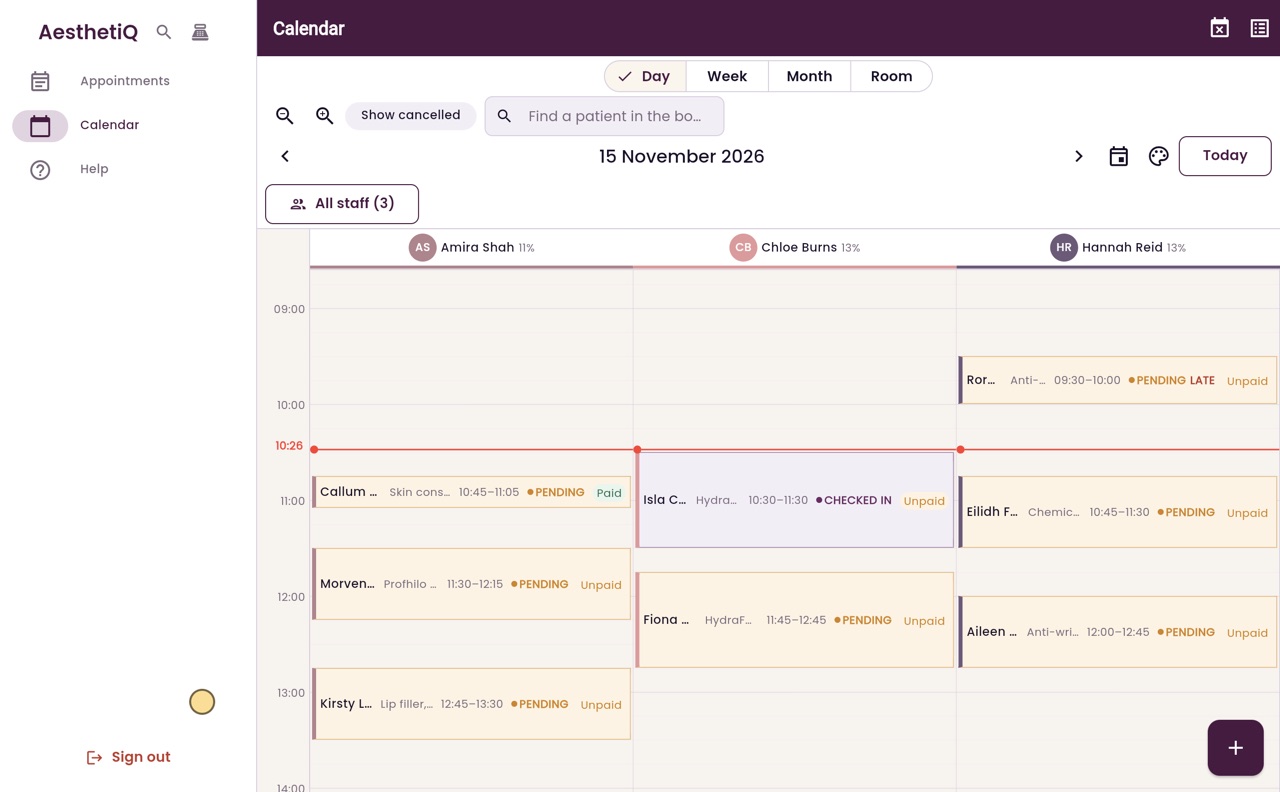
When a patient arrives, open their appointment and check them in. The calendar shows the practitioner they are waiting.
Where
Calendar, then the patient's appointment.
Who
Reception, practitioners and the clinic manager.
After
The appointment shows Checked in on the calendar.
Step by step
- 01Libby
When a patient arrives
Hi, I am Libby. When a patient arrives, reception checks them in. The practitioner can then see they are here and waiting.
- 02Ryan
Find the appointment
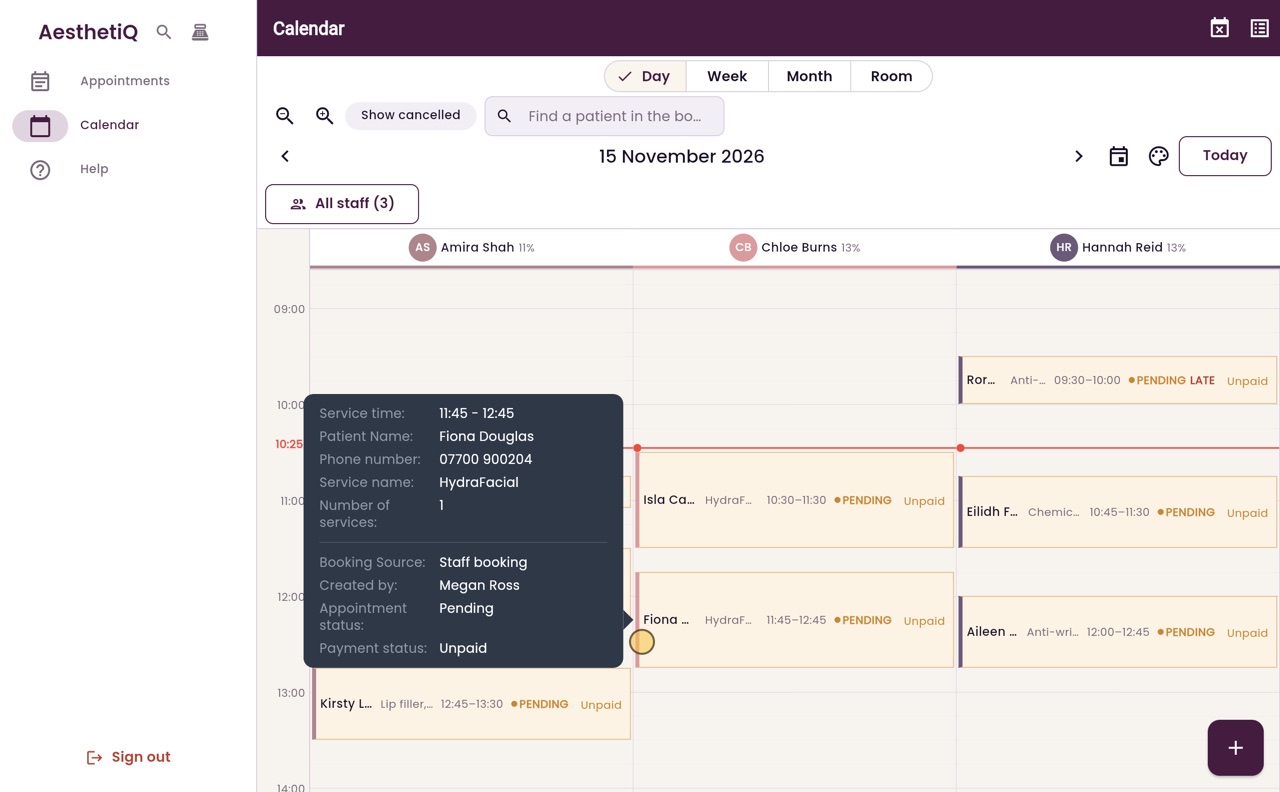
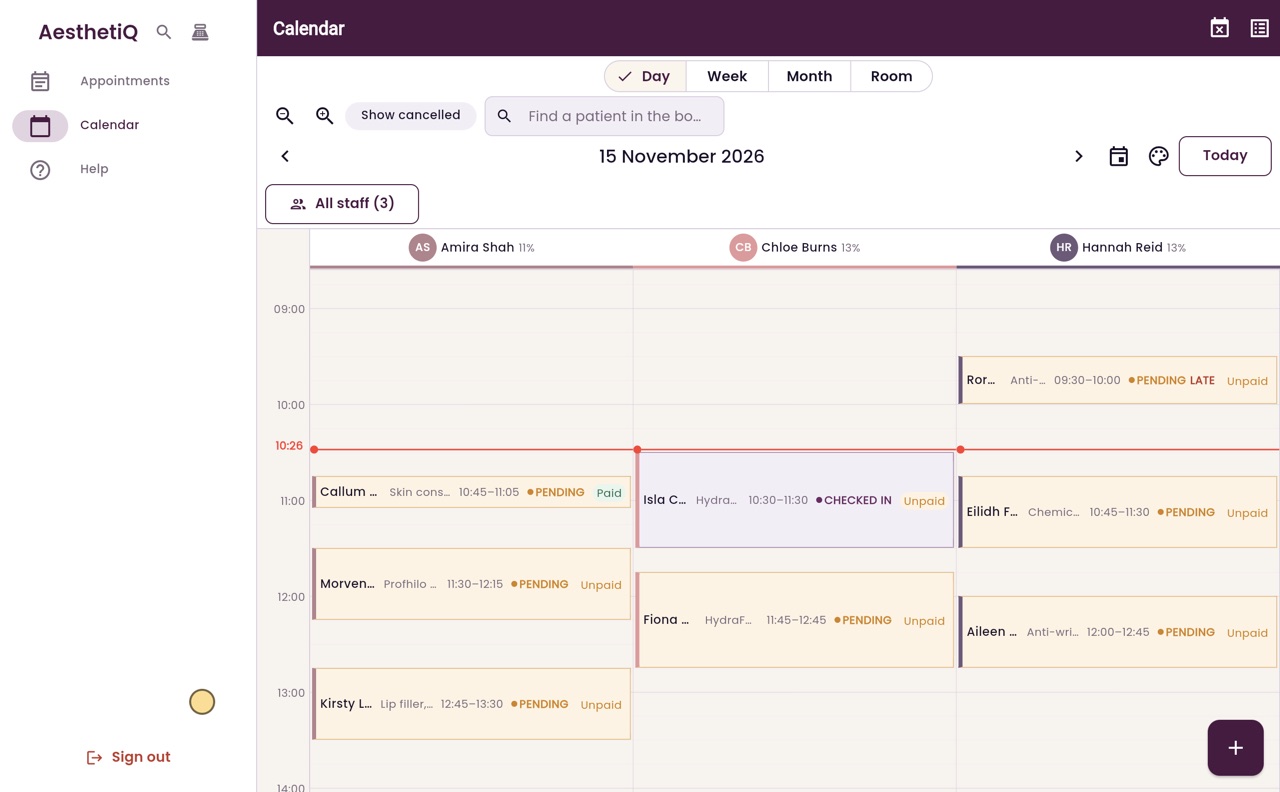
Thanks Libby. Today's appointments are on the calendar, one column for each practitioner. Isla Campbell has just arrived for her HydraFacial with Chloe Burns. Click her appointment to open it.
- 03Ryan
The appointment
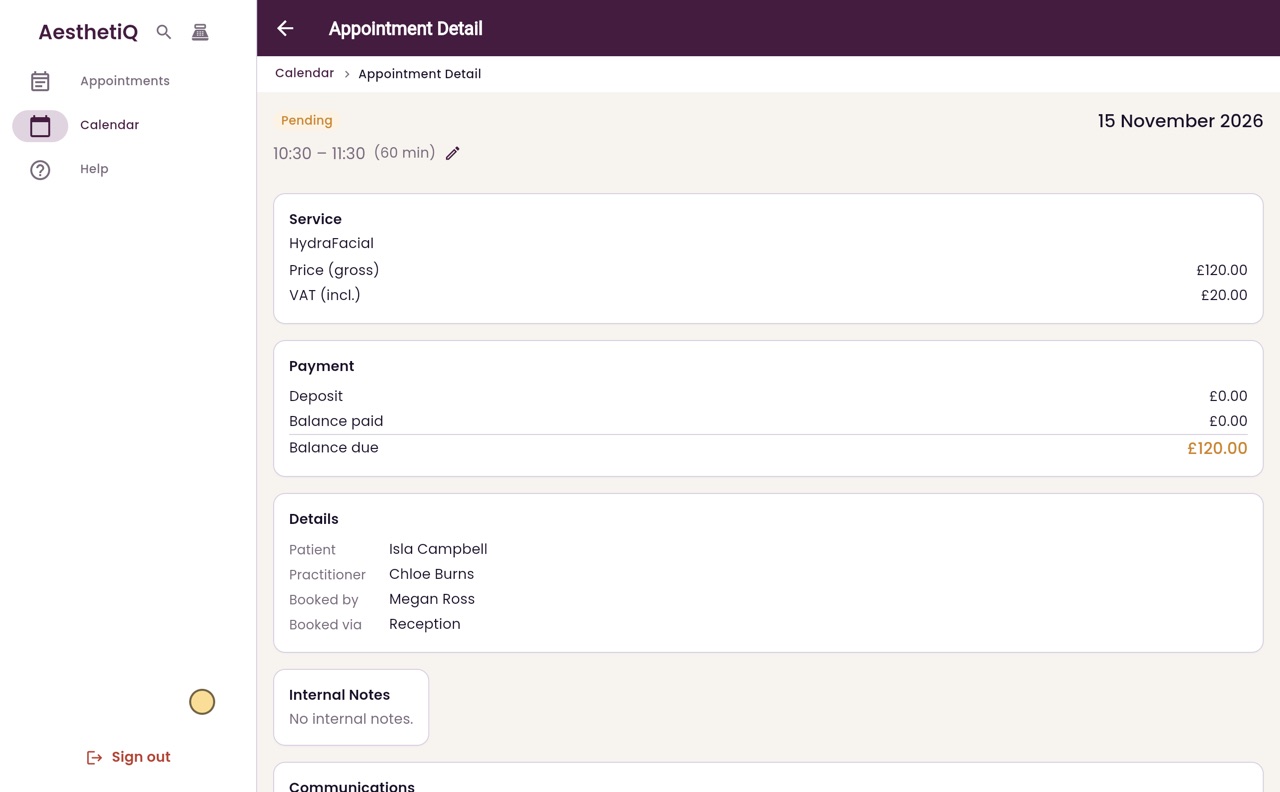
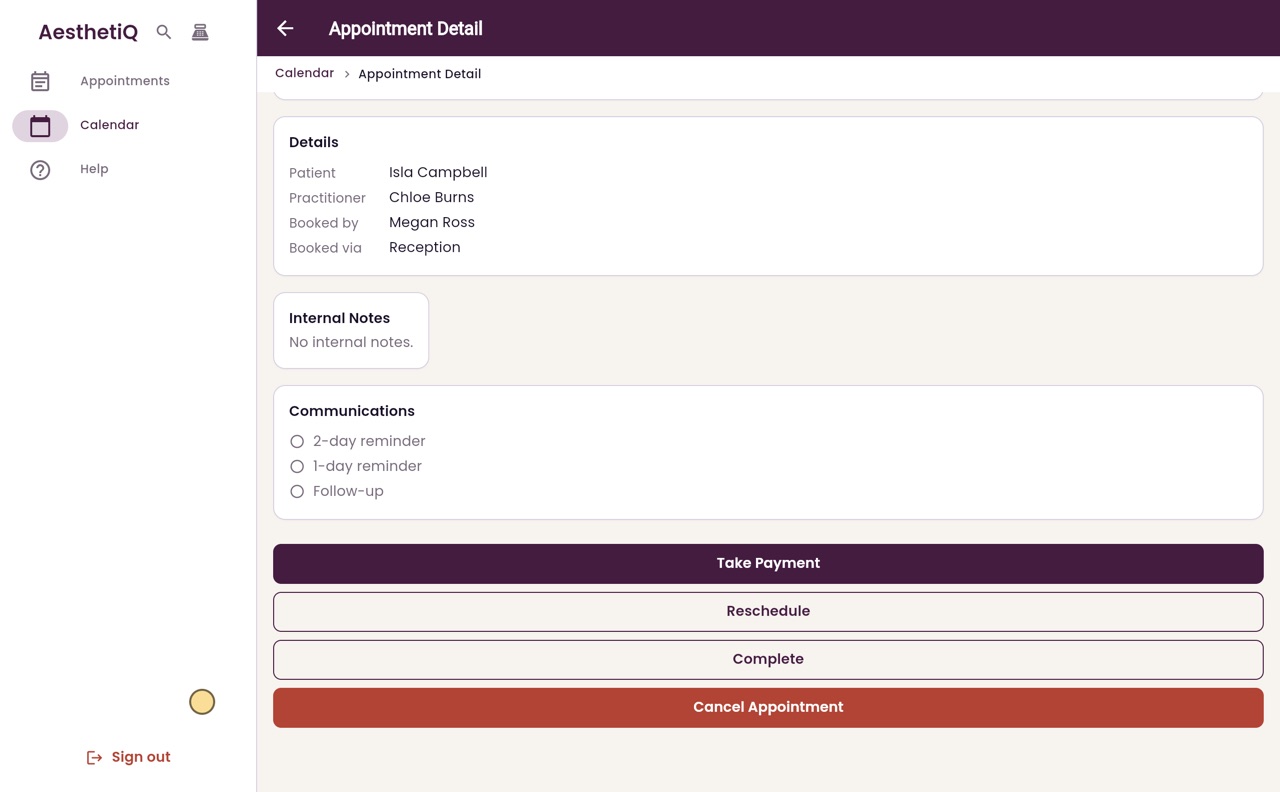
The appointment shows the treatment, the price and what is still to pay. Further down are the notes and the reminder messages. The buttons for what happens next are at the bottom.
- 04Ryan
Check in
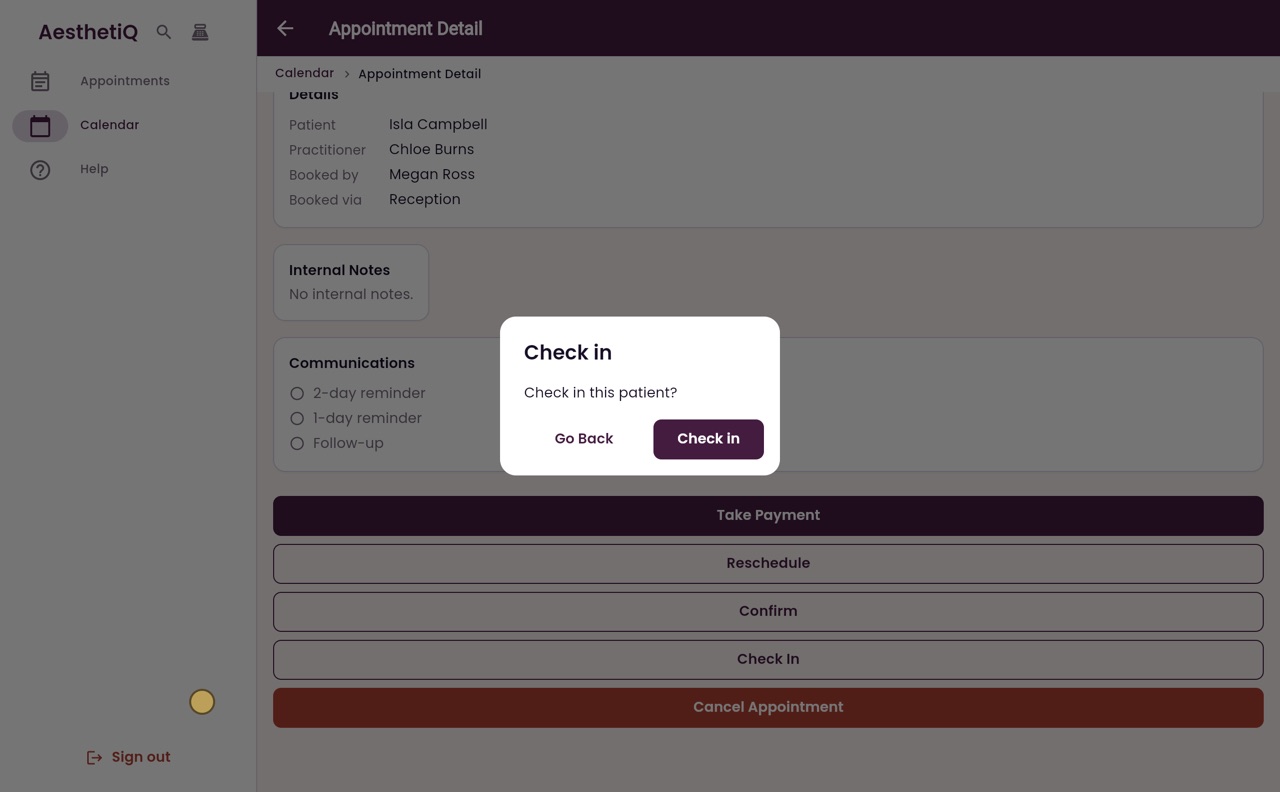
AesthetiQ asks first, so a patient is never checked in by mistake. Click Check in.
- 05Ryan
Checked in
Isla is now checked in. Back on the calendar her appointment shows Checked in, so Chloe knows she is waiting.
- 06Libby
Done
That is checking a patient in. If a patient is late, the calendar marks the appointment Late, so you can give them a call.