Calendar colour and prescriber details
Choose the colour a person's appointments show in, and record their professional registration and whether they prescribe.
Where
Staff Management, the menu next to the person, then Open Settings.
Colour
Calendar colour on the Profile tab.
Prescribers
Register, registration number or PIN, and the Prescriber switch.
Step by step
- 01Libby
Colour and registration
Hi, I am Libby. Each member of staff has their own colour for their appointments in the calendar. Nurses, doctors and other prescribers also have their professional registration recorded.
- 02Ryan
Open Settings
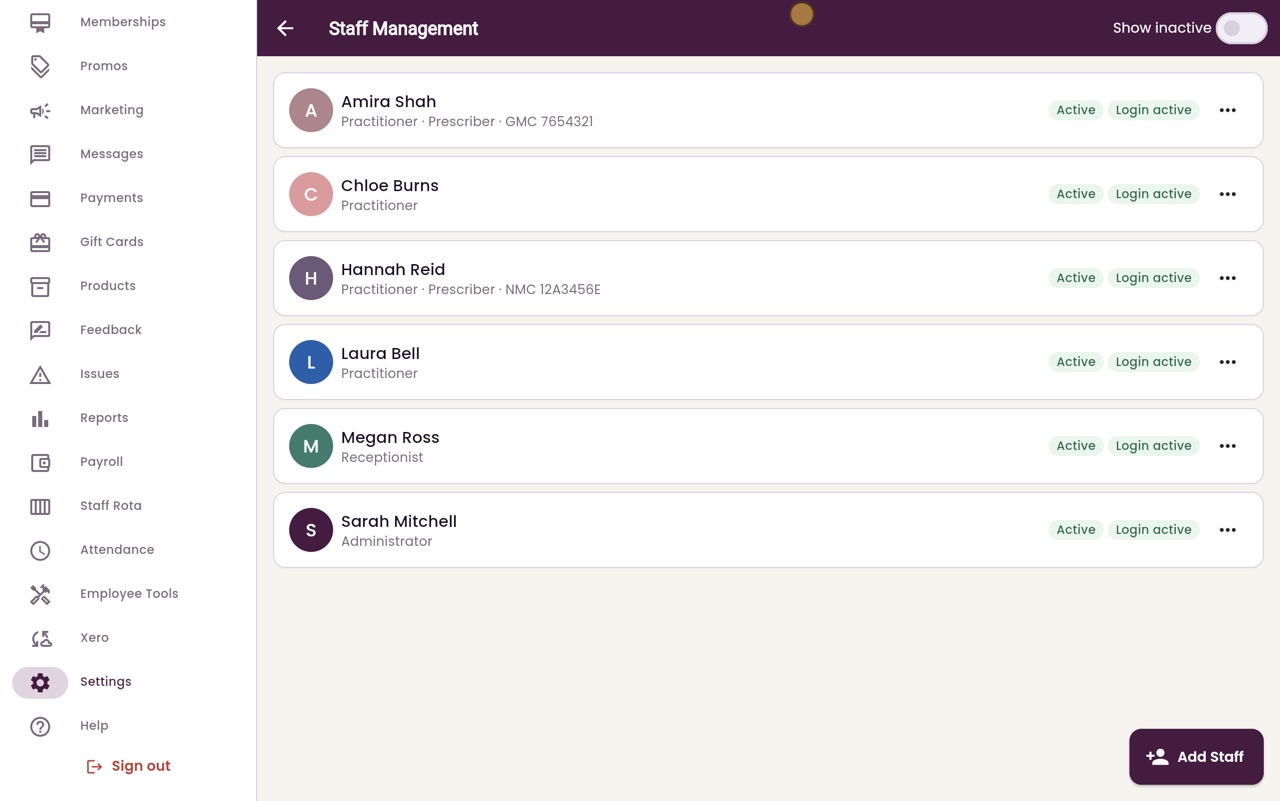
Thanks Libby. In Staff Management, open the menu next to Laura Bell and choose Open Settings.
- 03Ryan
Calendar colour
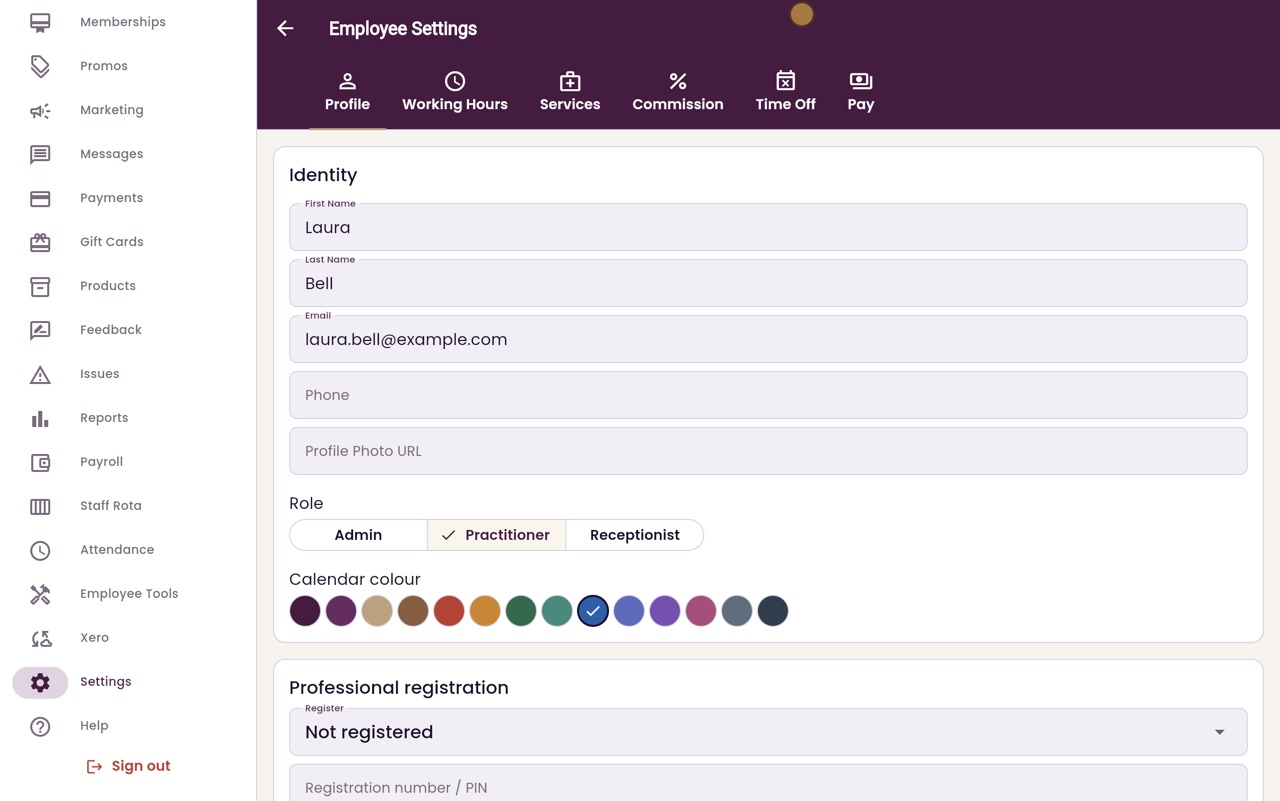
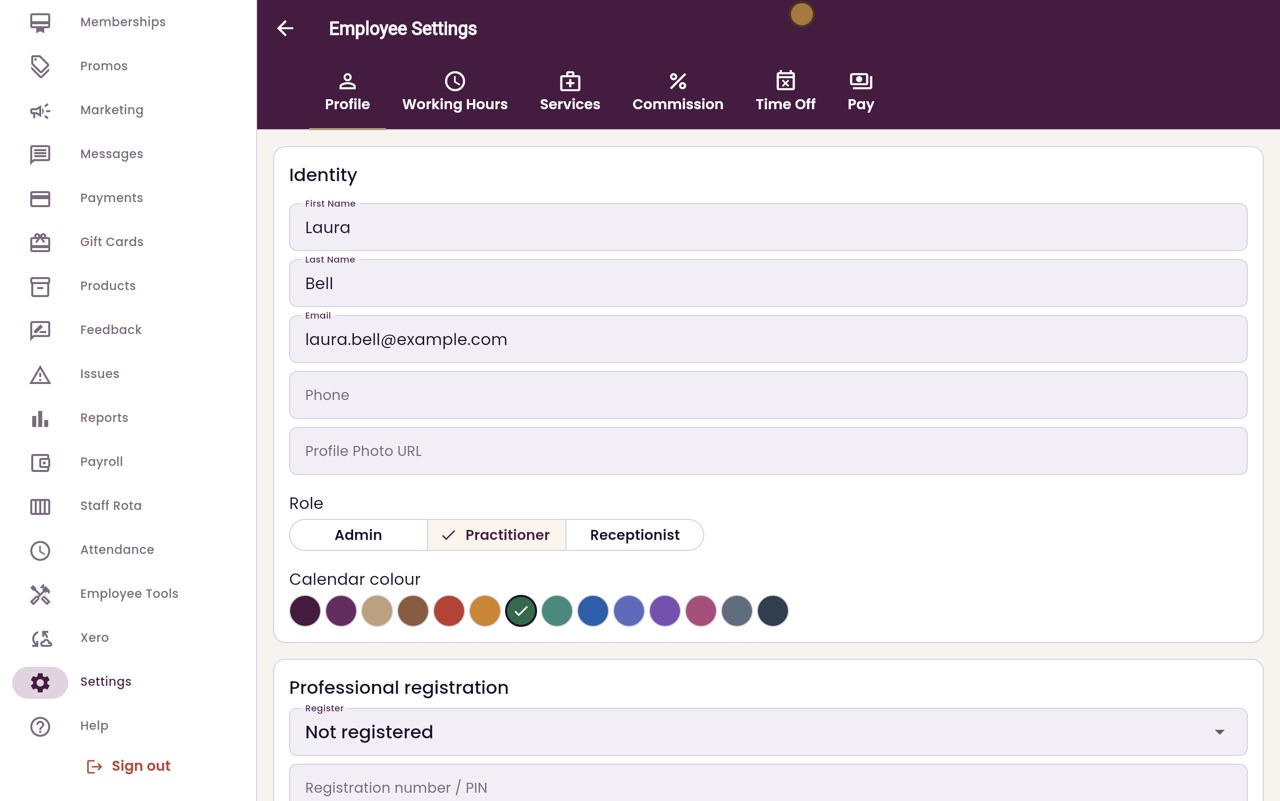
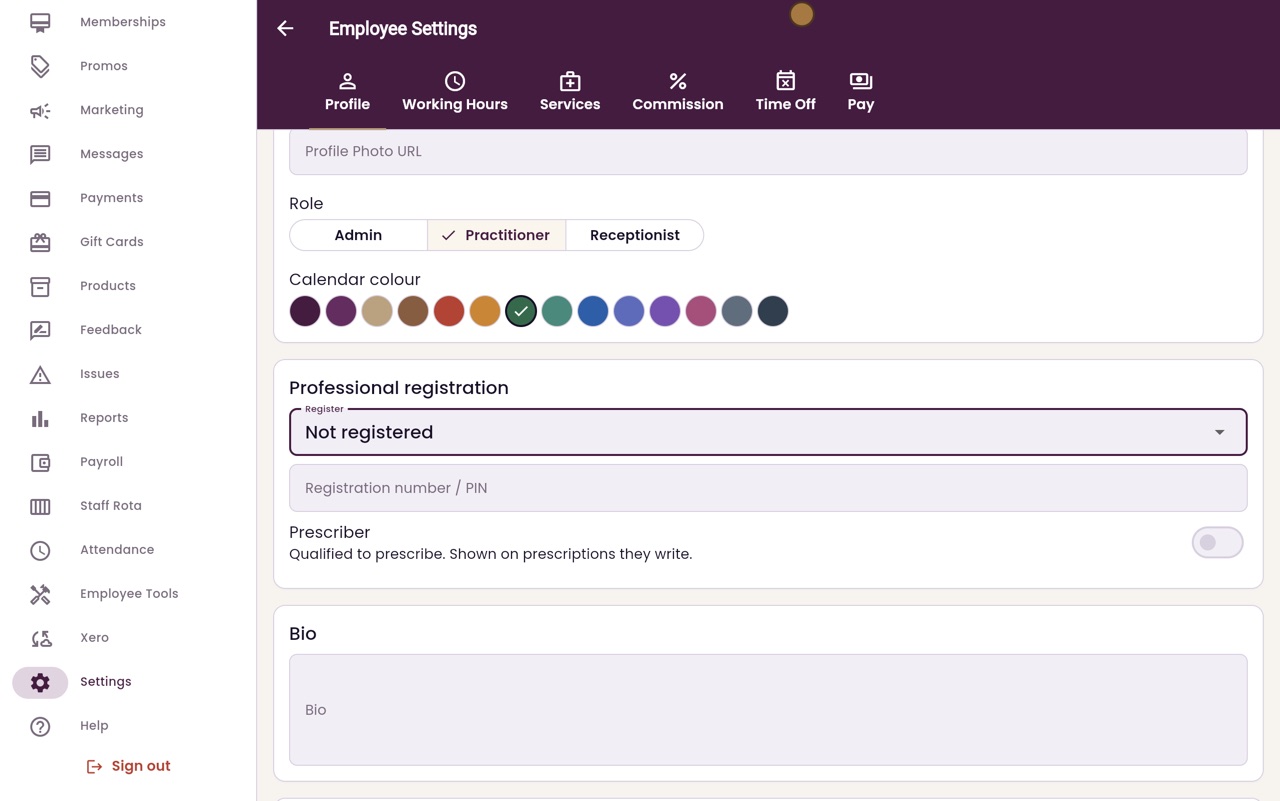
The Profile tab shows her name, contact details and role. Under Calendar colour, click a new colour. Here we choose green.
- 04Ryan
Register
Further down is Professional registration. Click Register to choose the body the person is registered with, such as the NMC for nurses or the GMC for doctors. Laura is a therapist, so she stays Not registered.
- 05Ryan
Number and Prescriber
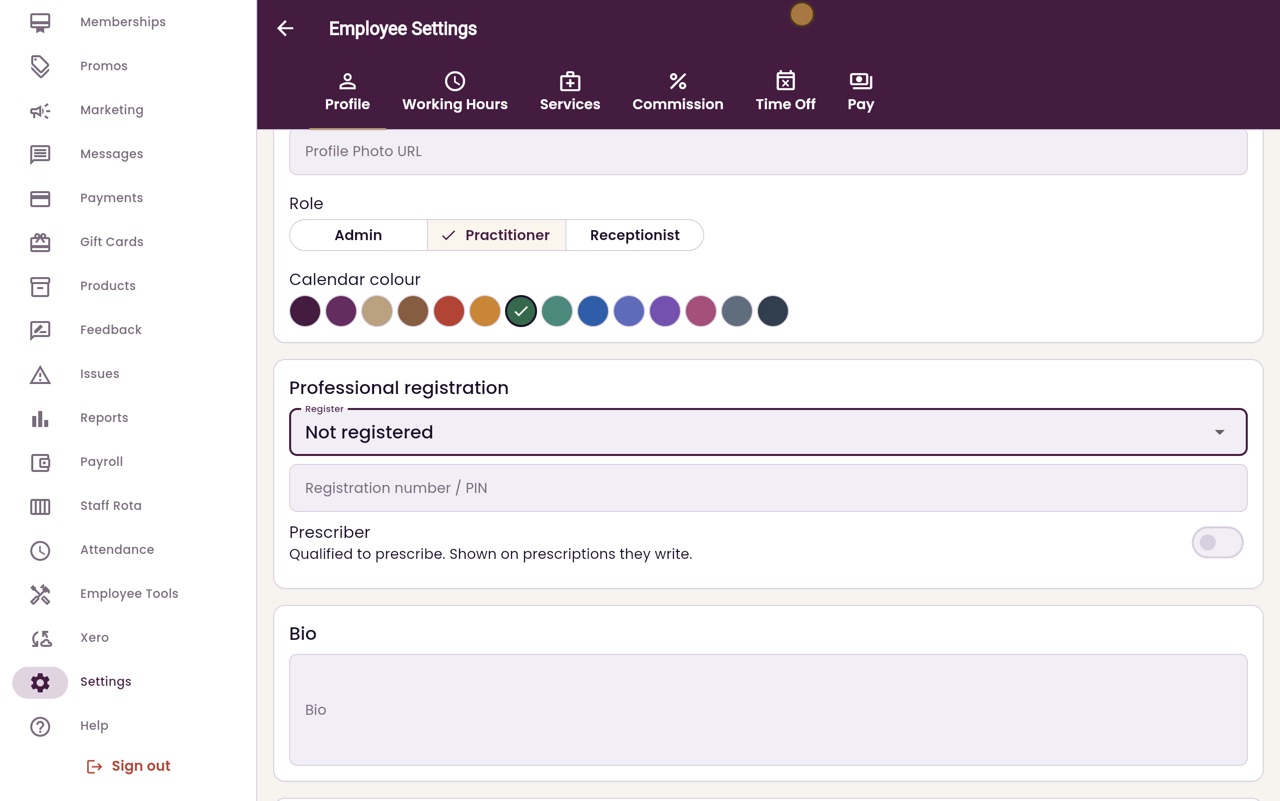
For a nurse or doctor, type their registration number or PIN here. If they can prescribe, switch on Prescriber. Their details are then shown on the prescriptions they write.
- 06Ryan
Save Profile
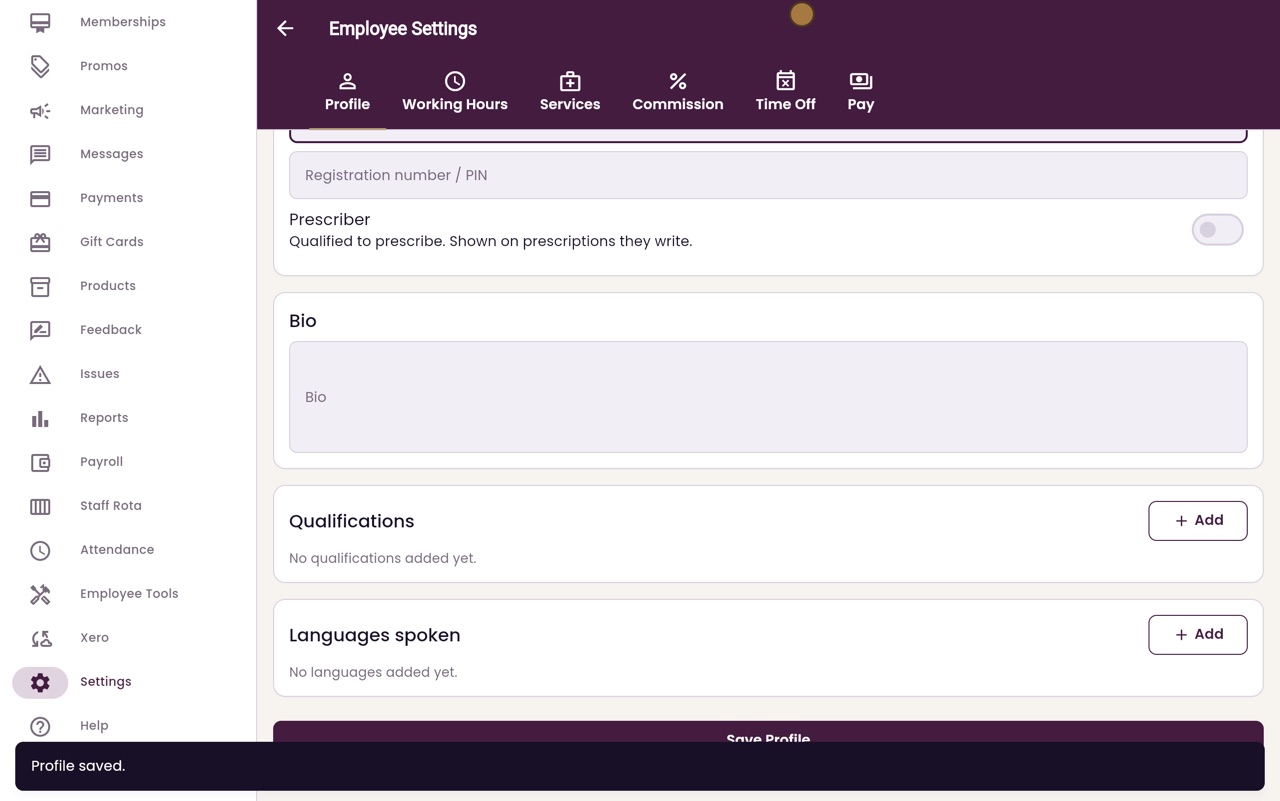
Click Save Profile at the bottom of the page.
- 07Ryan
In the staff list
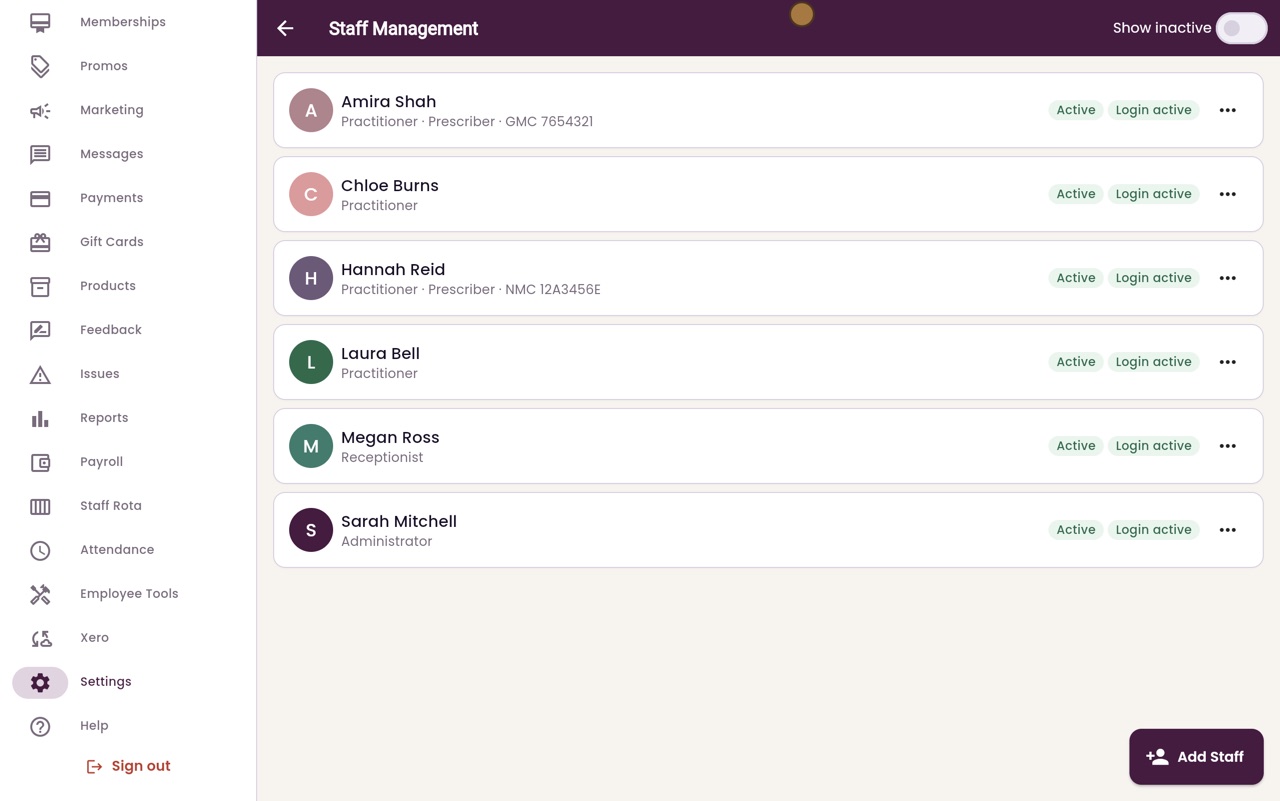
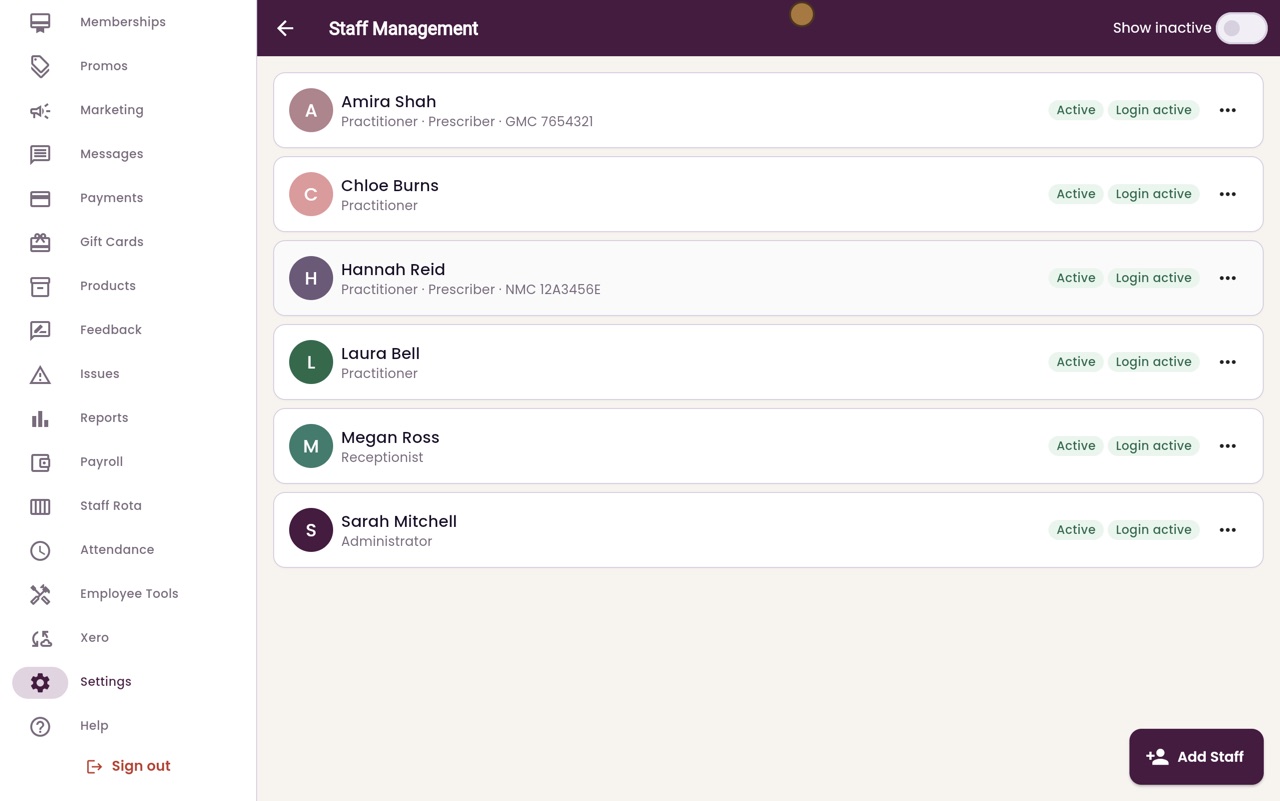
Back in Staff Management, Laura now shows in green. A prescriber shows their register and number under their name, like Hannah Reid.
- 08Libby
Done
That is setting a staff member's calendar colour and registration details. Appointments in the calendar now show in her new colour.