Knowing what to reorder
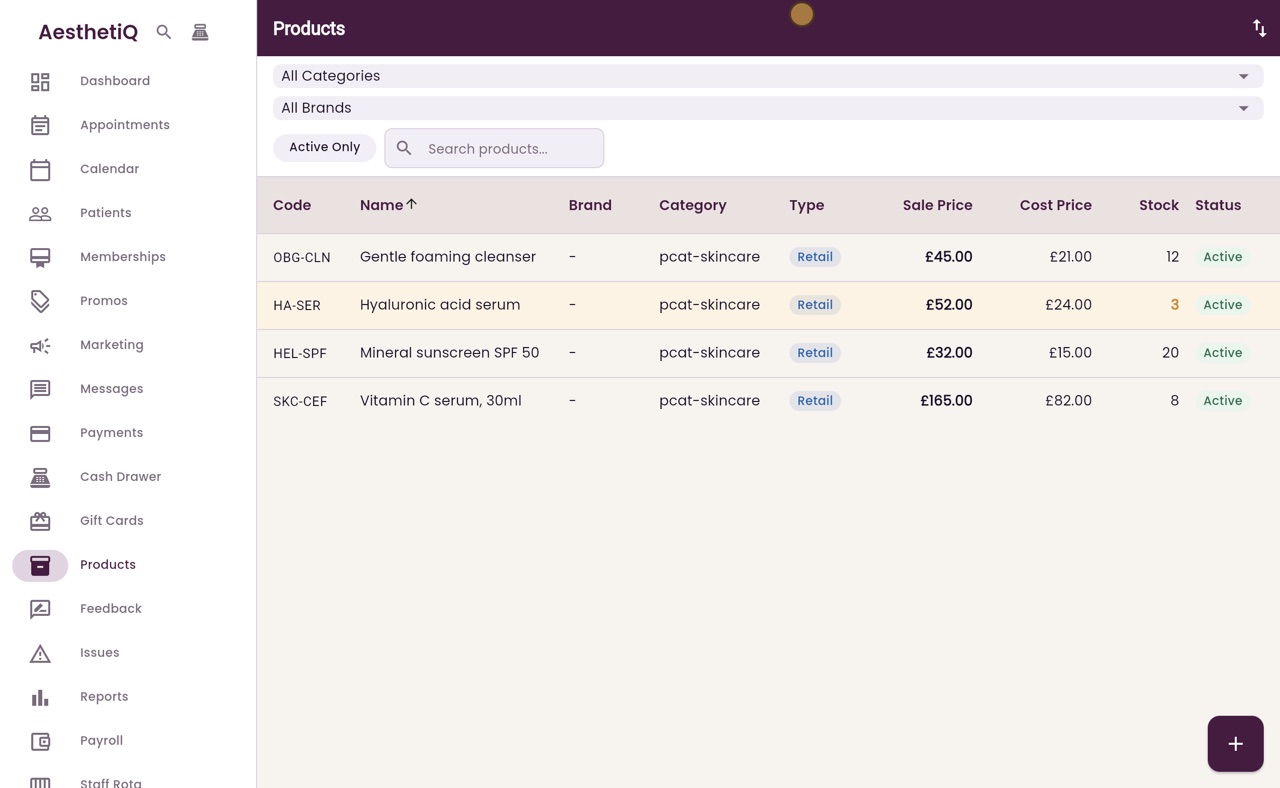
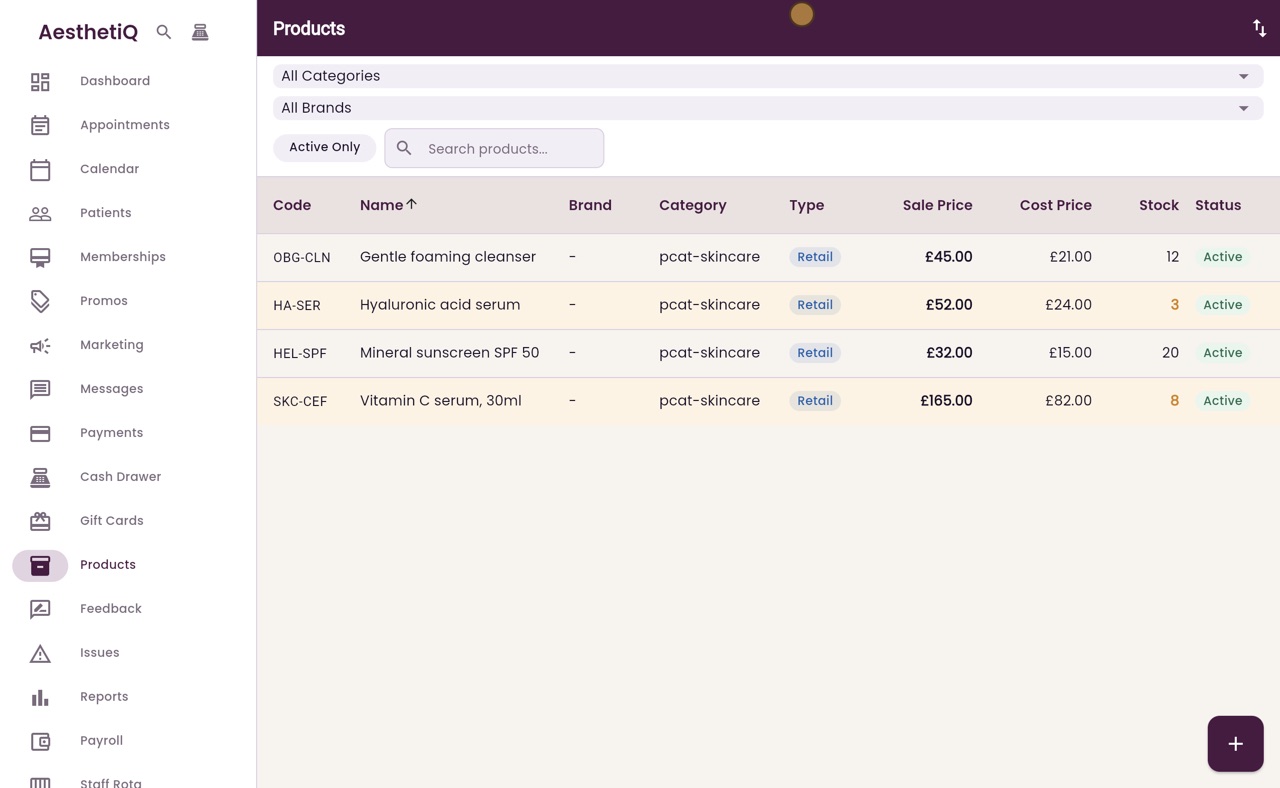
Products at or below their reorder level are shaded in the Products list, with their stock in orange.
Where
Products in the menu.
Low stock
Stock at or below the product's Reorder Level.
Change it
Type a new Reorder Level on the product's page and click Save Changes.
Step by step
- 01Libby
Running low
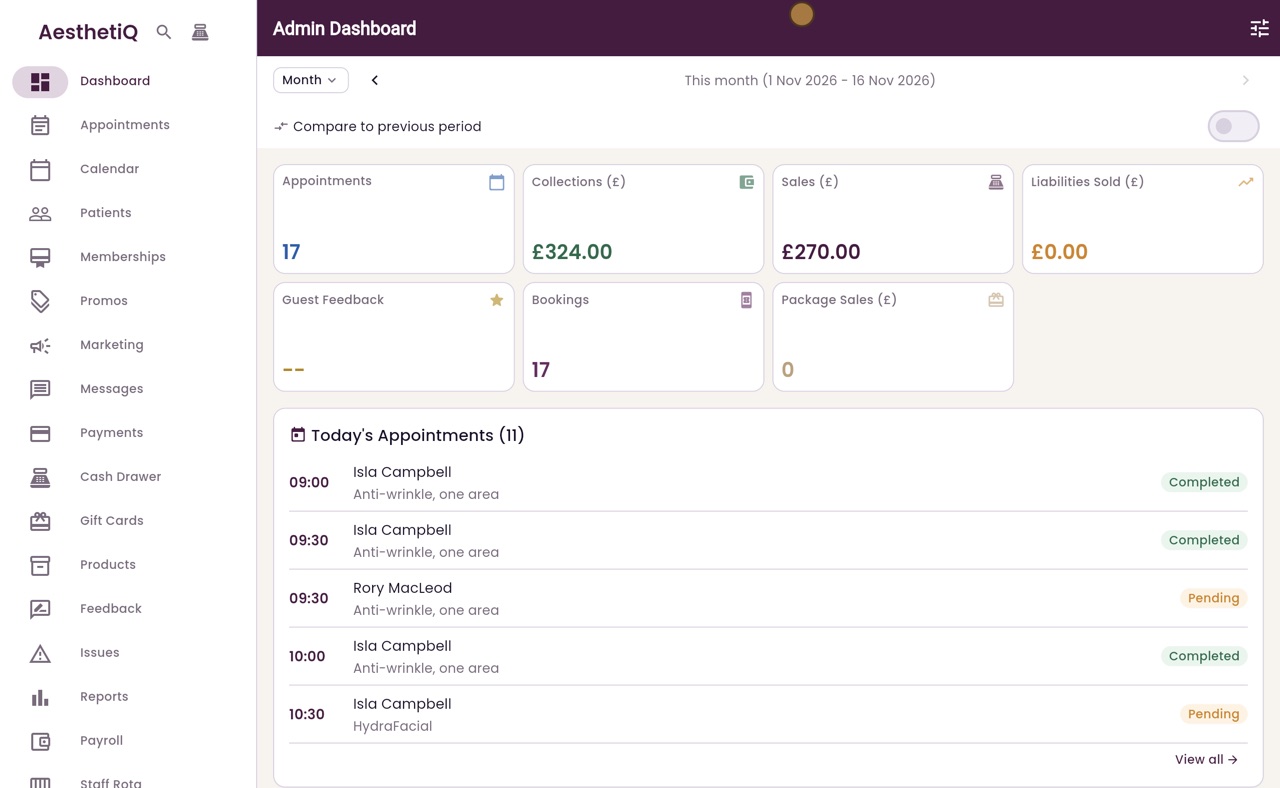
Hi, I am Libby. AesthetiQ flags the products that are running low, so you can reorder them before they run out.
- 02Ryan
Shaded in the list
Thanks Libby. Click Products in the menu. A product that is running low is shaded, with its stock in orange, like the hyaluronic acid serum.
- 03Ryan
The product page
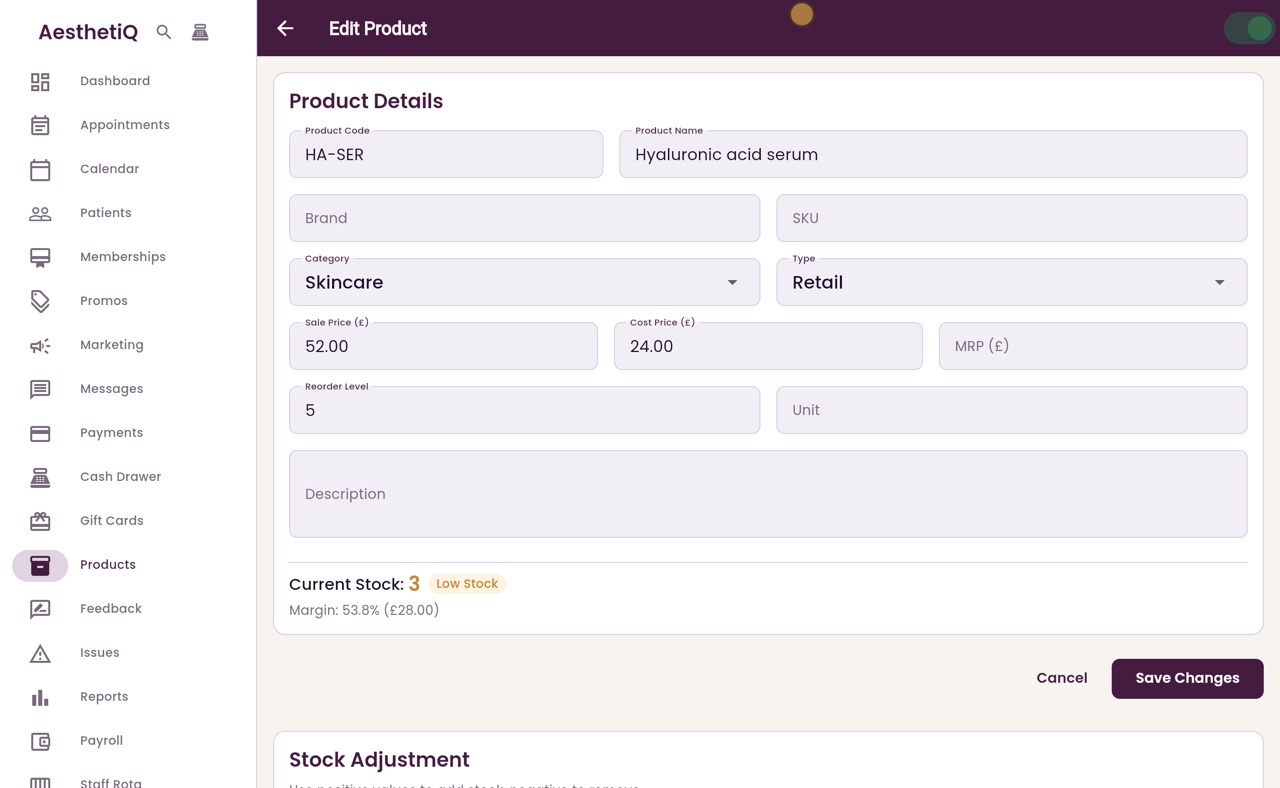
Click it to open it. Its page shows its Reorder Level, five, and its Current Stock, three, with a Low Stock label. A product counts as low when its stock is at or below its reorder level.
- 04Ryan
A product not yet low
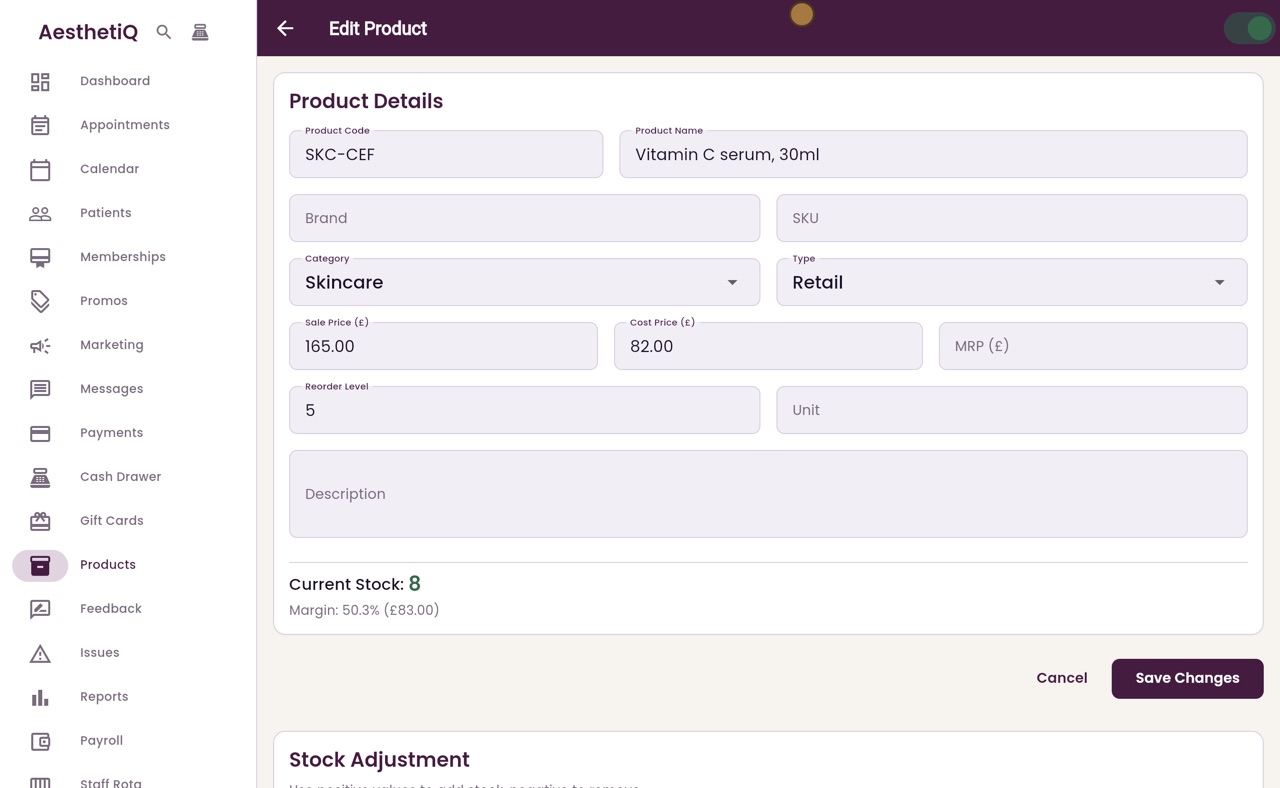
Click Back. The Vitamin C serum has eight left, so it is not shaded. Click it to open it.
- 05Ryan
Warn me sooner
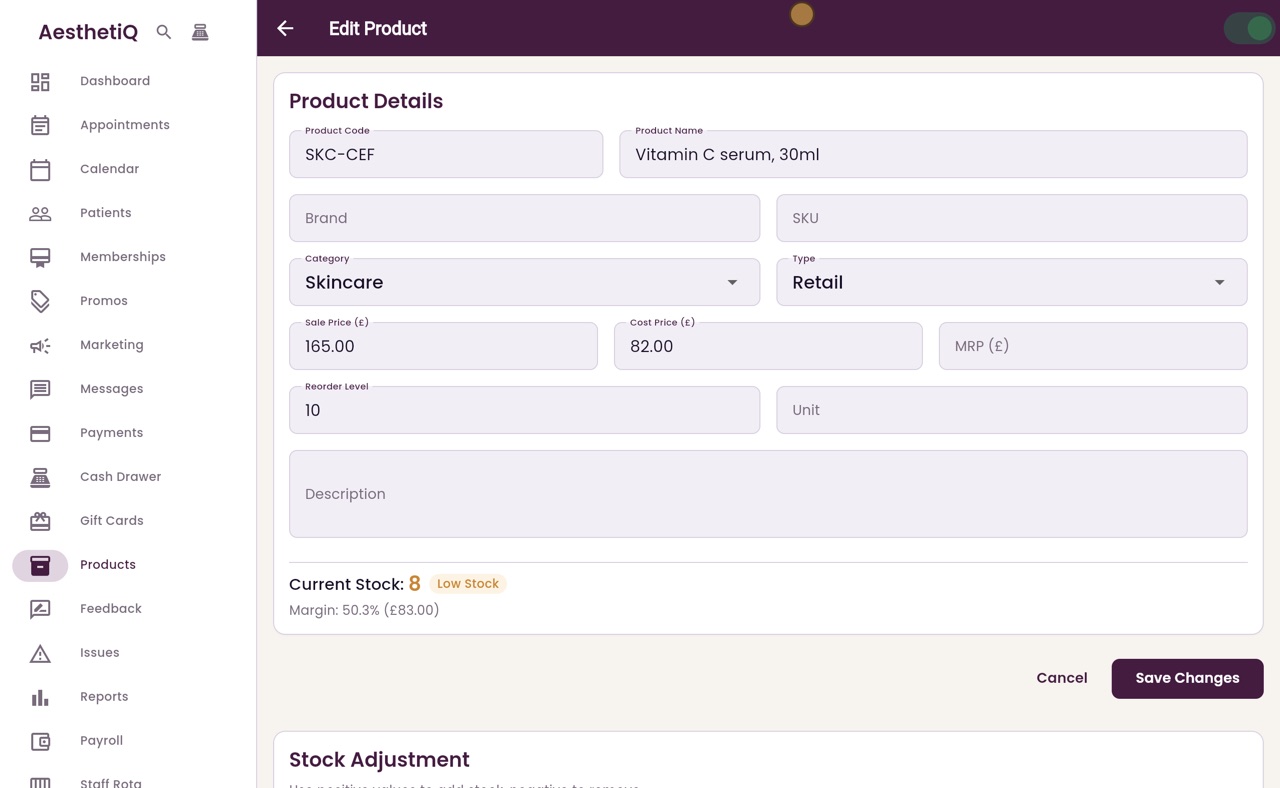
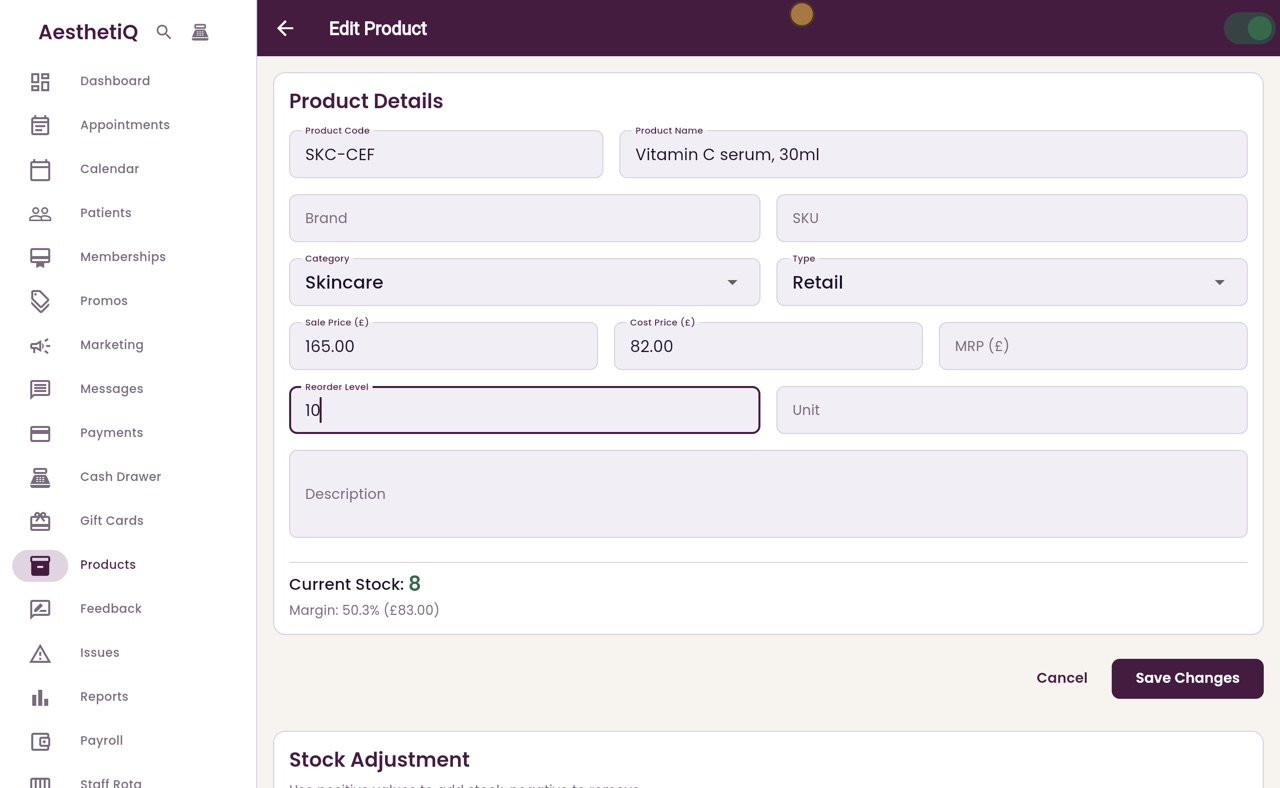
Its reorder level is five. To be warned sooner, click Reorder Level and type ten in place of five.
- 06Ryan
Saved
Click Save Changes. AesthetiQ says Product updated and goes back to the list. With eight left and a reorder level of ten, the Vitamin C serum is now shaded, with its stock in orange.
- 07Ryan
Check it
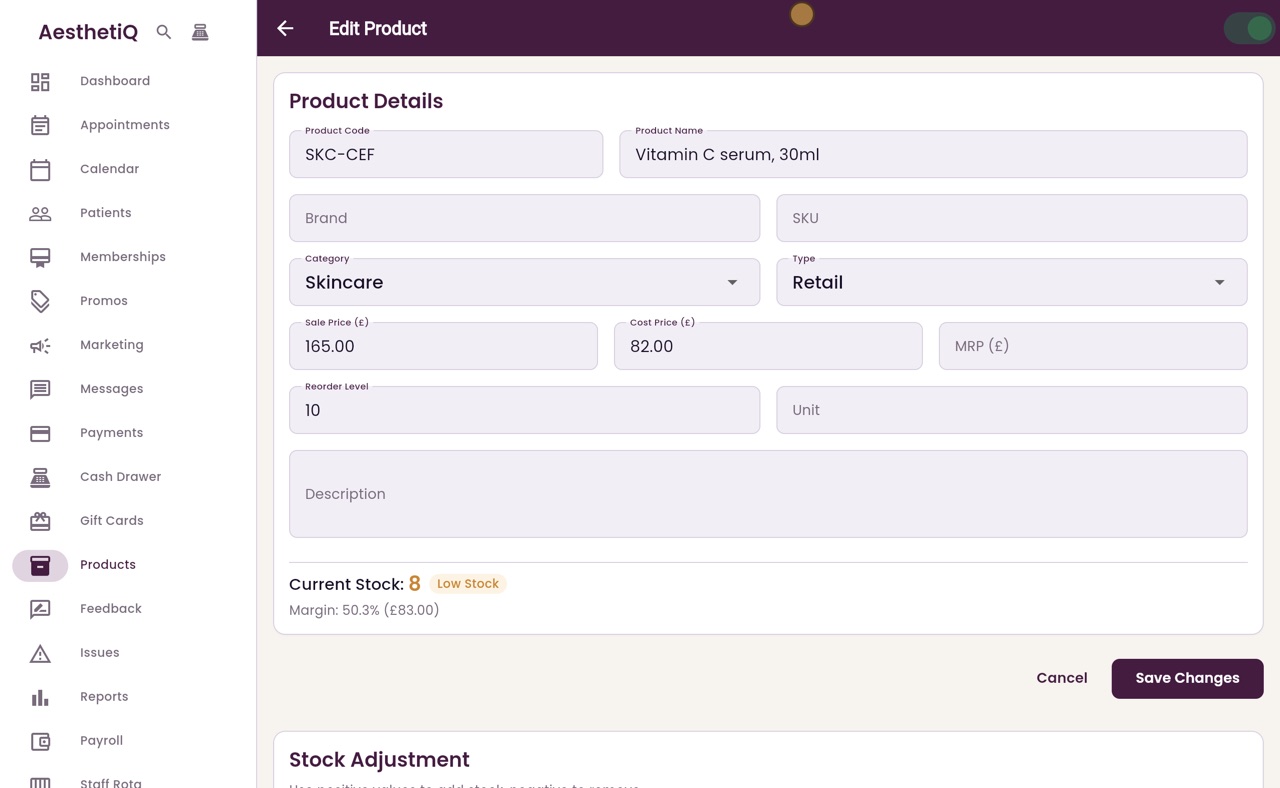
Open it again to check. The Reorder Level is now ten, and Current Stock has the Low Stock label.
- 08Libby
Done
That is knowing what to reorder. When the order arrives, receive it into stock on the product's page, and once the stock is above the reorder level, the warning goes away.