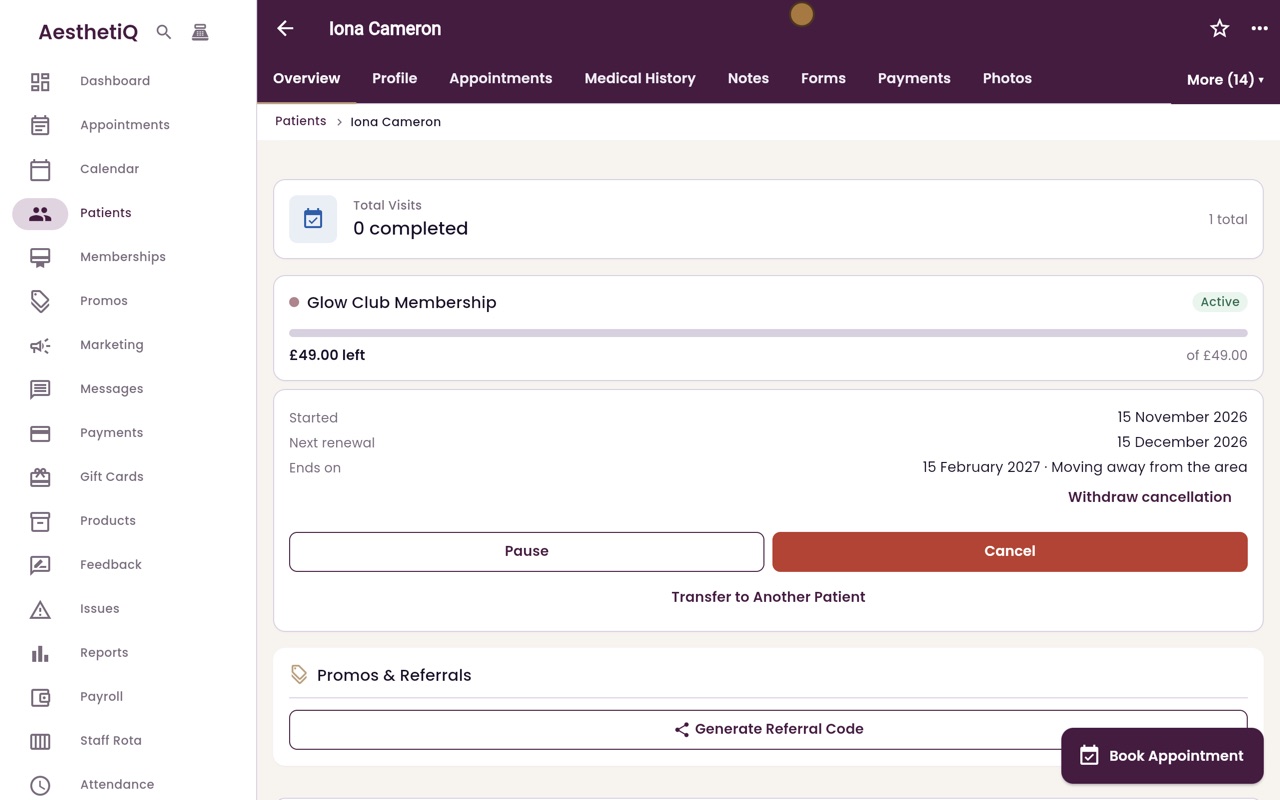
Cancelling a membership with notice
Cancel from the patient's profile. AesthetiQ books the end date from the notice period and minimum term, and the membership keeps working until then.
Where
The patient's overview, the membership card, Cancel.
Reason
Required. It is shown next to the end date.
Undo
Withdraw cancellation, before the end date.
Step by step
- 01Libby
Notice and minimum term
Hi, I am Libby. Glow Club has a minimum term of three months and thirty days notice. When a member cancels, AesthetiQ books the cancellation for the right date, and the membership keeps working until then.
- 02Ryan
Open the membership
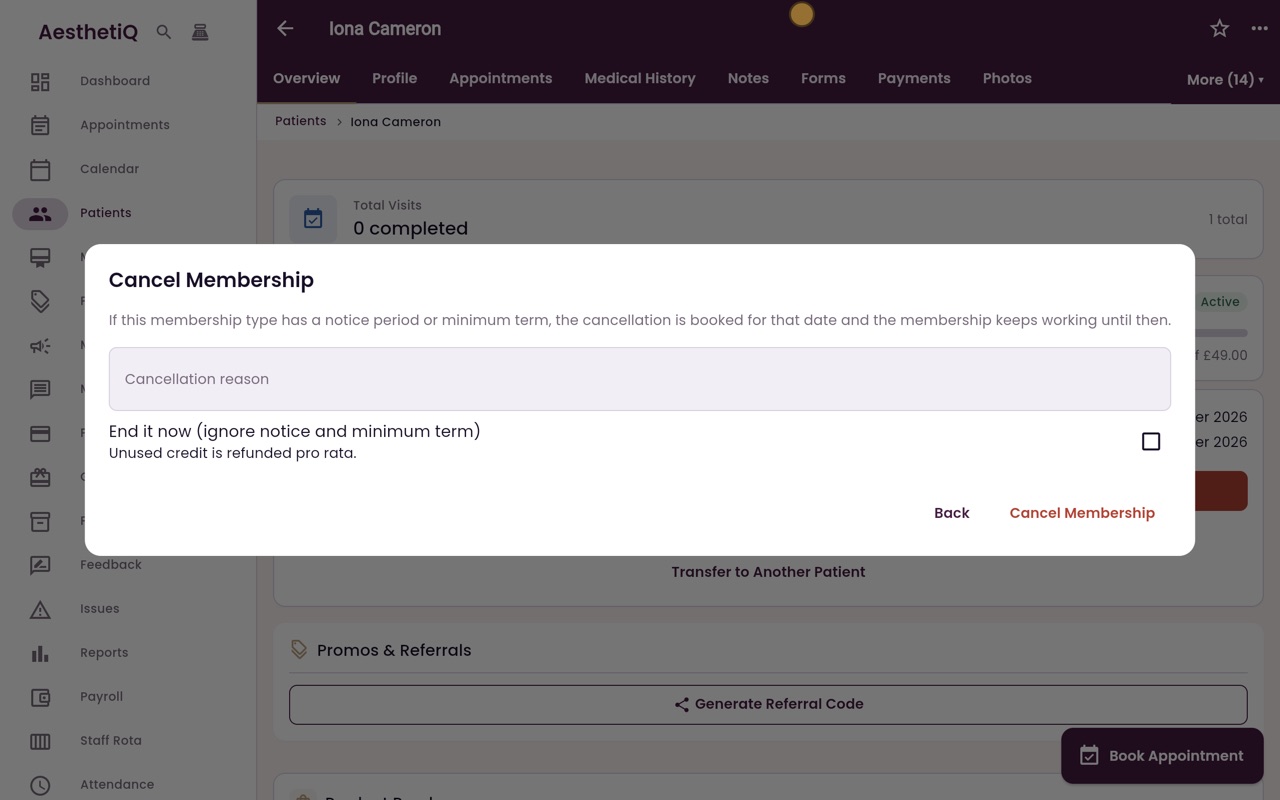
Thanks Libby. Iona Cameron wants to cancel her Glow Club. Click Patients, then her name. Her membership is on the overview. Click Cancel.
- 03Ryan
Give the reason
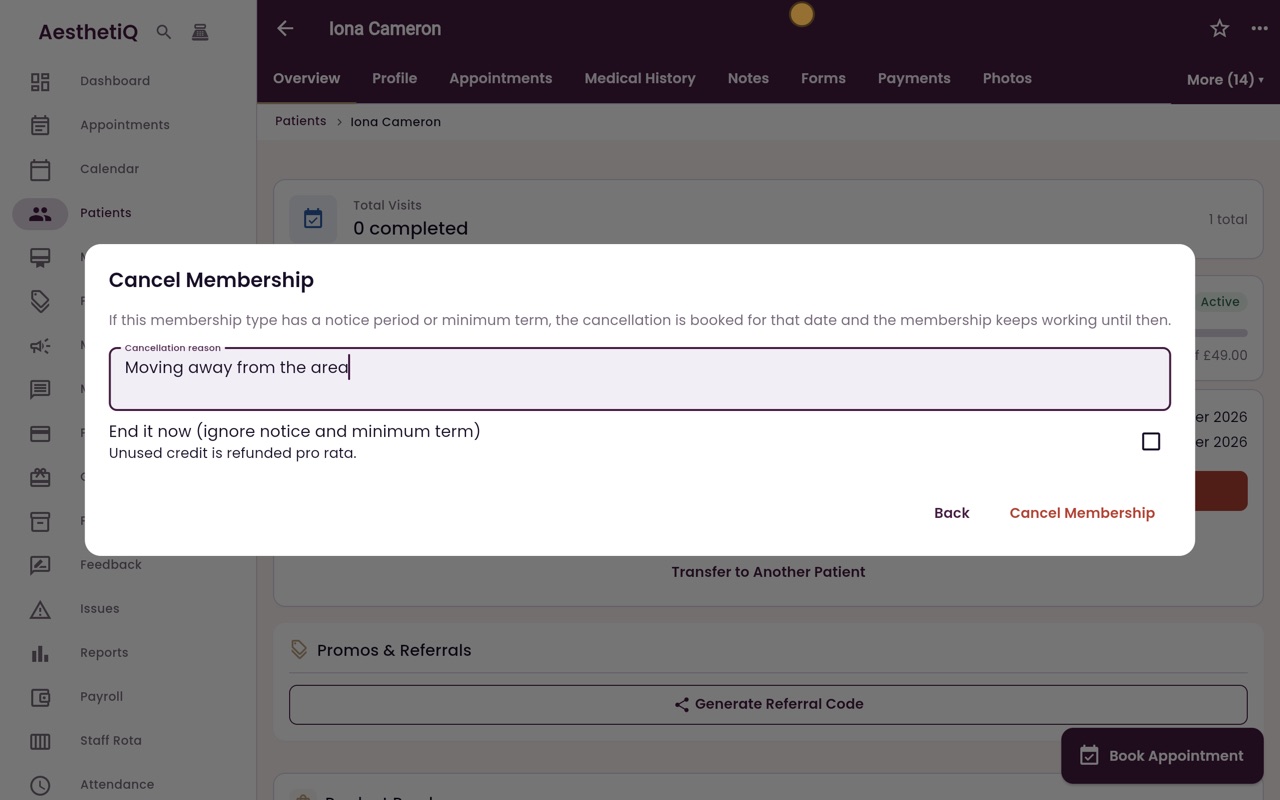
The box explains that the cancellation is booked for the end of the notice period or minimum term. Type the reason she gives.
- 04Ryan
Cancel Membership
Leave End it now unticked, so the notice and minimum term apply. Click Cancel Membership.
- 05Ryan
The end date
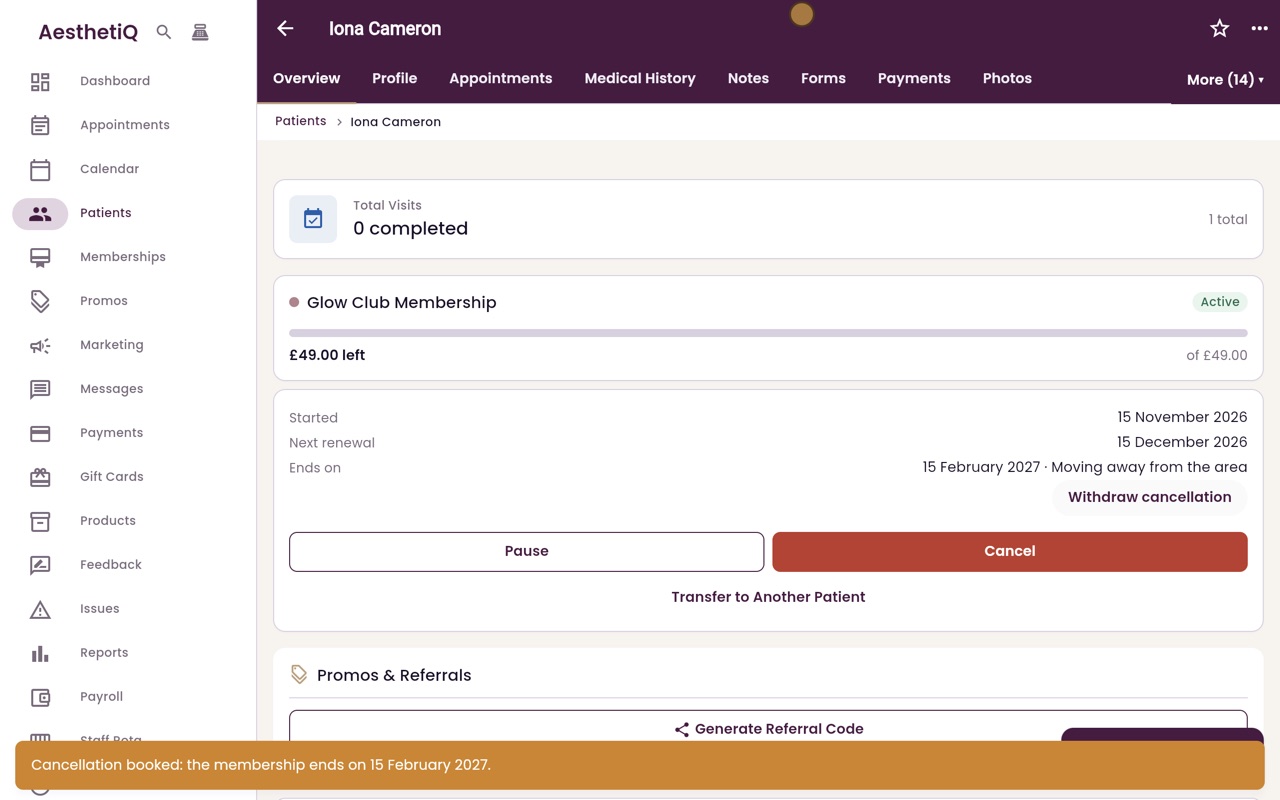
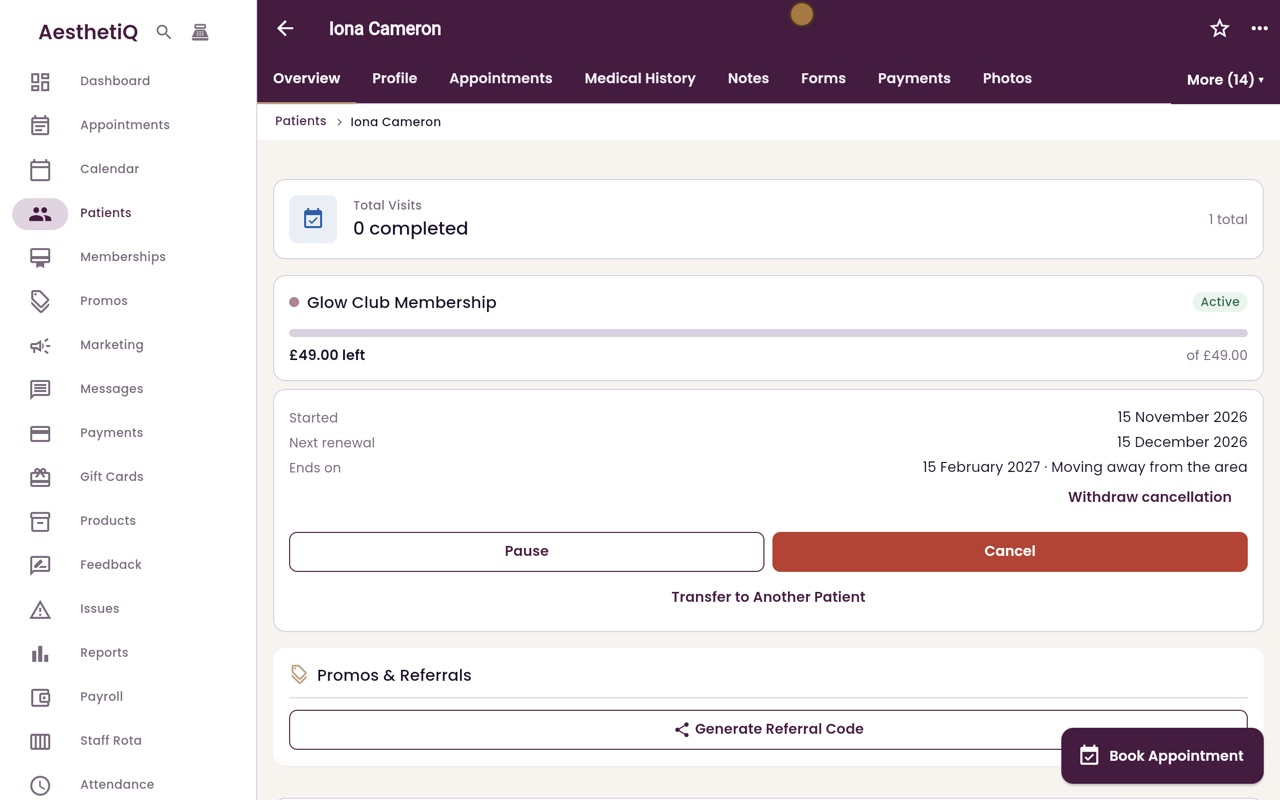
AesthetiQ shows the date the membership ends. On her profile, Ends on shows that date and the reason. Until then, Glow Club stays active and her credit can still be used.
- 06Libby
Done
That is cancelling a membership. If the patient changes her mind before that date, click Withdraw cancellation.