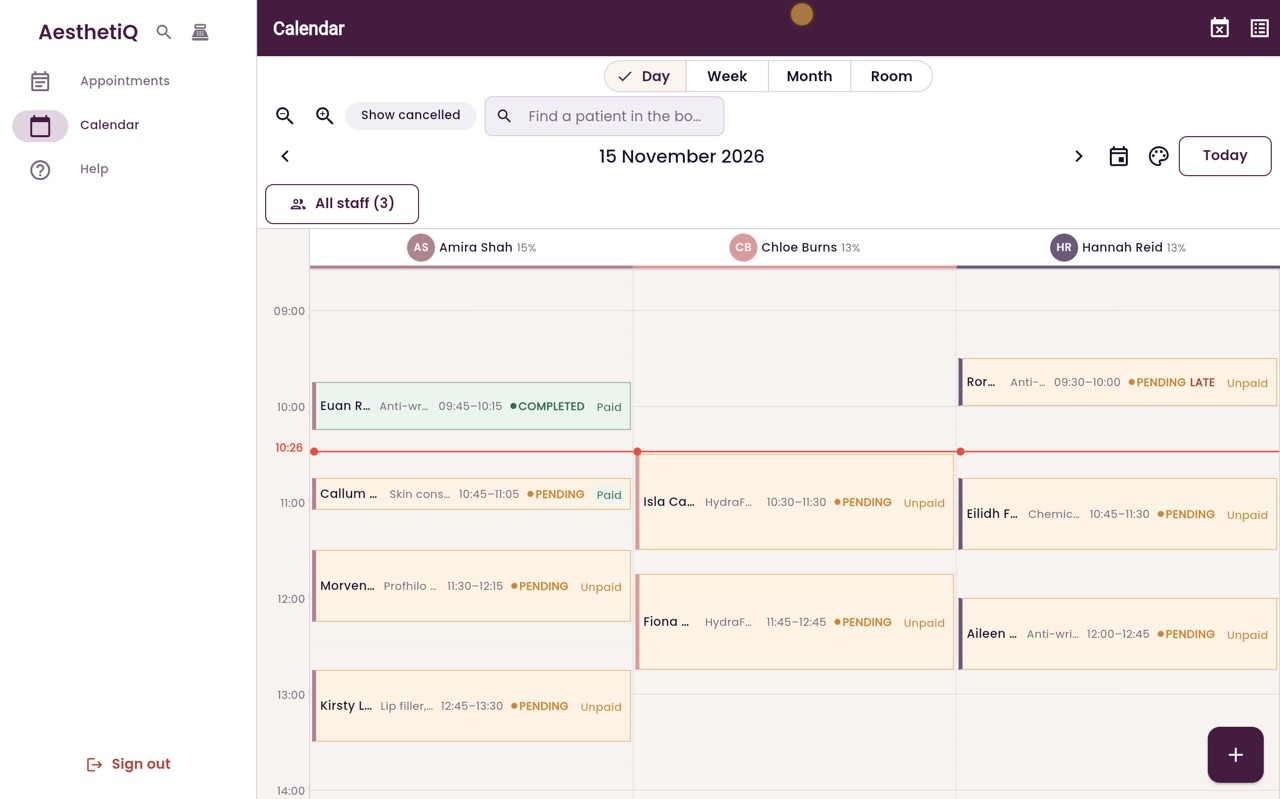
The calendar: day view
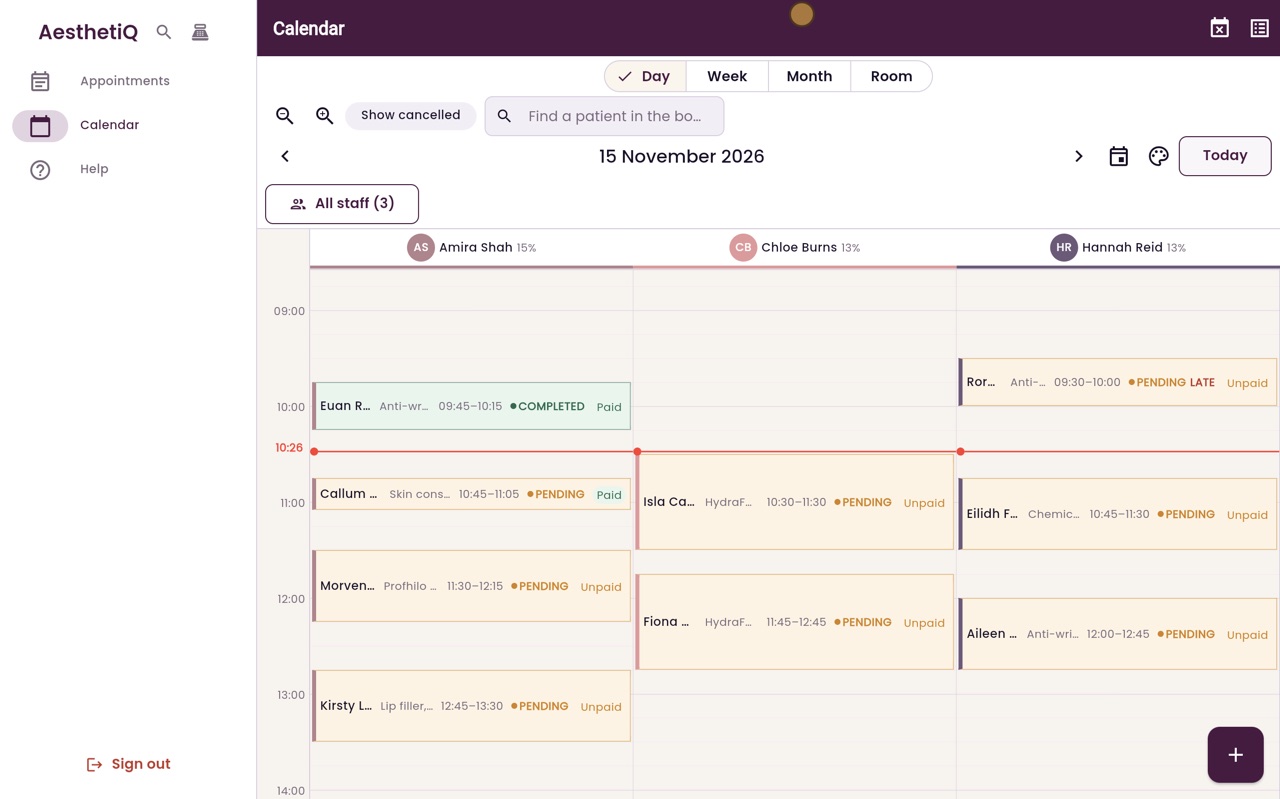
The day view shows one column for each practitioner, the time now, and every appointment with its status and payment.
Columns
One for each practitioner, with how much of their day is booked.
Red line
The time now. Missed appointments are marked Late.
Hover
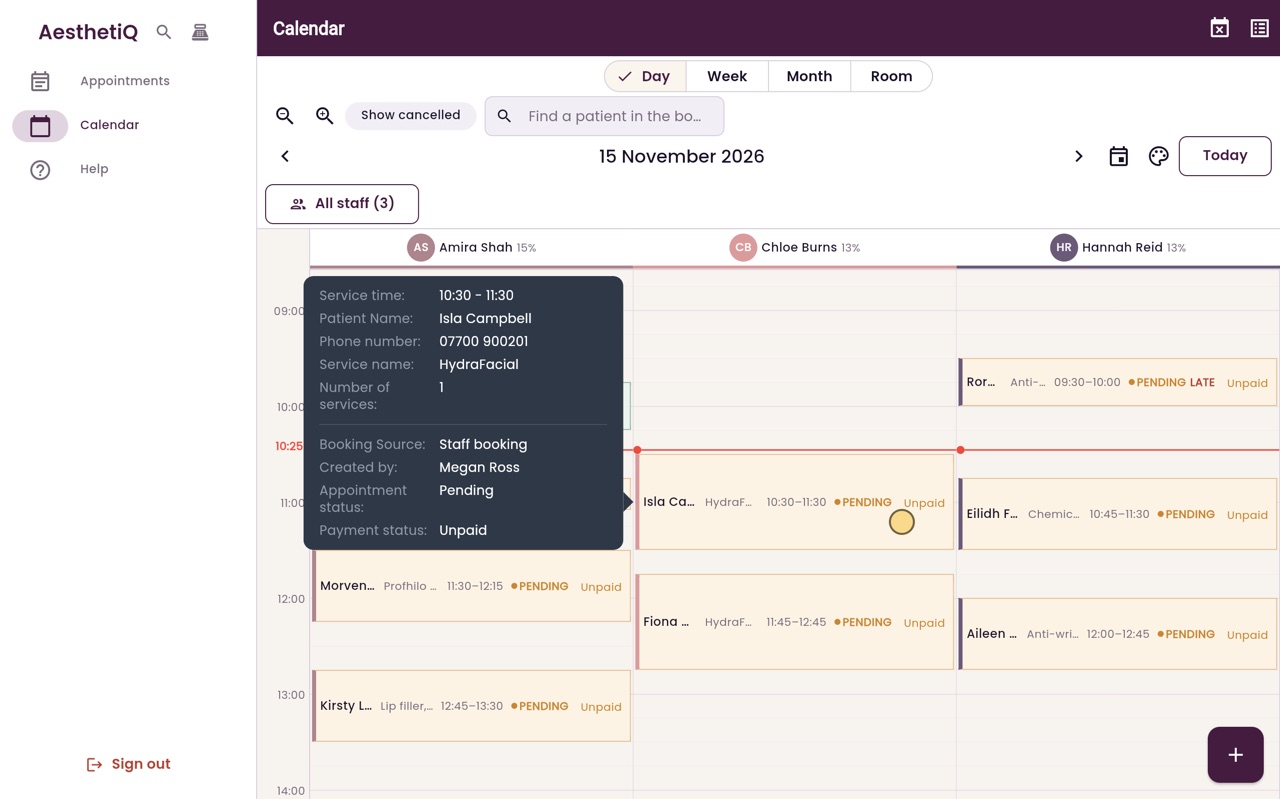
Rest the pointer on an appointment to see the phone number and who booked it.
Step by step
- 01Libby
The calendar
Hi, I am Libby. Reception works from the calendar all day. This video shows how to read the day view.
- 02Ryan
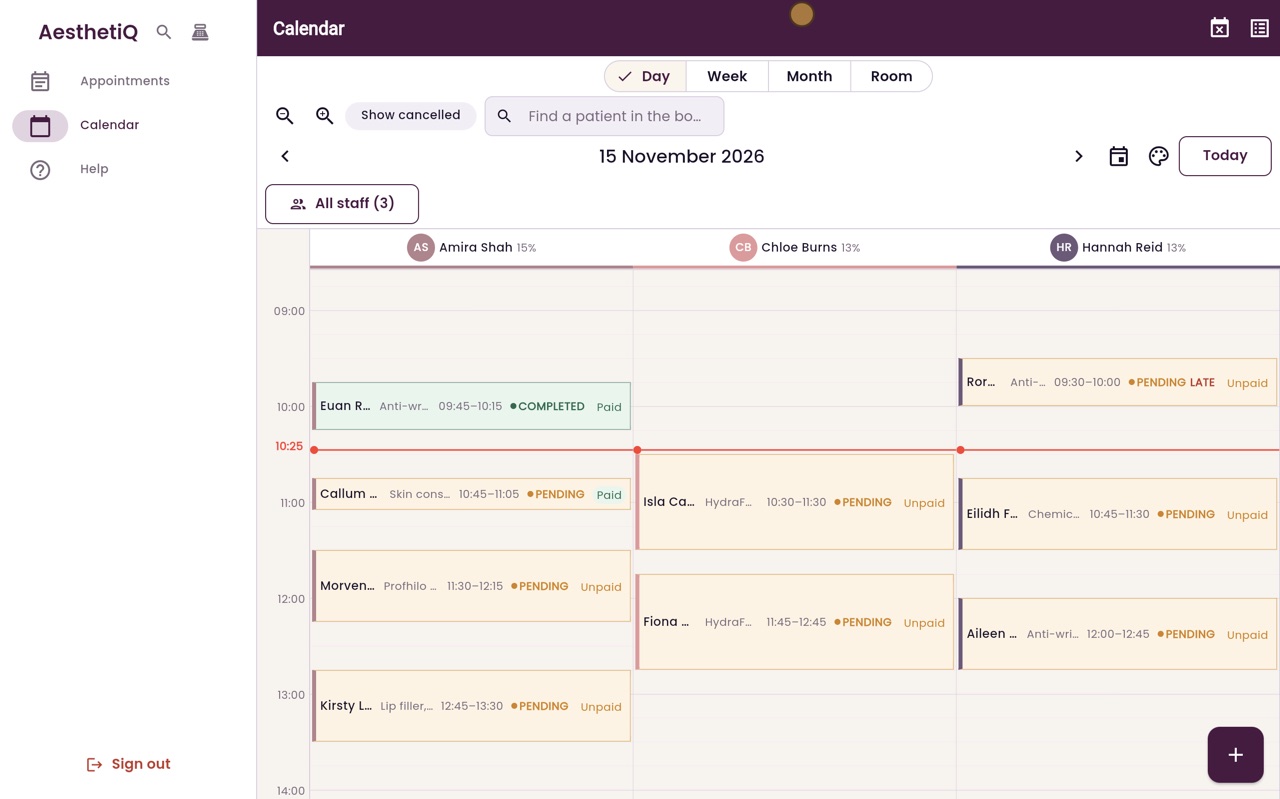
One column for each practitioner
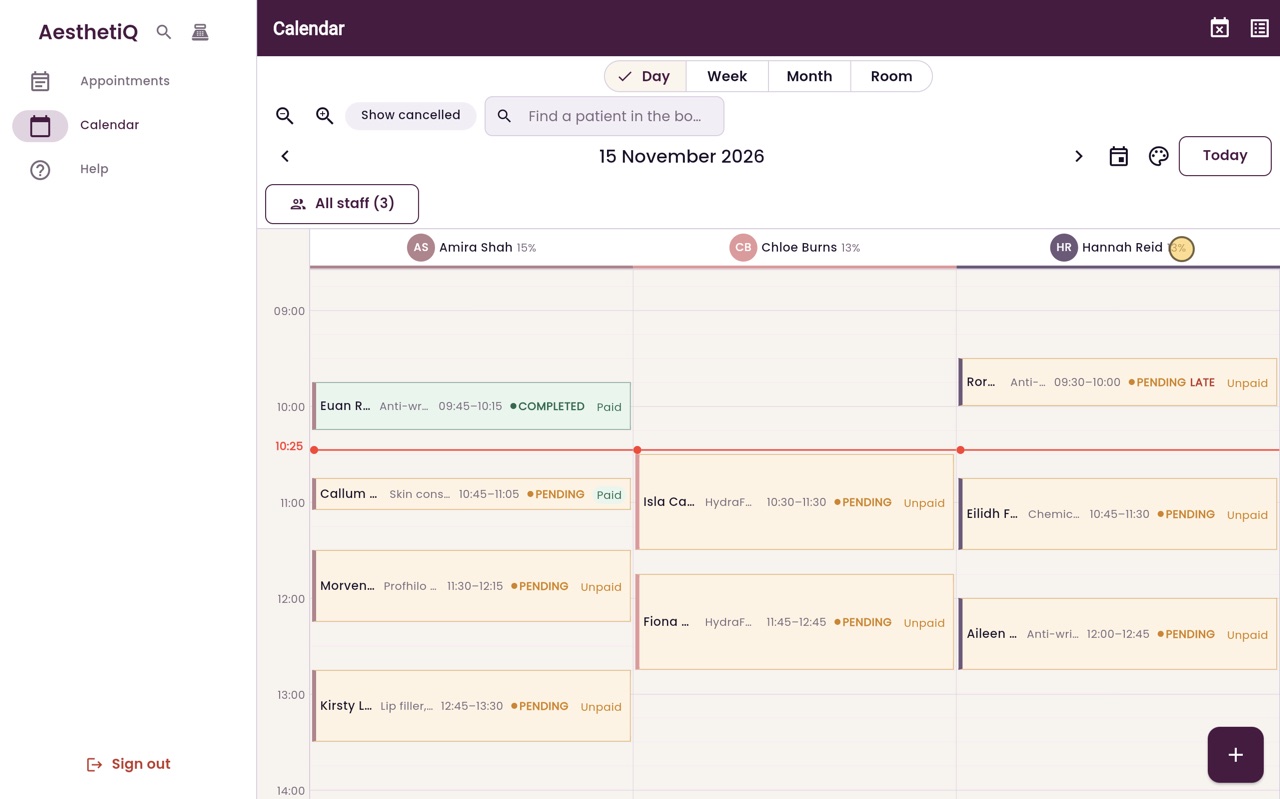
Thanks Libby. The calendar opens on today, in the Day view. Each practitioner has a column: Amira Shah, Chloe Burns and Hannah Reid. The figure beside each name shows how much of their working day is booked.
- 03Ryan
The time now
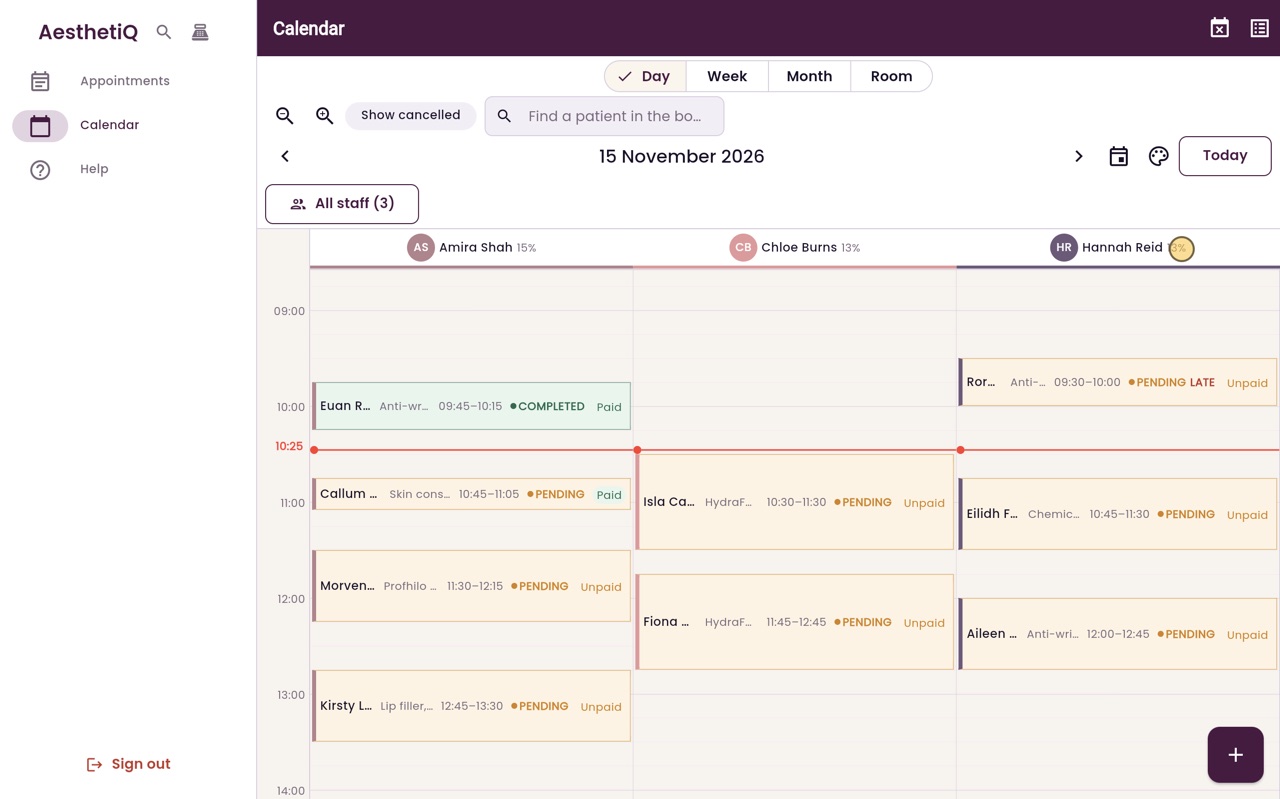
The red line, with the time on the left, shows the time now. Appointments still to come are below it. Rory MacLeod was due at half past nine and has not been checked in, so his appointment says Late.
- 04Ryan
Reading an appointment
Each appointment shows the patient, the treatment, the time, the status and whether it has been paid. Rest the pointer on one to see more, such as the phone number and who made the booking.
- 05Ryan
Other days
The arrows beside the date move one day at a time. This is tomorrow. Click Today to come back.
- 06Libby
Done
That is the day view. To open an appointment, click it. To book a new one, click an empty time in a practitioner's column.