Photo consent and before-and-after photos
Record what the patient agrees to and how they gave consent, before any photo is taken. Photos are kept on the patient's Photos tab.
Where
The patient's profile, Photos tab, Record.
Who
Practitioners.
Choices
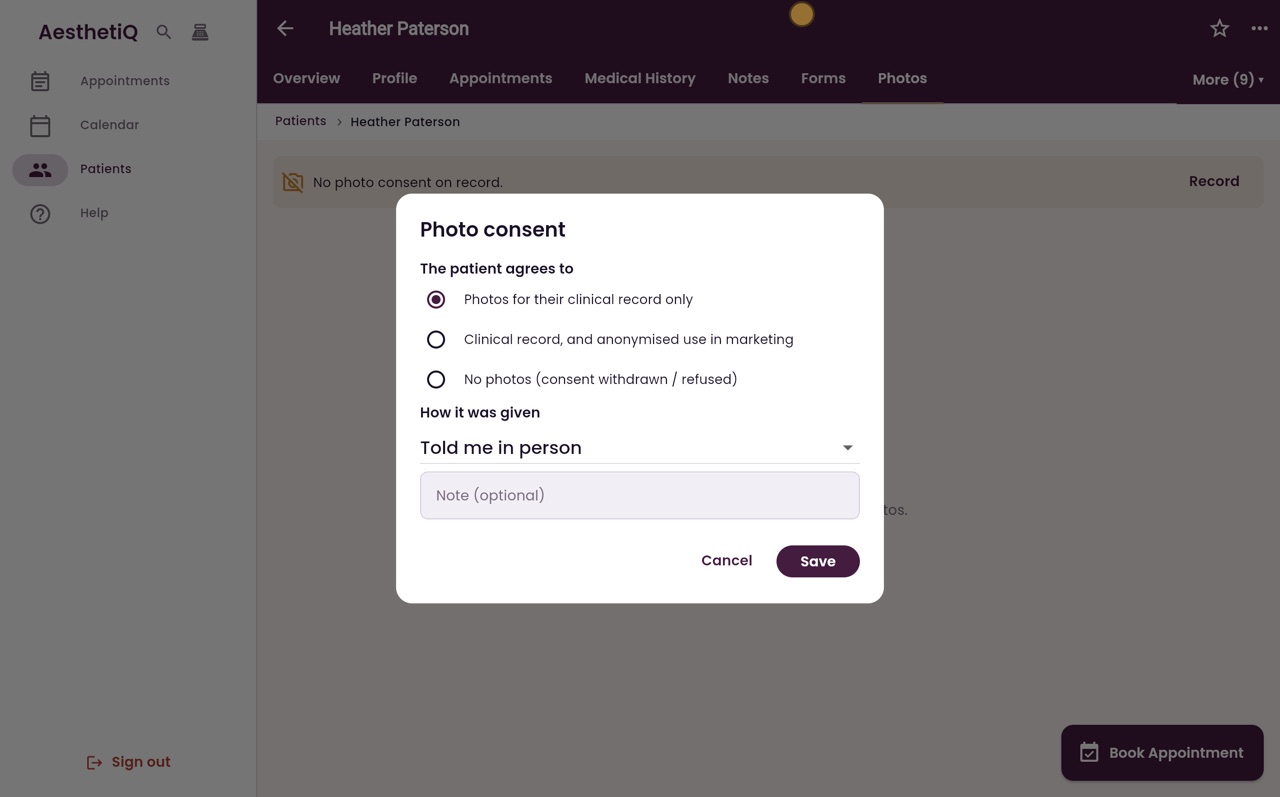
Clinical record only, clinical record and anonymised marketing, or no photos.
Step by step
- 01Libby
Consent before photos
Hi, I am Libby. Before taking any photos, the clinic needs the patient's photo consent on record. Here is how to record it, and where the photos are kept.
- 02Ryan
The Photos tab
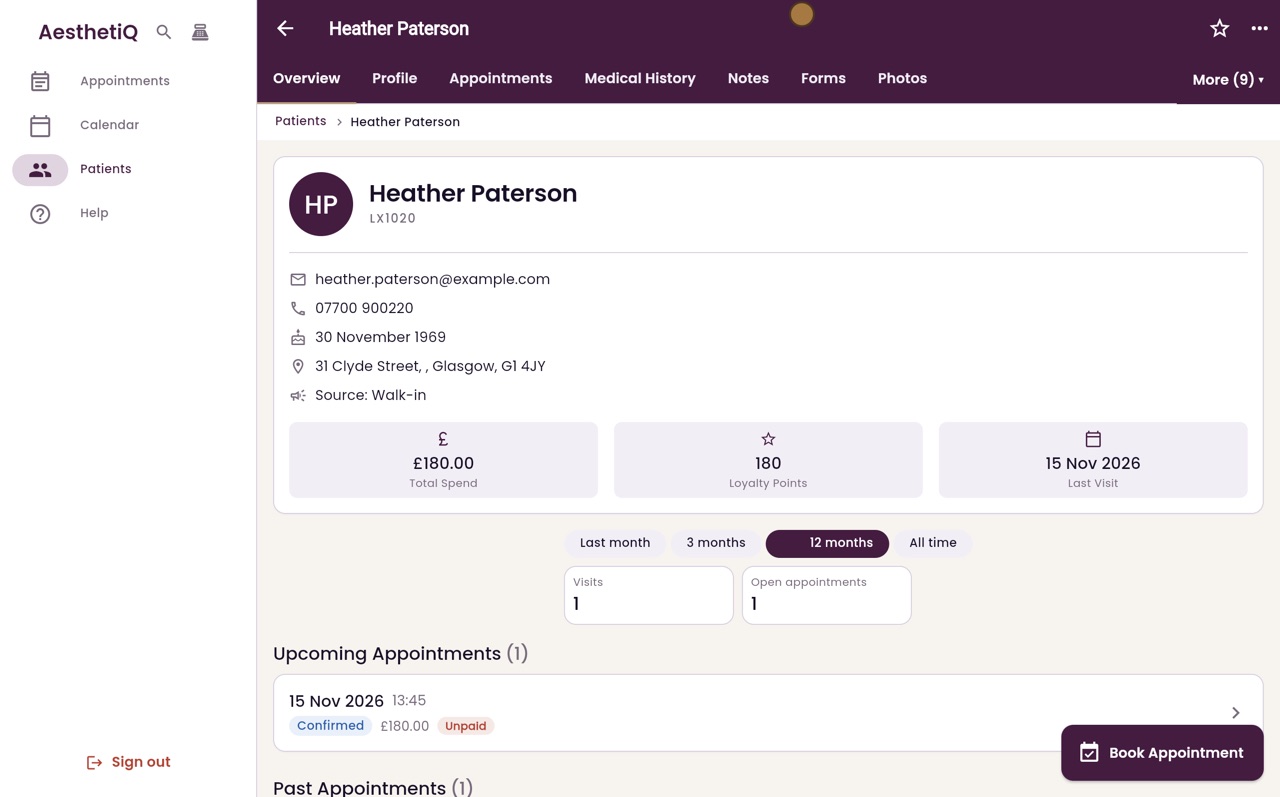
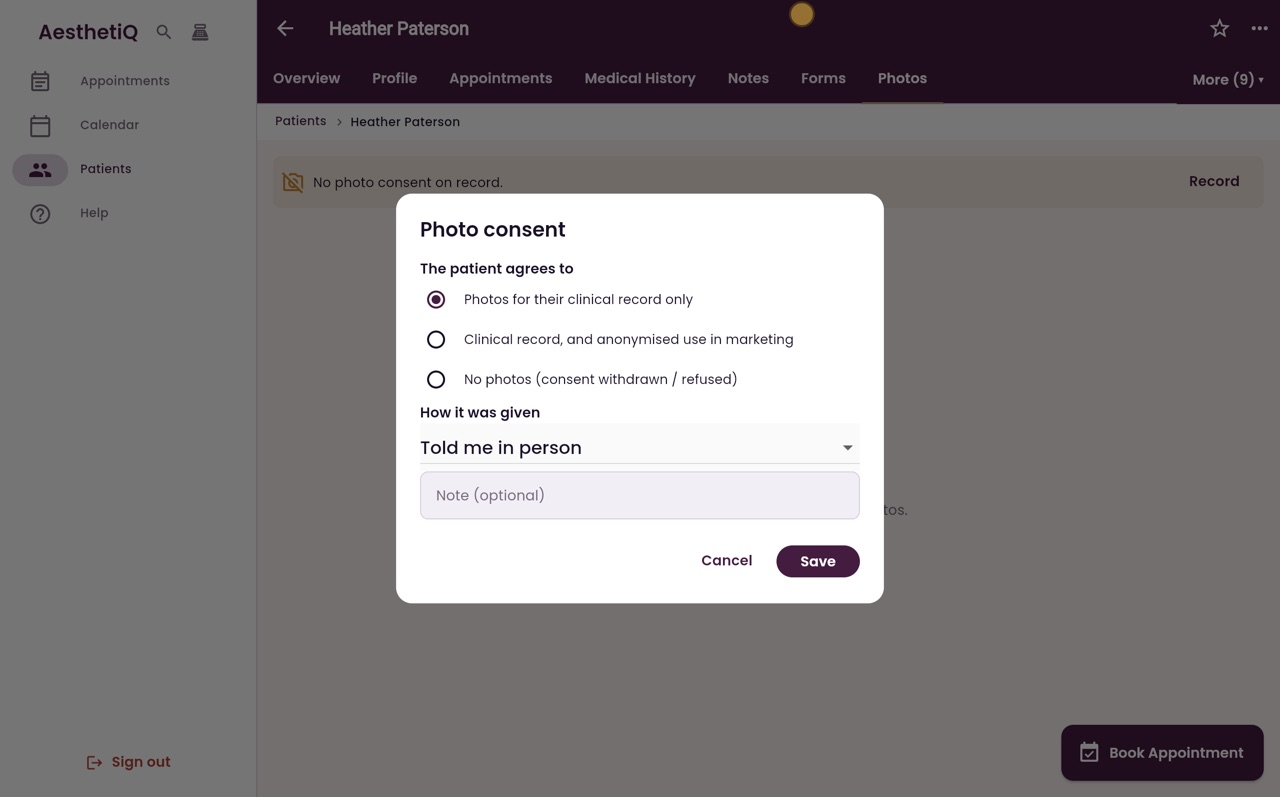
Thanks Libby. On the patient's profile, here Heather Paterson's, click the Photos tab. It says No photo consent on record. Click Record.
- 03Ryan
What the patient agrees to
Choose what the patient agrees to: photos for their clinical record only, the record and anonymised use in marketing, or no photos at all. Heather agrees to her clinical record only.
- 04Ryan
How it was given
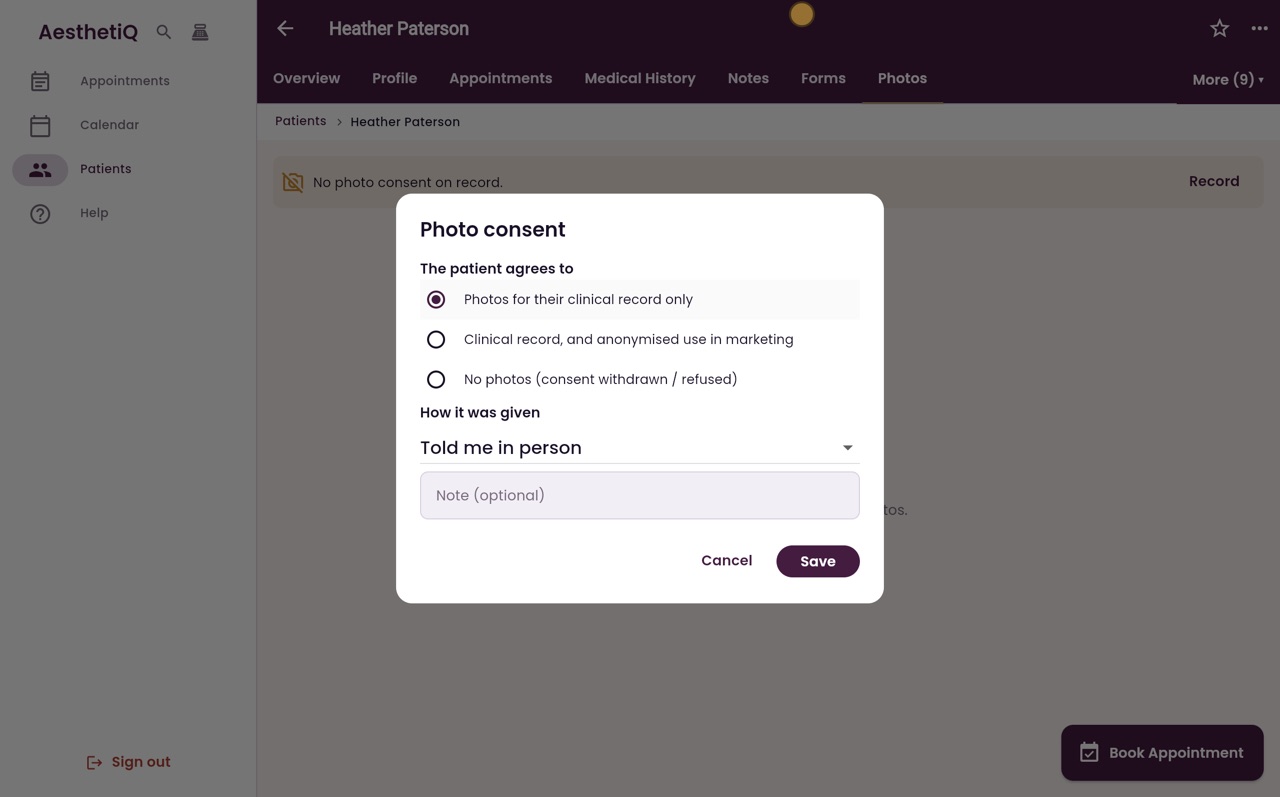
Then say how she gave it: in person, in writing, or on a signed consent form. Heather told you in person.
- 05Ryan
Save
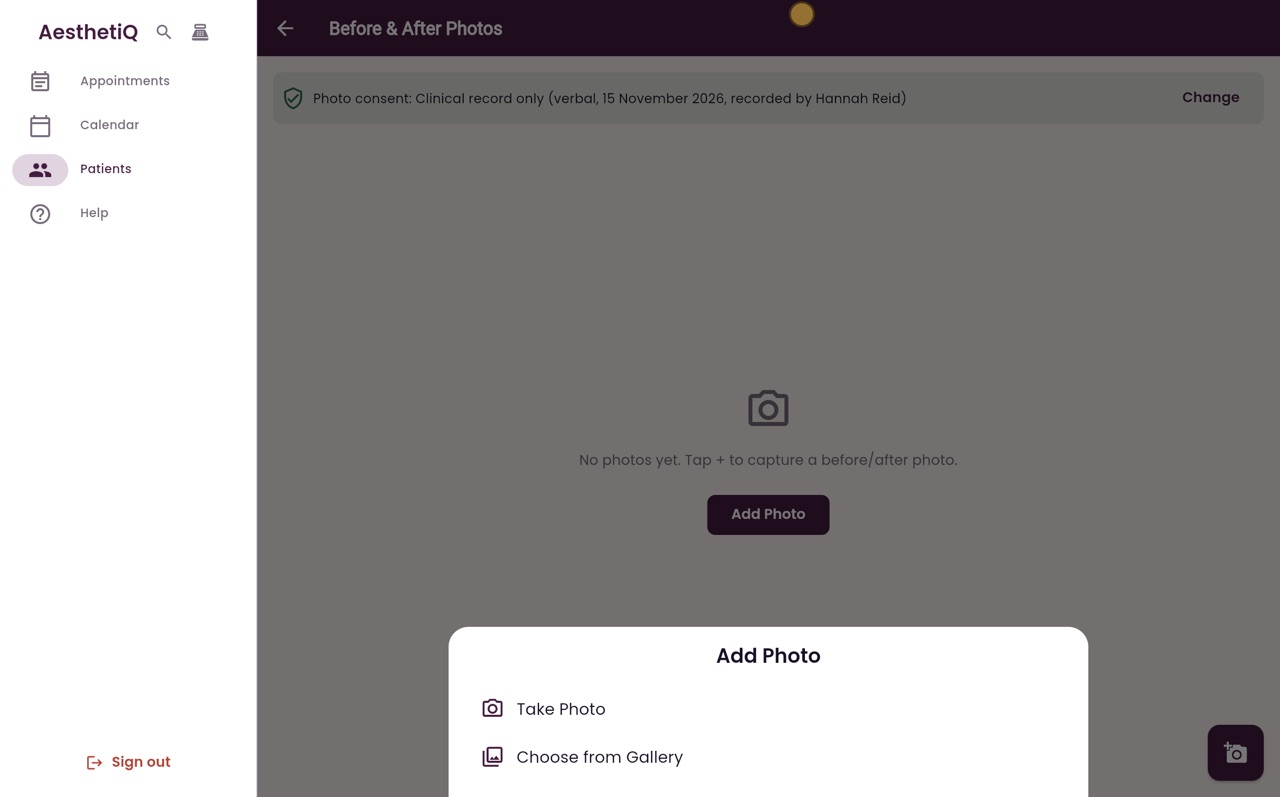
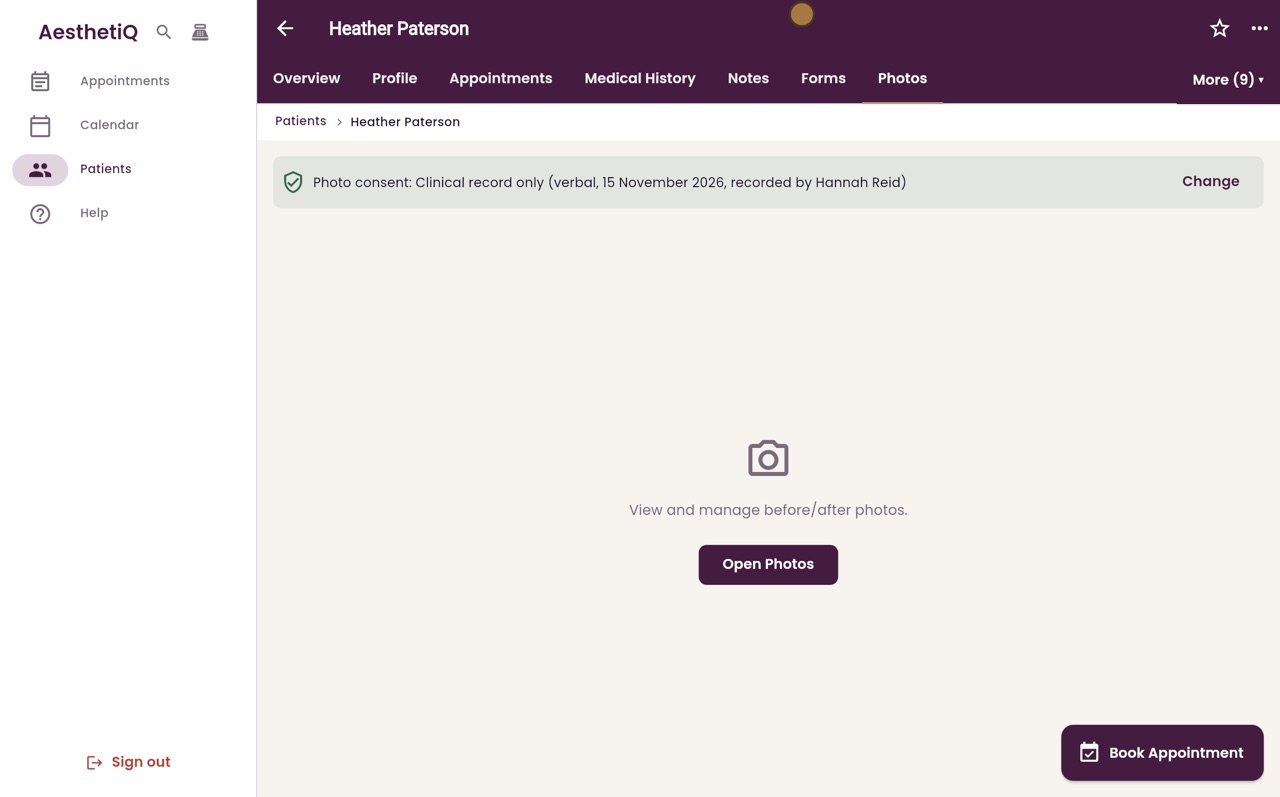
Click Save. The Photos tab now shows her consent, how it was given, the date, and who recorded it.
- 06Ryan
Before and after photos
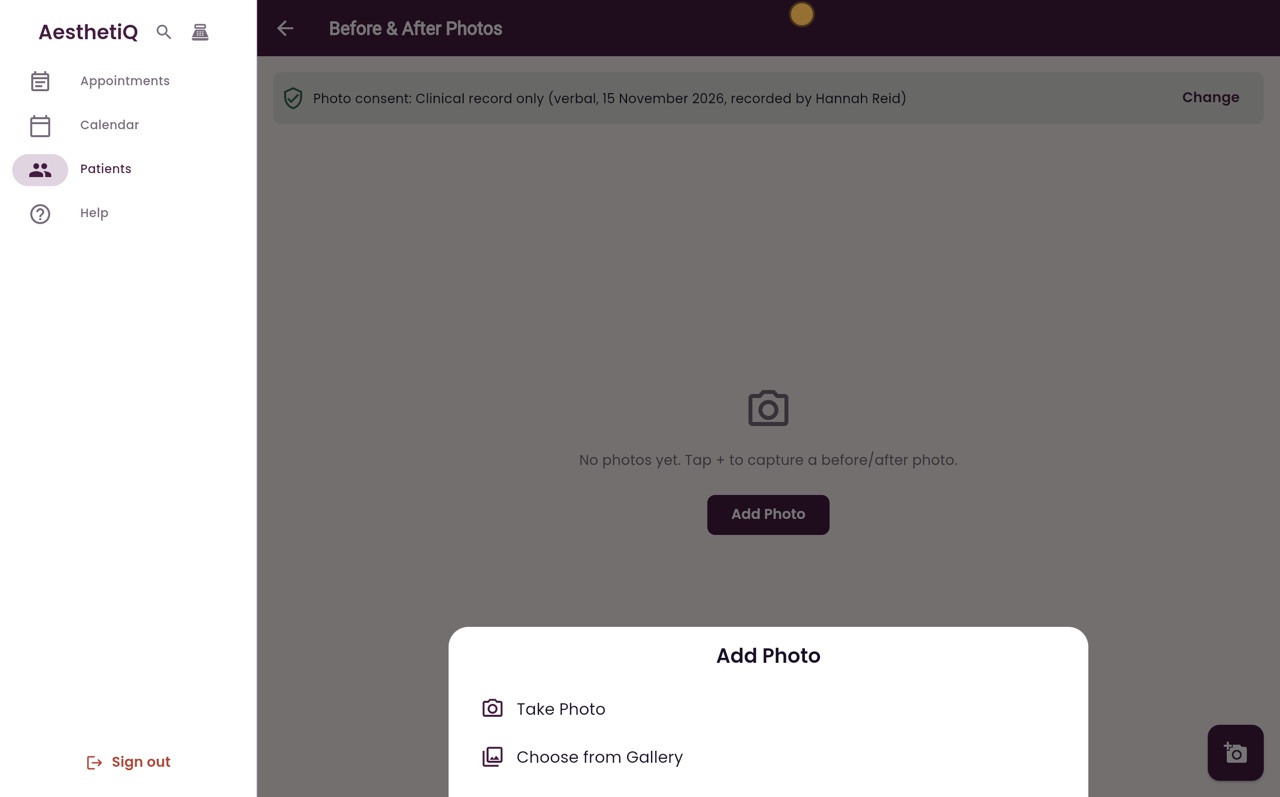
Click Open Photos. Before and after photos are kept here. Add Photo takes a photo, or chooses one already saved.
- 07Libby
Done
That is photo consent. If a patient has no consent on record, AesthetiQ asks for it before a photo can be taken.