Paying with loyalty points
Tick Loyalty Points, set the amount the patient wants to use, and pay the rest another way.
Value
500 points take £5 off the bill. At least 500 points are used at a time.
Amount
The amount starts at all the patient's points, never more. Change it to what the patient wants to use.
After
The points used come off the patient's balance.
Step by step
- 01Libby
Points at checkout
Hi, I am Libby. Patients earn loyalty points on their treatments. At checkout, every five hundred points take five pounds off the bill.
- 02Ryan
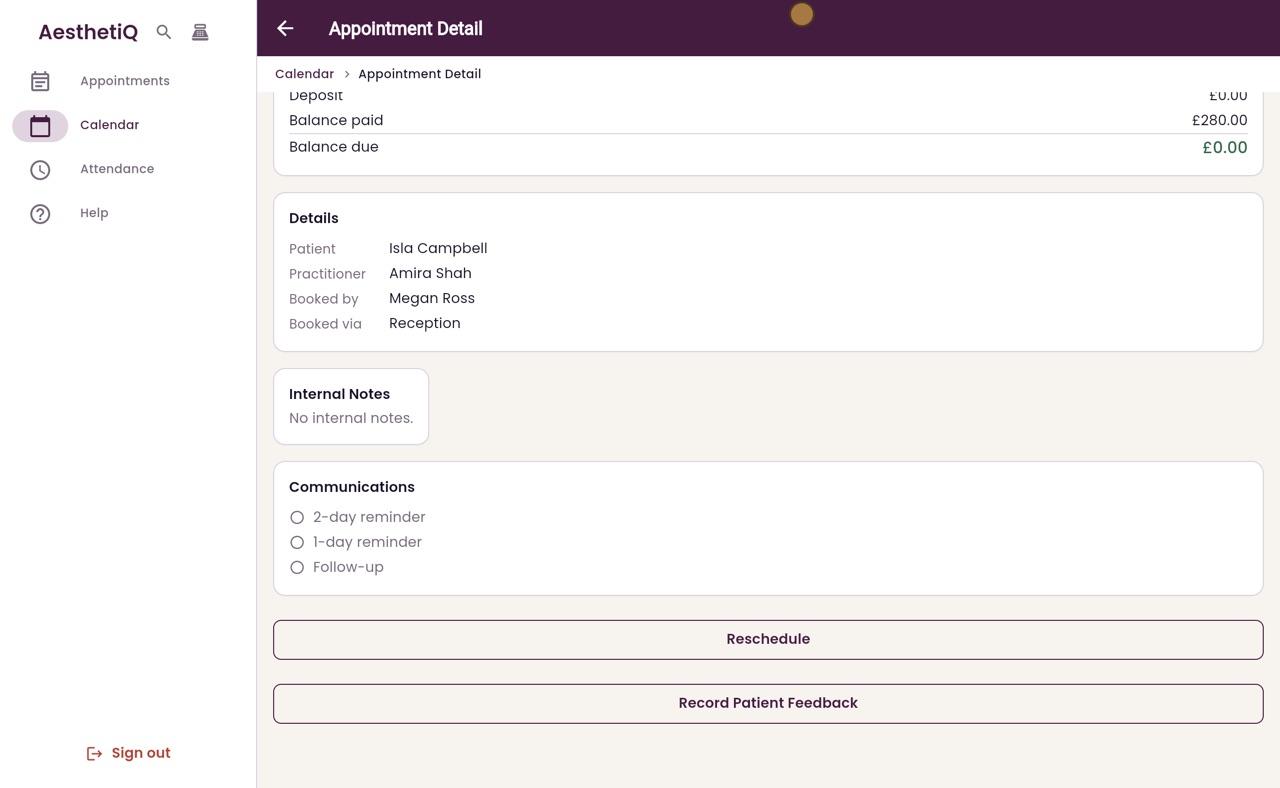
Open the payment
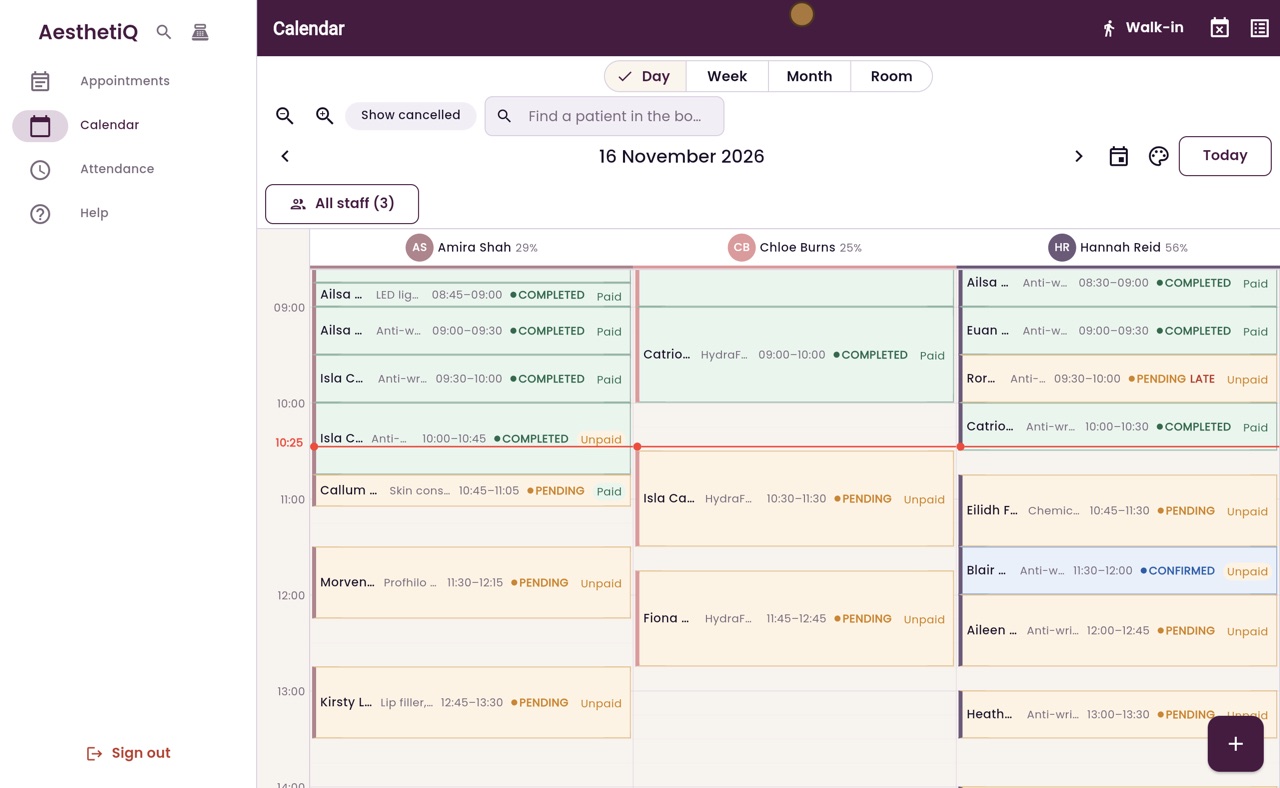
Thanks Libby. Isla Campbell has finished her anti-wrinkle treatment with Amira Shah, and she would like to use some of her points. Open her appointment, scroll down and click Take Payment.
- 03Ryan
Loyalty Points
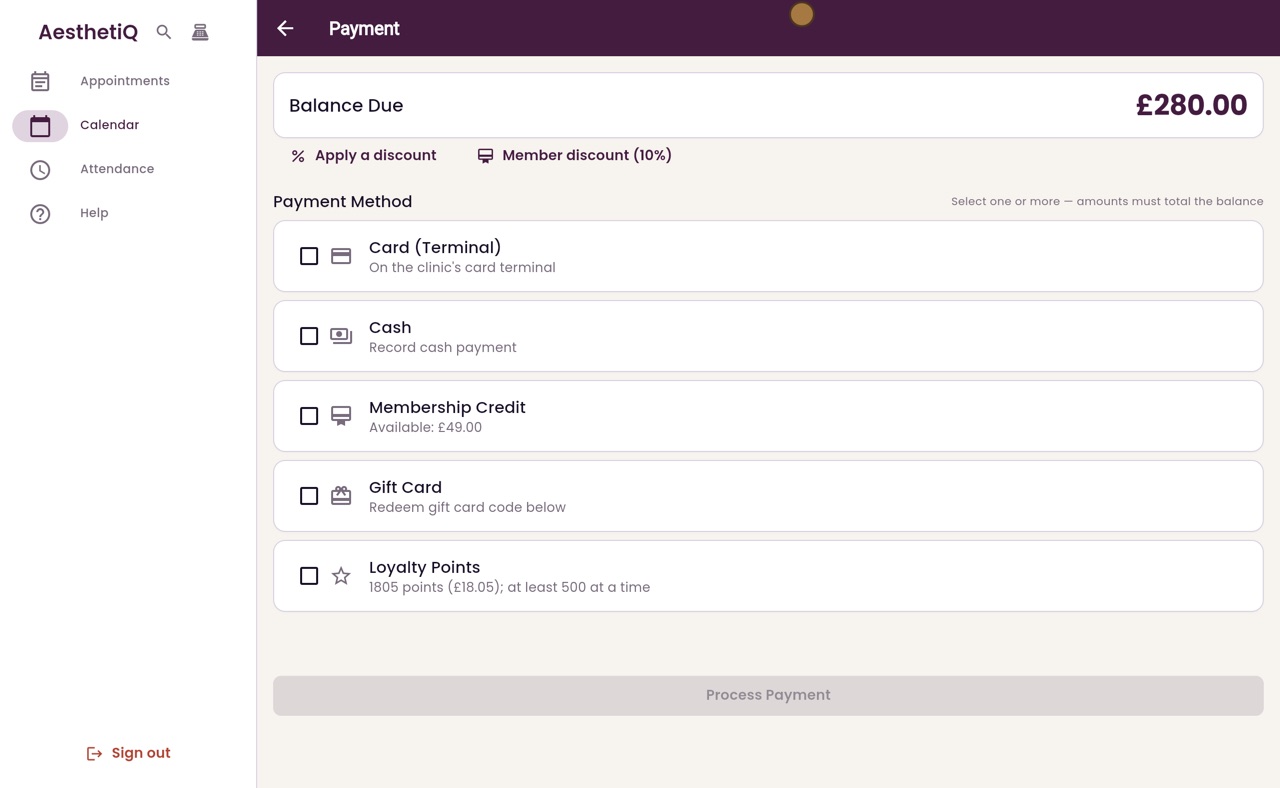
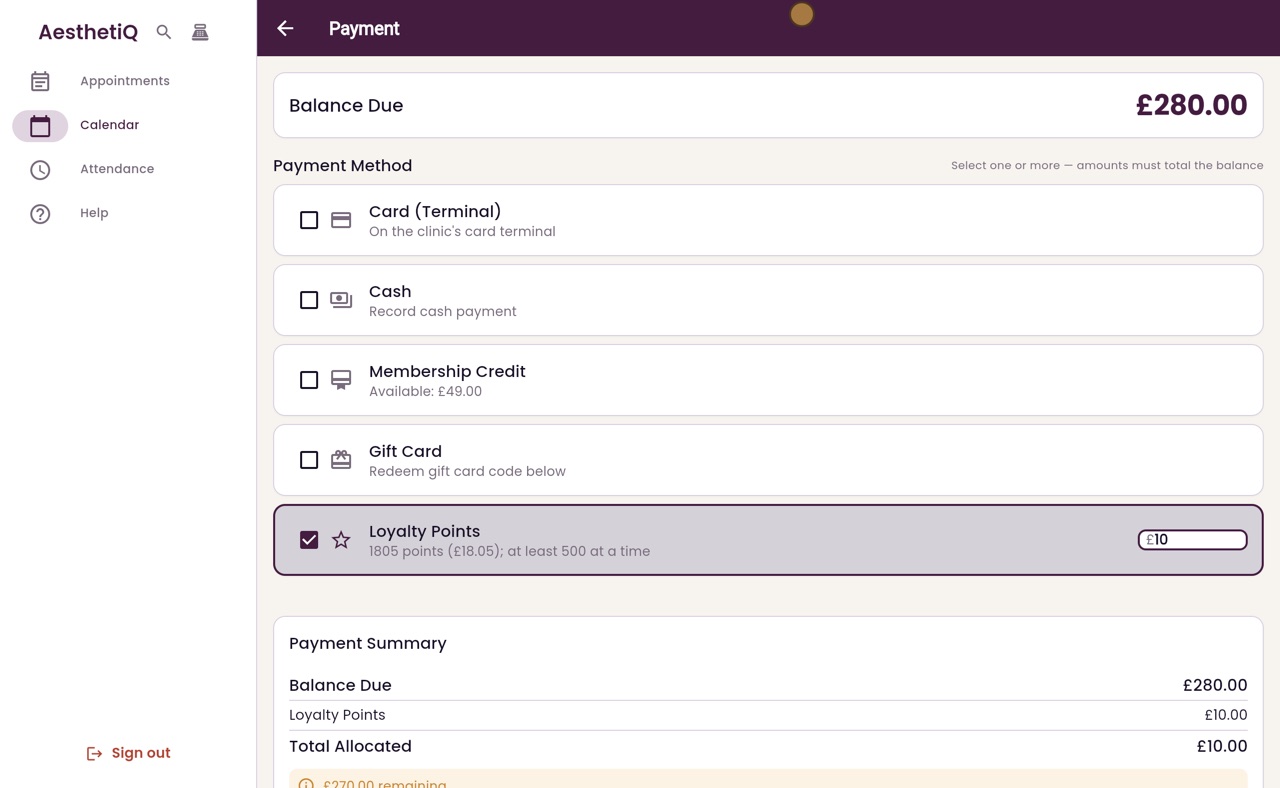
Two hundred and eighty pounds is due. The Loyalty Points option shows Isla's points, and what they are worth. Tick it, and her points fill in, but never more than she has.
- 04Ryan
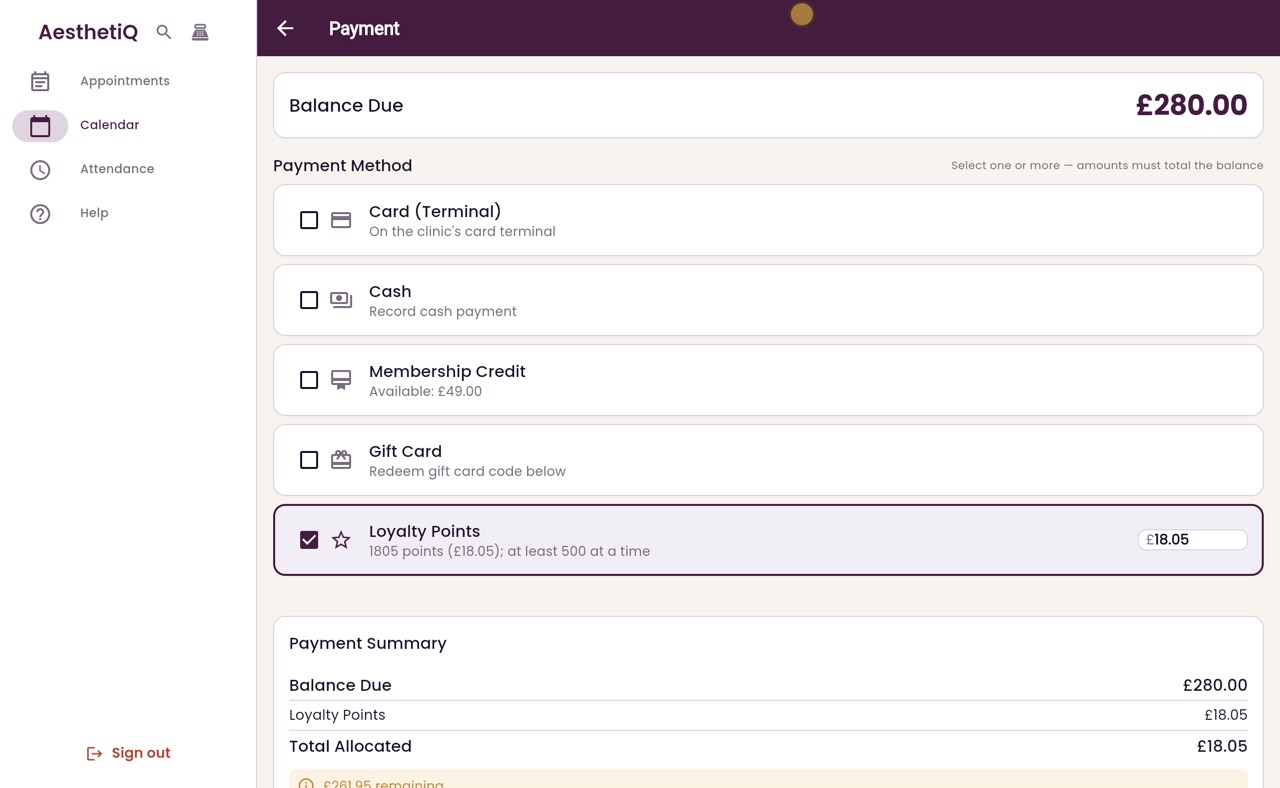
How many points
Isla would like to keep some points for next time. Change the amount to ten pounds, which is one thousand points.
- 05Ryan
The rest in cash
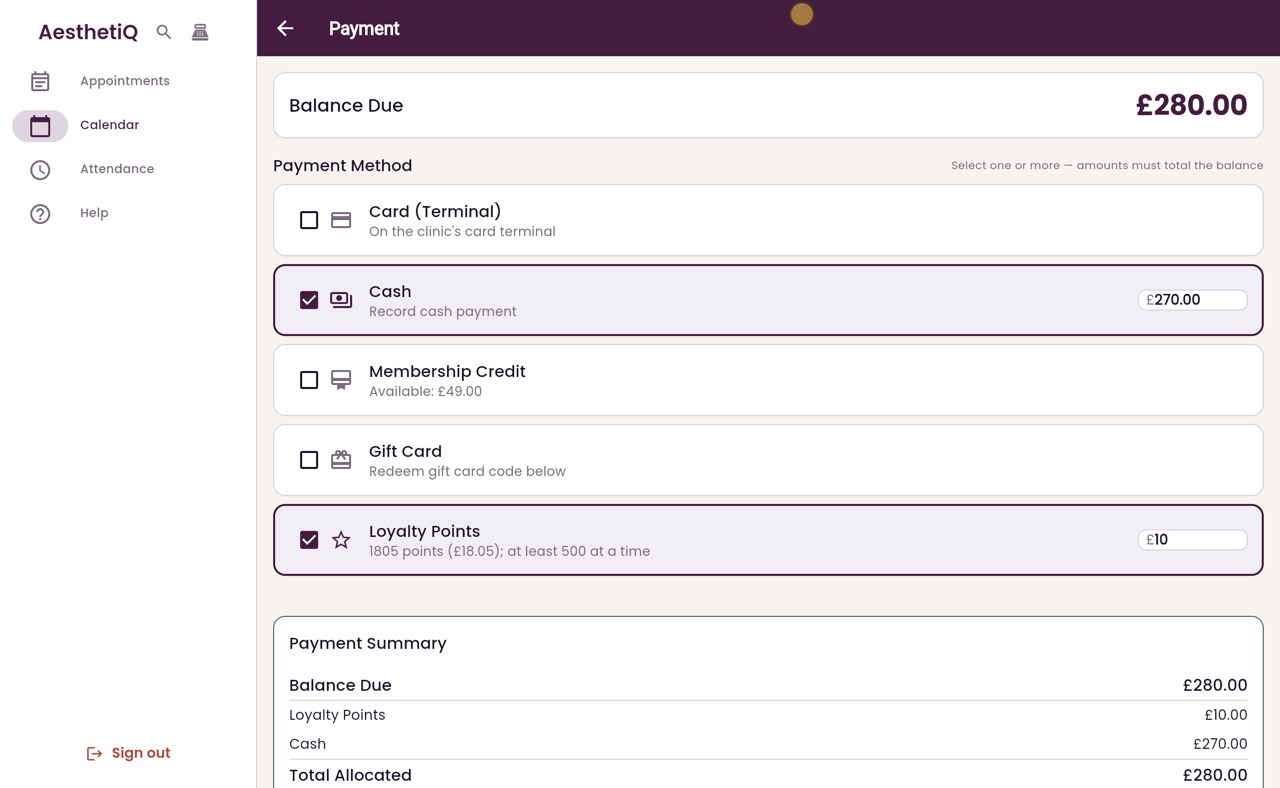
She pays the rest in cash. Tick Cash, and two hundred and seventy pounds fills in. The payment now matches the balance due.
- 06Ryan
Process the payment
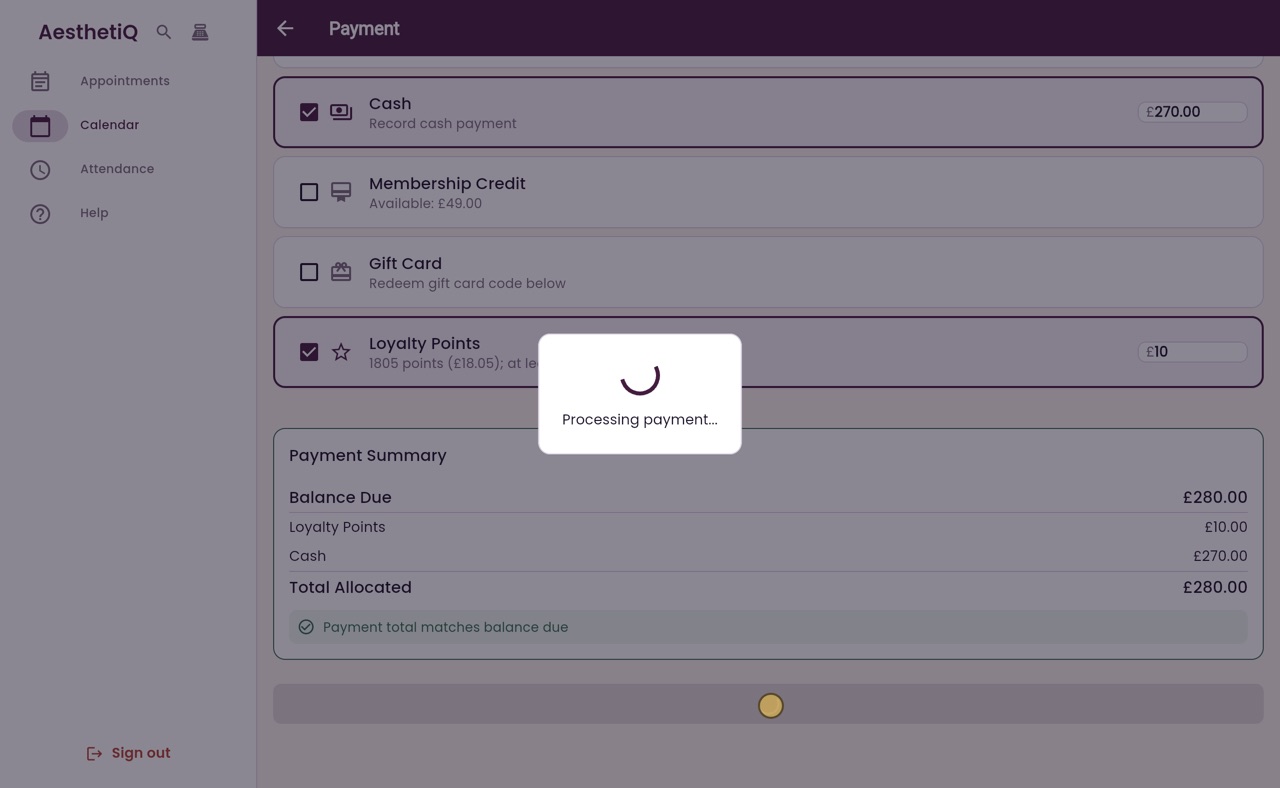
Click Process Payment. AesthetiQ records the cash, and takes one thousand points off Isla's balance.
- 07Ryan
Rating the visit
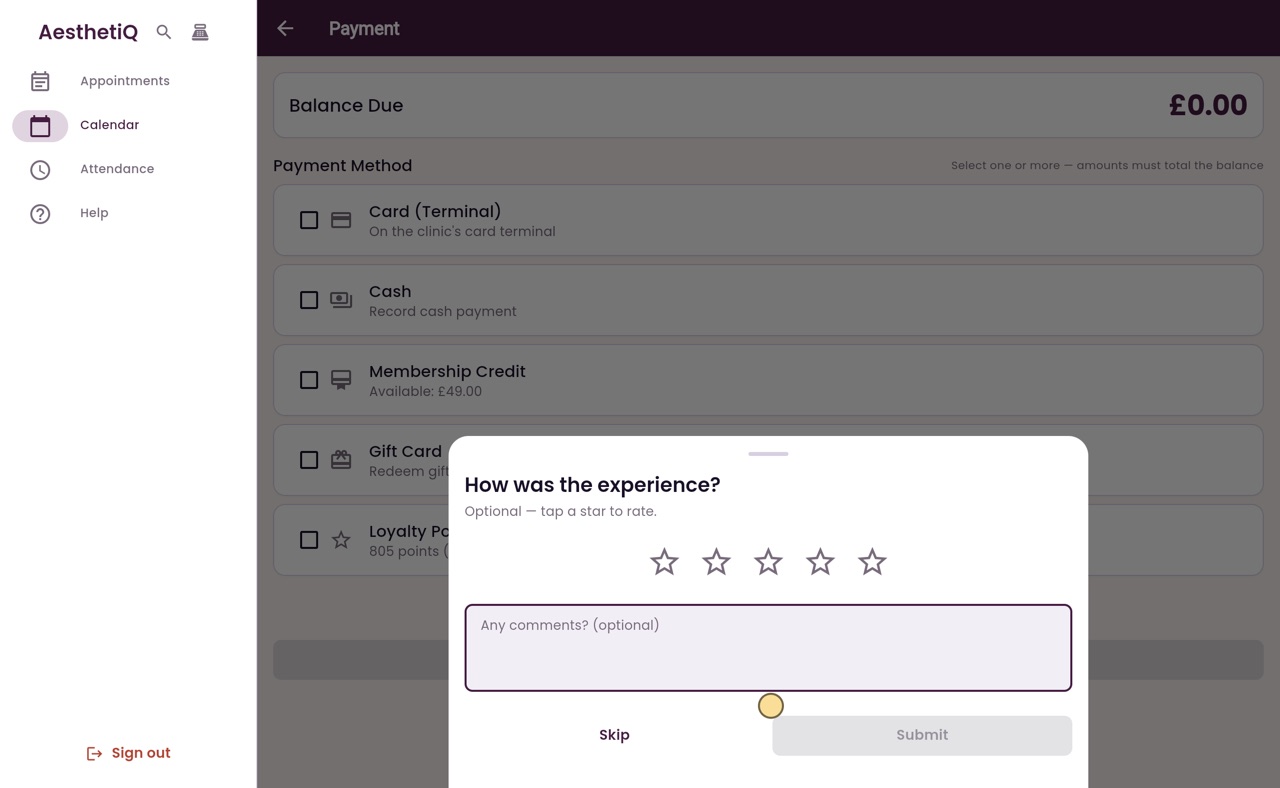
AesthetiQ then asks how the visit was. Isla can tap a star to rate it, or you can click Skip.
- 08Ryan
Paid
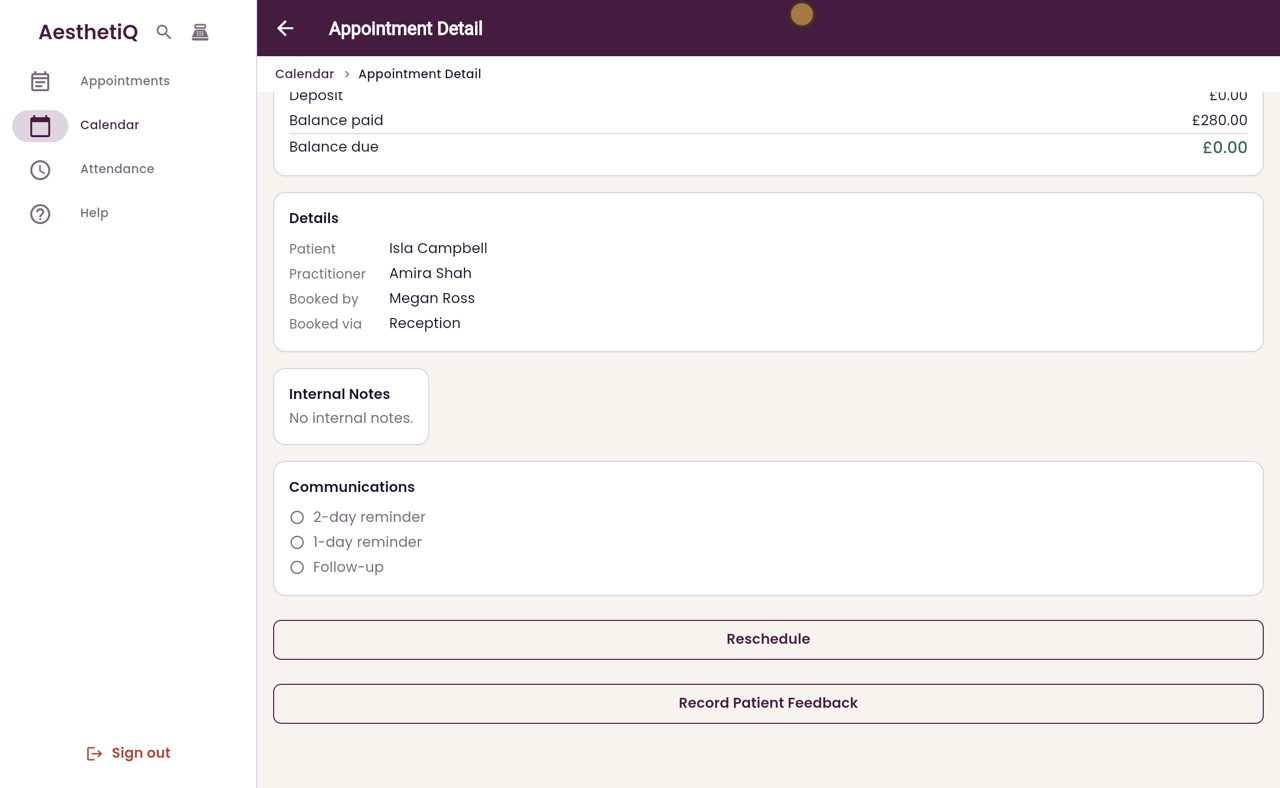
Click Skip. A message confirms the payment, and the appointment shows two hundred and eighty pounds paid, with nothing left to pay.
- 09Libby
Done
That is paying with loyalty points. At least five hundred points are used at a time, and the points come off the patient's balance when the payment is processed.