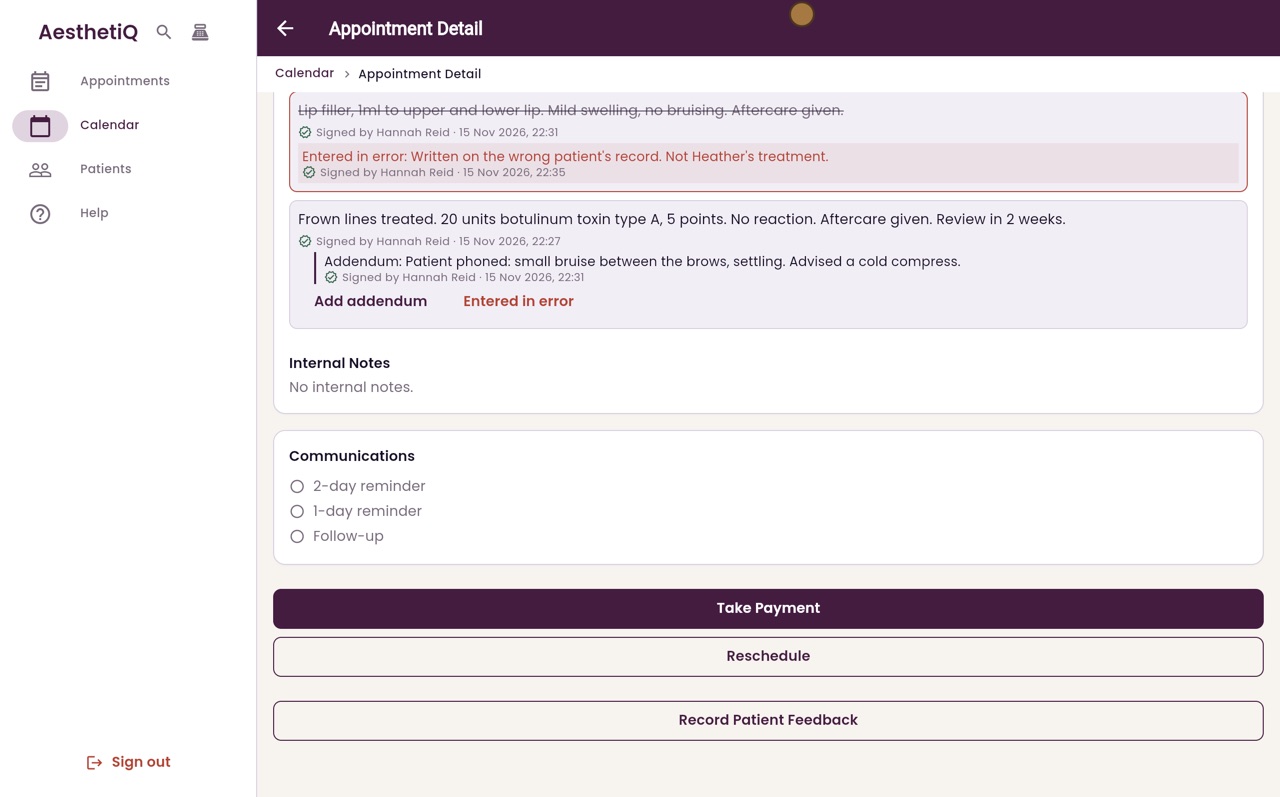
Marking a note entered in error
A signed note cannot be deleted. If it was written on the wrong record, mark it entered in error with the reason. It stays readable, struck through.
Where
The appointment, Clinical Notes, Entered in error under the note.
Who
The note's author, or a clinic manager.
After
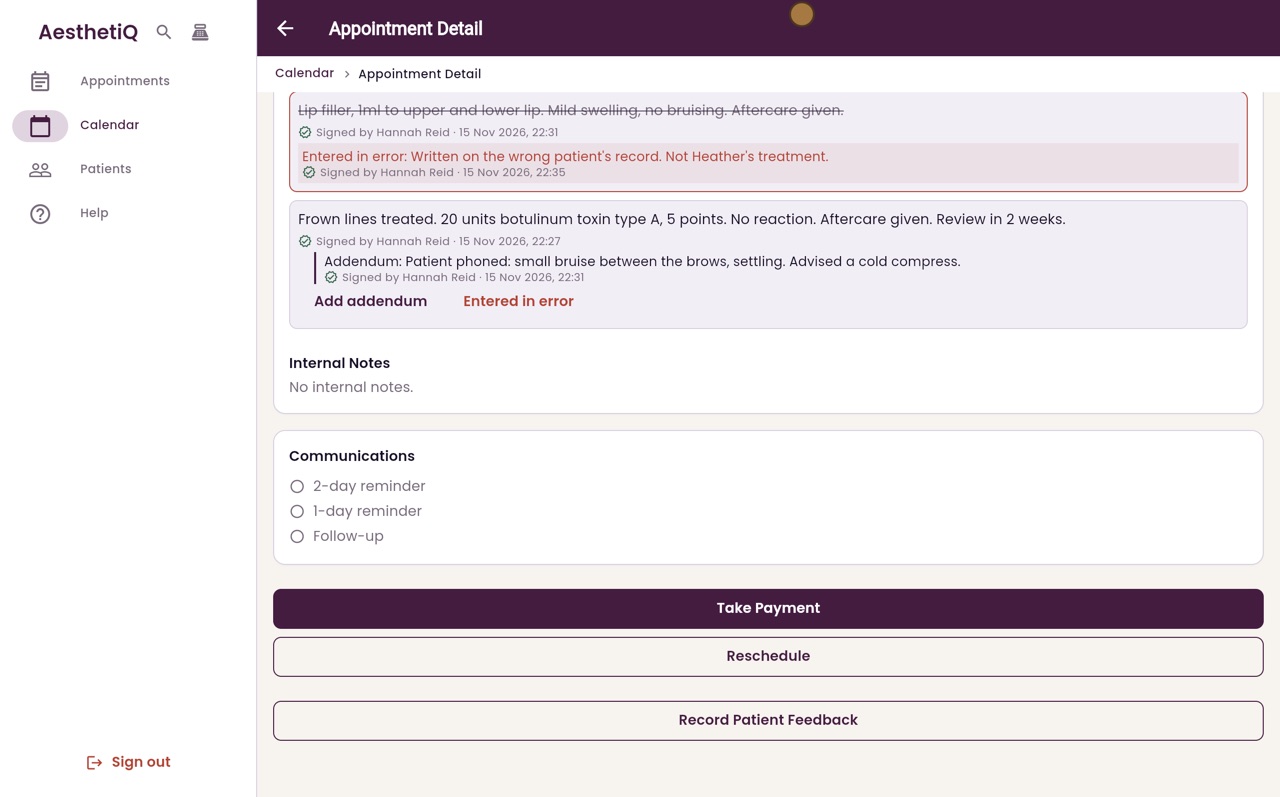
The note is struck through, with the reason and who marked it.
Step by step
- 01Libby
A note on the wrong record
Hi, I am Libby. Sometimes a note is written on the wrong patient's record. A signed note cannot be deleted, but you can mark it as entered in error.
- 02Ryan
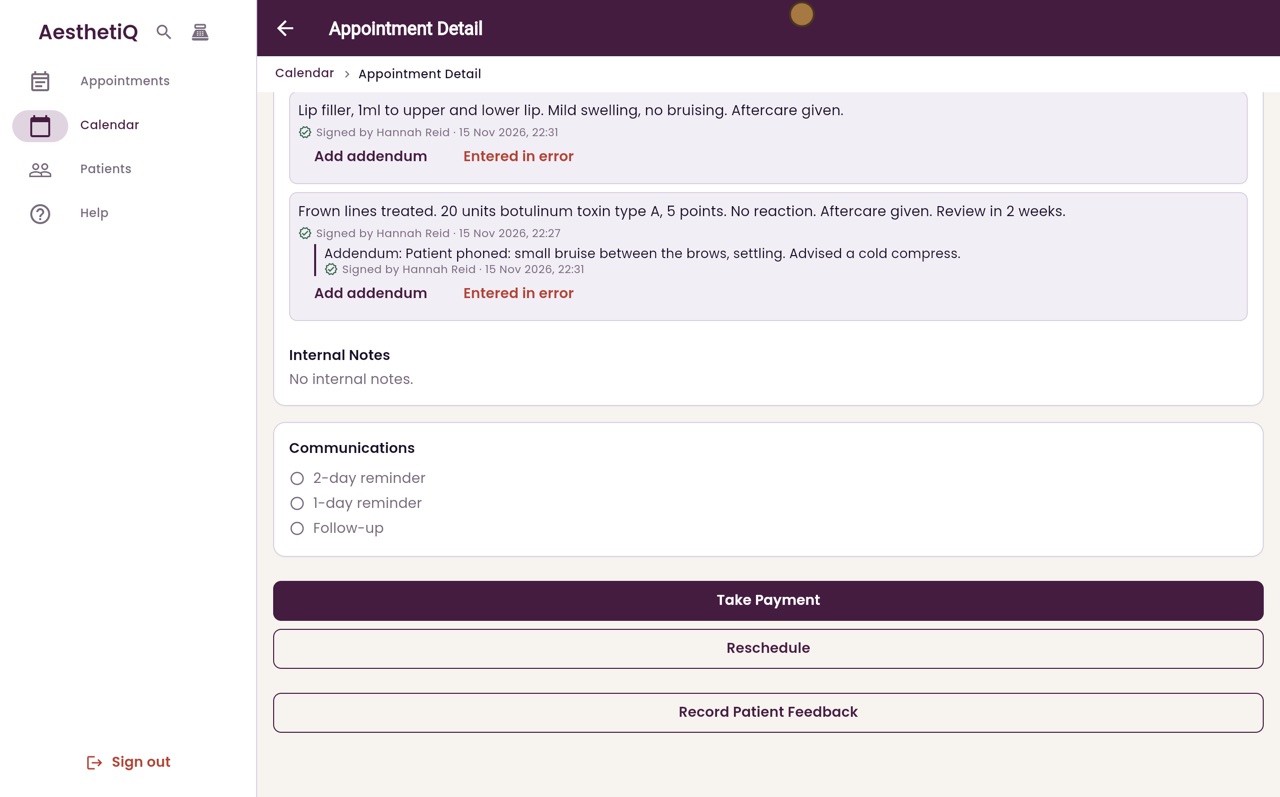
Entered in error
Thanks Libby. On Heather Paterson's appointment, the top note is about lip filler. It was meant for another patient. Under that note, click Entered in error.
- 03Ryan
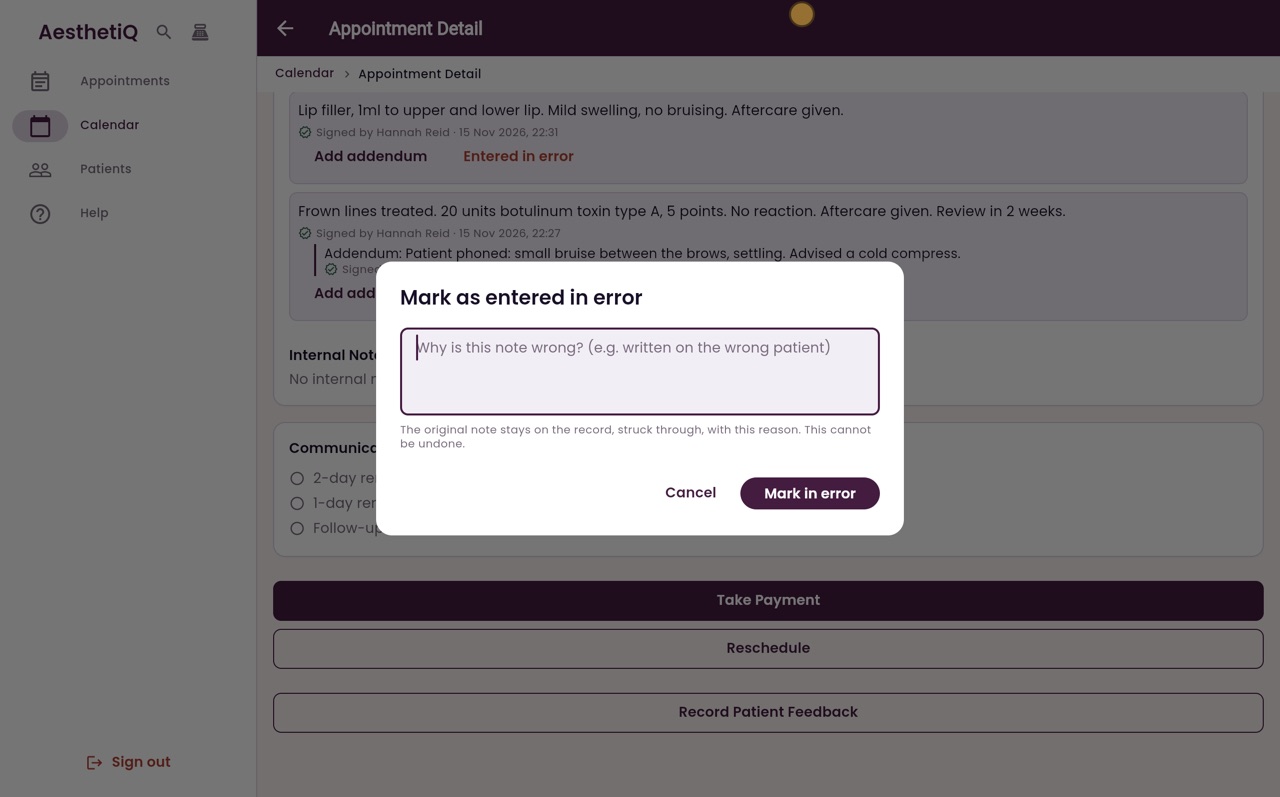
Give the reason
Type why the note is wrong, so anyone reading the record later understands.
- 04Ryan
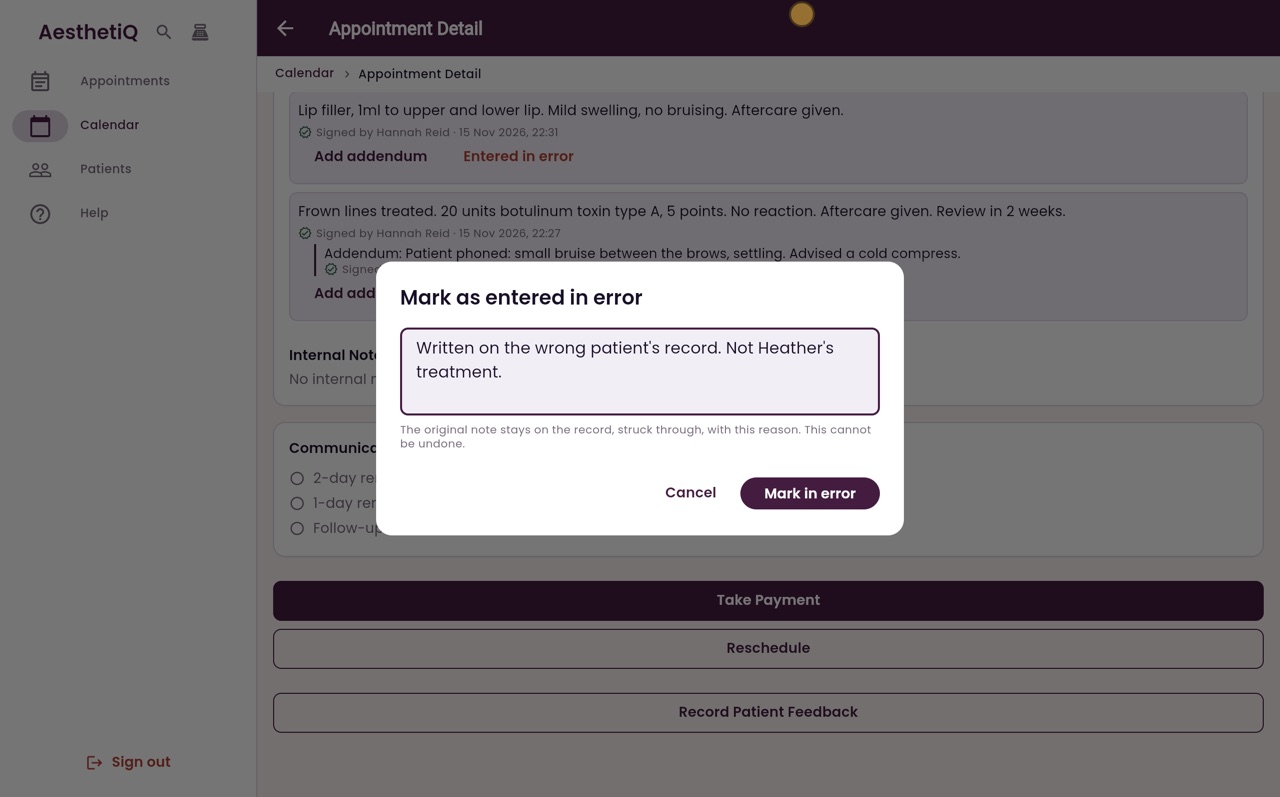
Mark in error
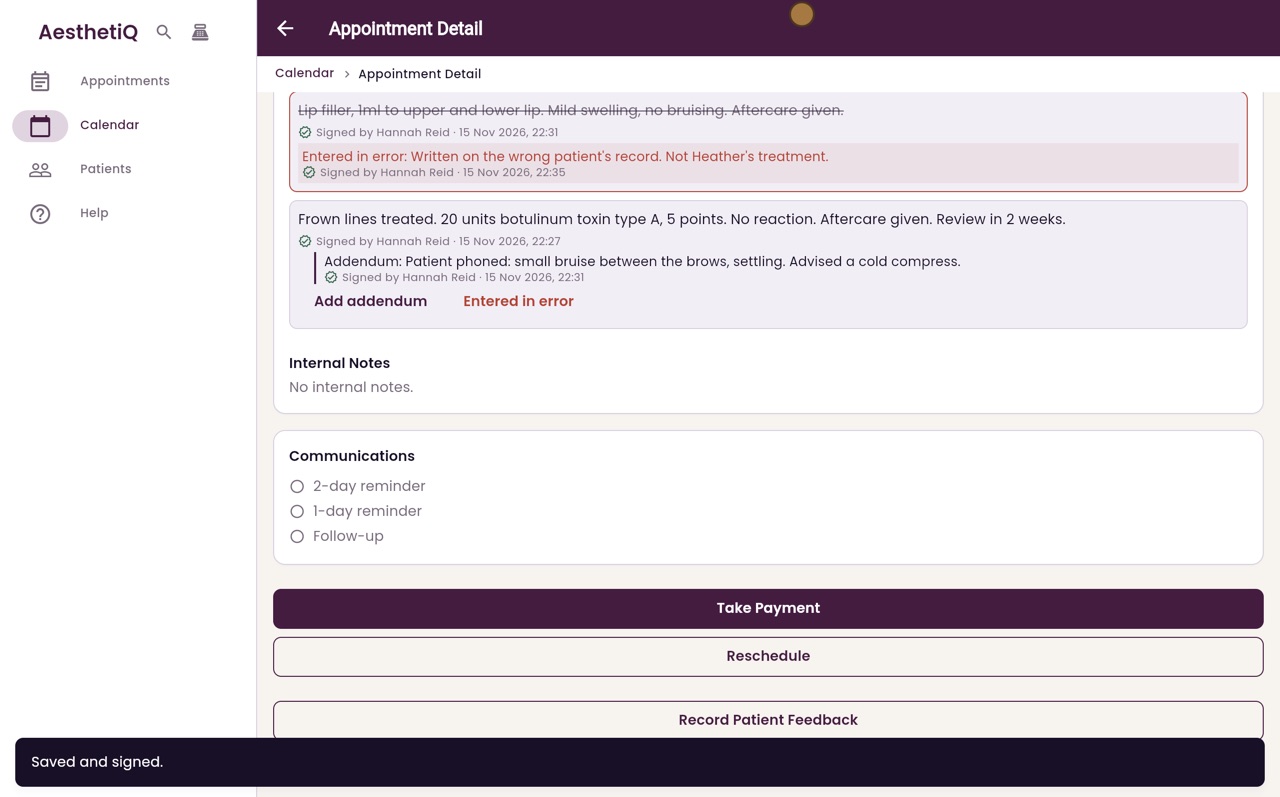
AesthetiQ explains that the original note stays on the record, struck through, with this reason, and that this cannot be undone. Click Mark in error.
- 05Ryan
Struck through
The note is now struck through, with the reason and who marked it underneath. It can still be read, so the record shows exactly what happened.
- 06Libby
Done
That is marking a note entered in error. Only the person who wrote the note, or a clinic manager, can do this.