Treatment forms and clinician review
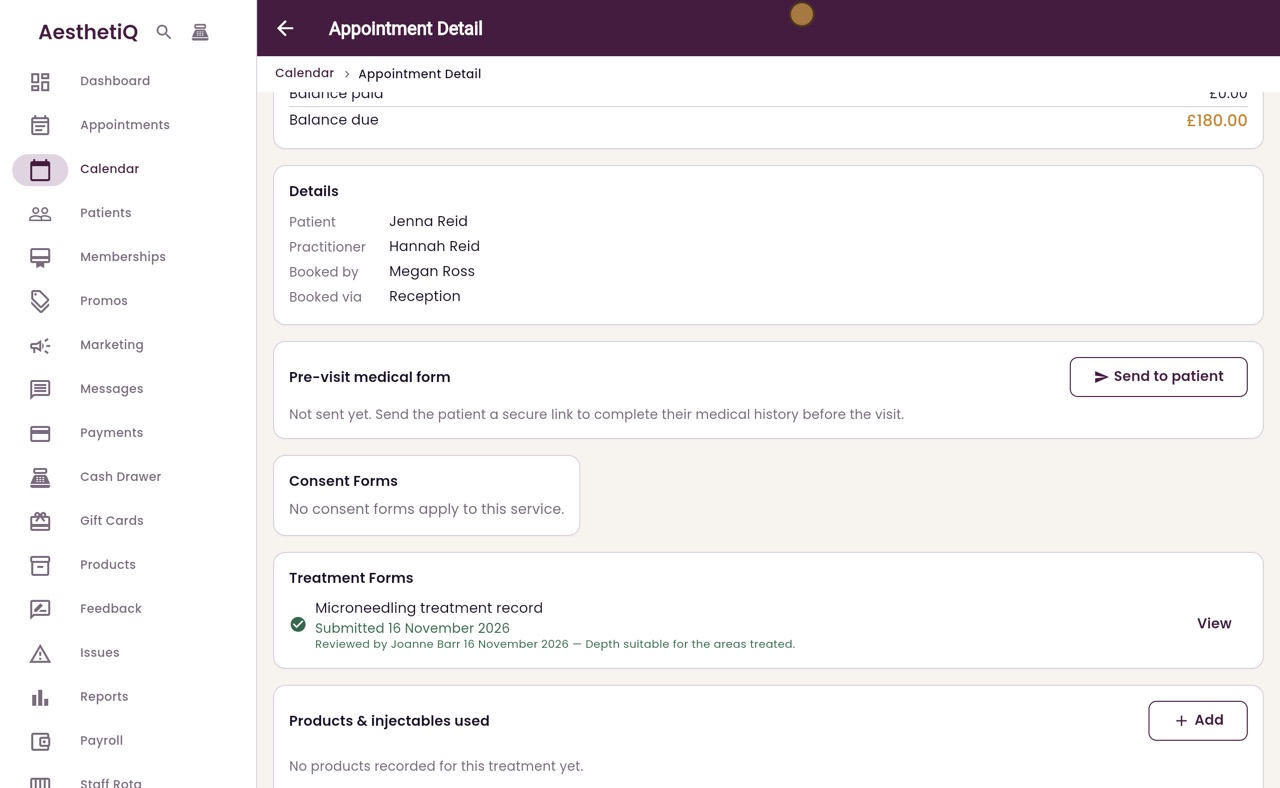
The practitioner fills in the treatment form on the appointment and submits it. Someone else then reviews it, and their name, the time and any comment are recorded.
Fill
The appointment, Treatment Forms, then Fill. Required fields must be filled in before Submit.
View
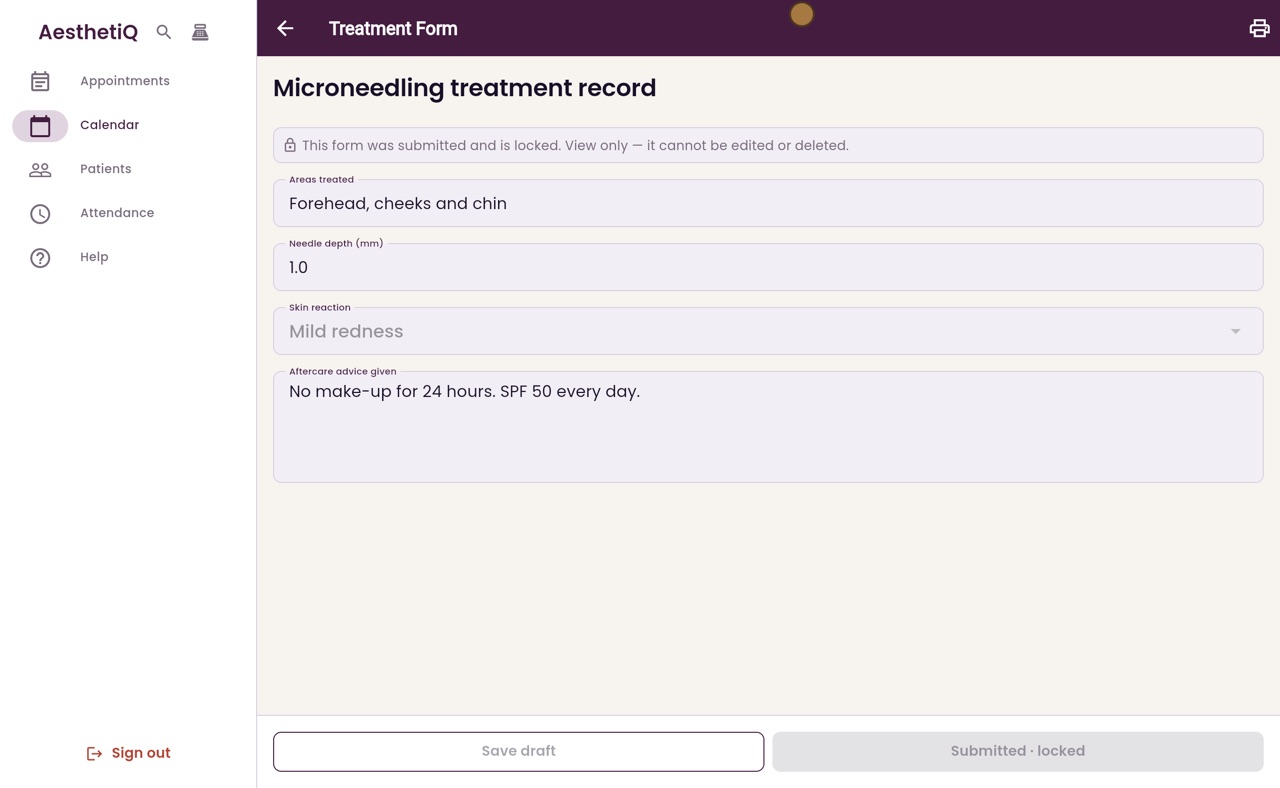
A submitted form shows View. It opens locked: it can be read and printed, not changed.
Review
Mark reviewed, by someone other than the person who submitted it.
Step by step
- 01Libby
Treatment forms
Hi, I am Libby. Some treatments have a treatment form, a clinical record the practitioner fills in at the visit. Someone else then reviews it, so every record is checked.
- 02Ryan
Open the appointment
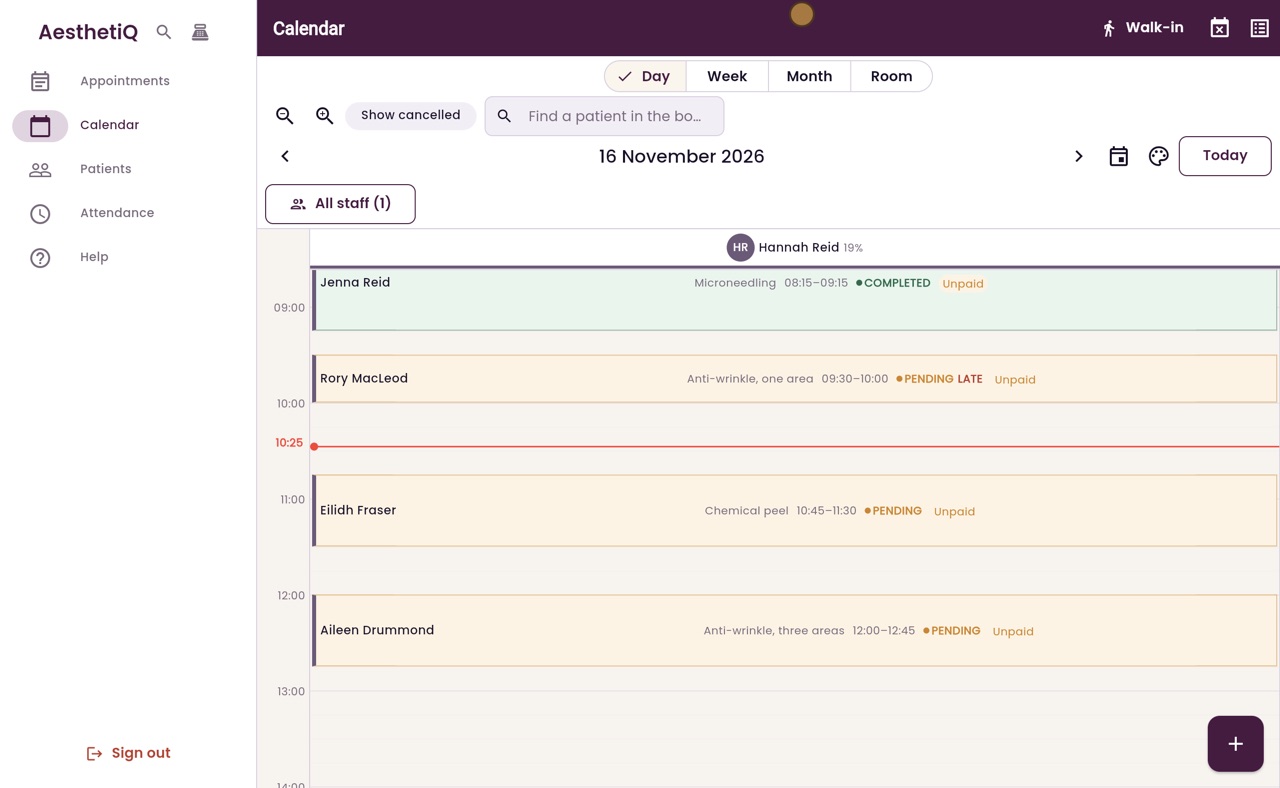
Thanks Libby. Hannah Reid saw Jenna Reid for microneedling this morning. Click Jenna's appointment on the calendar.
- 03Ryan
Treatment Forms
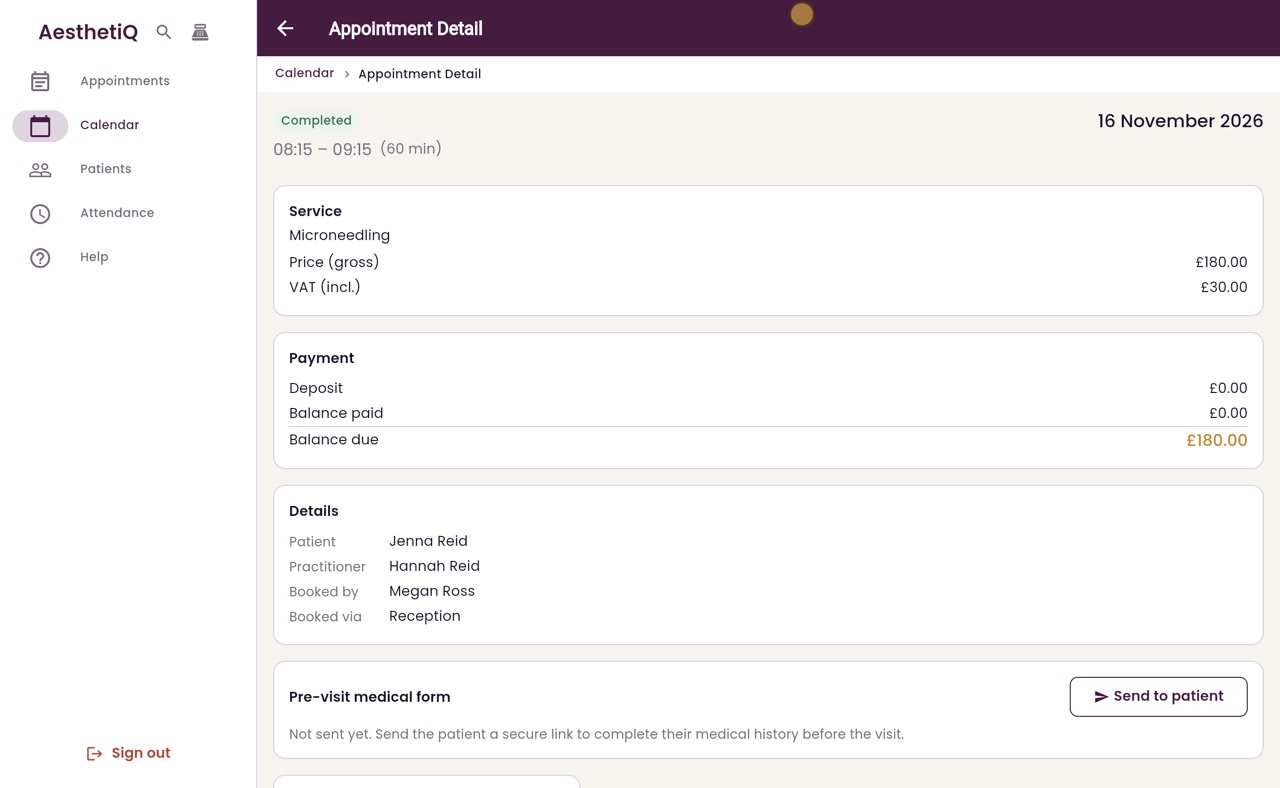
Under Treatment Forms, the Microneedling treatment record shows Not filled. Click Fill.
- 04Ryan
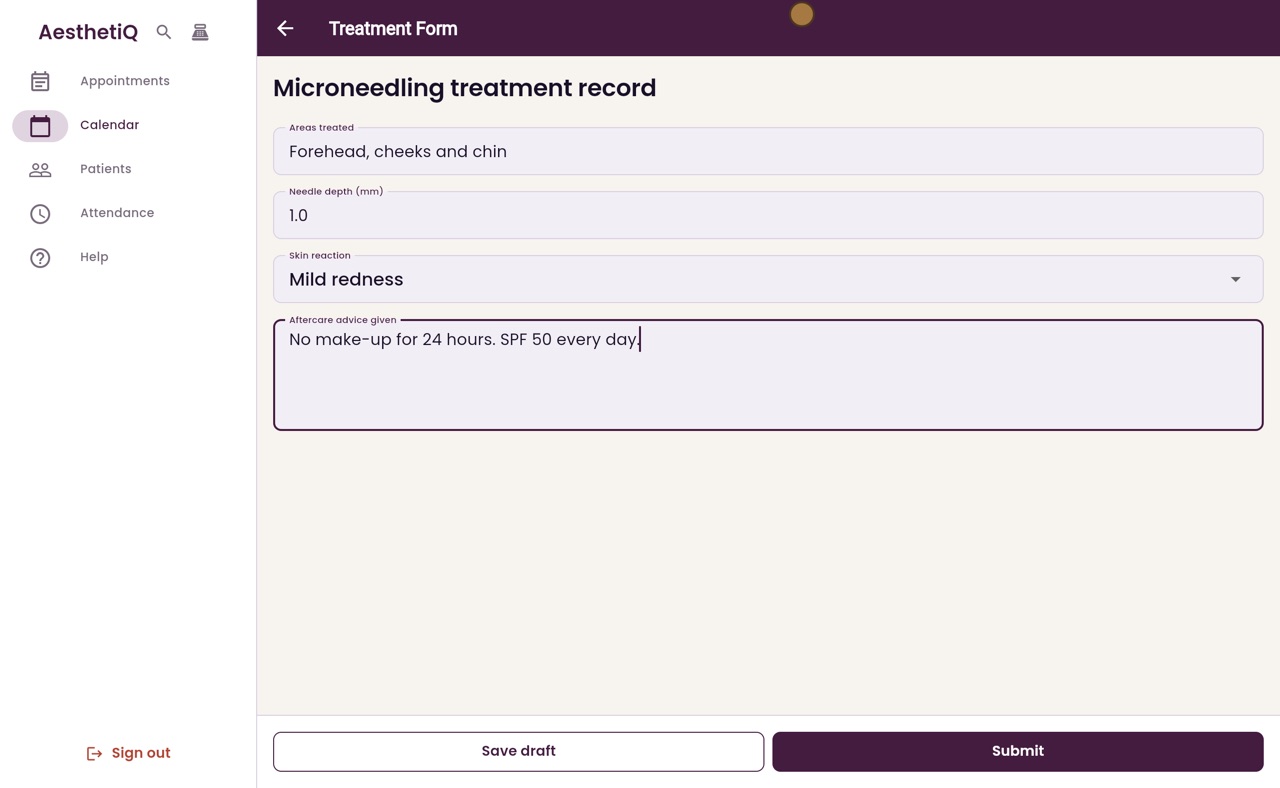
Fill in the form
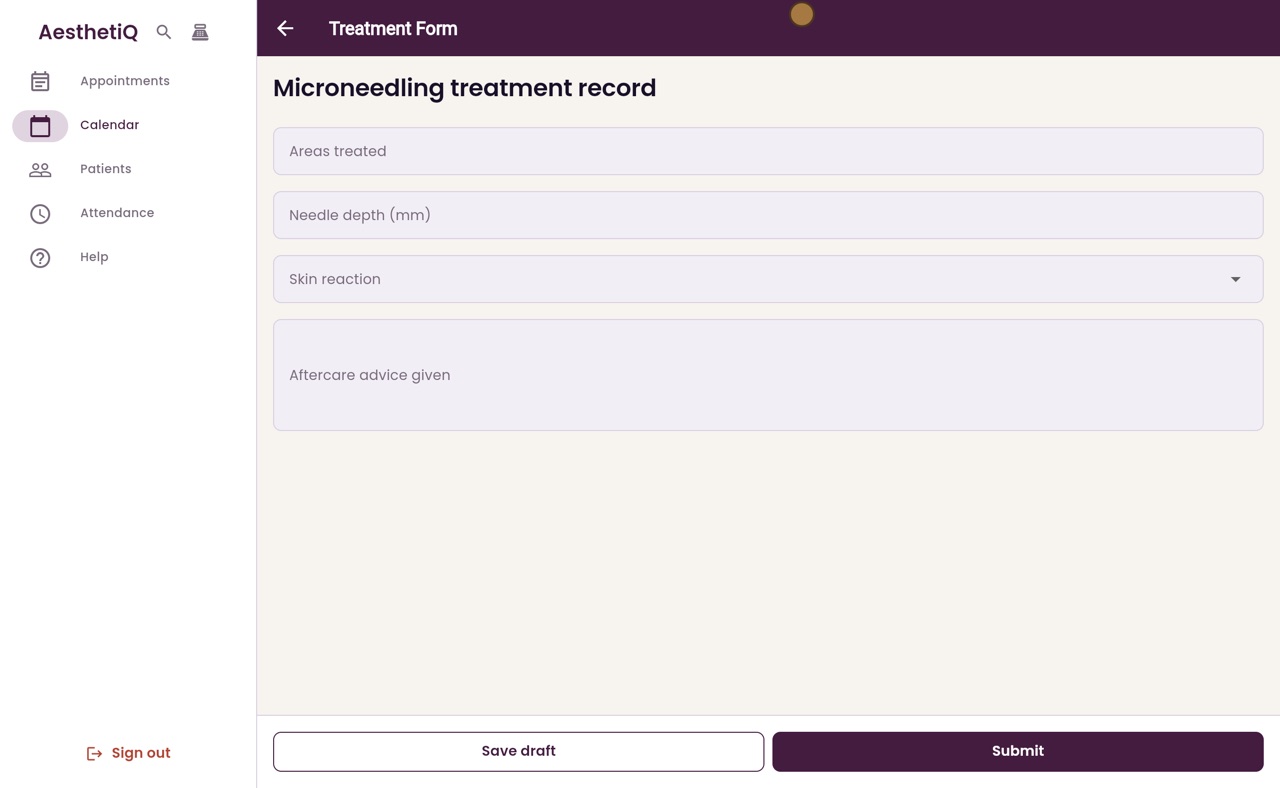
Type the areas treated and the needle depth, choose the skin reaction from the list, then type the aftercare advice given.
- 05Ryan
Submit
Save draft keeps what you have, to finish later. When the form is complete, click Submit.
- 06Ryan
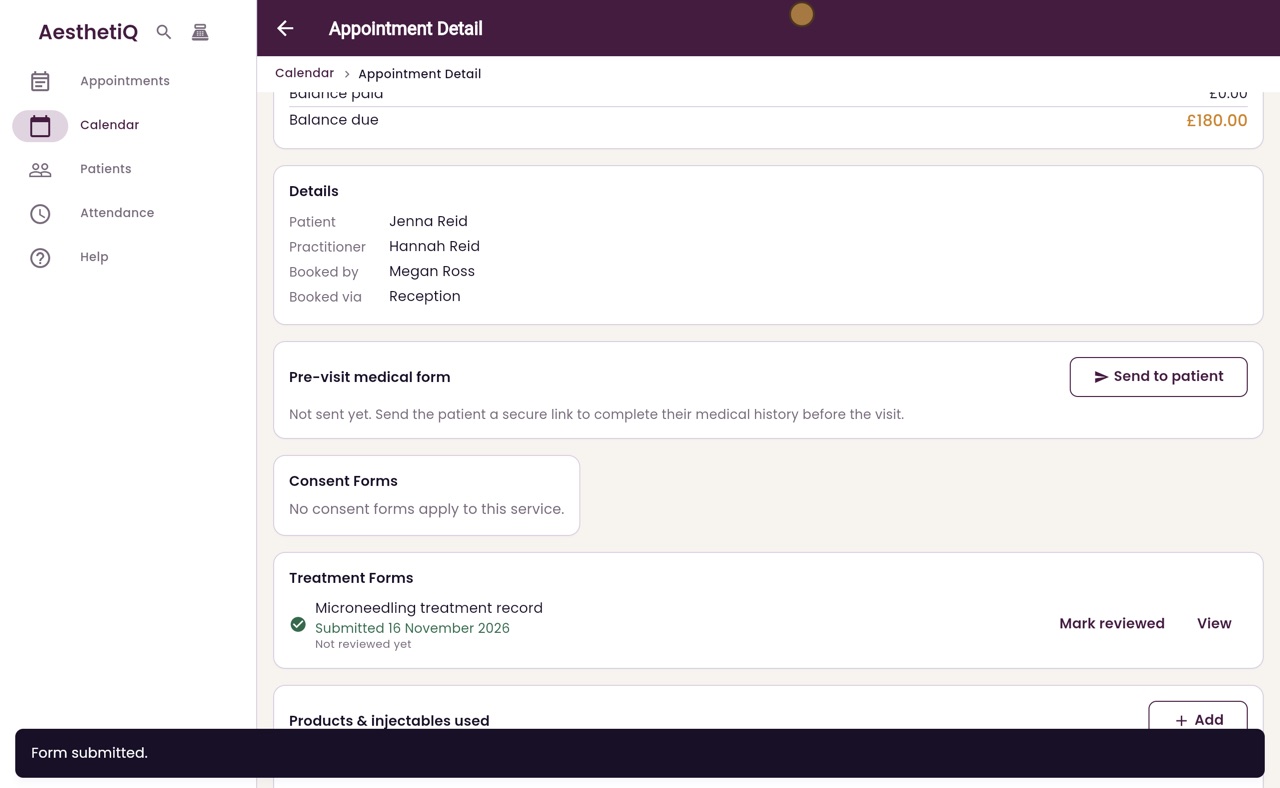
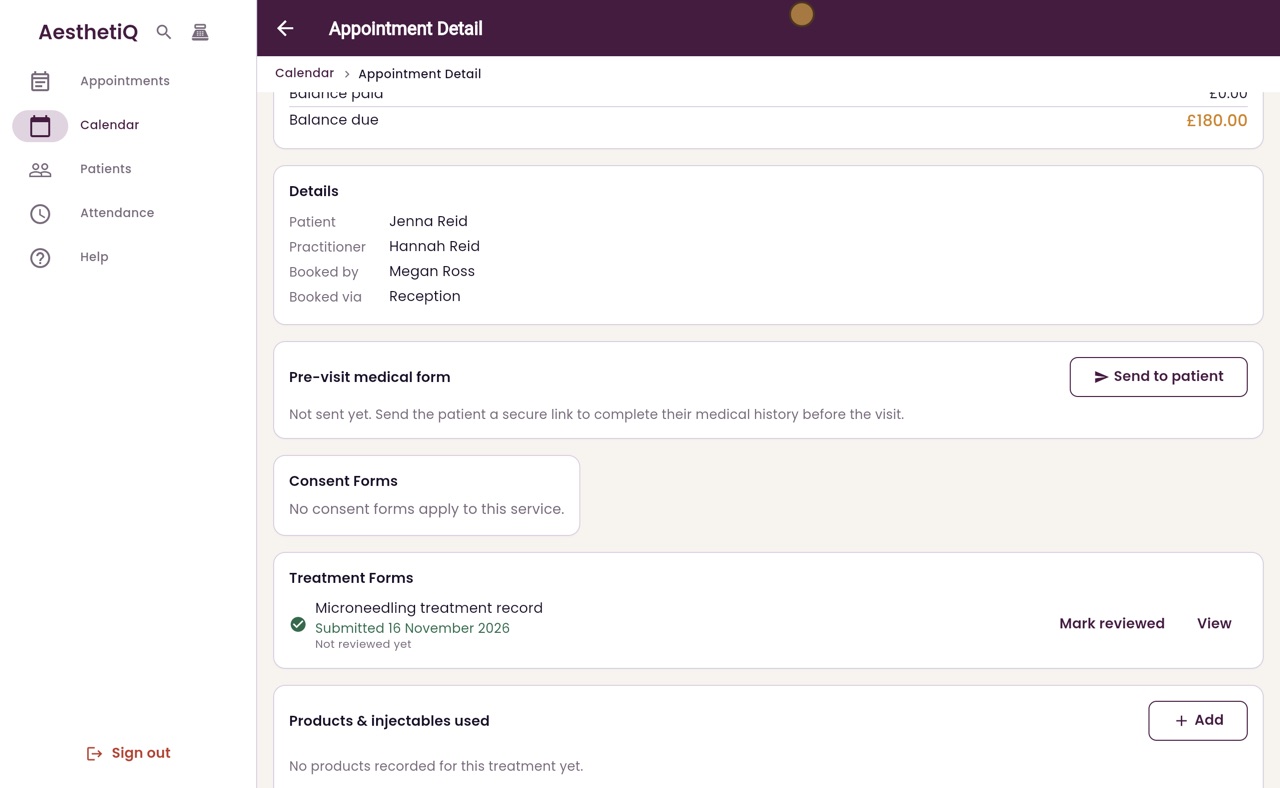
Submitted
Back on the appointment, the form shows Submitted, with today's date, and Not reviewed yet. It must be reviewed by someone other than the person who filled it in.
- 07Ryan
View, locked
Click View. A submitted form opens locked. It can be read and printed, but not changed.
- 08Ryan
Mark reviewed
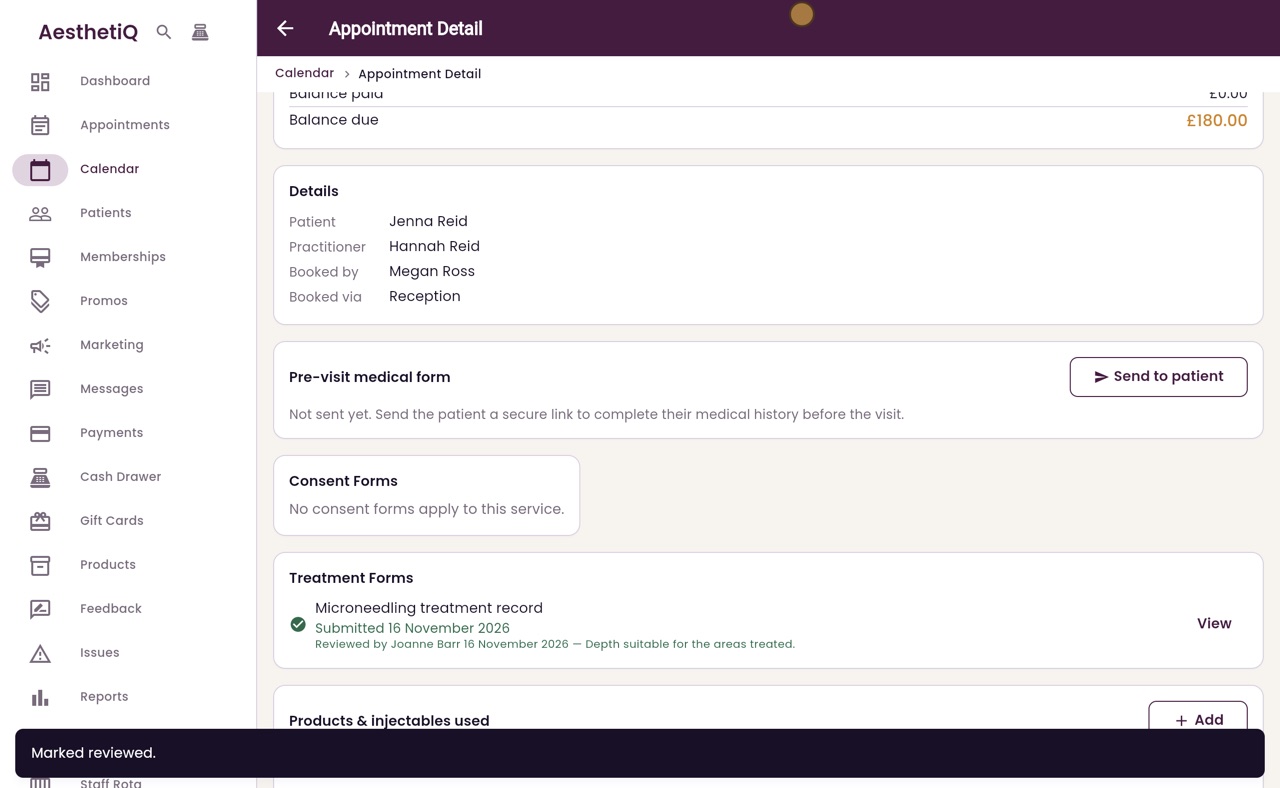
Here the clinic manager, Joanne Barr, does the review. She opens Jenna's appointment, clicks Mark reviewed, adds a comment if needed, and clicks Mark reviewed again to confirm.
- 09Ryan
Reviewed
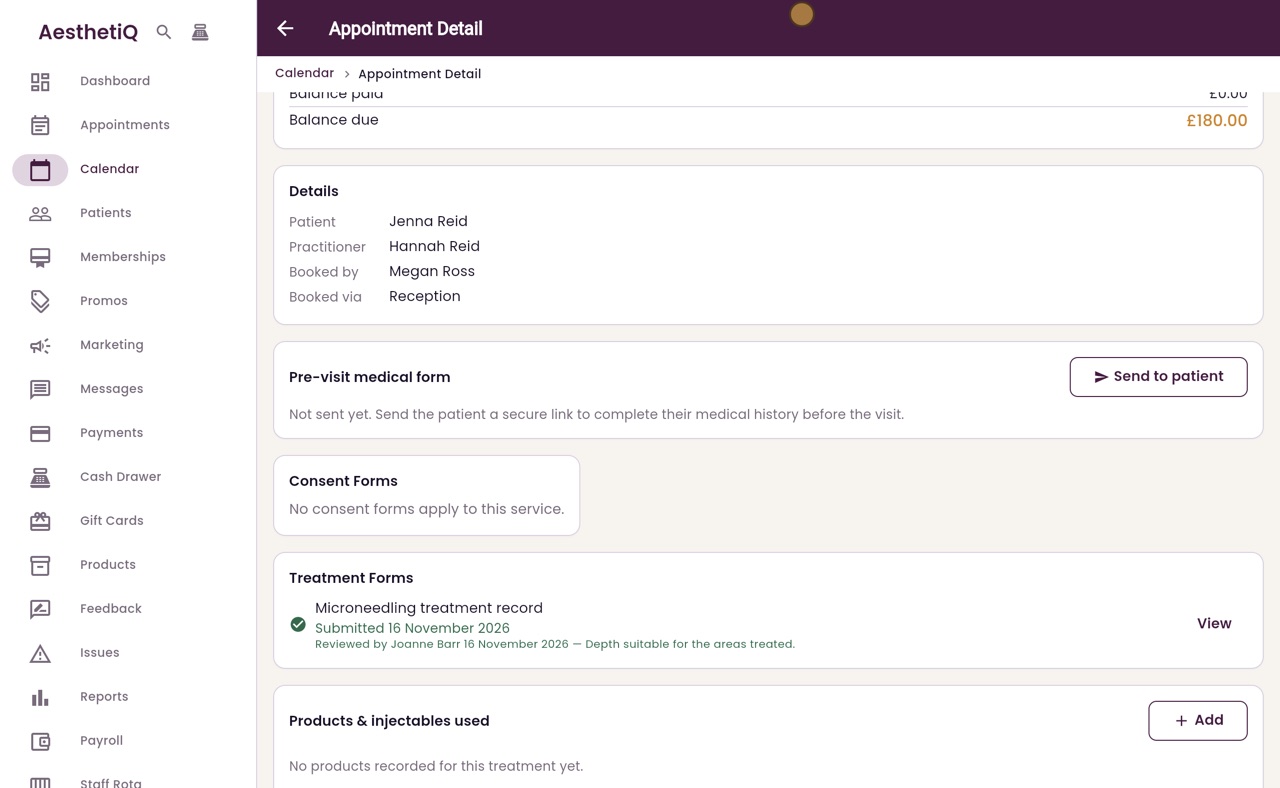
The form now shows who reviewed it, when, and the comment.
- 10Libby
Done
That is treatment forms and their review. The clinic manager chooses which forms each treatment needs, in Settings, under Treatment Forms.