Messages, consent and reminder times
Choose what counts as marketing consent, which messages need it, who can waive a late fee, and when reminders go.
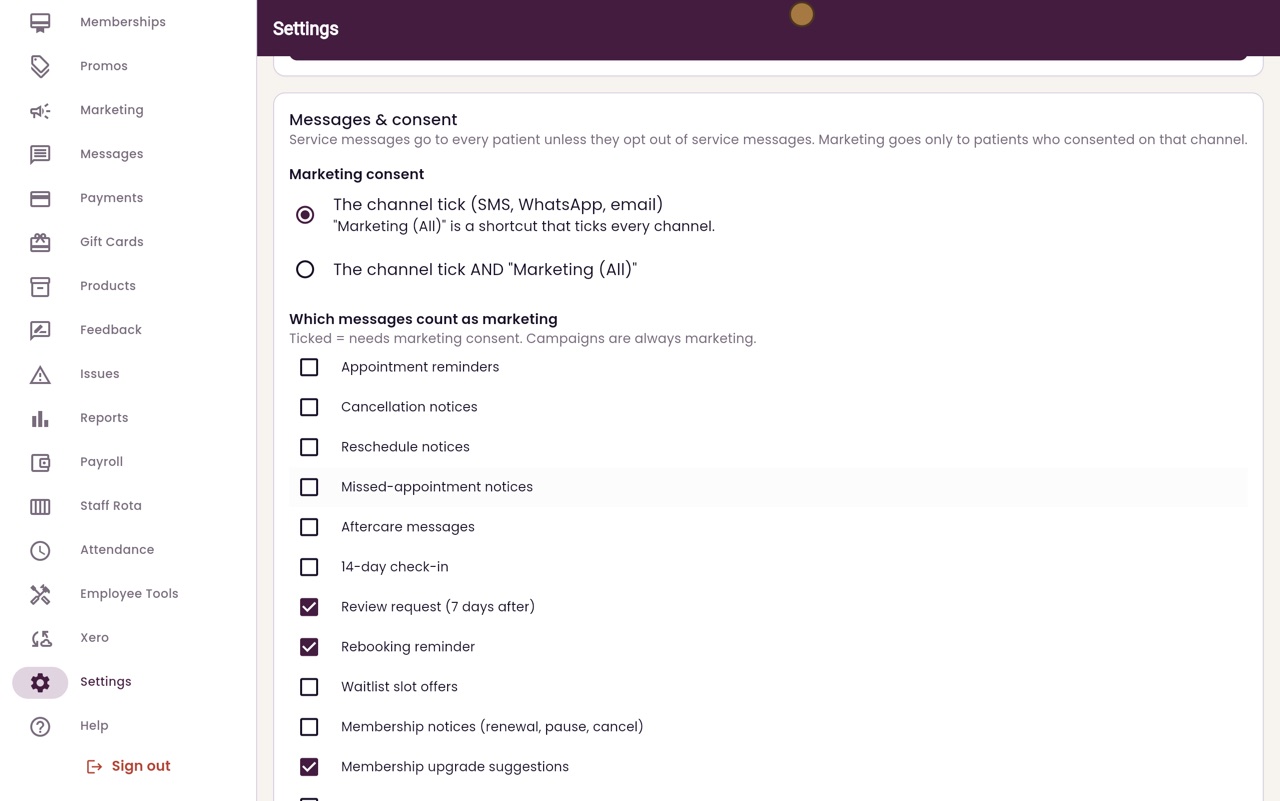
Consent
The channel tick, or the channel tick and Marketing (All).
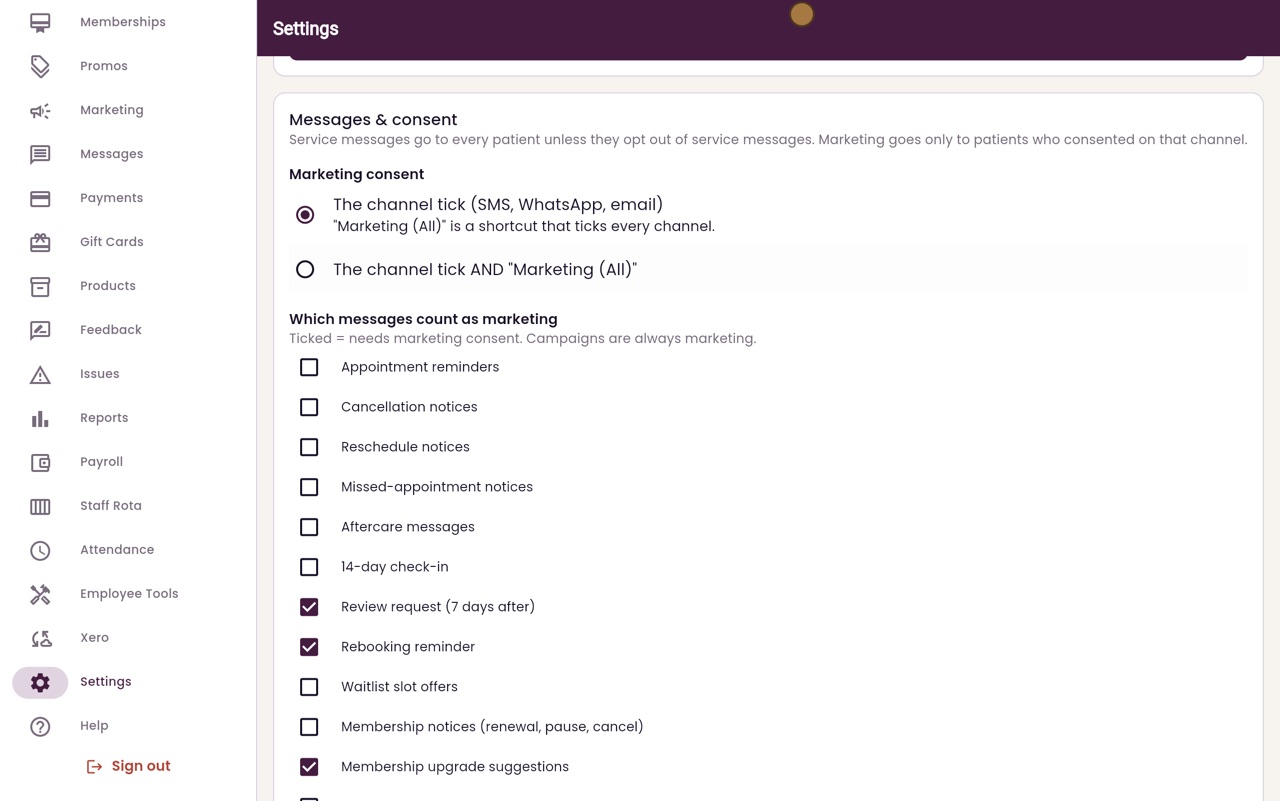
Marketing messages
Ticked messages go only to patients who agreed to marketing.
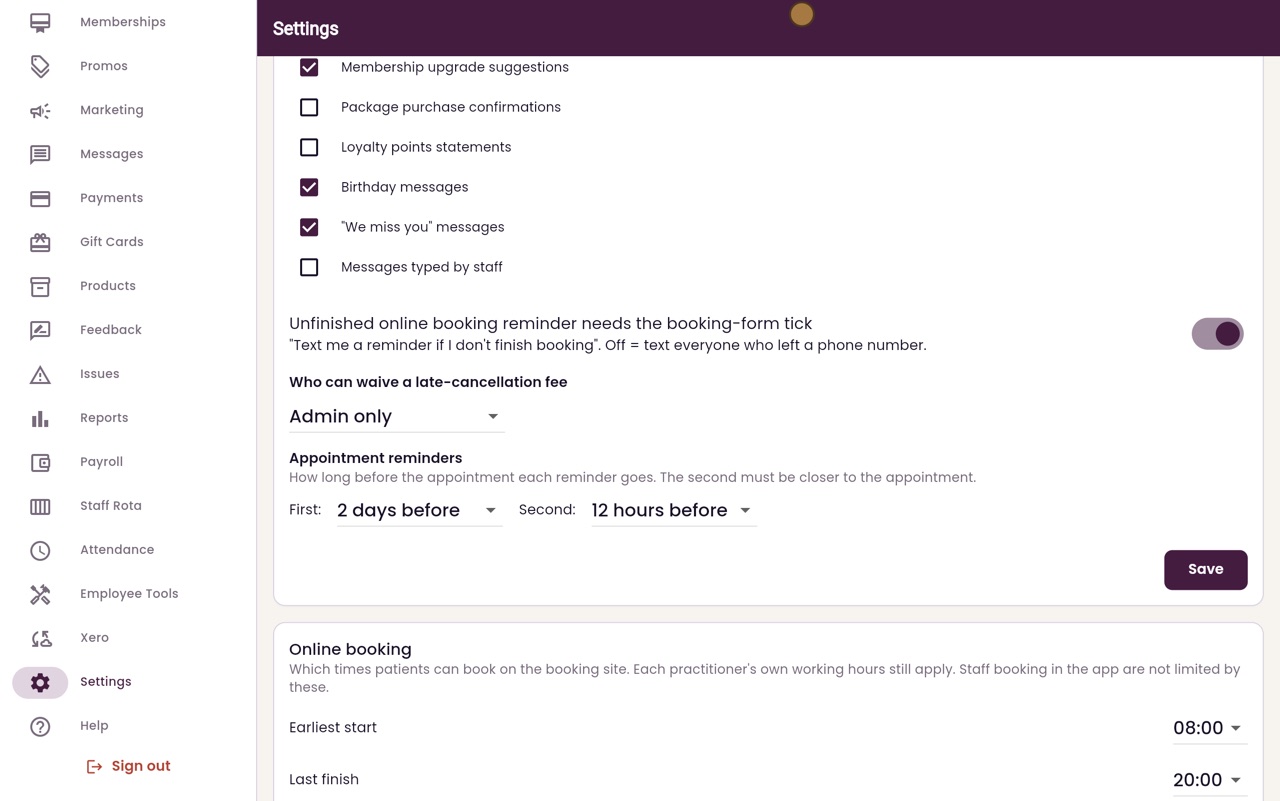
Reminders
Two reminder times; the second must be closer to the appointment.
Step by step
- 01Libby
Messages and consent
Hi, I am Libby. In Settings, the clinic decides which messages need a patient's marketing consent, who can waive a late cancellation fee, and when appointment reminders are sent.
- 02Ryan
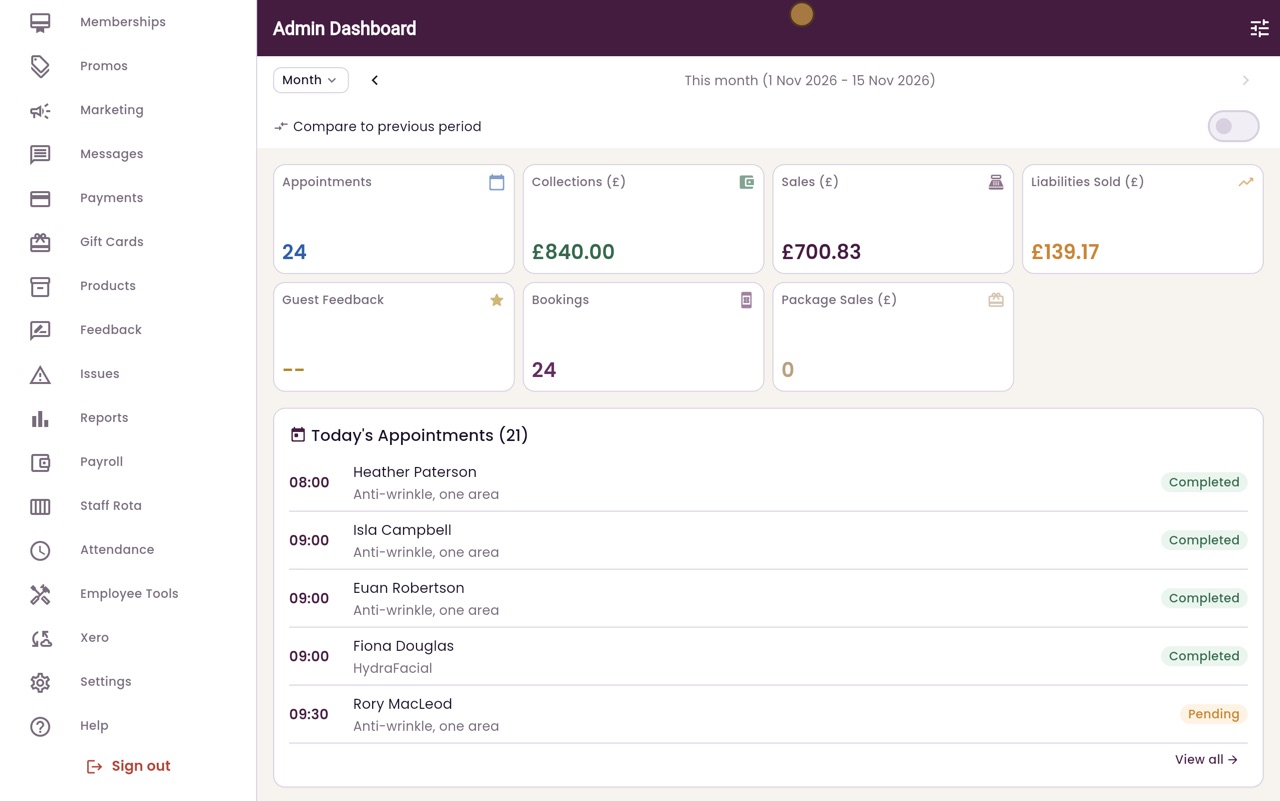
Find the section
Thanks Libby. Click Settings in the menu, and scroll down to Messages and consent.
- 03Ryan
Marketing consent
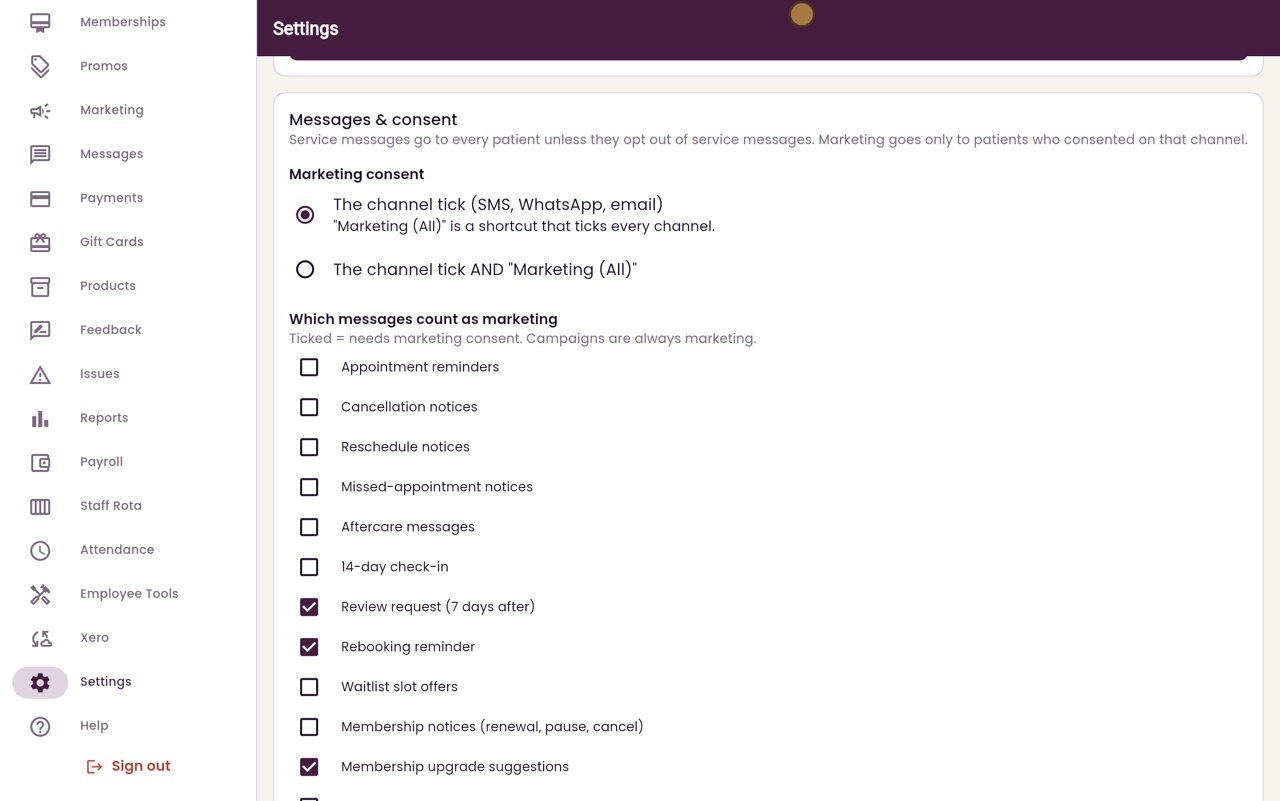
Under Marketing consent, choose what counts as a patient agreeing to marketing: the tick for each channel, or the channel tick and Marketing All together.
- 04Ryan
Which messages are marketing
Then tick the messages that count as marketing. Ticked messages only go to patients who have agreed to marketing. Campaigns always count as marketing.
- 05Ryan
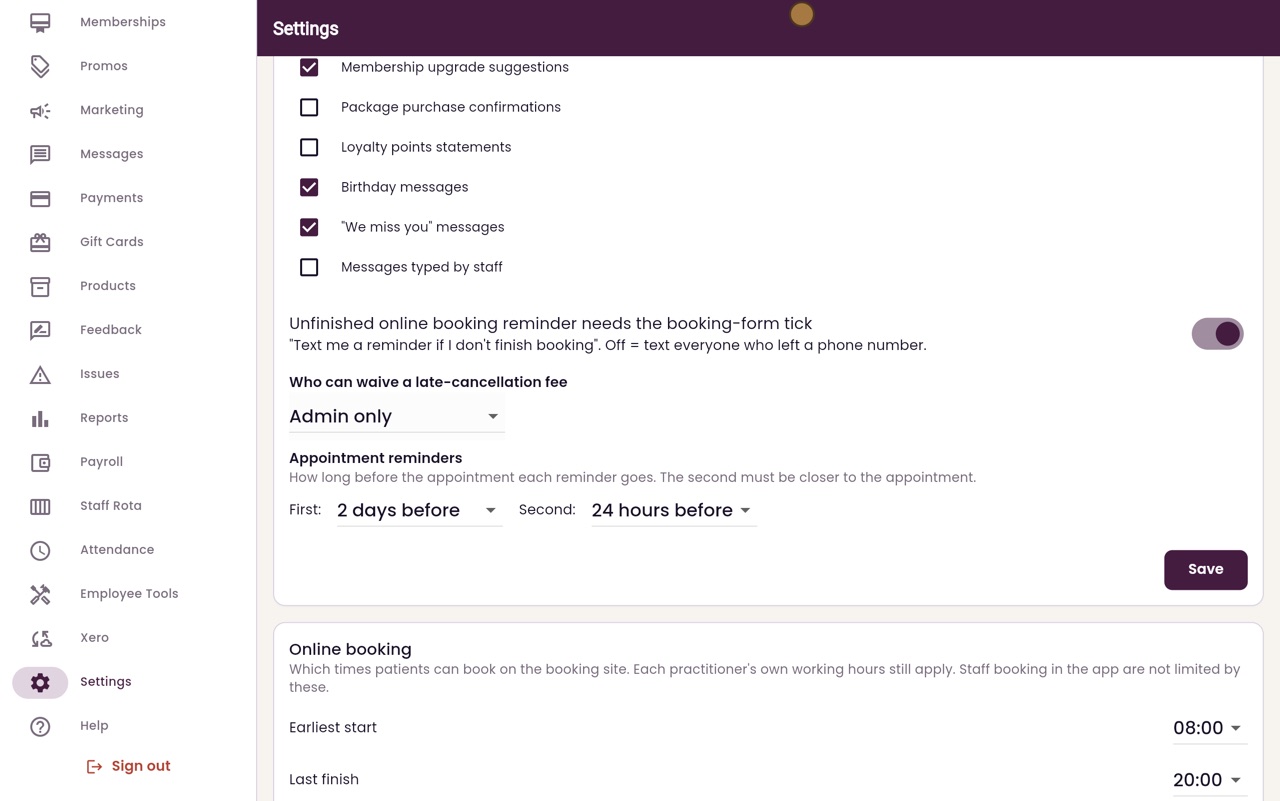
Waiving a late fee
Further down, choose who can waive a late cancellation fee: admin only, admin and reception, or nobody.
- 06Ryan
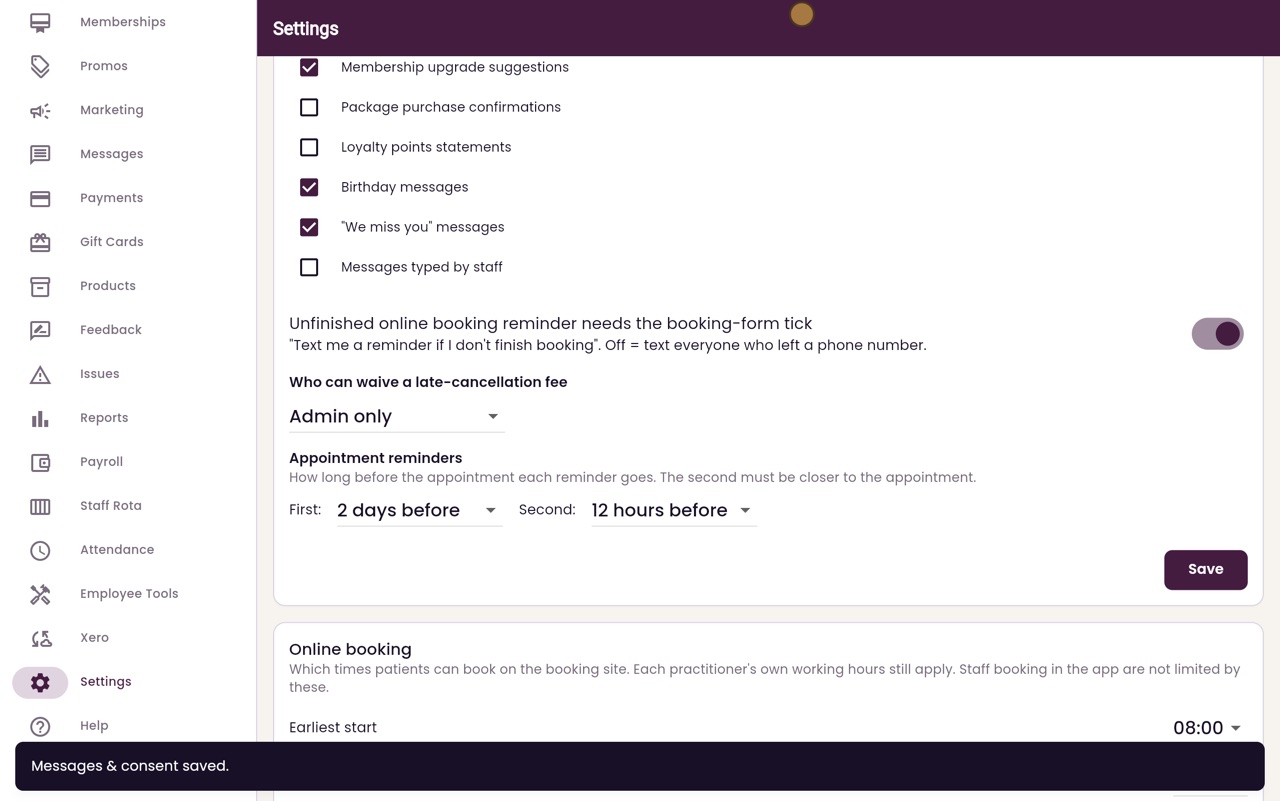
Reminder times
Appointment reminders go out twice before each appointment. Here we change the second reminder to twelve hours before. Click Save.
- 07Libby
Done
That is the messages and consent settings. Each part of Settings has its own Save button, so save each part before you move on.