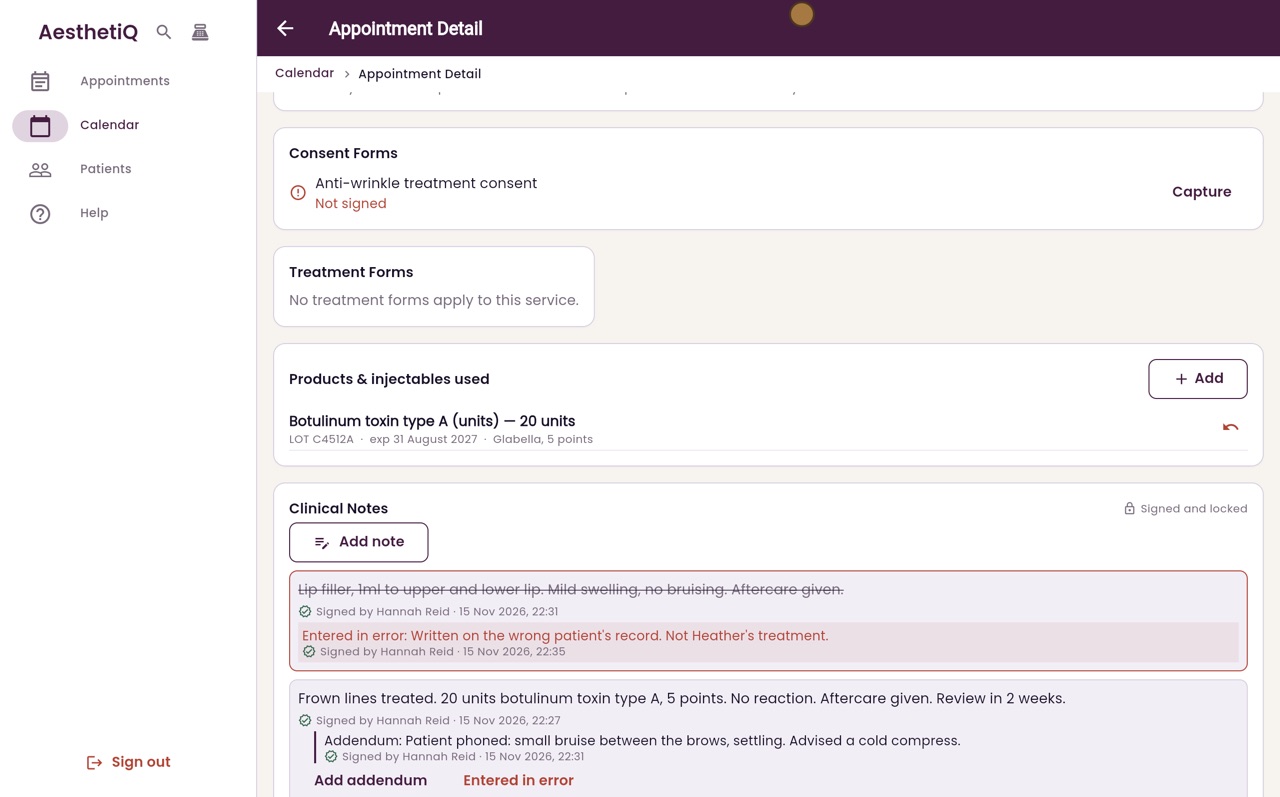
Recording products and injectables used
Record the product, amount, batch number and expiry date for each injectable used in a treatment.
Where
The appointment, Products & injectables used, Add.
Who
Practitioners.
After
The product is listed on the appointment and taken off stock.
Step by step
- 01Libby
Products used
Hi, I am Libby. For every injectable treatment, record exactly which product was used, with its batch number and expiry date.
- 02Ryan
Open the appointment
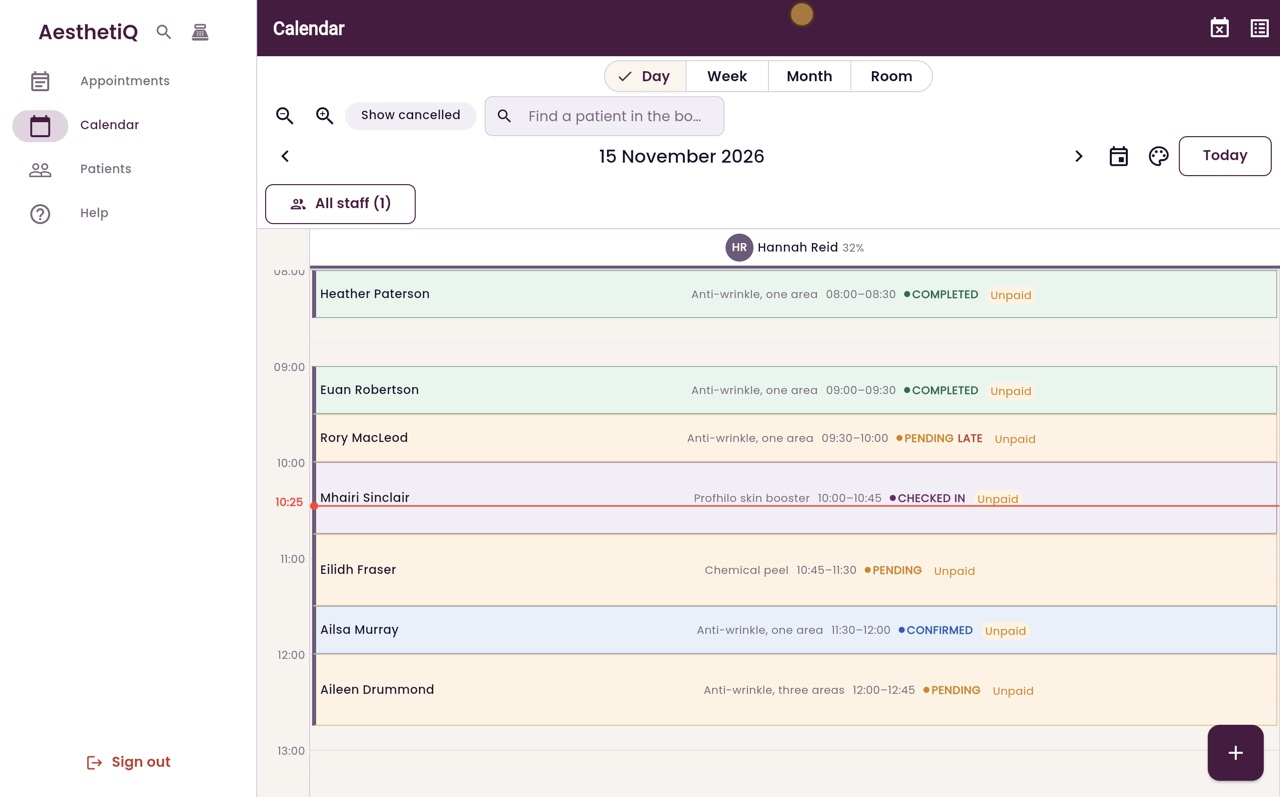
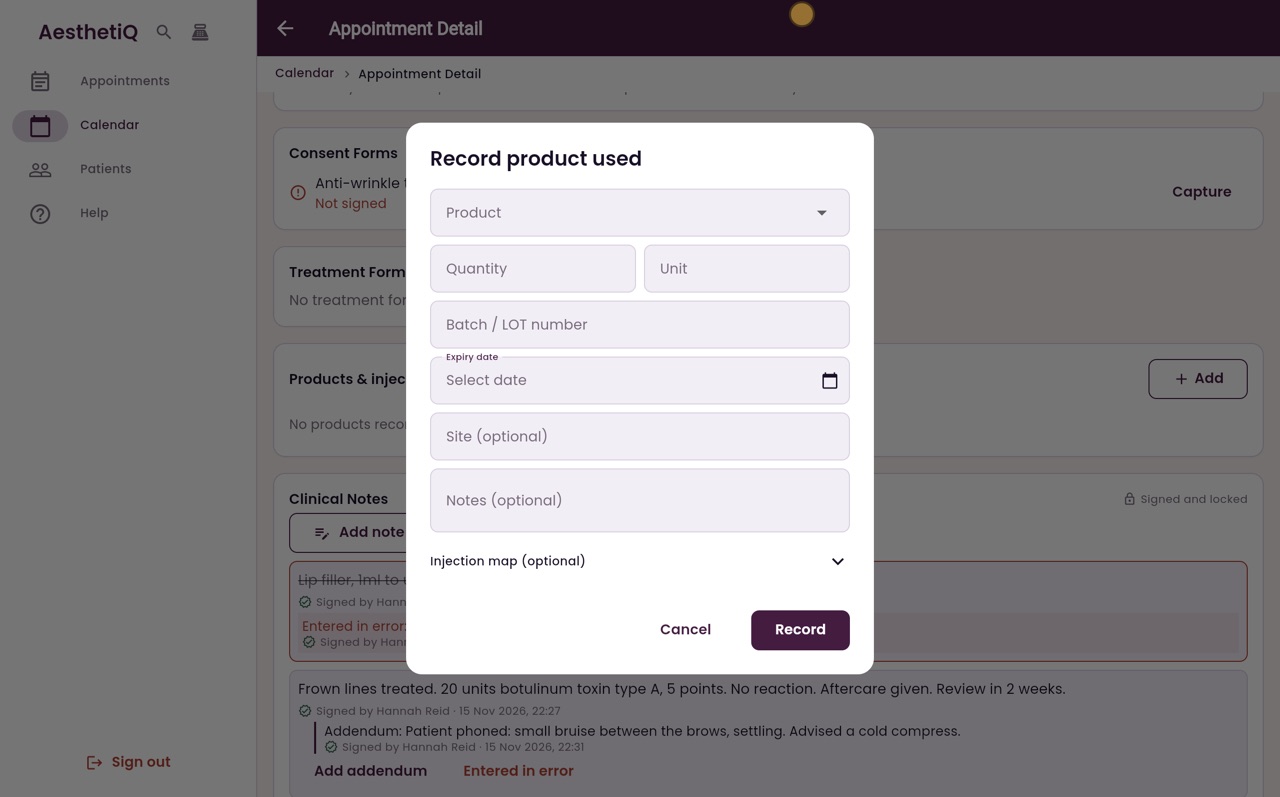
Thanks Libby. Open the appointment, here Heather Paterson's anti-wrinkle treatment at eight this morning. Under Products and injectables used, click Add.
- 03Ryan
Product and quantity
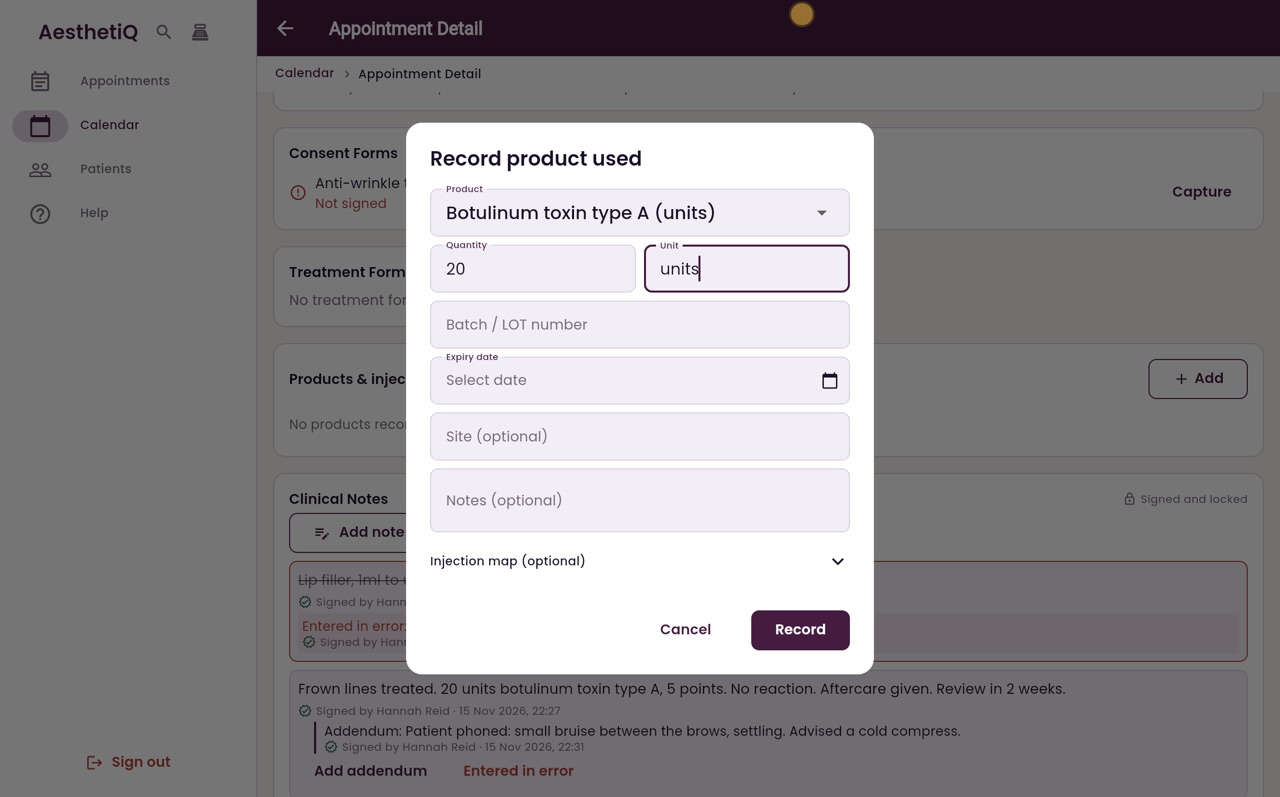
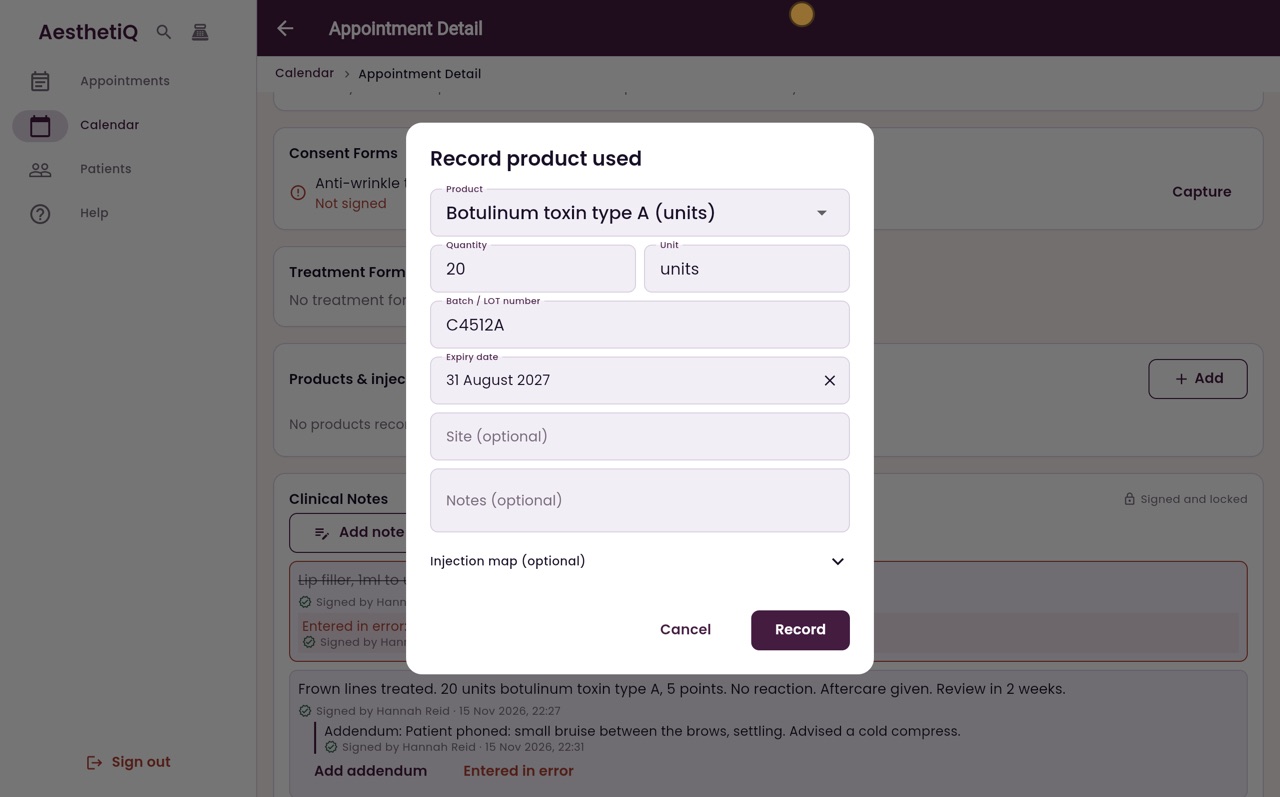
Choose the product, then type the quantity and the unit. Hannah used 20 units.
- 04Ryan
Batch and expiry
Type the batch or LOT number from the vial. Then click Expiry date, switch to typing with the pencil, and enter the expiry date from the box.
- 05Ryan
Where it was injected
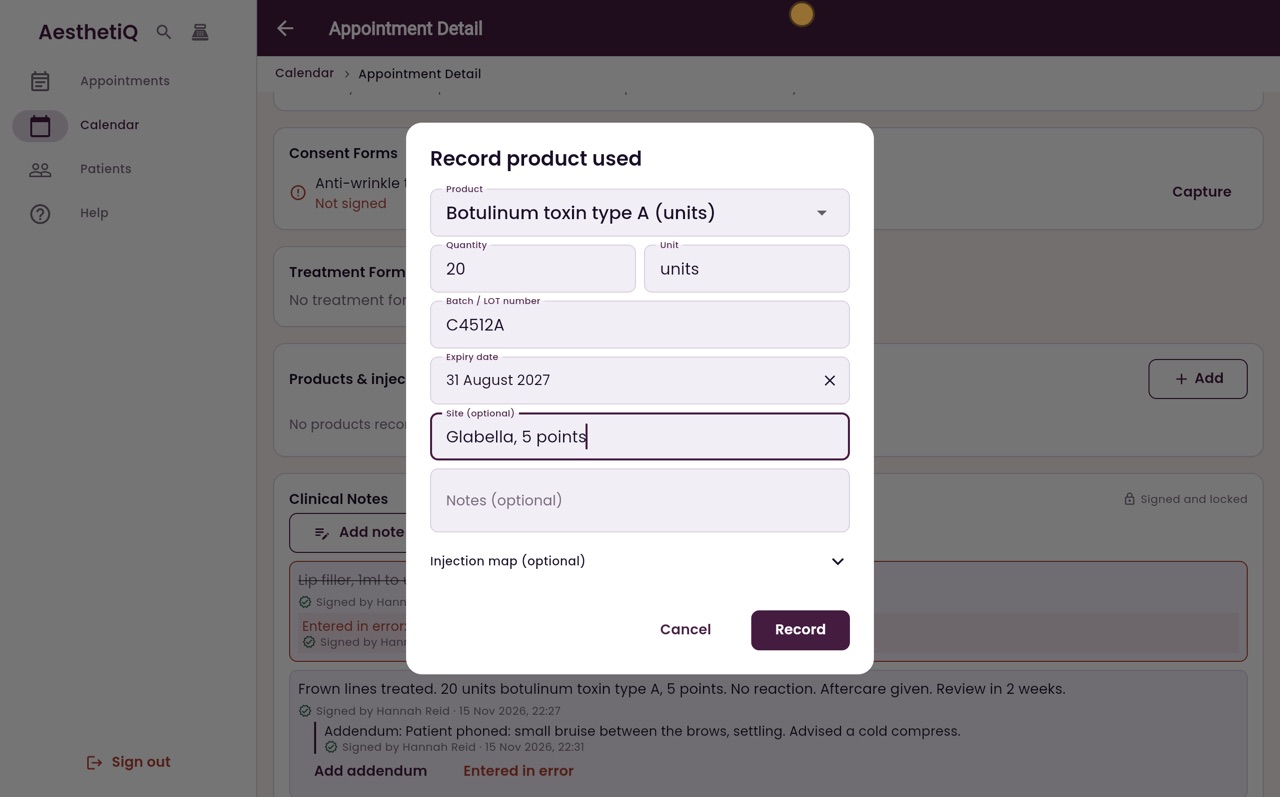
Add where it was injected. A note is optional.
- 06Ryan
Record
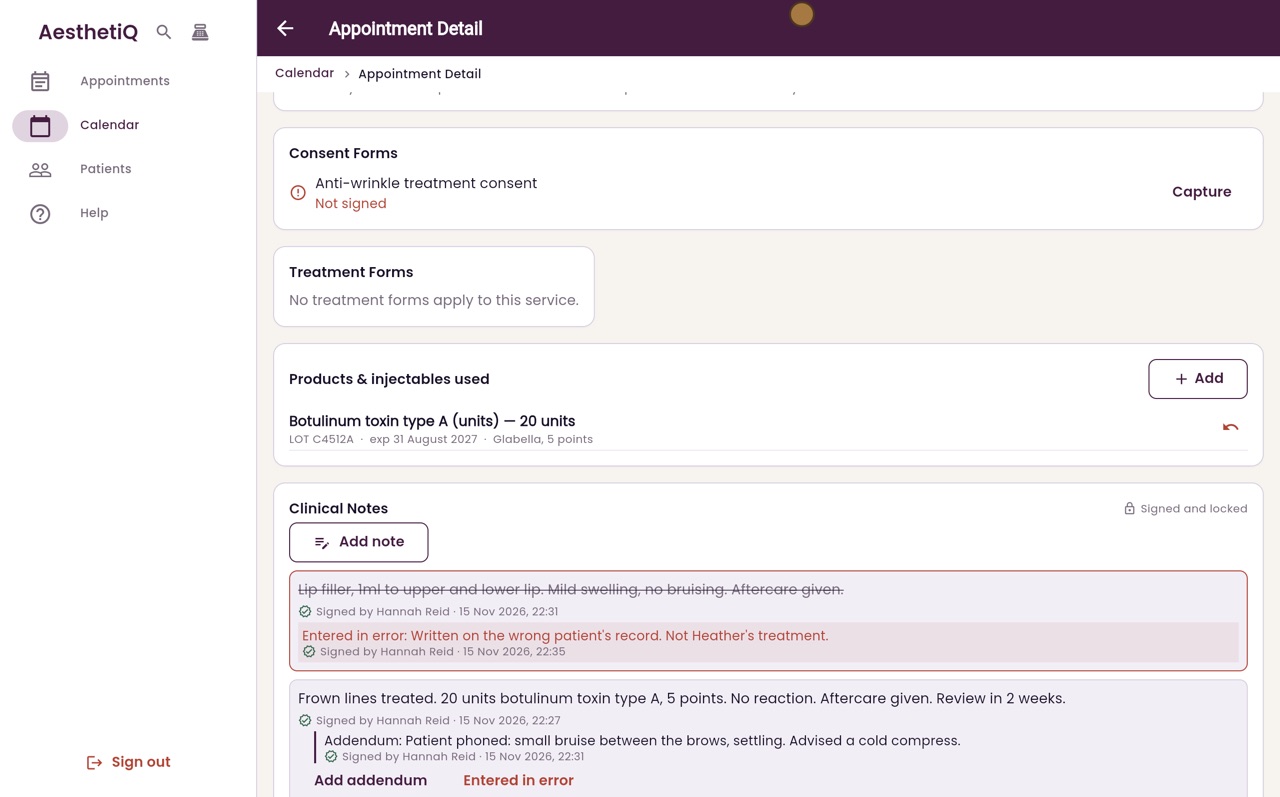
Click Record. The product is now listed on the appointment, with the amount used, the batch number and the expiry date.
- 07Libby
Done
That is recording products used. Record each product separately if more than one was used.