Member and birthday discounts at the till
Pick the patient at the till first. A member sees Member discount, and a patient in their birthday month sees Birthday.
Pick the patient
Click Lookup and choose the patient before taking payment.
Member discount
Shows for an active member whose membership gives a product discount.
Birthday
Shows in the patient's birthday month, once a year.
Step by step
- 01Libby
Patient discounts
Hi, I am Libby. At the till, members get their product discount, and patients get a birthday discount in their birthday month. Pick the patient first, and AesthetiQ shows what they can have.
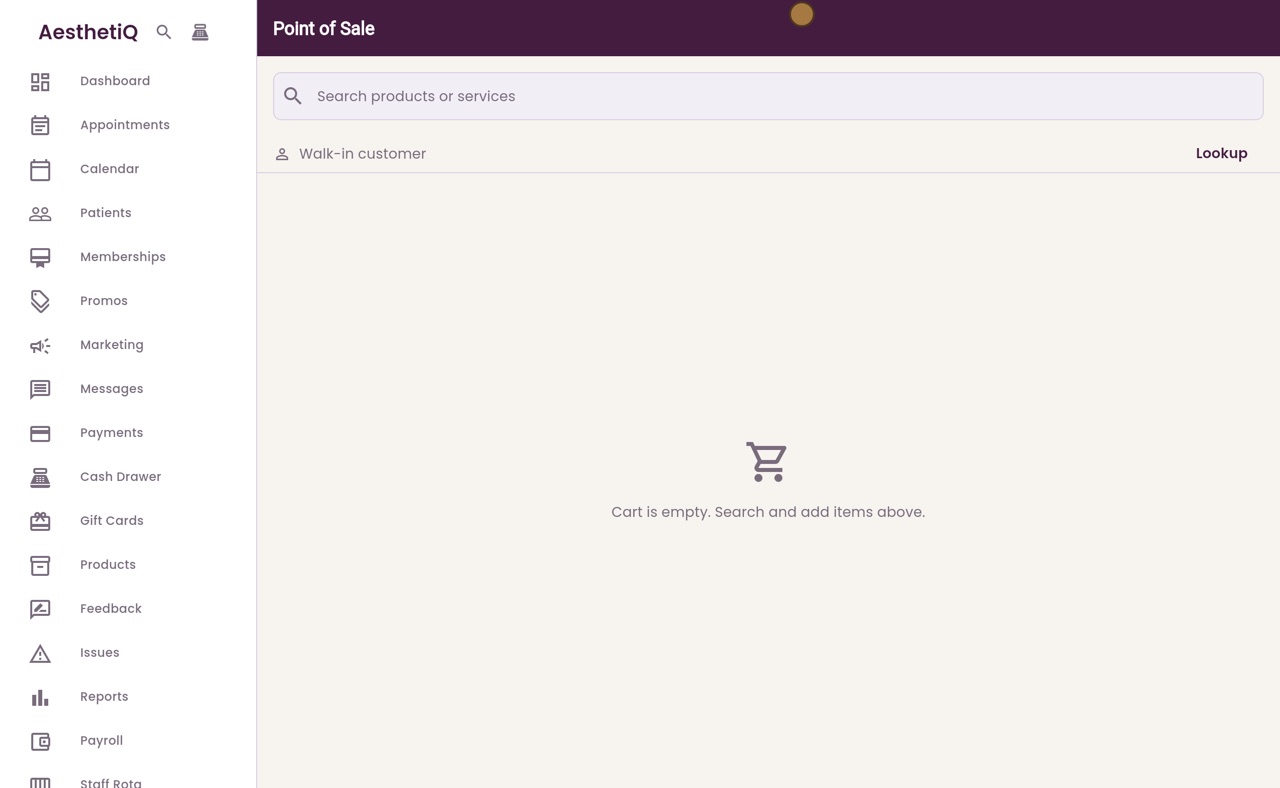
- 02Ryan
Add the product
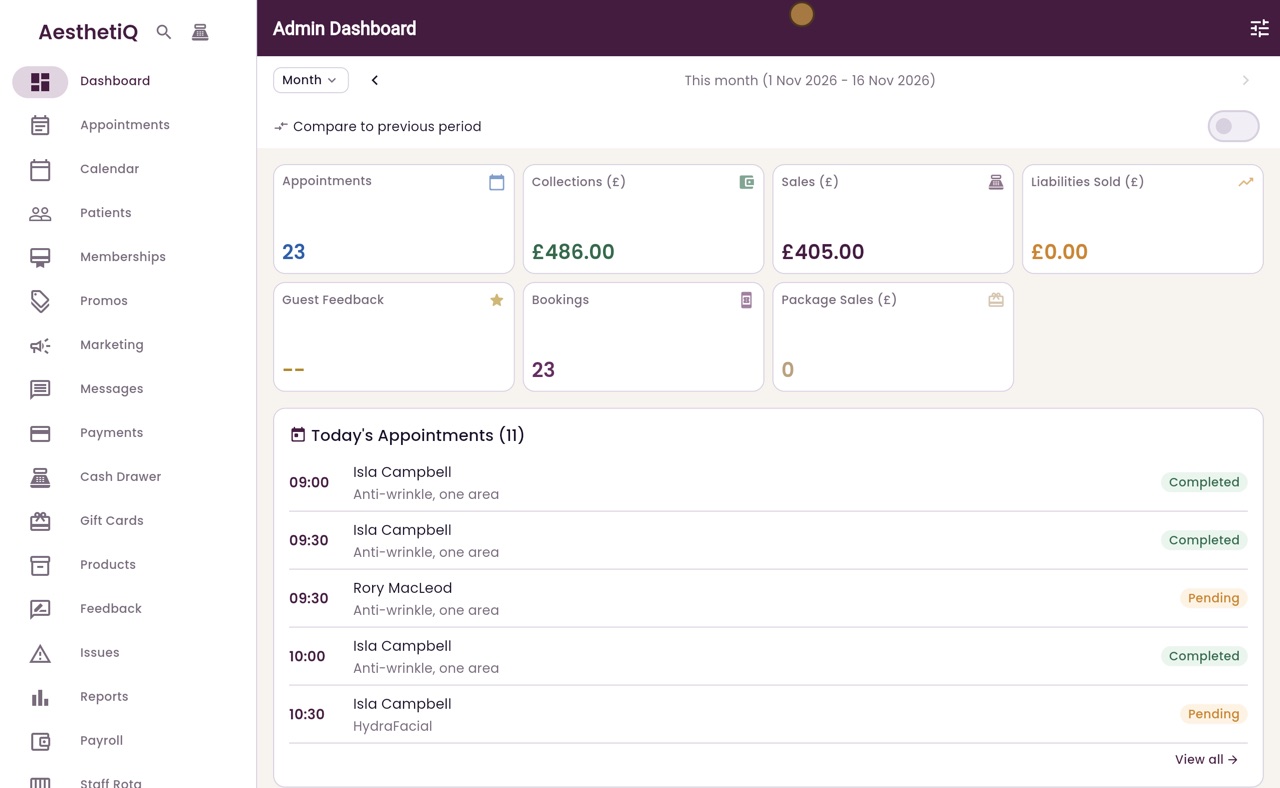
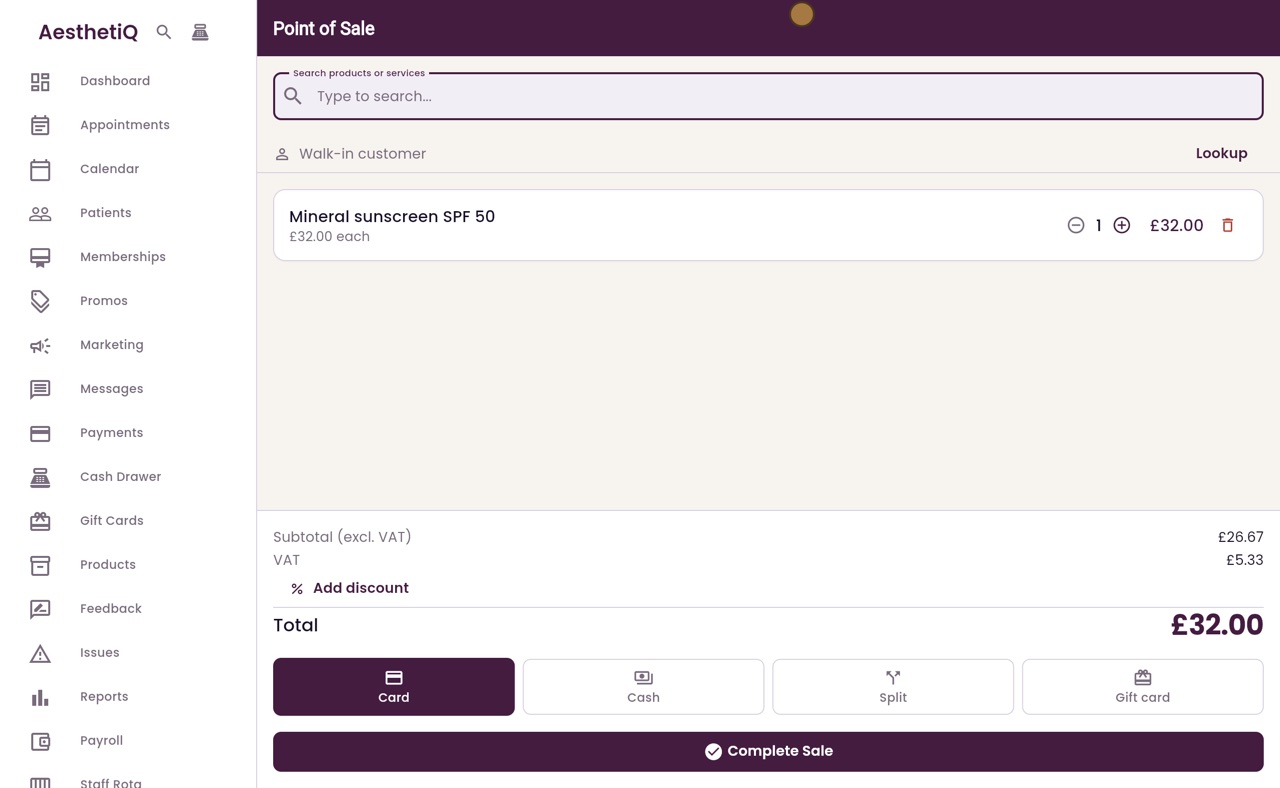
Thanks Libby. Open the till from the icon at the top of the sidebar. Search for sunscreen, and click Mineral sunscreen SPF 50 to add it to the cart.
- 03Ryan
Pick the patient
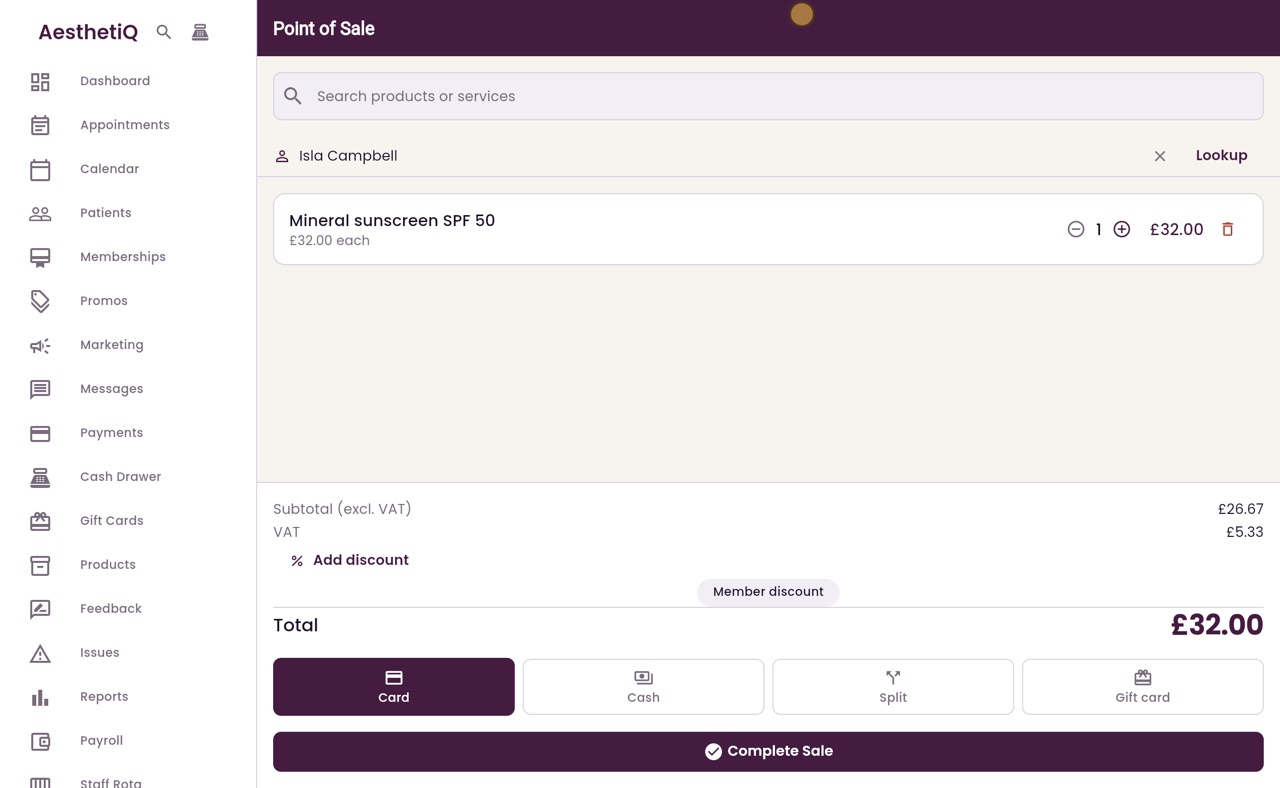
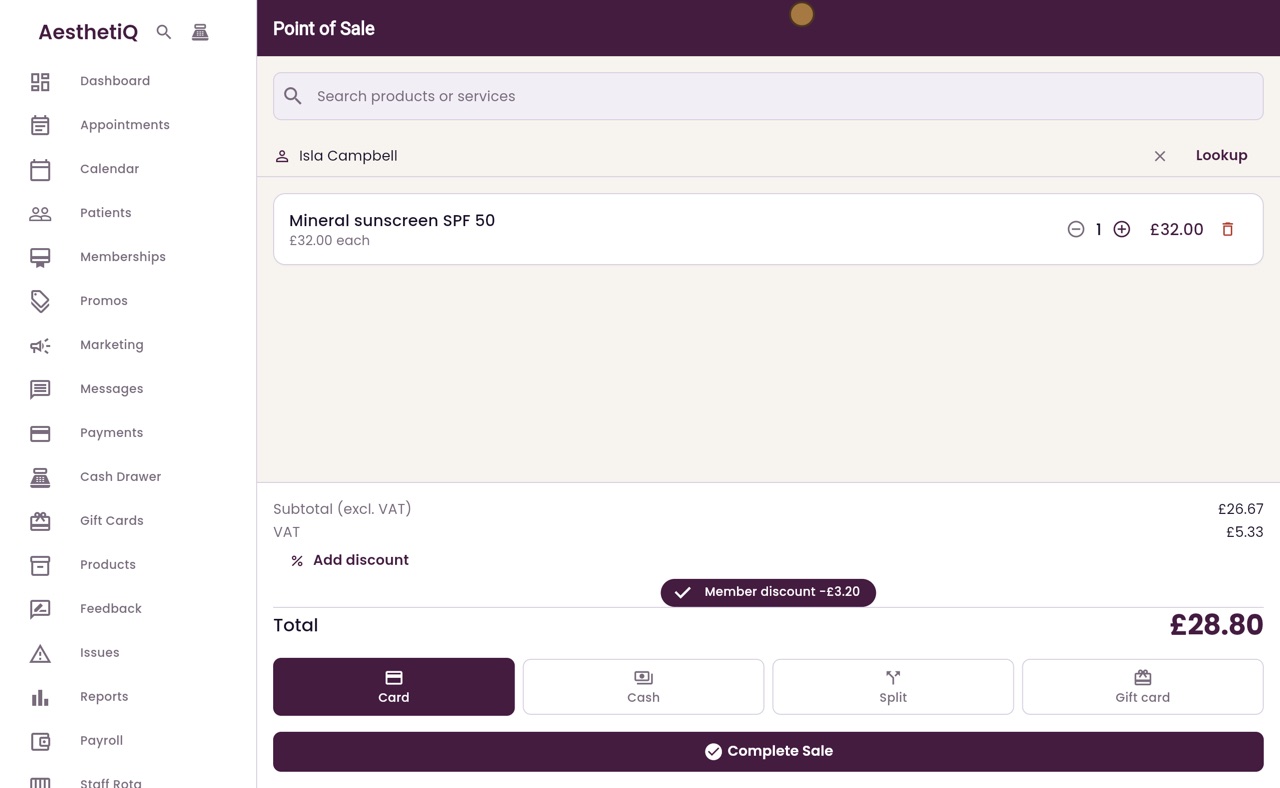
Pick the patient first. Click Lookup, type the name, and choose Isla Campbell.
- 04Ryan
Member discount
Isla is a Glow Club member, so Member discount shows above the total. Click it. Three pounds twenty comes off, and the total is twenty eight pounds eighty.
- 05Ryan
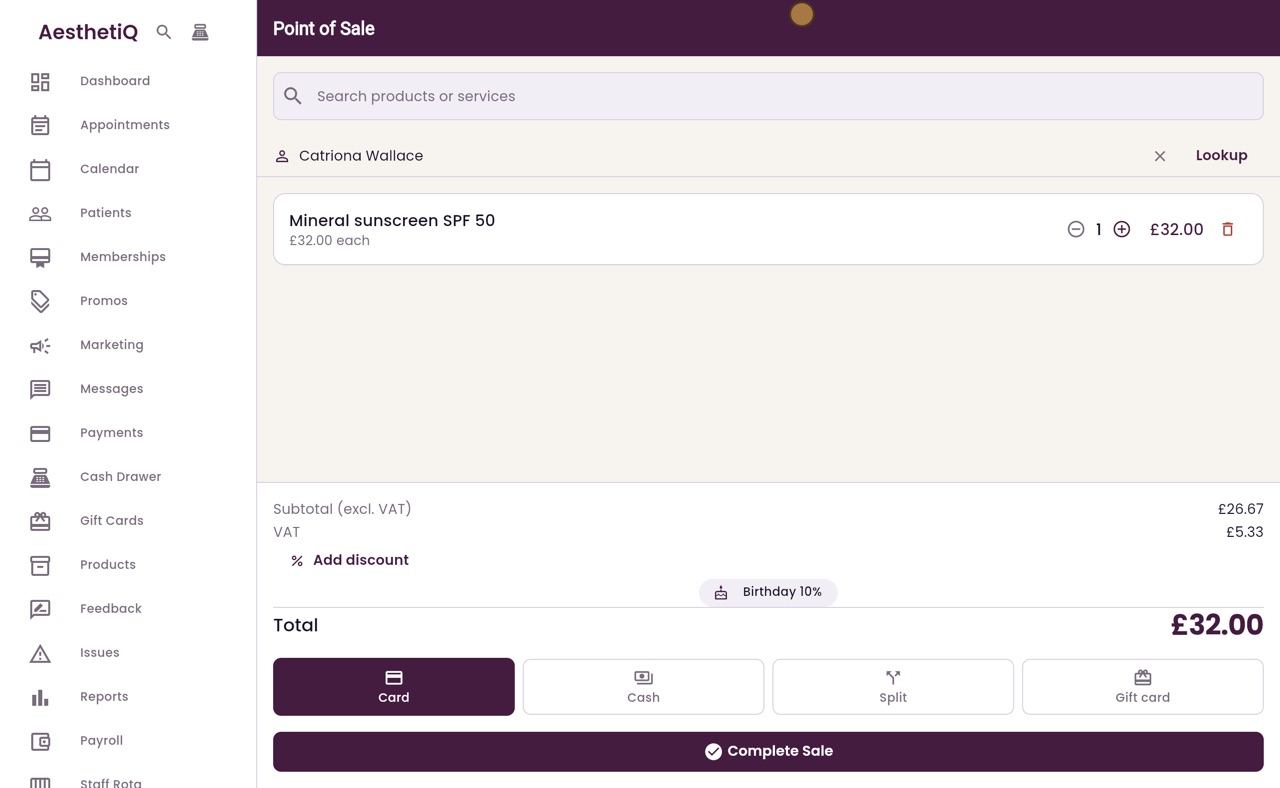
Birthday discount
The discounts follow the patient. Catriona Wallace has her birthday this month. Click Lookup and choose Catriona instead, and Birthday ten percent shows in place of the member discount.
- 06Ryan
Take the payment
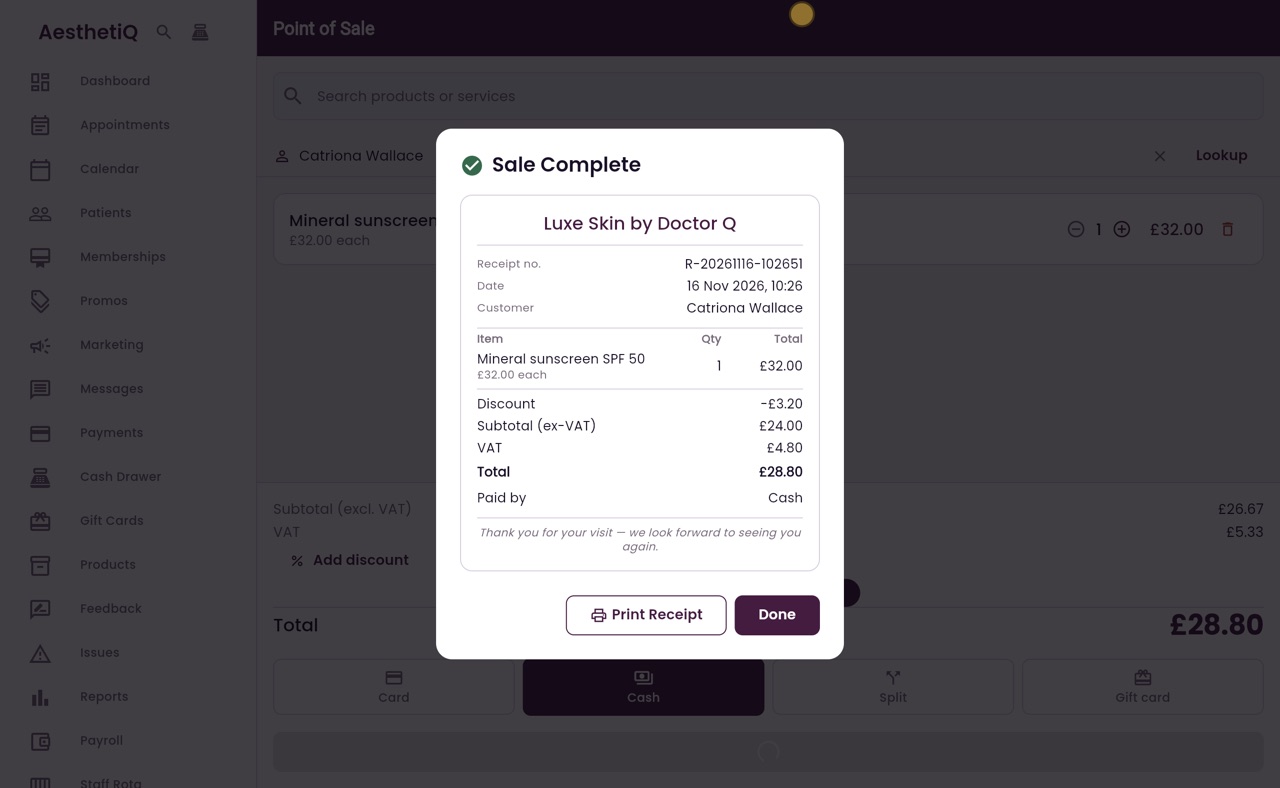
Click Birthday ten percent, and the total drops to twenty eight pounds eighty. Catriona pays in cash, so click Cash, then Complete Sale.
- 07Ryan
The receipt
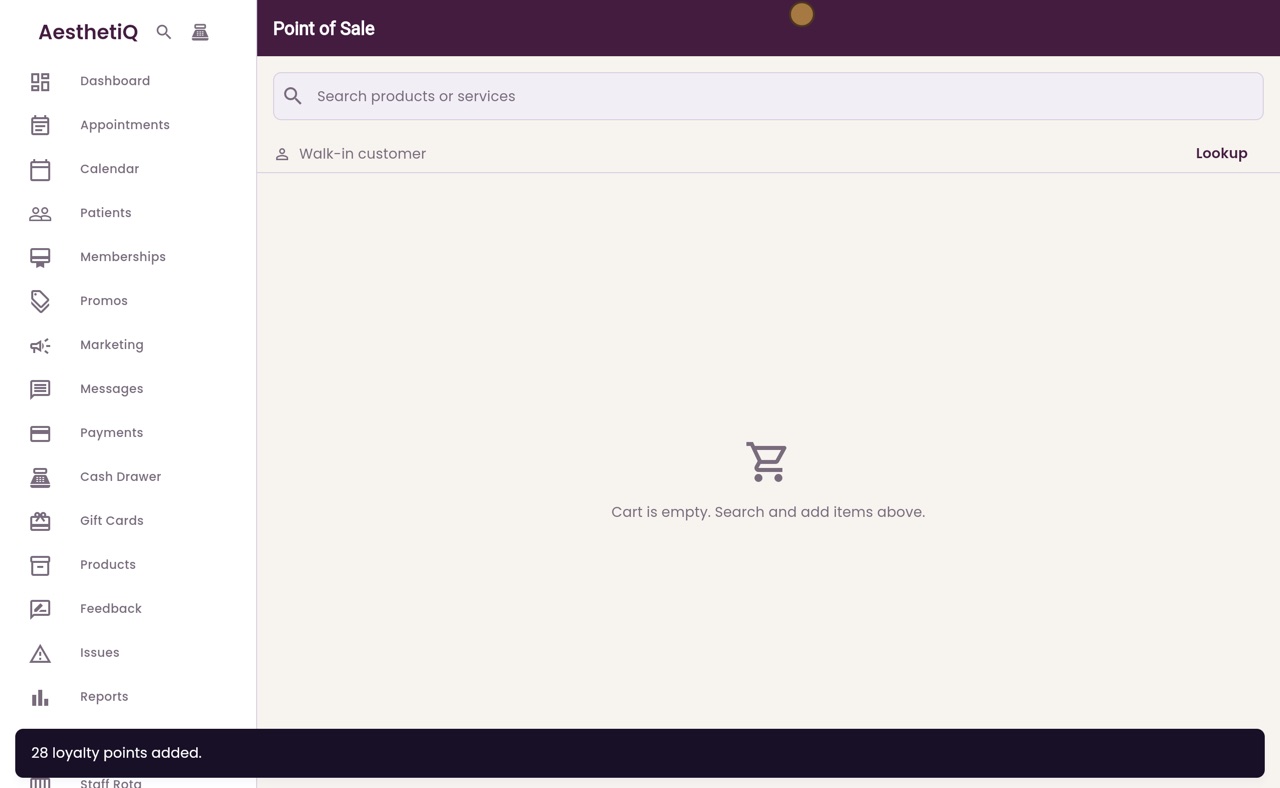
The sale is complete. The receipt shows the birthday discount on its own Discount line, and the VAT on what Catriona paid. Take the cash, and click Done.
- 08Libby
Done
That is member and birthday discounts at the till. The birthday discount can be used once a year.