Refunding a payment
Find the payment in the Payments list, click the refund arrow, give a reason and click Refund.
Where
Payments in the sidebar, the refund arrow at the end of the payment.
Amount
It starts at the whole payment. Change it for a part refund.
After
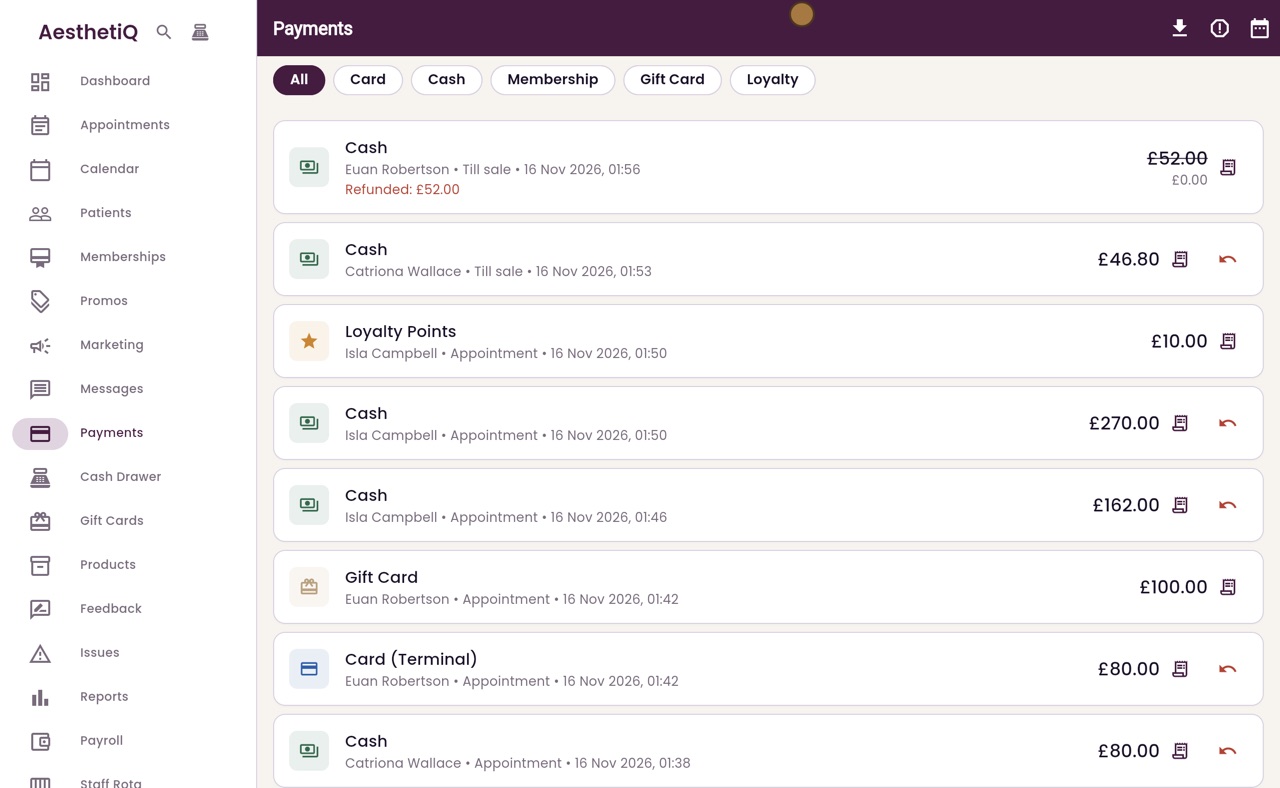
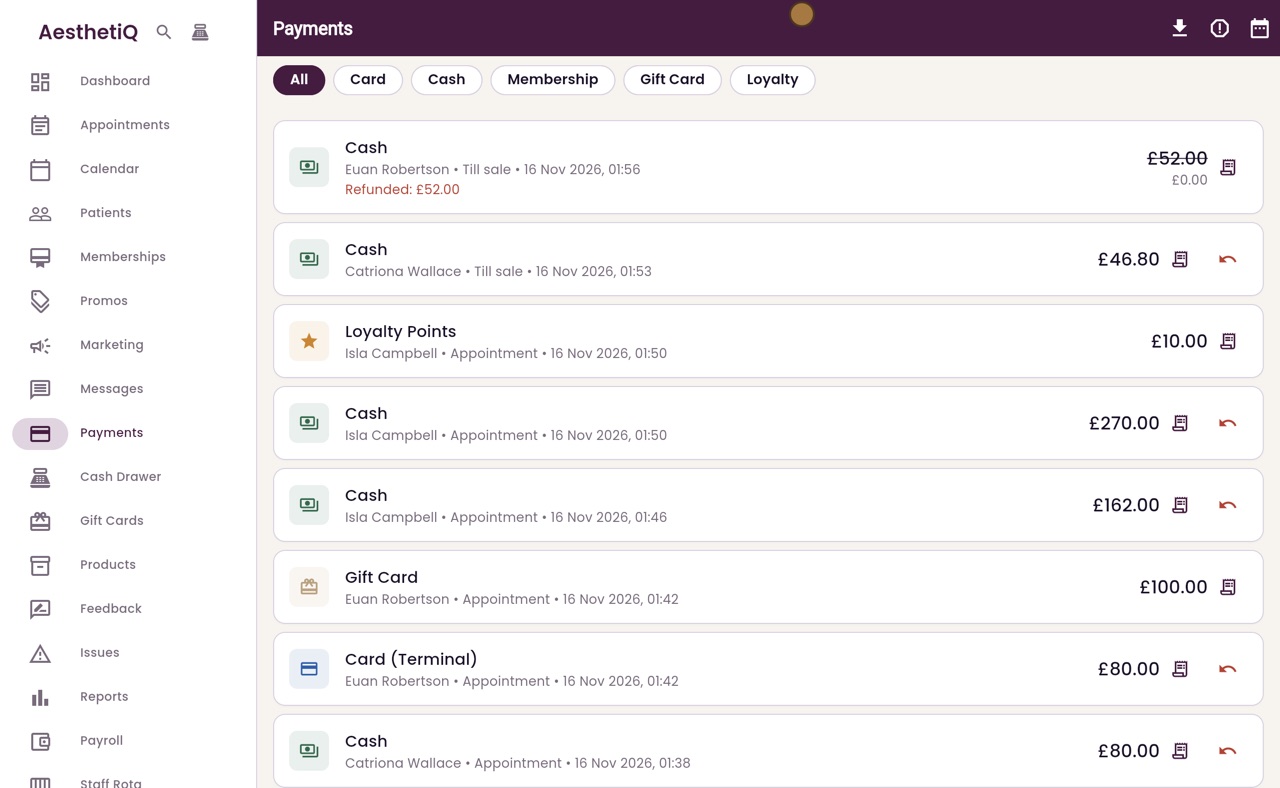
The payment shows Refunded, and any points it earned are taken back.
Step by step
- 01Libby
Refunds
Hi, I am Libby. When a patient brings a product back, or money has to be given back, the manager refunds the payment from the Payments list.
- 02Ryan
The Payments list
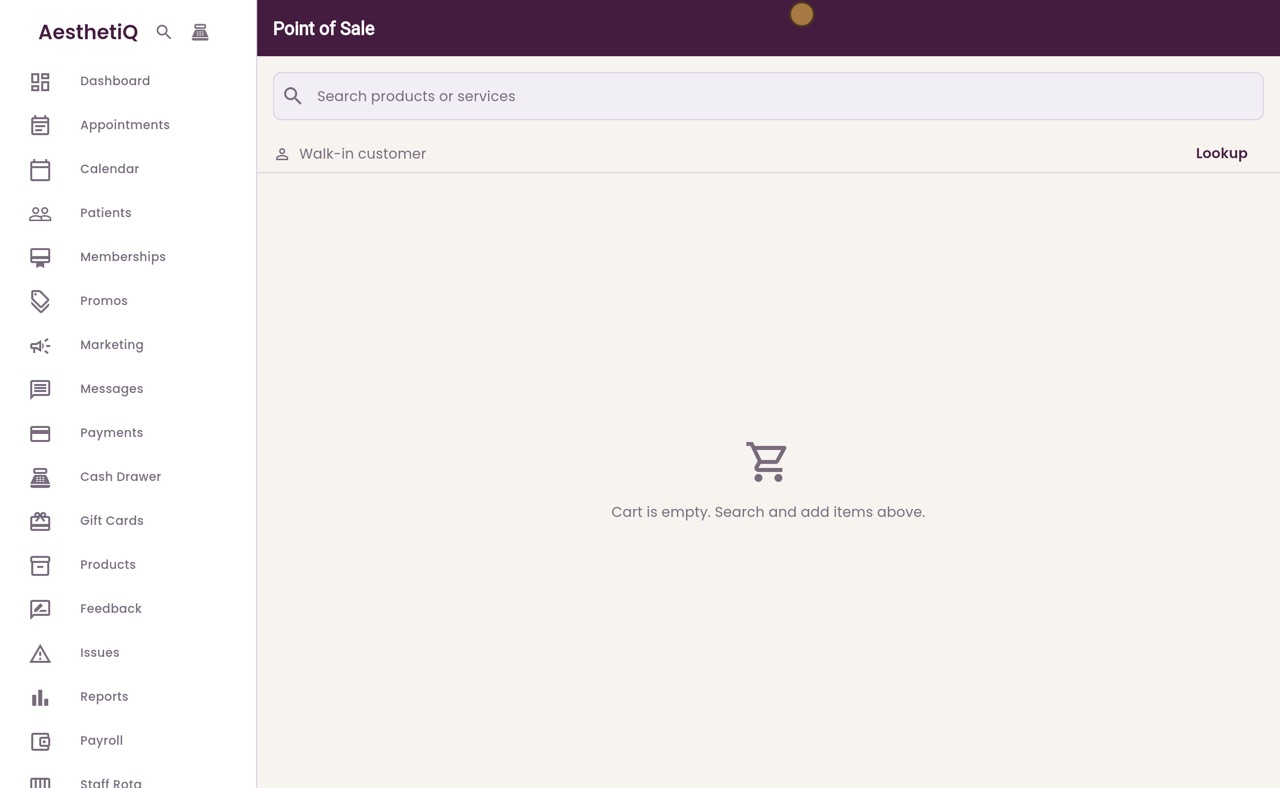
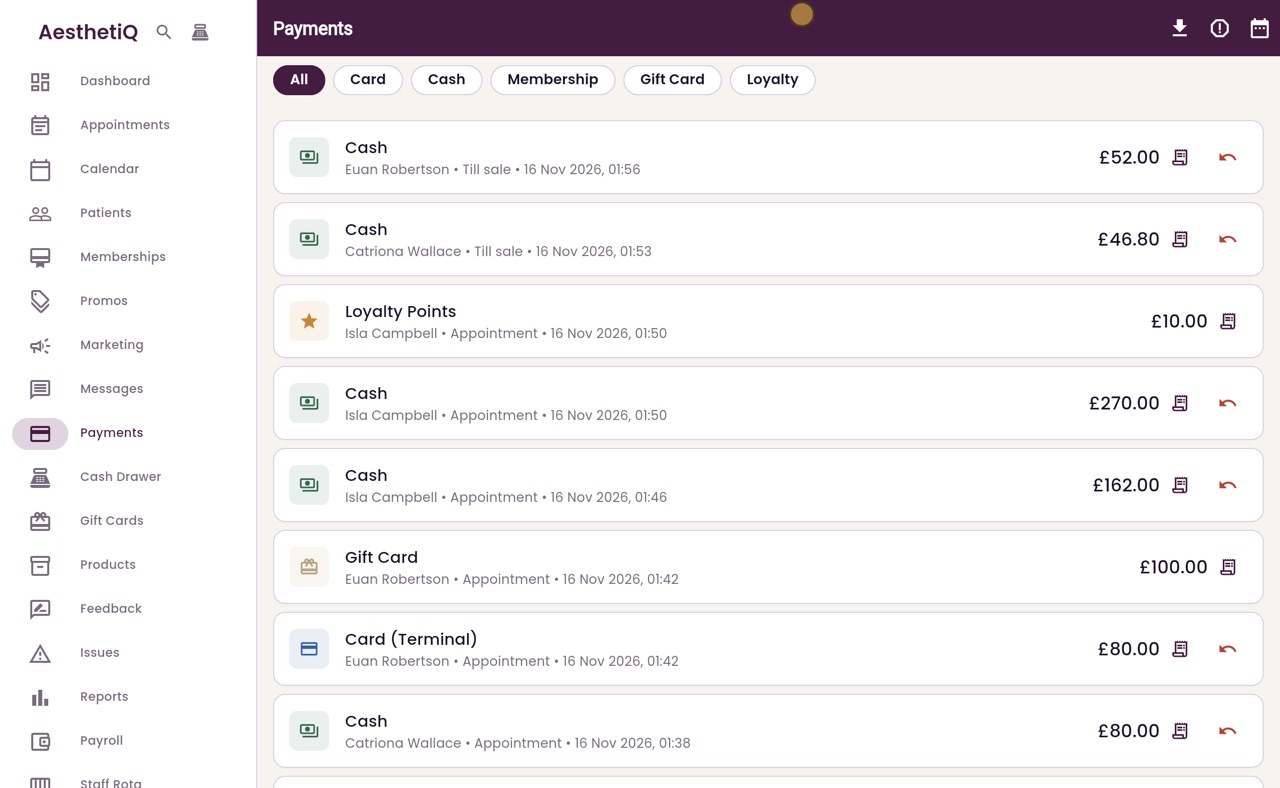
Thanks Libby. Click Payments in the sidebar. The newest payments are at the top. Euan Robertson has brought back the serum he bought earlier today, unopened.
- 03Ryan
The refund arrow
Click the refund arrow at the end of his till sale.
- 04Ryan
Amount and reason
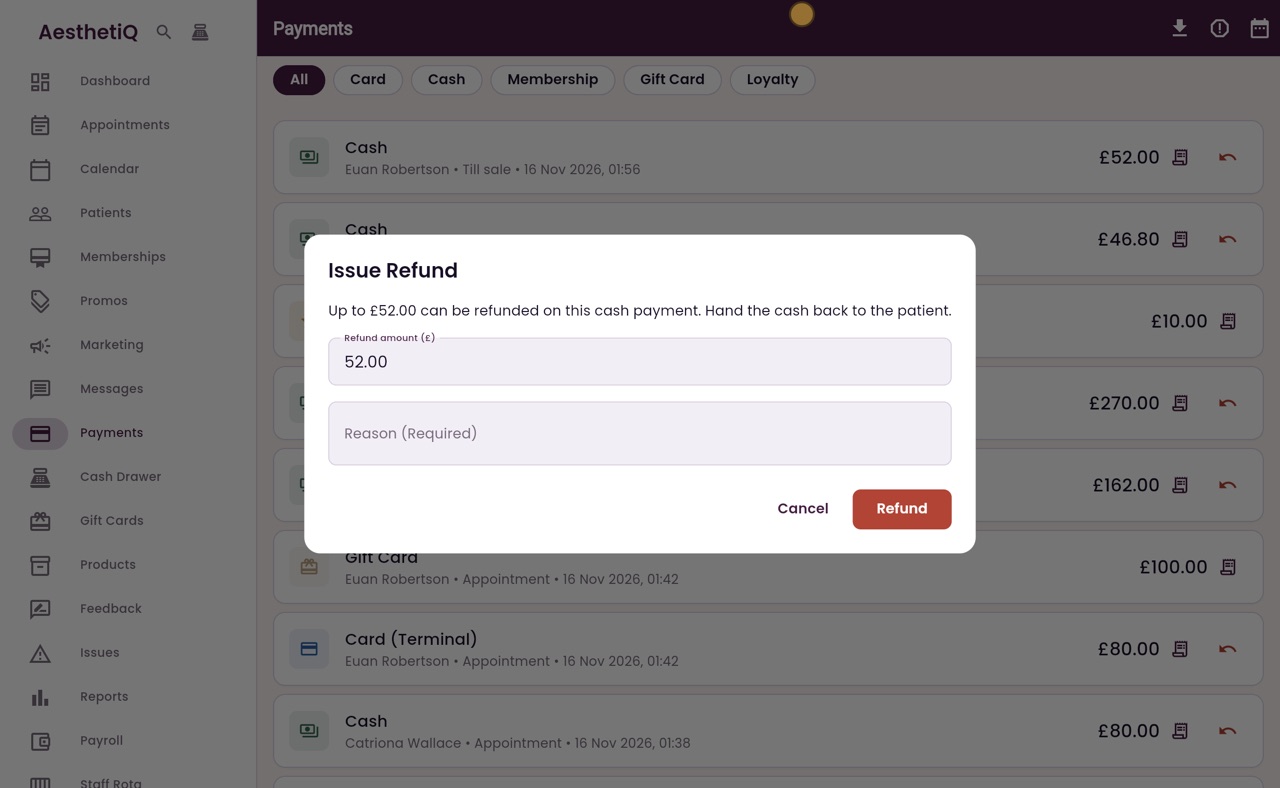
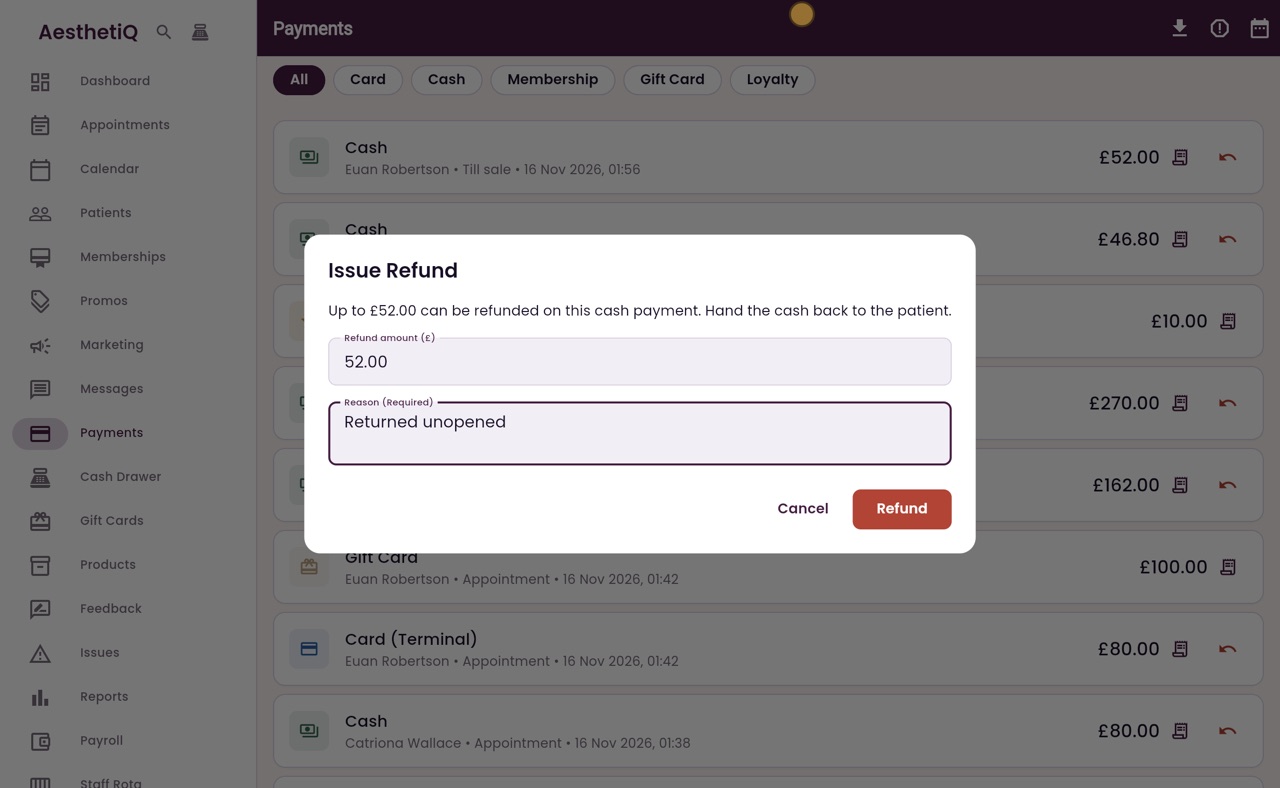
The Issue Refund box says how much can be refunded, and that this was a cash payment, so you hand the cash back. The amount is the whole payment. Type the reason.
- 05Ryan
Refunded
Click Refund. A message confirms it, and the payment now shows Refunded, with the amount crossed out. Hand the cash back to Euan.
- 06Libby
Done
That is refunding a payment. Any loyalty points the sale earned are taken back from the patient.