Selling a prepaid card and the wallet
Sell a prepaid card from the patient's Wallet tab. The credit goes into their wallet, and every change is listed in the history.
Where
The patient's record, then More and Wallet.
Paying
Card opens the card terminal. Cash is taken at the desk.
Correcting
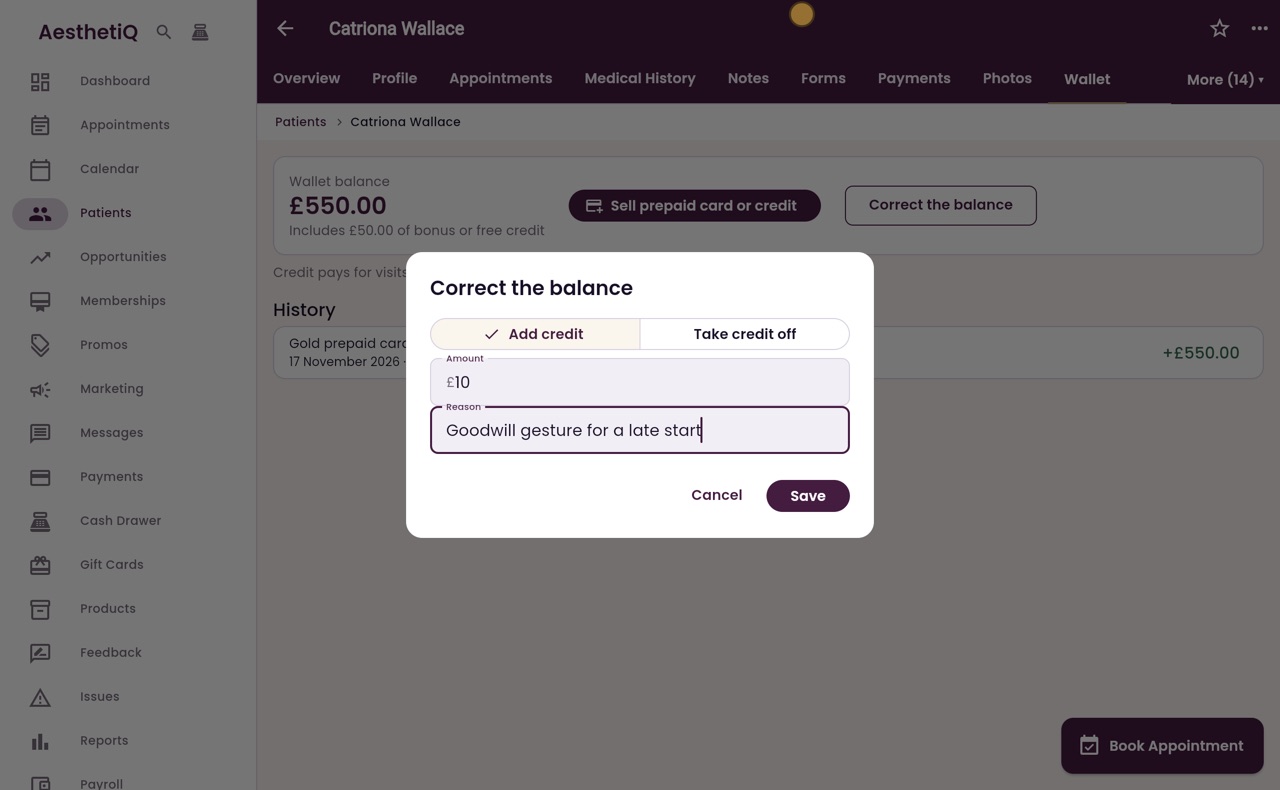
The clinic manager can add credit or take it off with Correct the balance. A reason is always needed.
Step by step
- 01Libby
The wallet
Hi, I am Libby. When a patient buys a prepaid card, reception sells it from the Wallet tab on their record. The credit then pays for visits and till sales.
- 02Ryan
Open the Wallet tab
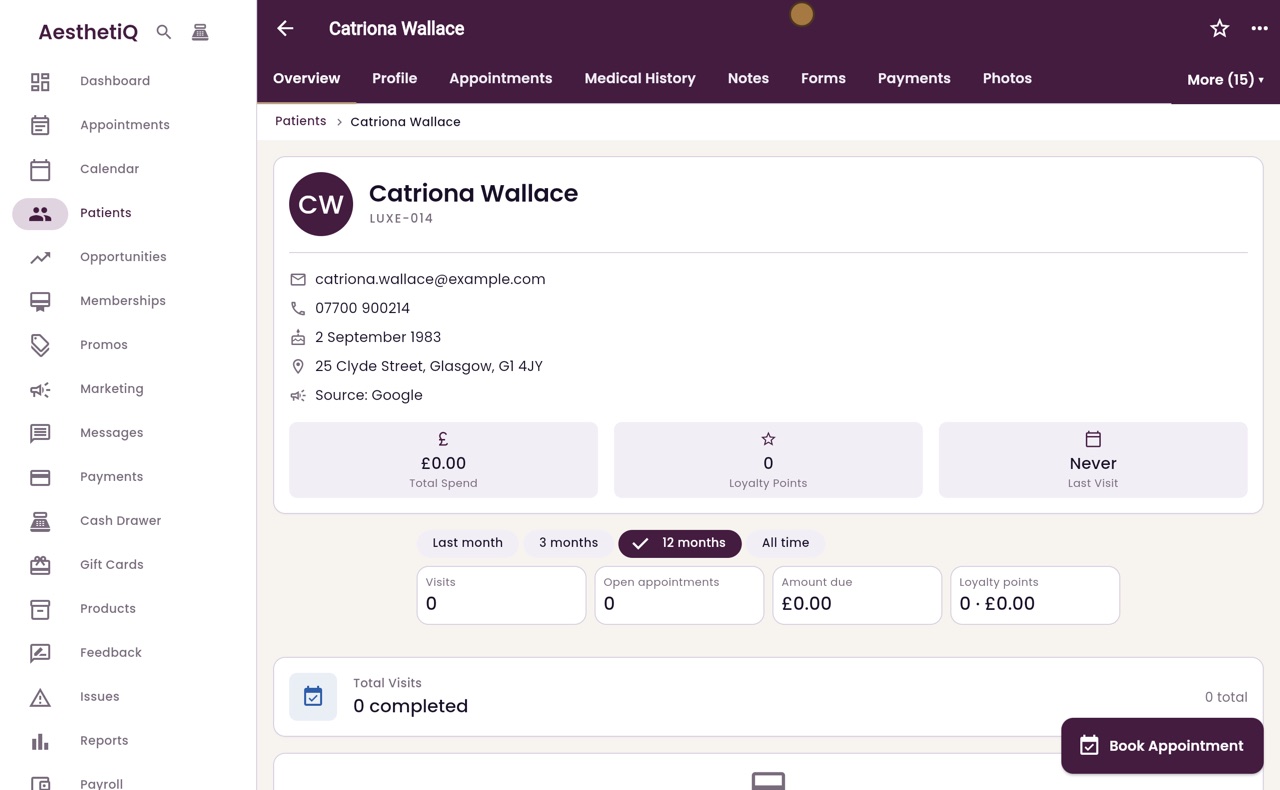
Thanks Libby. Catriona Wallace would like the Gold prepaid card. On her record, click More, then Wallet.
- 03Ryan
Sell a card
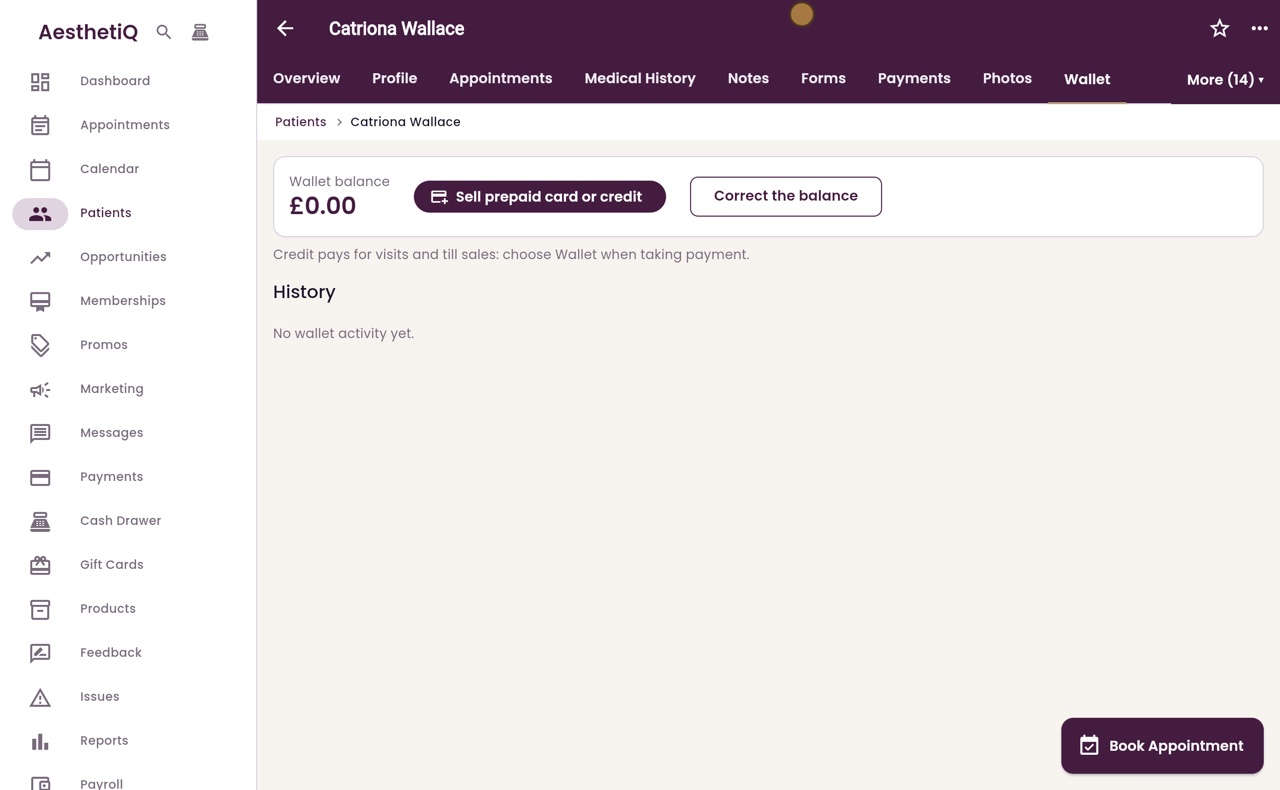
Her wallet balance is zero, and there is no wallet activity yet. Click Sell prepaid card or credit.
- 04Ryan
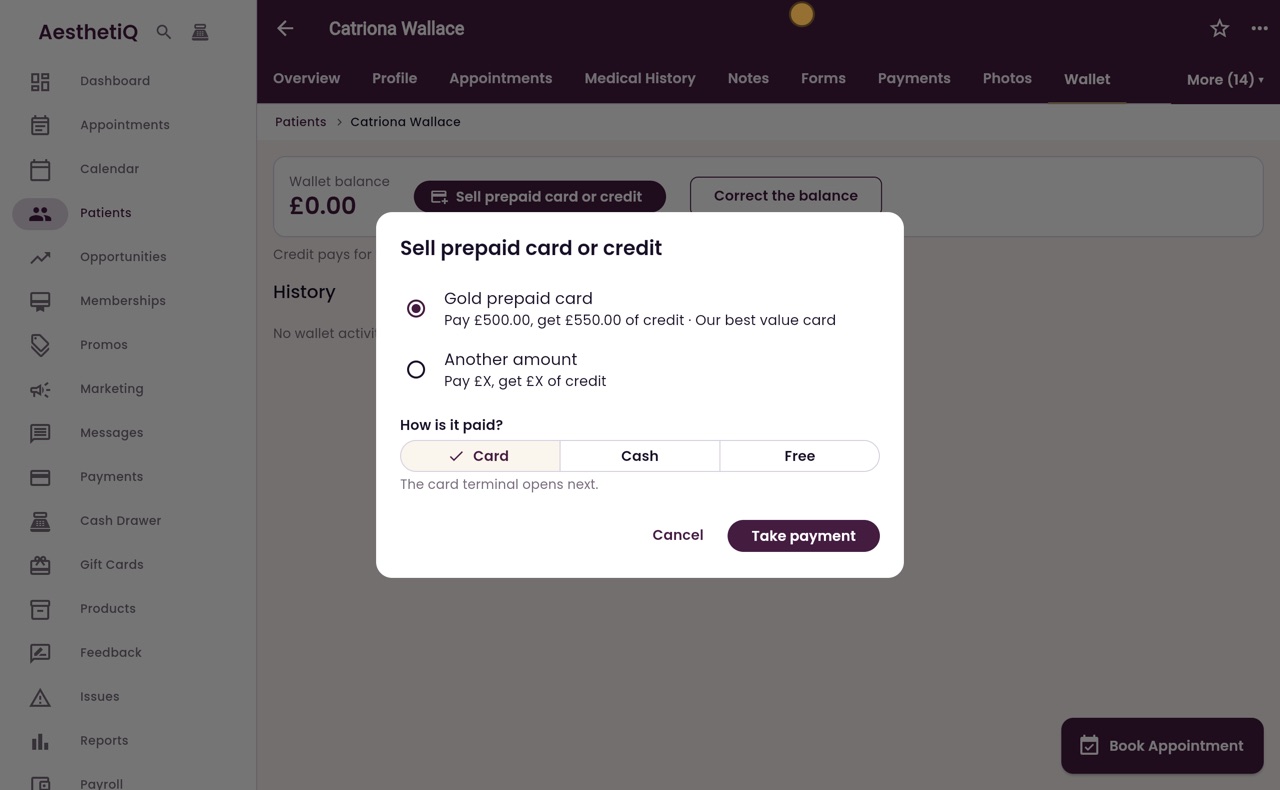
Choose the card
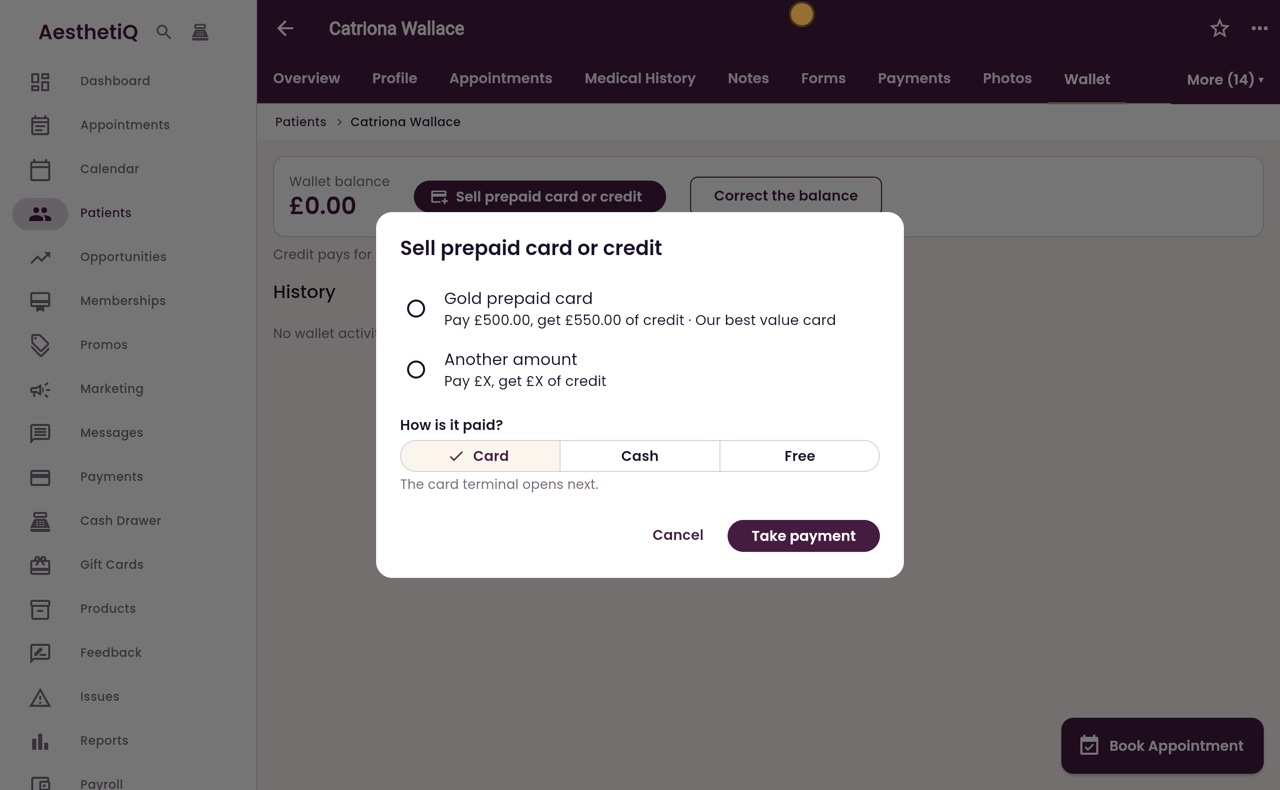
The cards the clinic sells are listed. Choose the Gold prepaid card: pay five hundred pounds, get five hundred and fifty pounds of credit. Another amount sells plain credit, pound for pound.
- 05Ryan
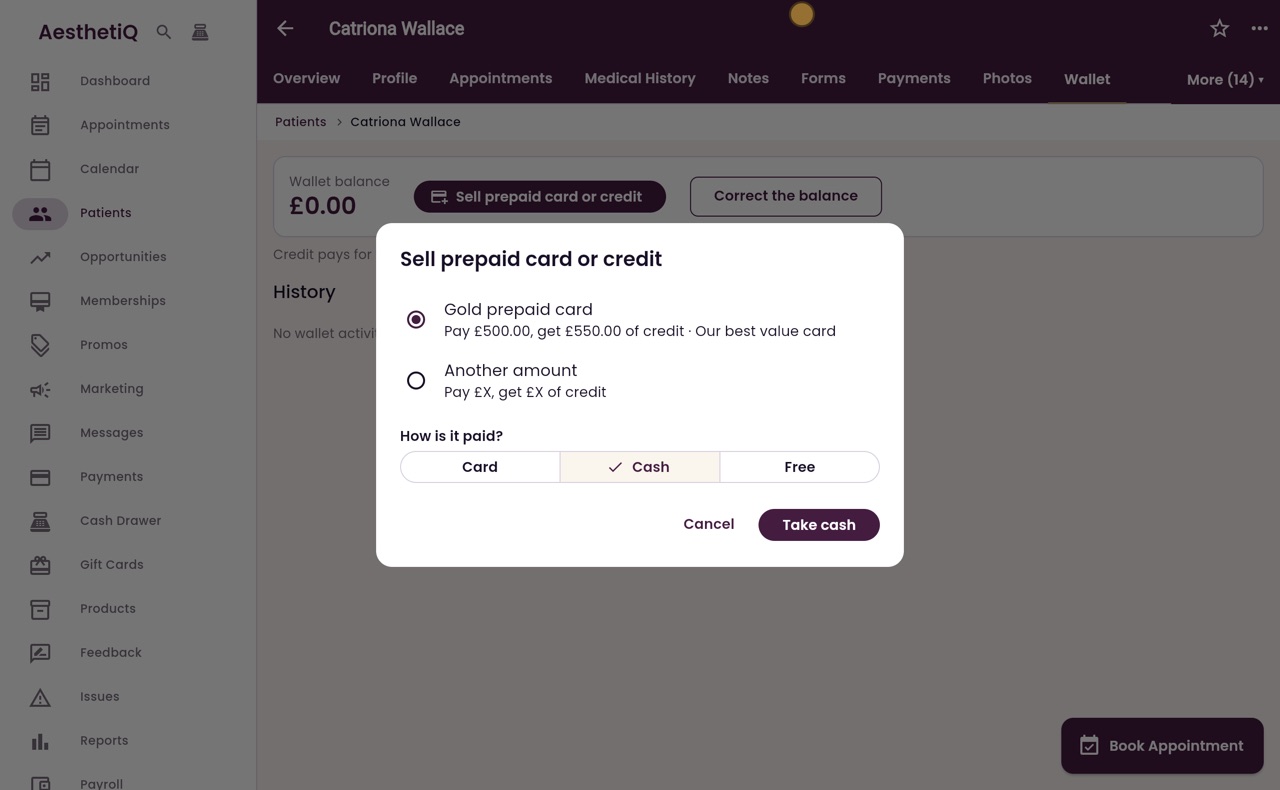
How it is paid
Catriona pays in cash. Under How is it paid, click Cash, and the button changes to Take cash. If she paid by card, the card terminal would open next.
- 06Ryan
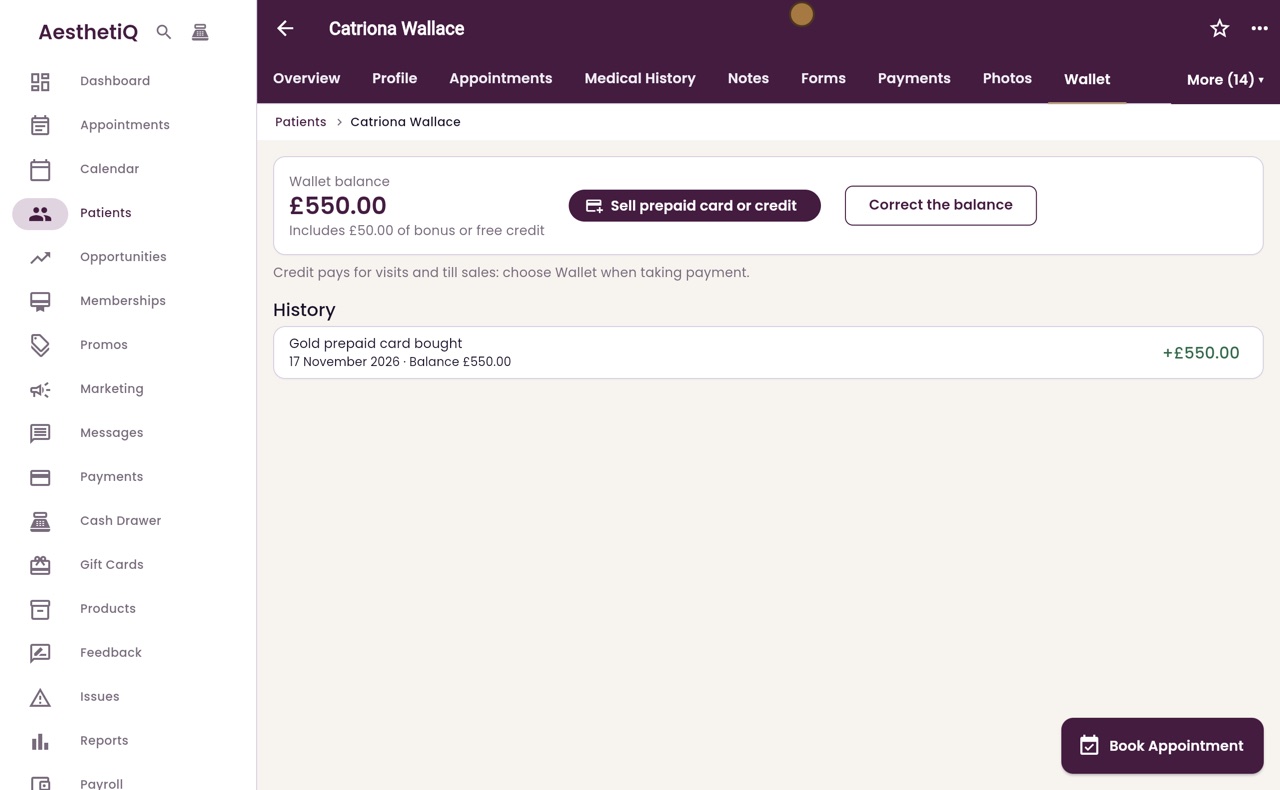
Take cash
Take the five hundred pounds, and click Take cash. A message confirms that five hundred and fifty pounds of credit was added to the wallet.
- 07Ryan
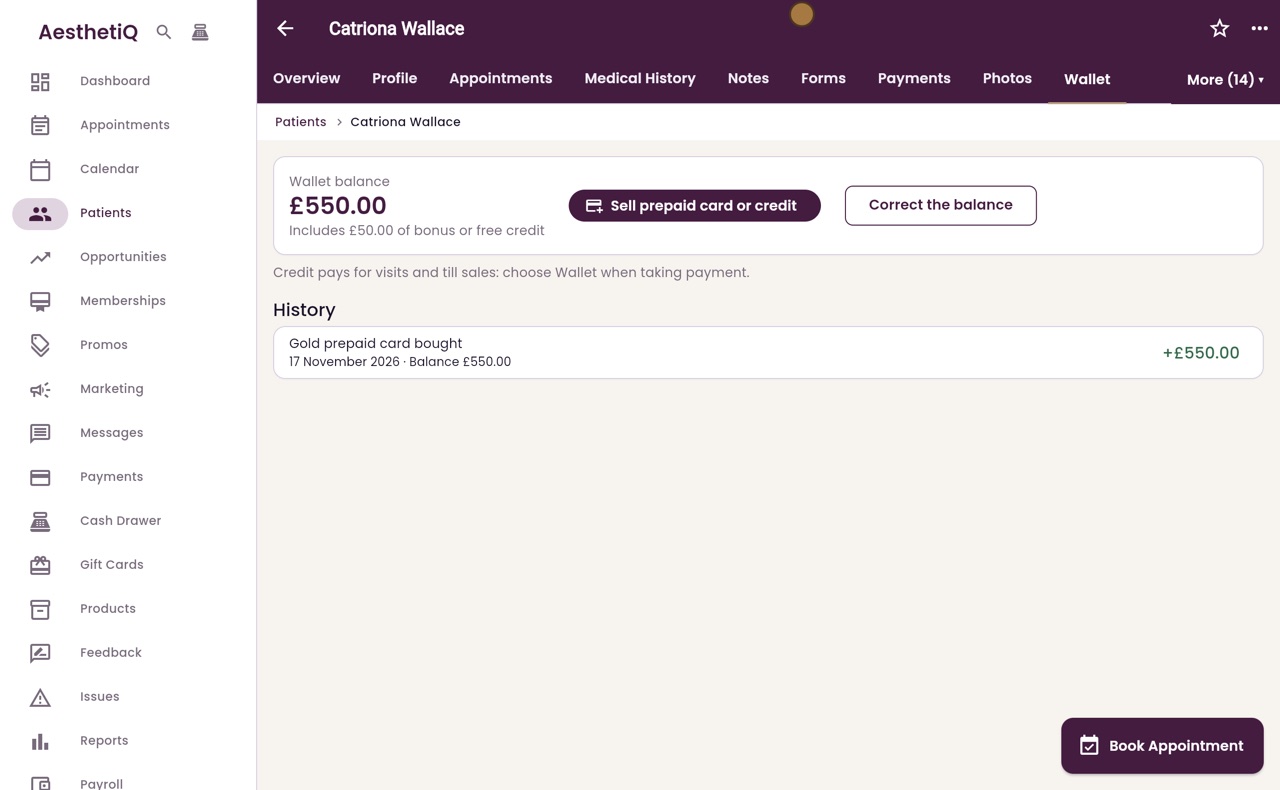
Balance and history
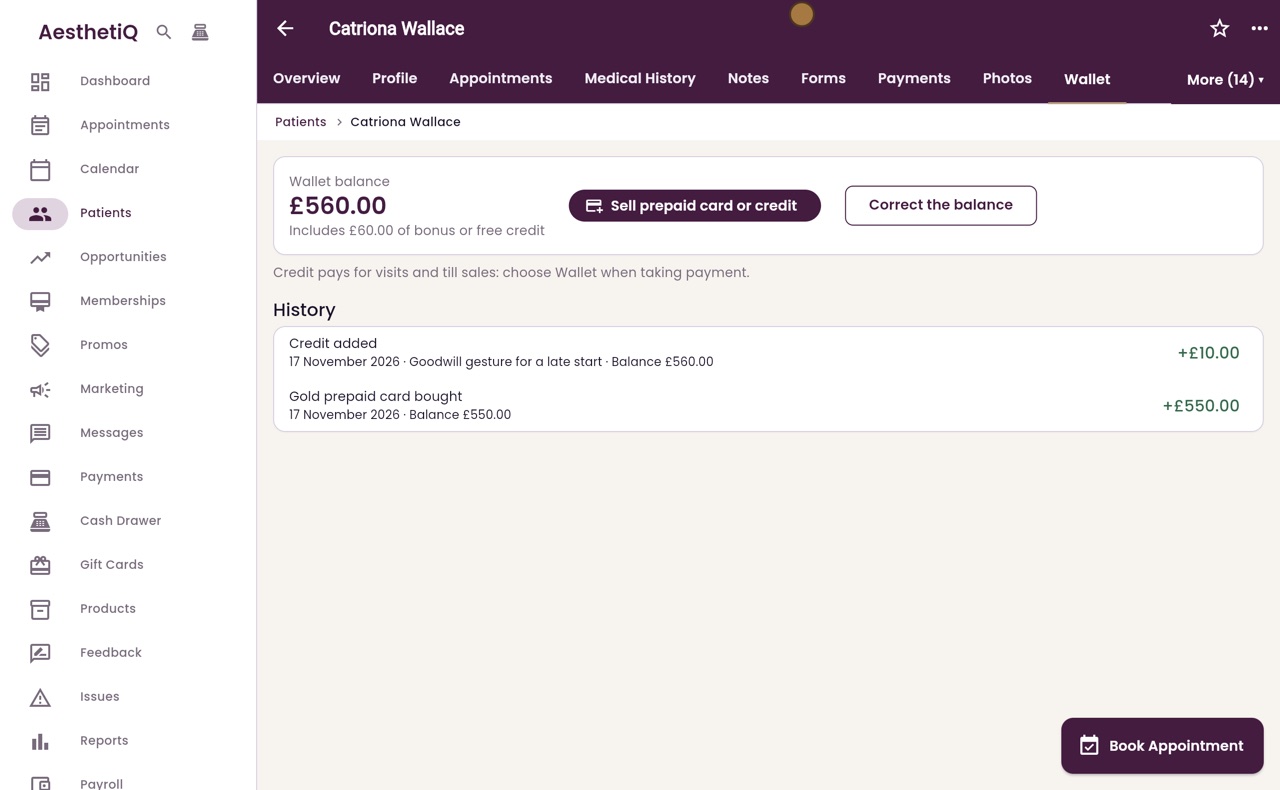
The balance is now five hundred and fifty pounds, including fifty pounds of bonus credit. The history shows the Gold prepaid card bought, and the balance after it.
- 08Ryan
Correct the balance
The clinic manager can also correct the balance. Click Correct the balance. Choose Add credit or Take credit off, then type the amount and a reason. Here, ten pounds of credit is added as a goodwill gesture.
- 09Ryan
Credit added
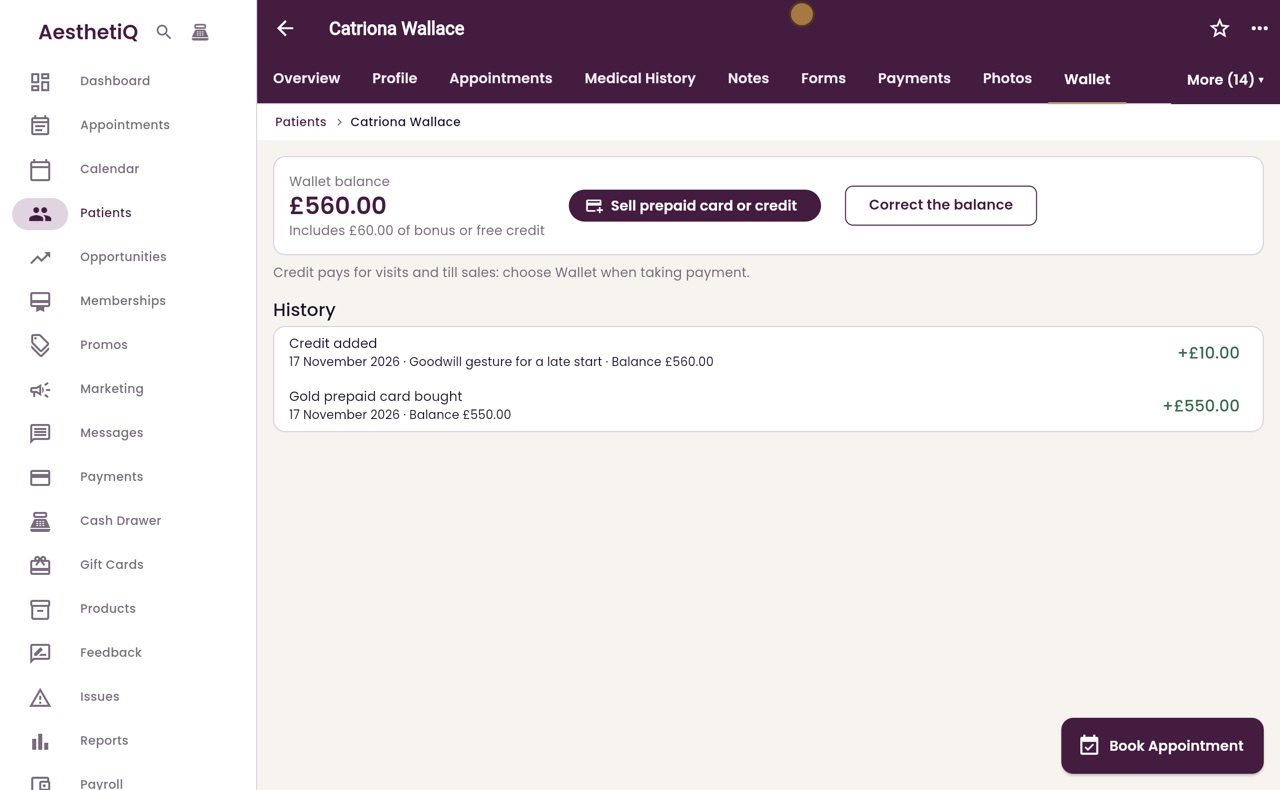
Click Save. The balance goes up to five hundred and sixty pounds, and the history shows Credit added.
- 10Libby
Done
That is selling a prepaid card. When Catriona pays for a visit or buys at the till, choose Wallet when taking payment.