Card disputes (chargebacks)
When a patient's bank disputes a card payment, record it against the payment, attach the evidence you send, and follow it from Open to Evidence sent to Won or Lost.
Where
Payments, then the Card disputes button at the top right.
Who
The clinic manager.
When
As soon as the card provider tells you about a dispute, and before the reply-by date.
Step by step
- 01Libby
What a card dispute is
Hi, I am Libby. A card dispute, or chargeback, is when a patient asks their bank to take back a card payment. Card disputes keeps a record of each one, the evidence you send and how it ends.
- 02Ryan
Open Card disputes
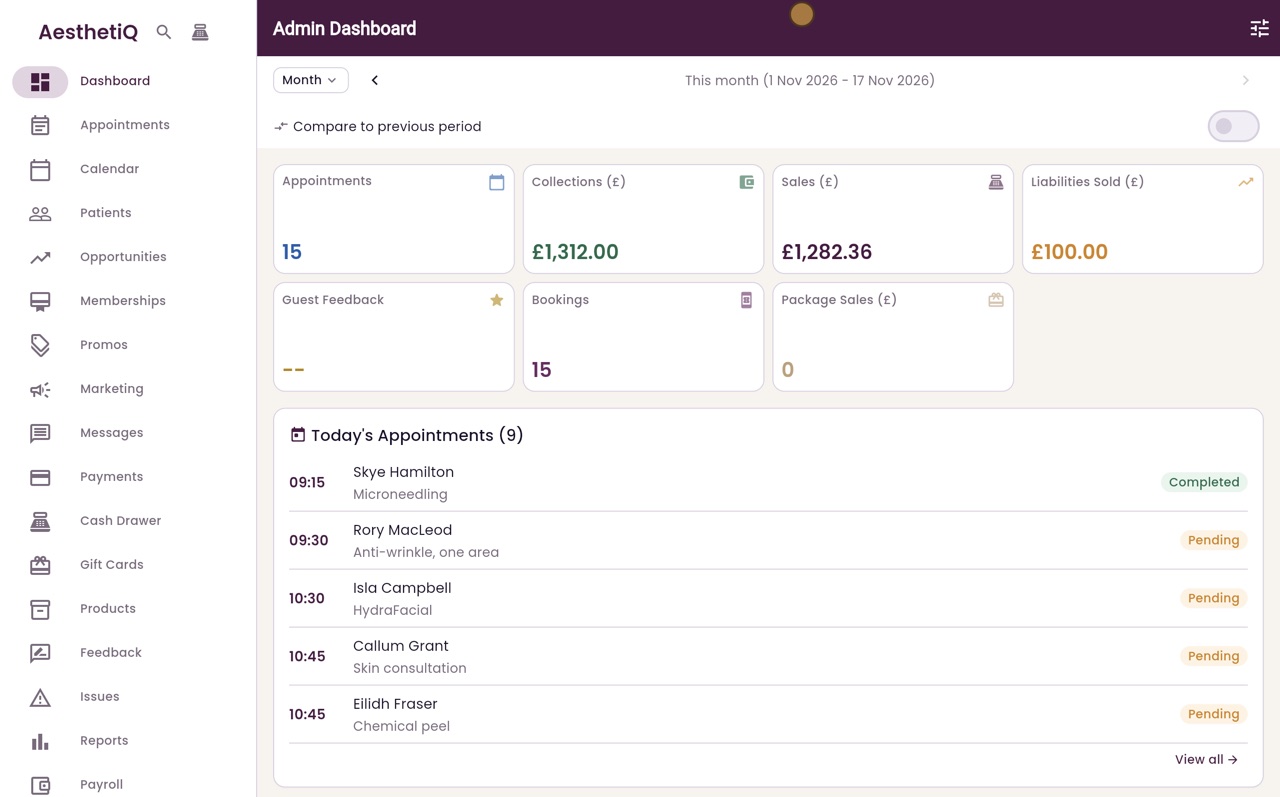
Thanks Libby. Click Payments in the menu, then the Card disputes button at the top right. The figures show disputes in progress and replies that are due. Click Record a dispute.
- 03Ryan
Choose the payment
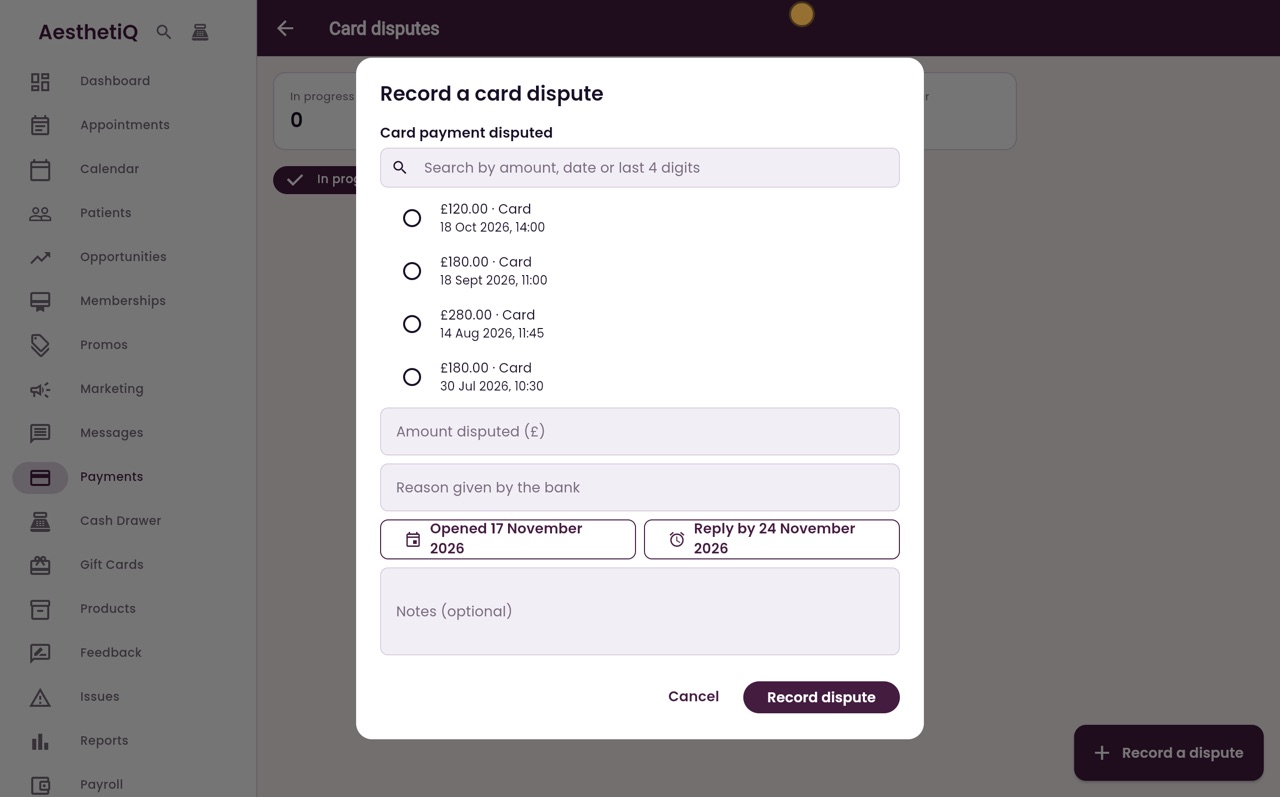
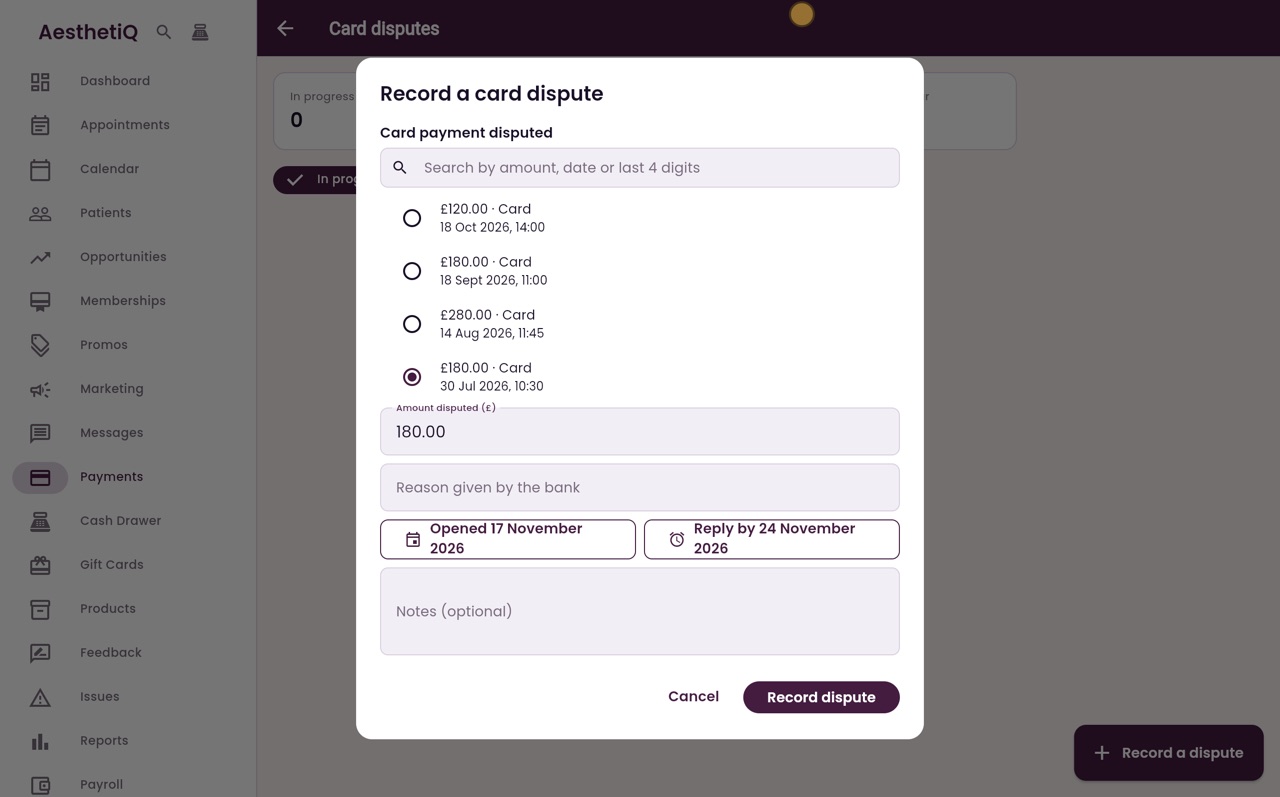
Choose the card payment the bank has disputed. The bank's letter gives the amount and the date: one hundred and eighty pounds, taken on the thirtieth of July. The amount disputed fills in from the payment.
- 04Ryan
Reason and dates
Type the reason given by the bank. The dispute was opened today, and the bank wants a reply by the twenty fourth of November. Add a note if you like, then click Record dispute.
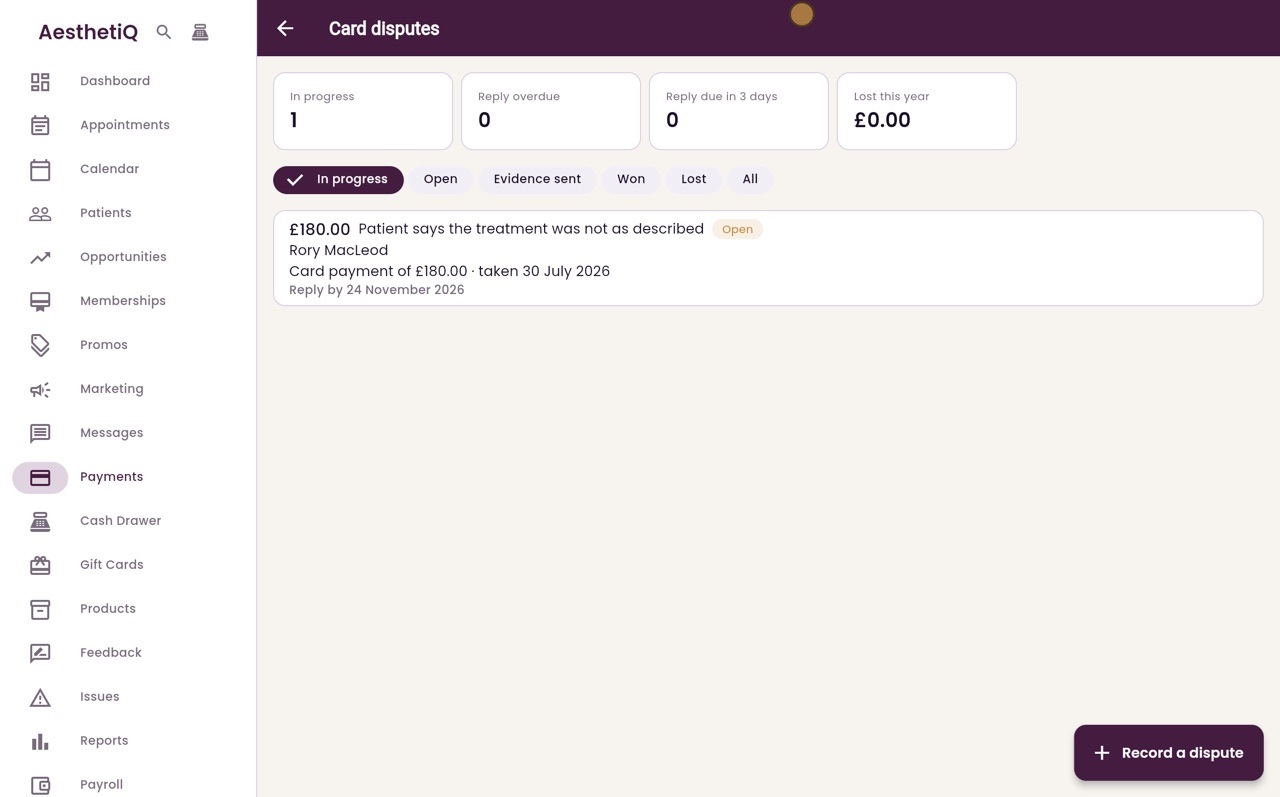
- 05Ryan
The open dispute
The dispute is listed as Open, with the patient's name and the date to reply by. Click it to open it.
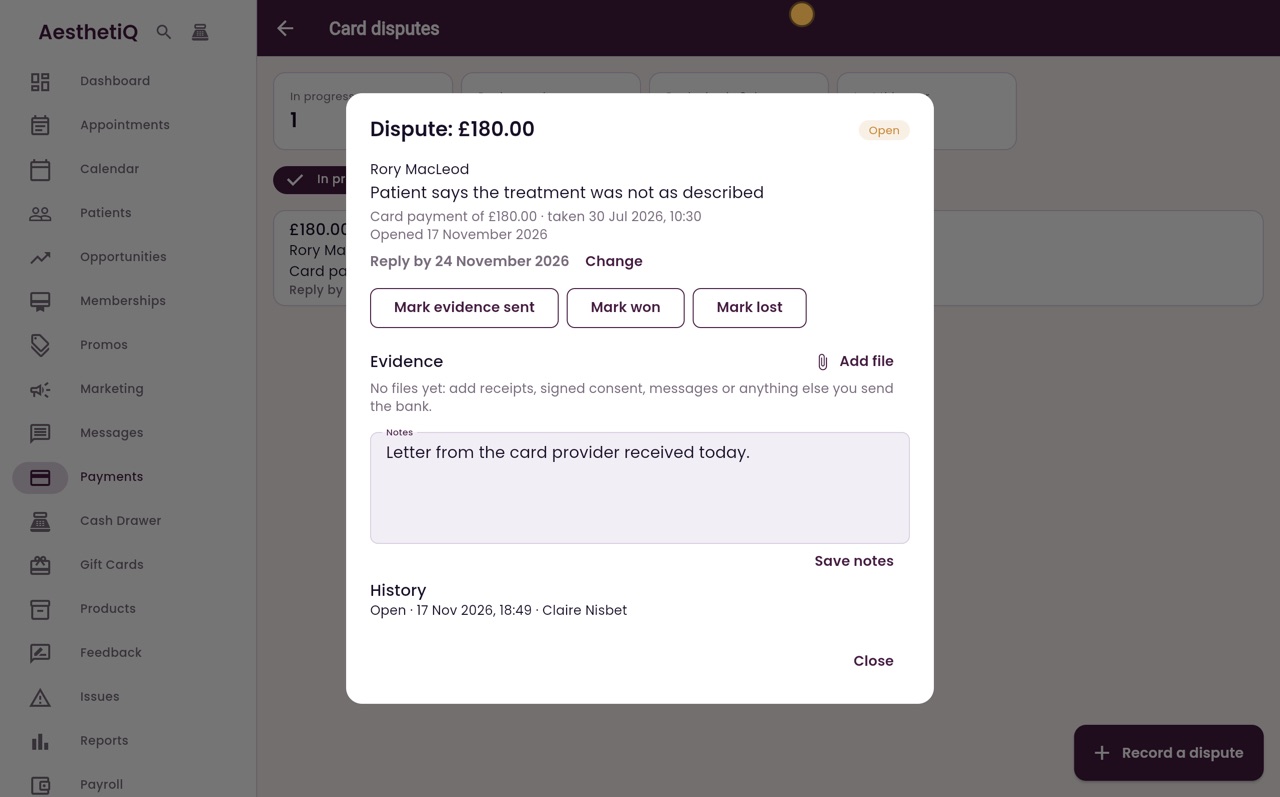
- 06Ryan
Evidence and notes
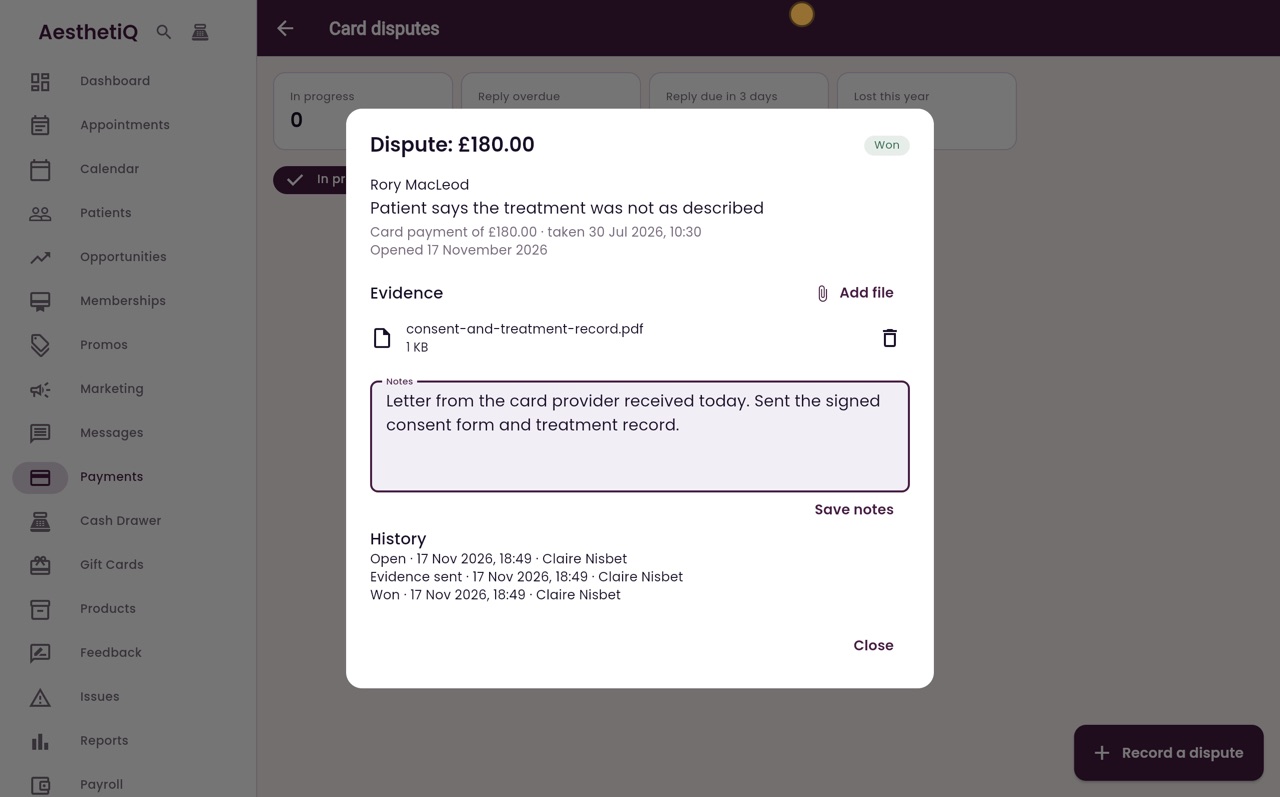
Click Add file to attach your evidence, such as the signed consent form and treatment record. Then write what you sent in the notes, and click Save notes.
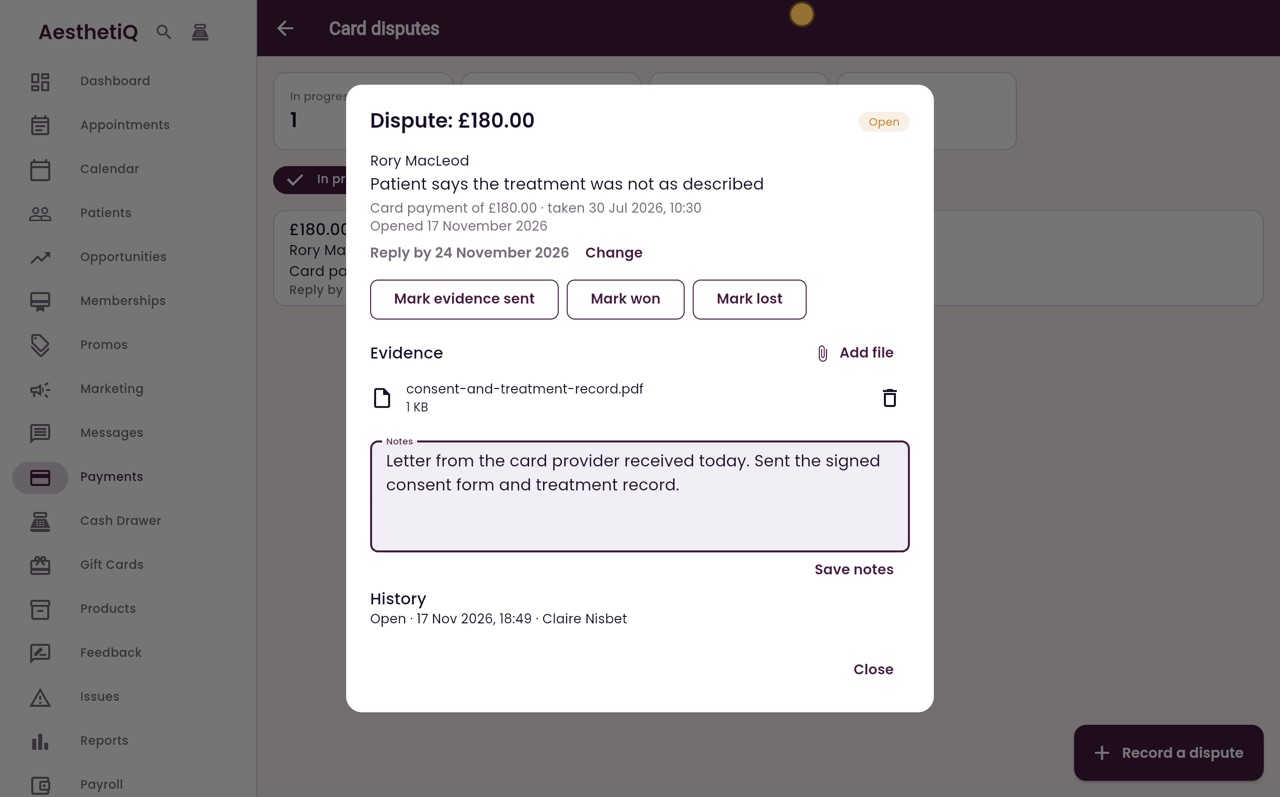
- 07Ryan
Evidence sent
Once the evidence has gone to the card provider, click Mark evidence sent.
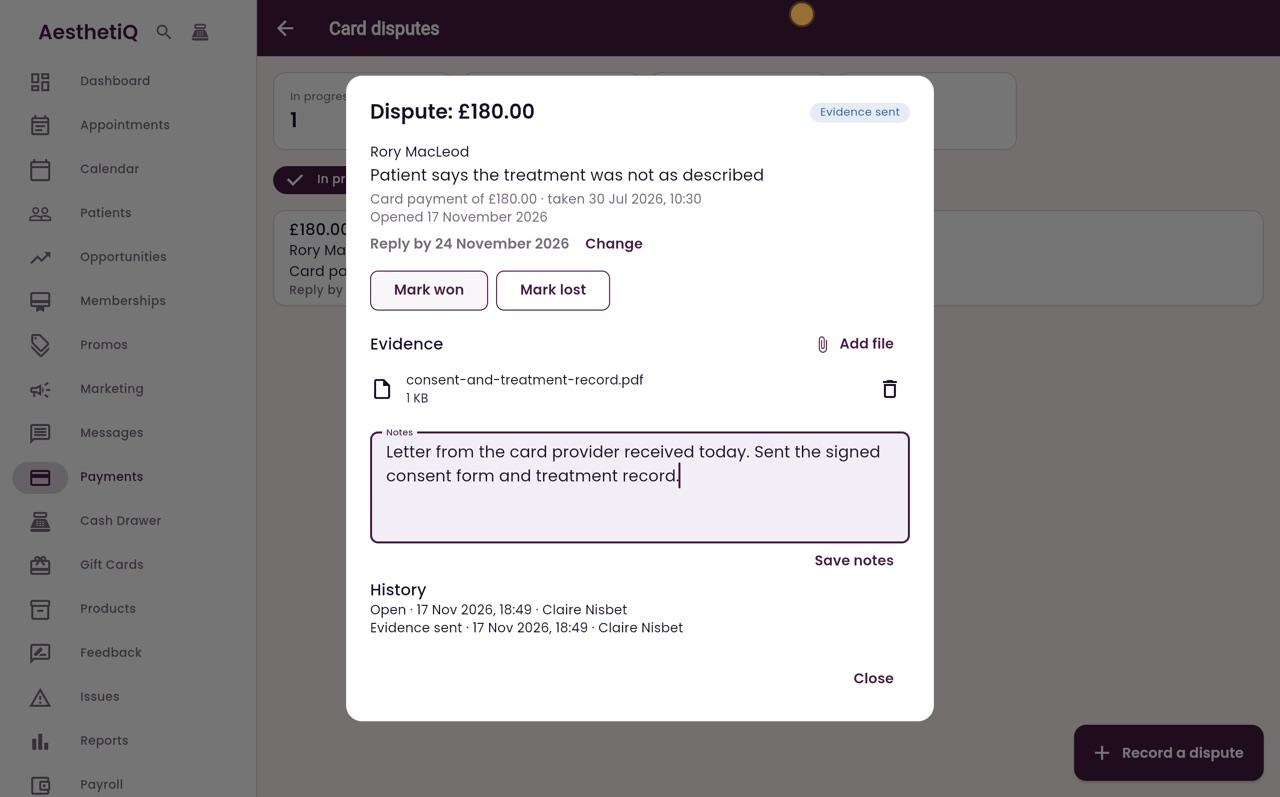
- 08Ryan
Mark the outcome
When the bank decides in the clinic's favour, click Mark won. The history at the bottom shows each step, with the date and who did it.
- 09Ryan
Finished disputes
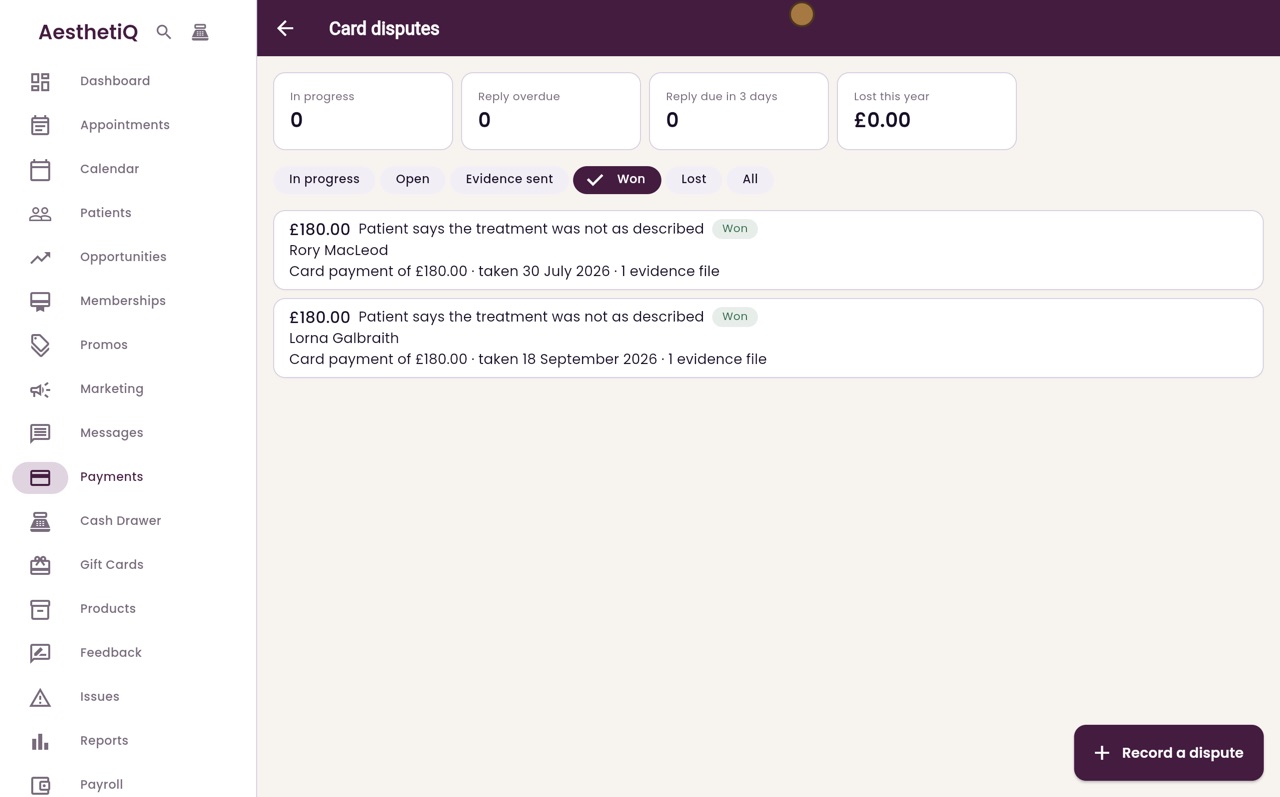
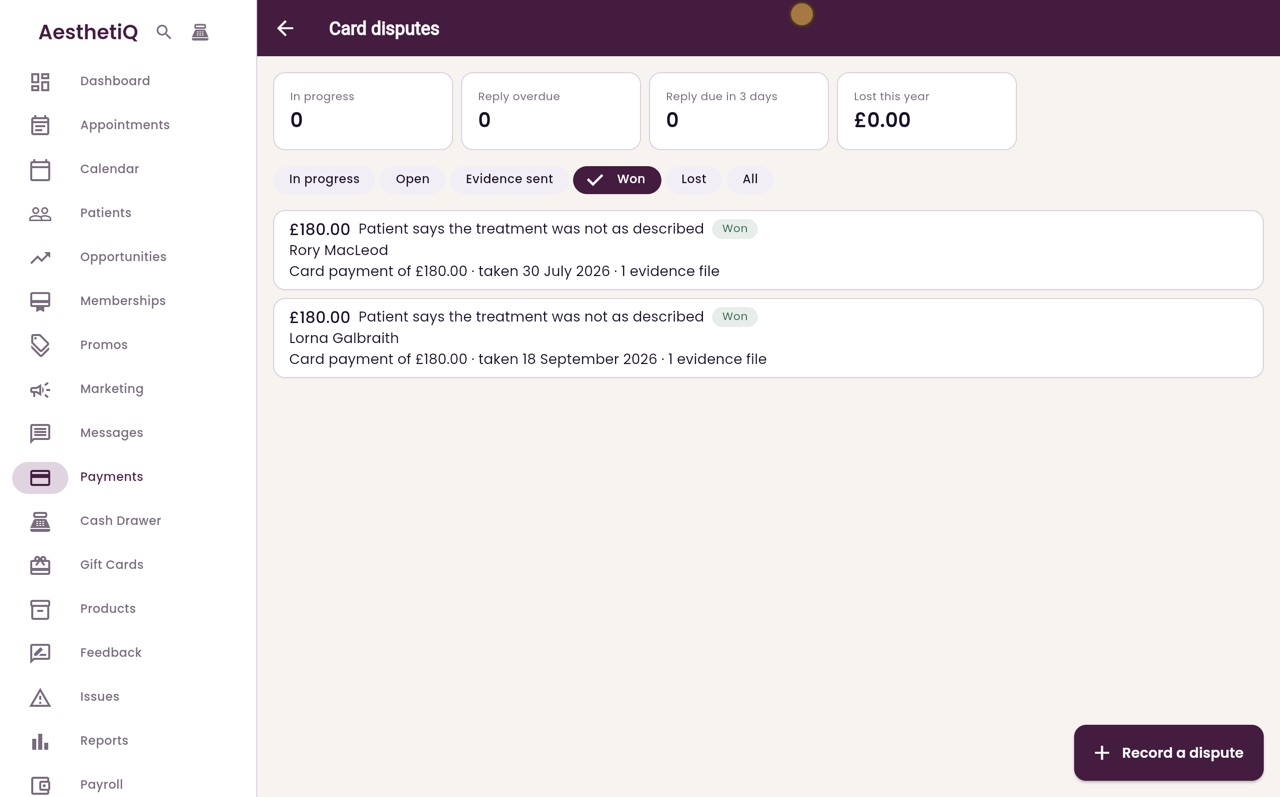
Click Close. A finished dispute leaves the In progress list. Click Won to see it.
- 10Libby
Done
That is card disputes. If the bank decides against the clinic, click Mark lost and enter the money lost. It is counted in the finance report beside refunds.