Using a package session
When a patient has a course of treatments, use one session at checkout. The package covers the treatment.
Where
Calendar, the patient's appointment, then Take Payment.
When
The Payment screen offers the package only when it covers this treatment and has sessions left.
After
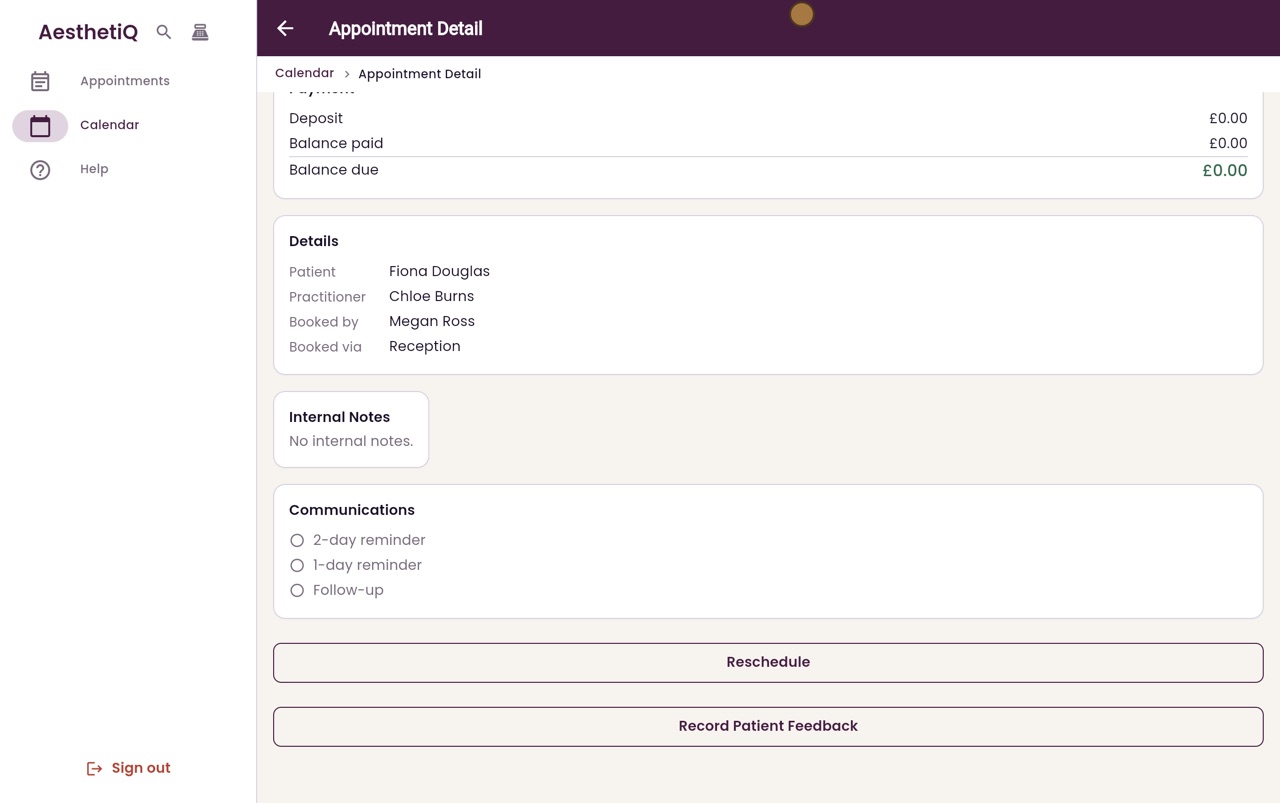
The balance due is zero and the package has one session fewer.
Step by step
- 01Libby
Courses of treatments
Hi, I am Libby. When a patient has bought a course of treatments, each visit uses one session from their package, and there is nothing more to pay.
- 02Ryan
Open the appointment
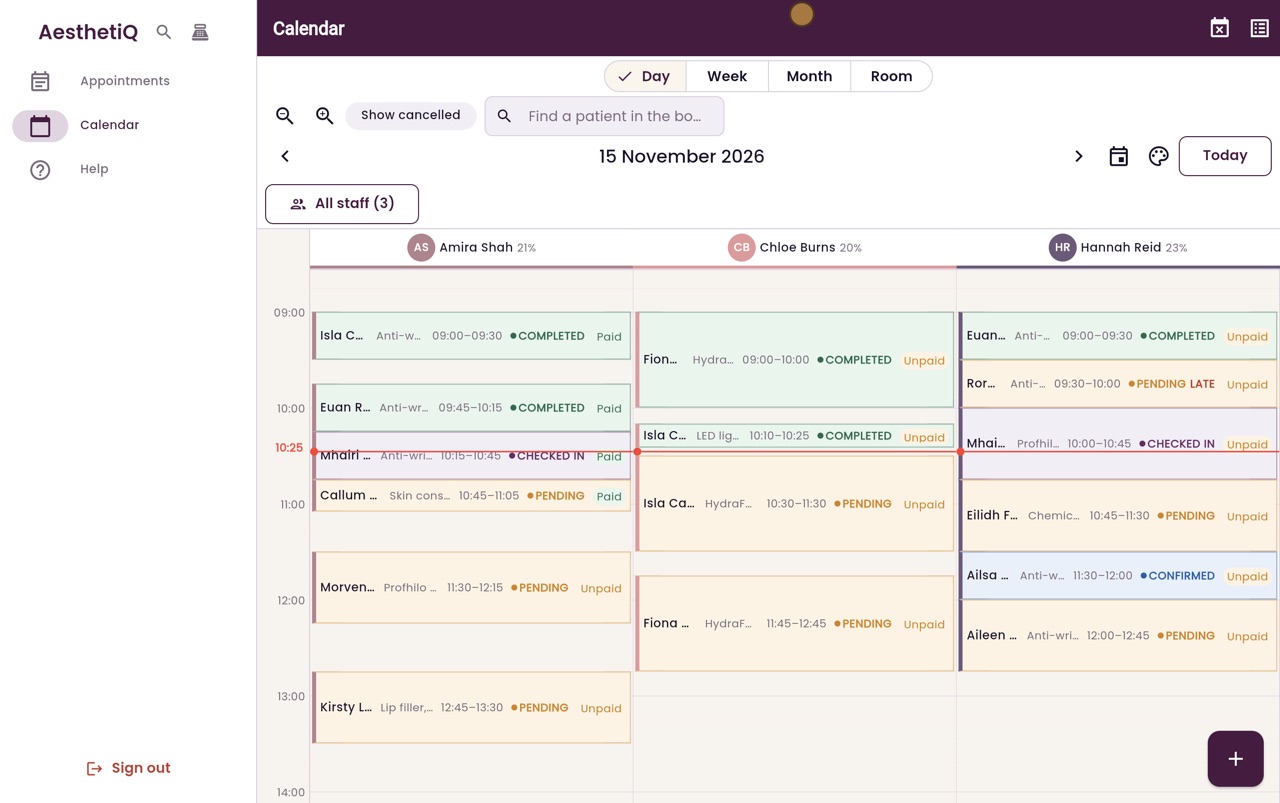
Thanks Libby. Fiona Douglas has just had her HydraFacial with Chloe Burns. She bought a course of three earlier. Click her appointment to open it.
- 03Ryan
Take Payment
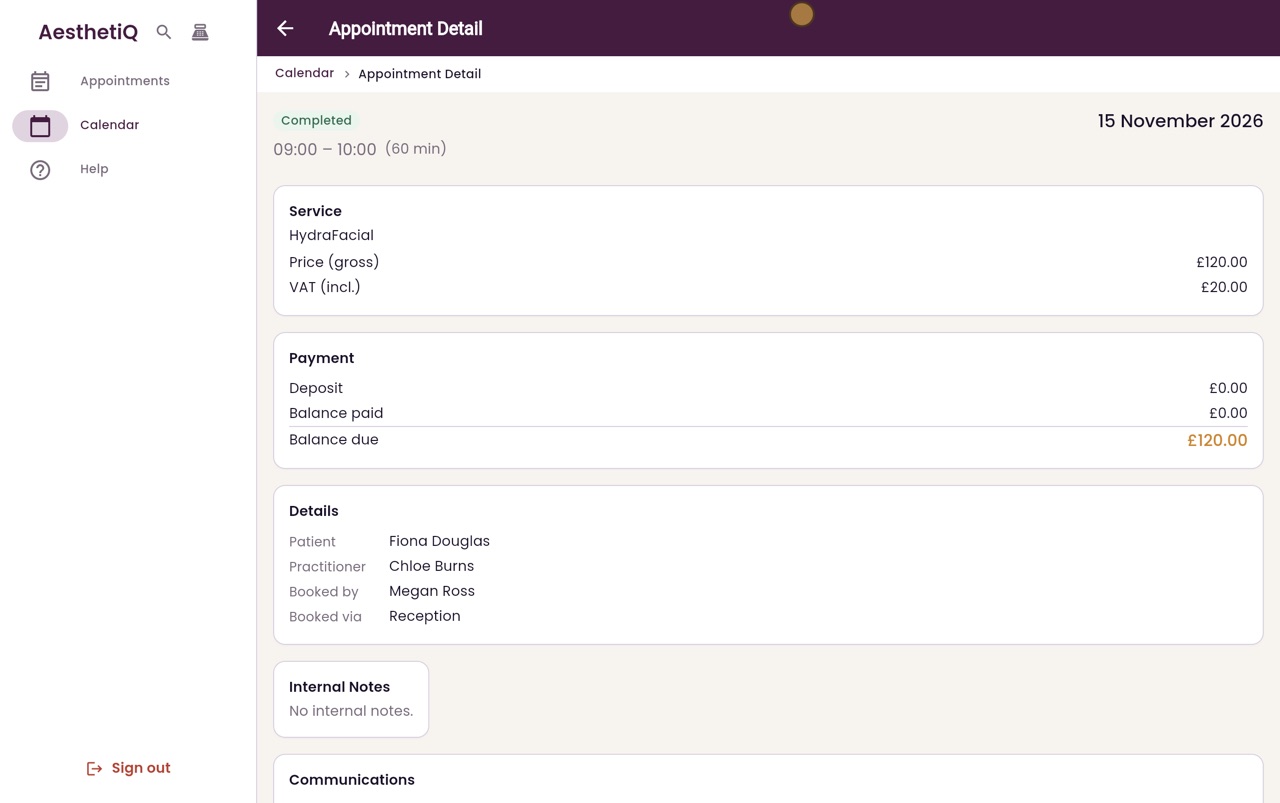
The appointment shows one hundred and twenty pounds to pay. Scroll down and click Take Payment.
- 04Ryan
Use a session
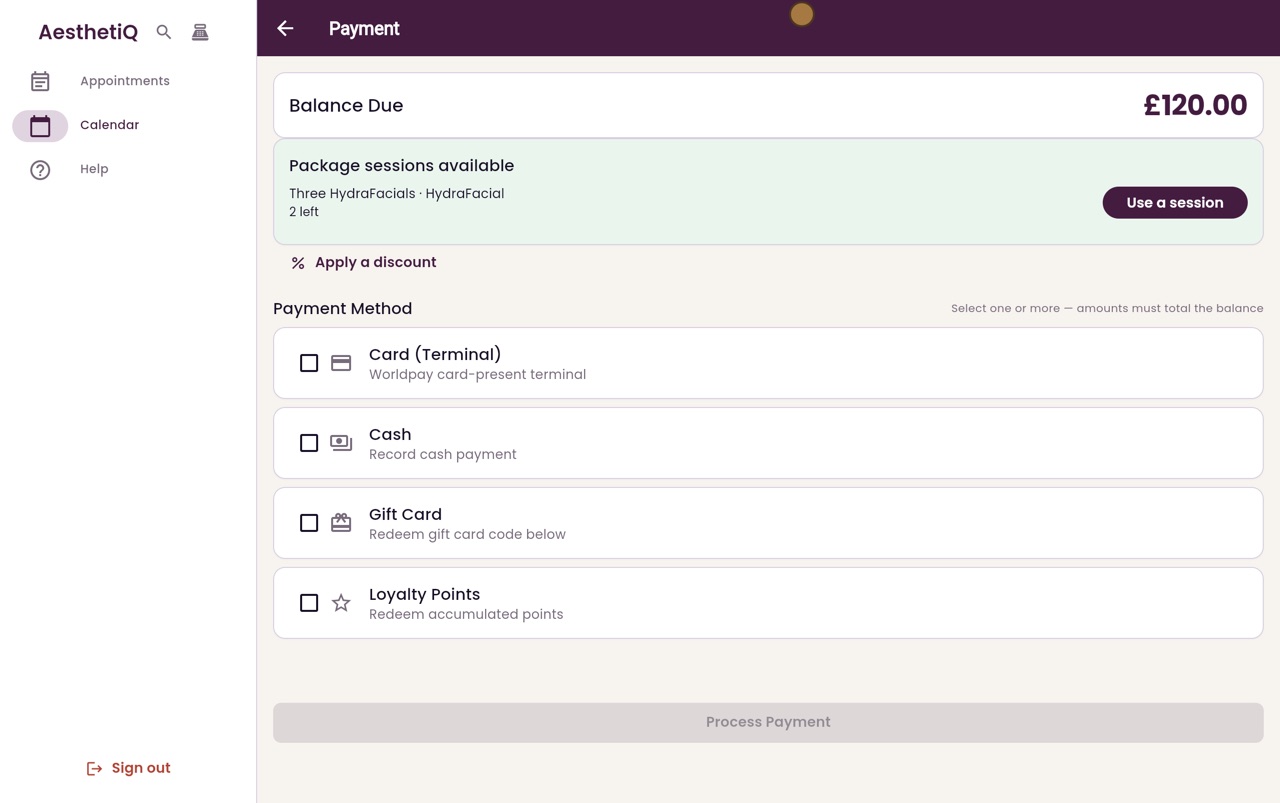
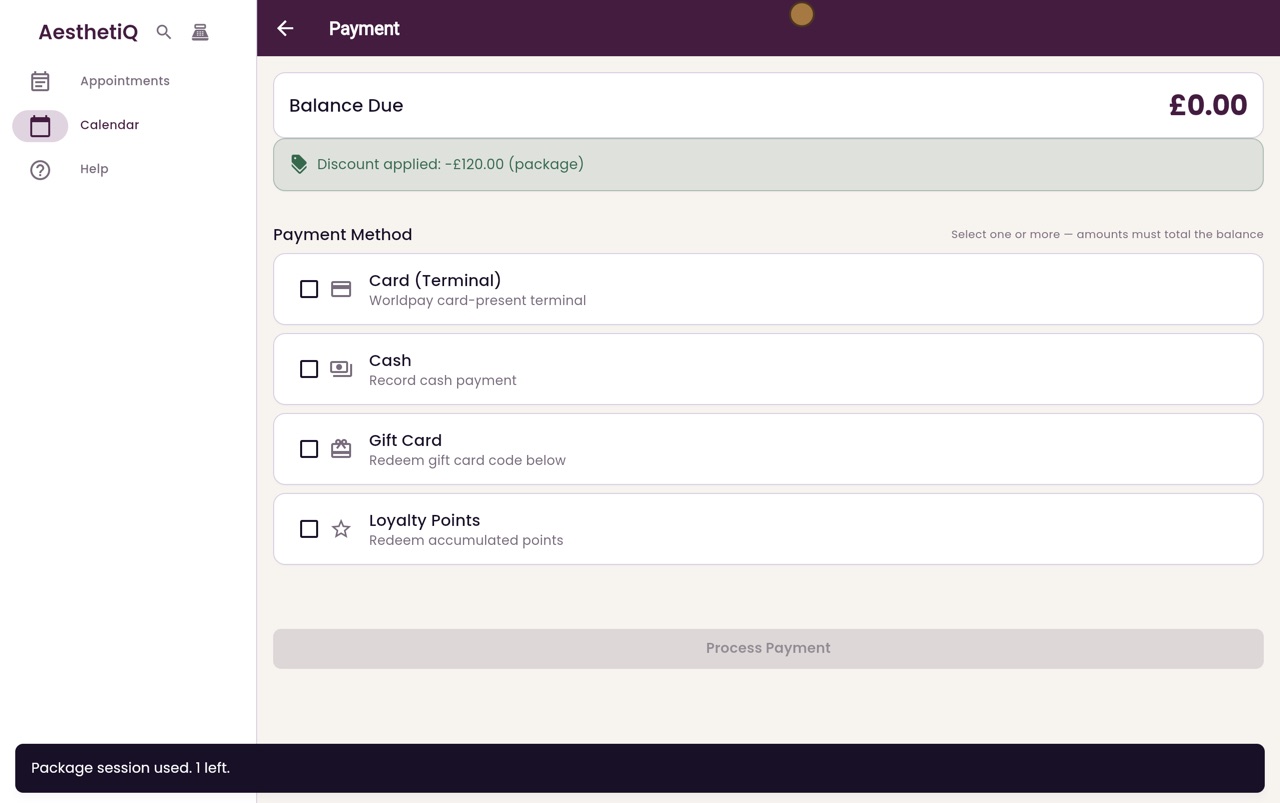
The Payment screen shows Fiona's package, Three HydraFacials, with two sessions left. Click Use a session. A message confirms it, with one session left.
- 05Ryan
Nothing to pay
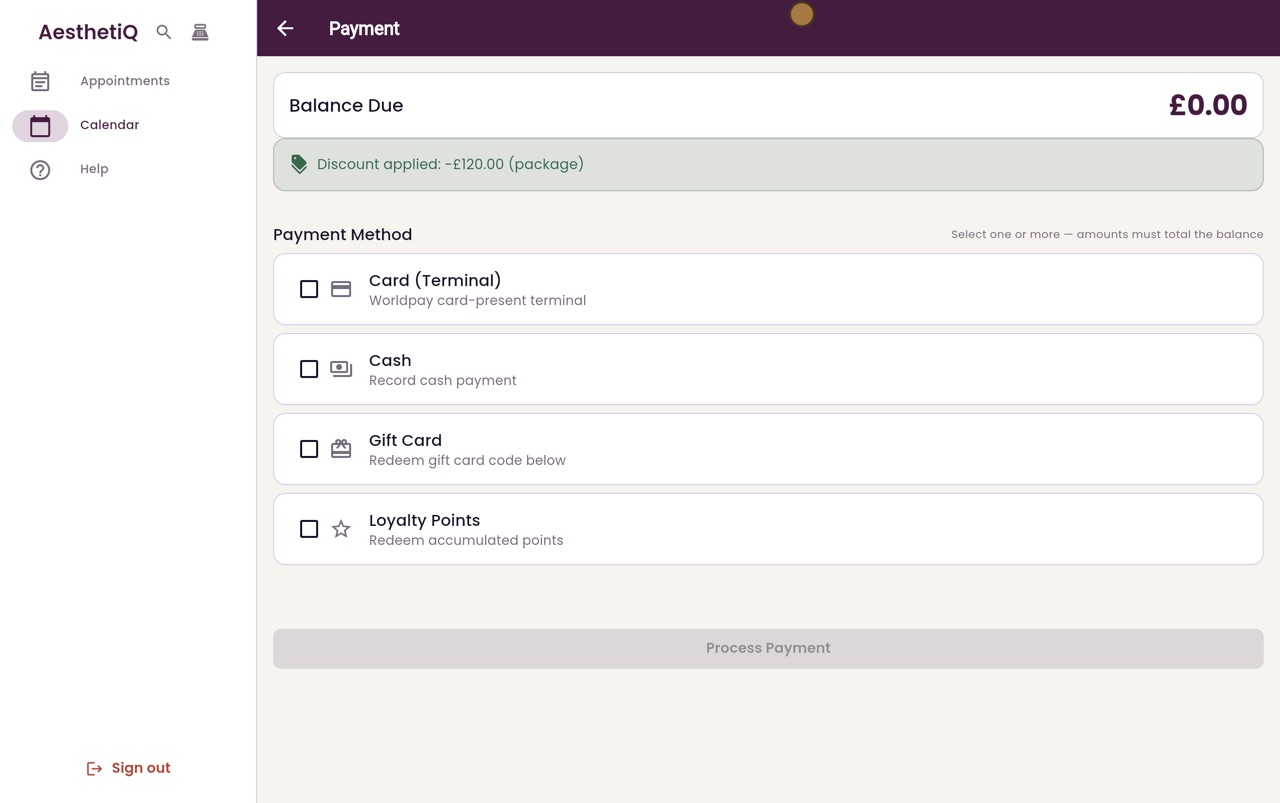
The package covers the treatment, so the discount is the full price and the balance due is now zero.
- 06Ryan
The appointment
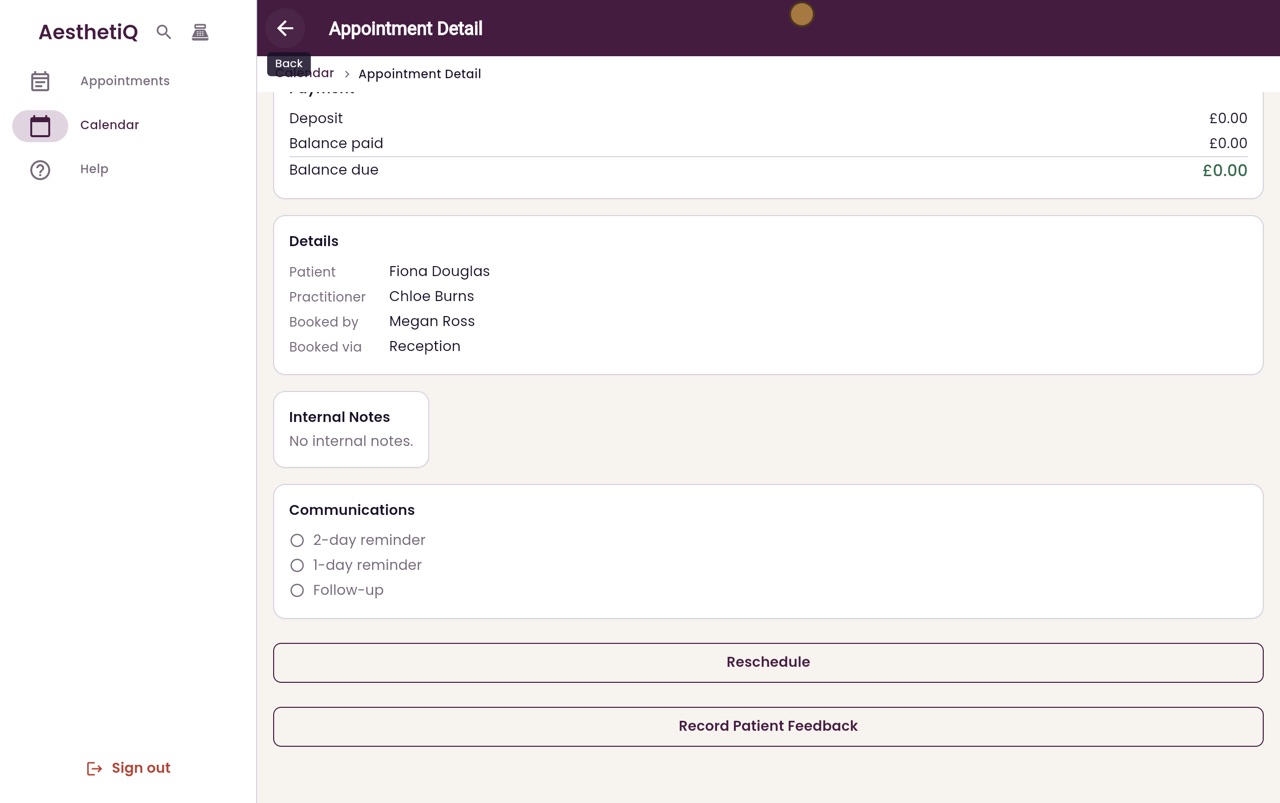
Click Back. The appointment now shows nothing left to pay.
- 07Libby
Done
That is using a package session. Next time Fiona comes in, the Payment screen will show one session left.