Receiving goods against a purchase order
When a delivery arrives, open its purchase order and click Receive goods. Count what came, add batch numbers and expiry dates, and AesthetiQ adds it to stock.
Where
Products, then Purchase orders, open the order, then Receive goods.
Record
How many arrived, batch number, expiry date and the delivery note.
After
Stock goes up straight away and the order shows Part received or Received.
Step by step
- 01Libby
A delivery arrives
Hi, I am Libby. When a delivery arrives, receive it against its purchase order. AesthetiQ adds it to stock and keeps track of anything still to come.
- 02Ryan
Open the order
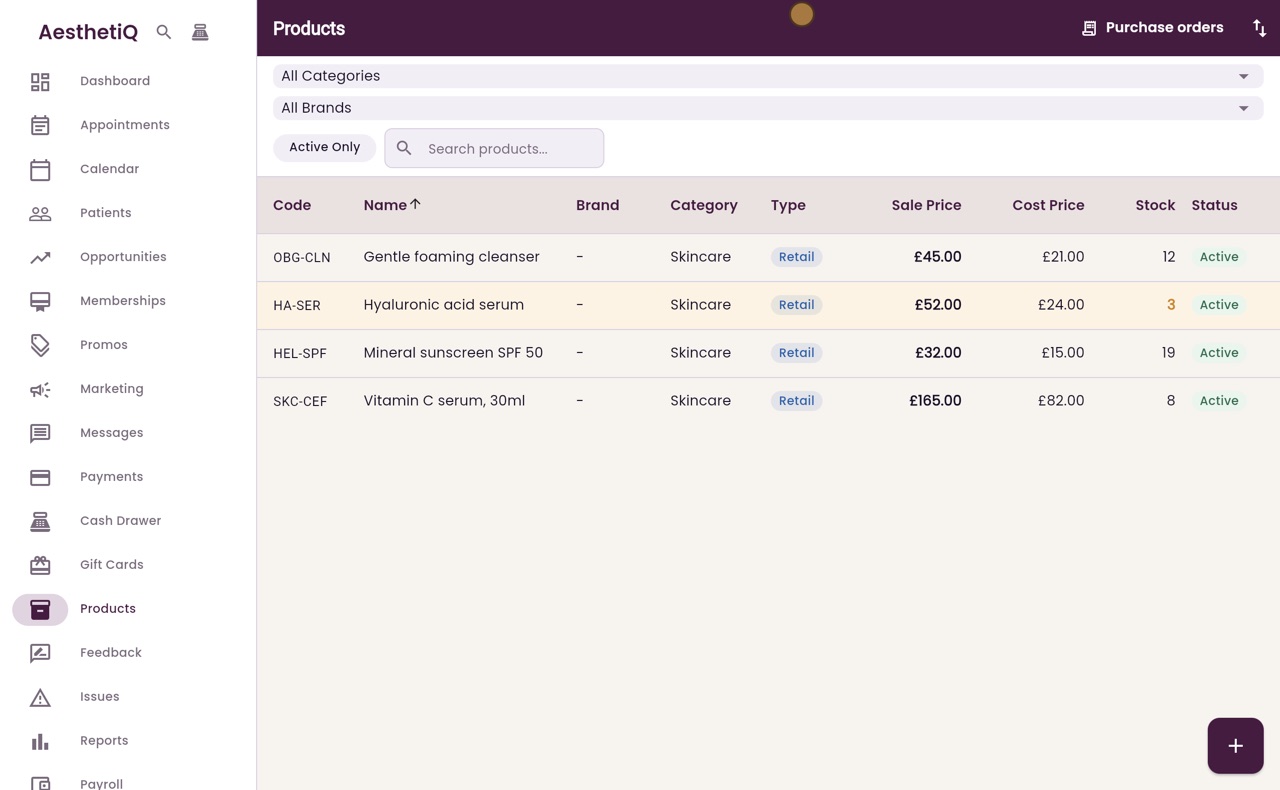
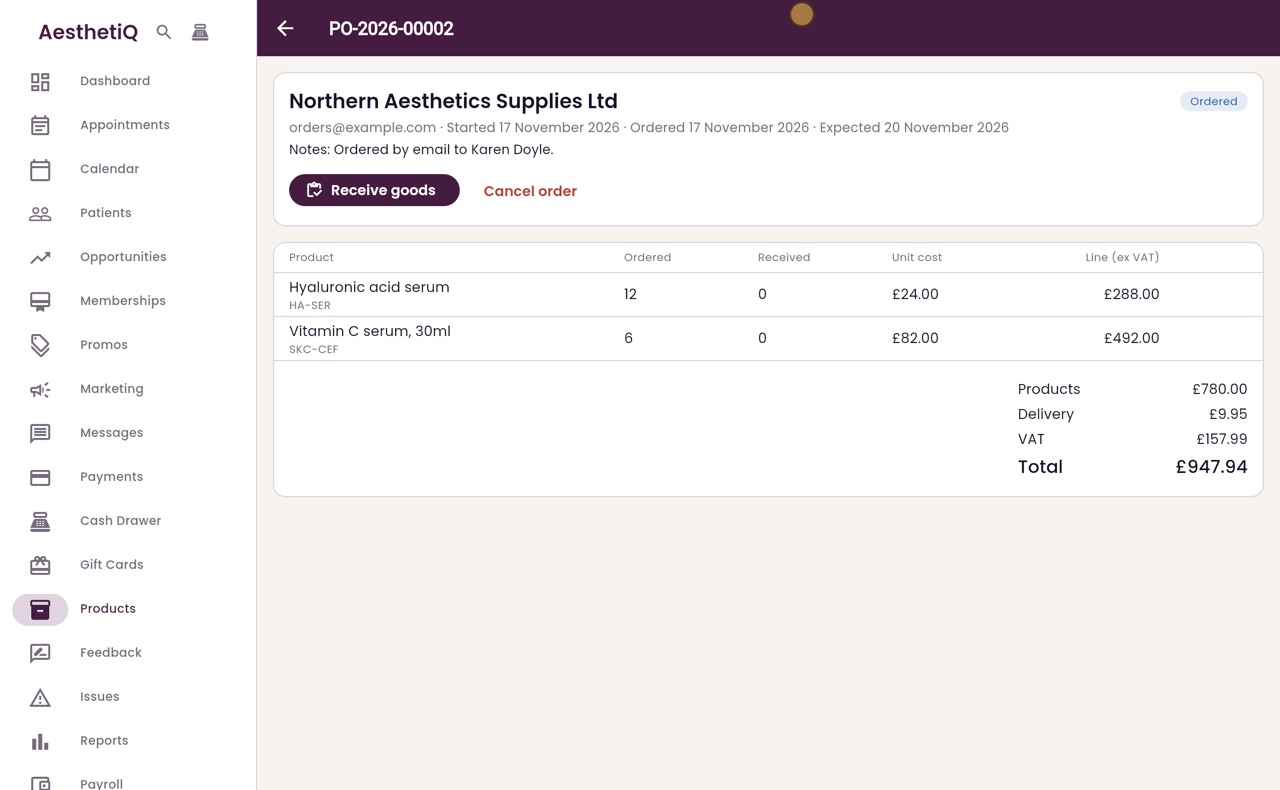
Thanks Libby. On the Products screen, click Purchase orders. The order to Northern Aesthetics Supplies is on order. Click it to open it.
- 03Ryan
Receive goods
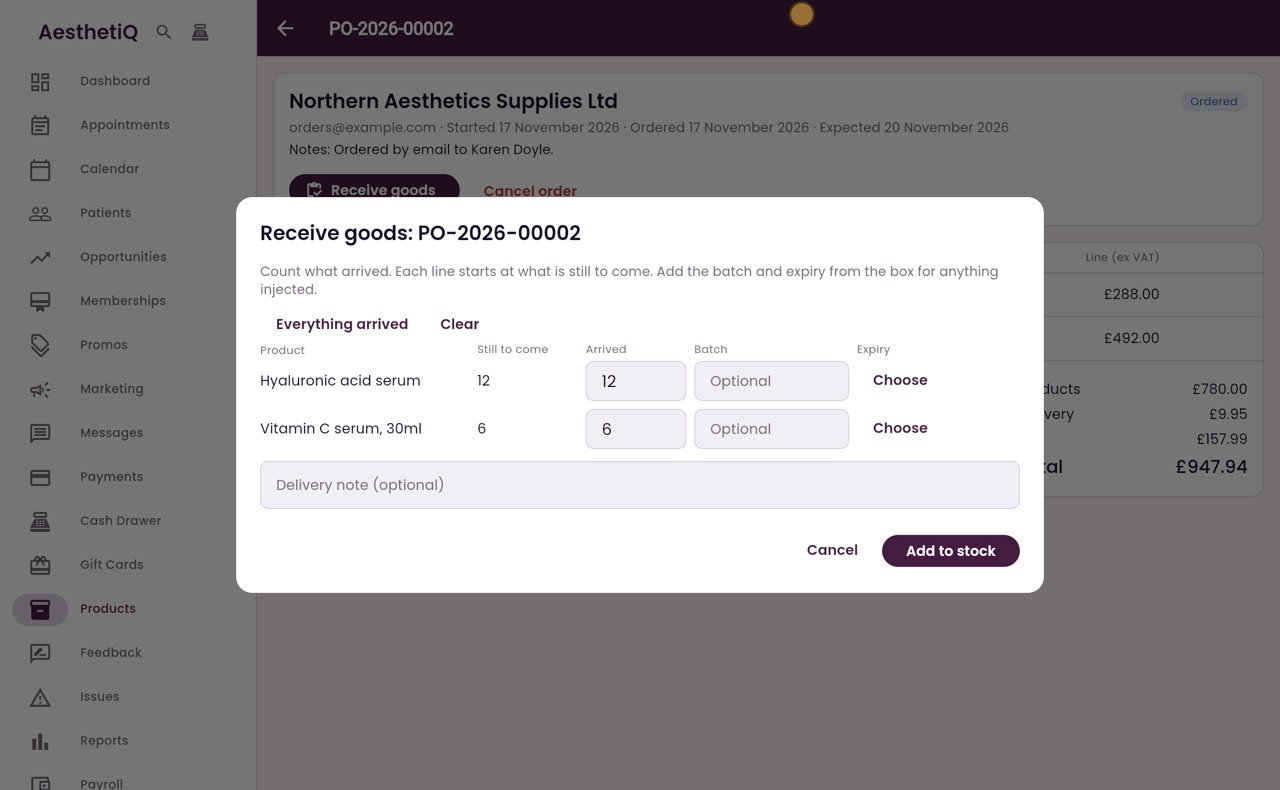
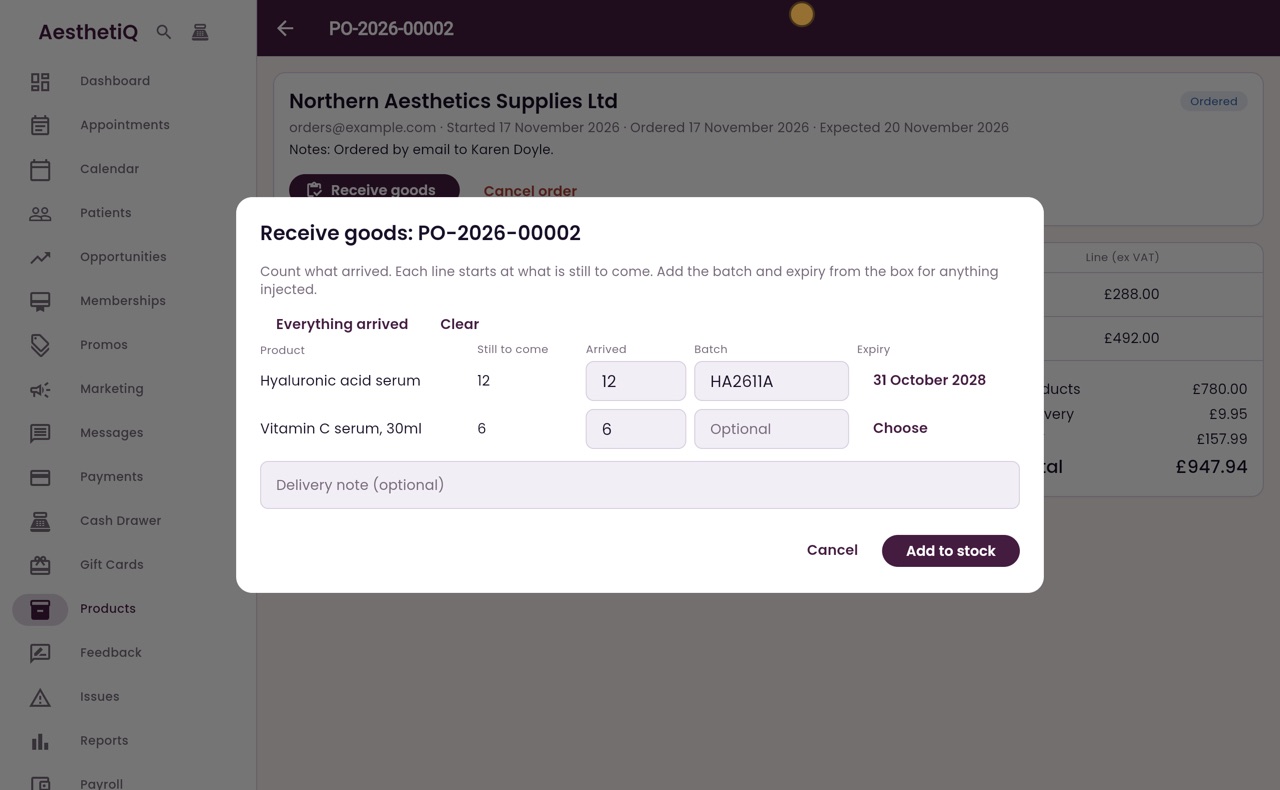
Click Receive goods. Count what arrived. Each line starts at what is still to come, and here all twelve hyaluronic acid serums have arrived.
- 04Ryan
Batch and expiry
Type the batch number from the box. Then click Choose under Expiry, switch to typing, type the expiry date and click OK.
- 05Ryan
Part of a line
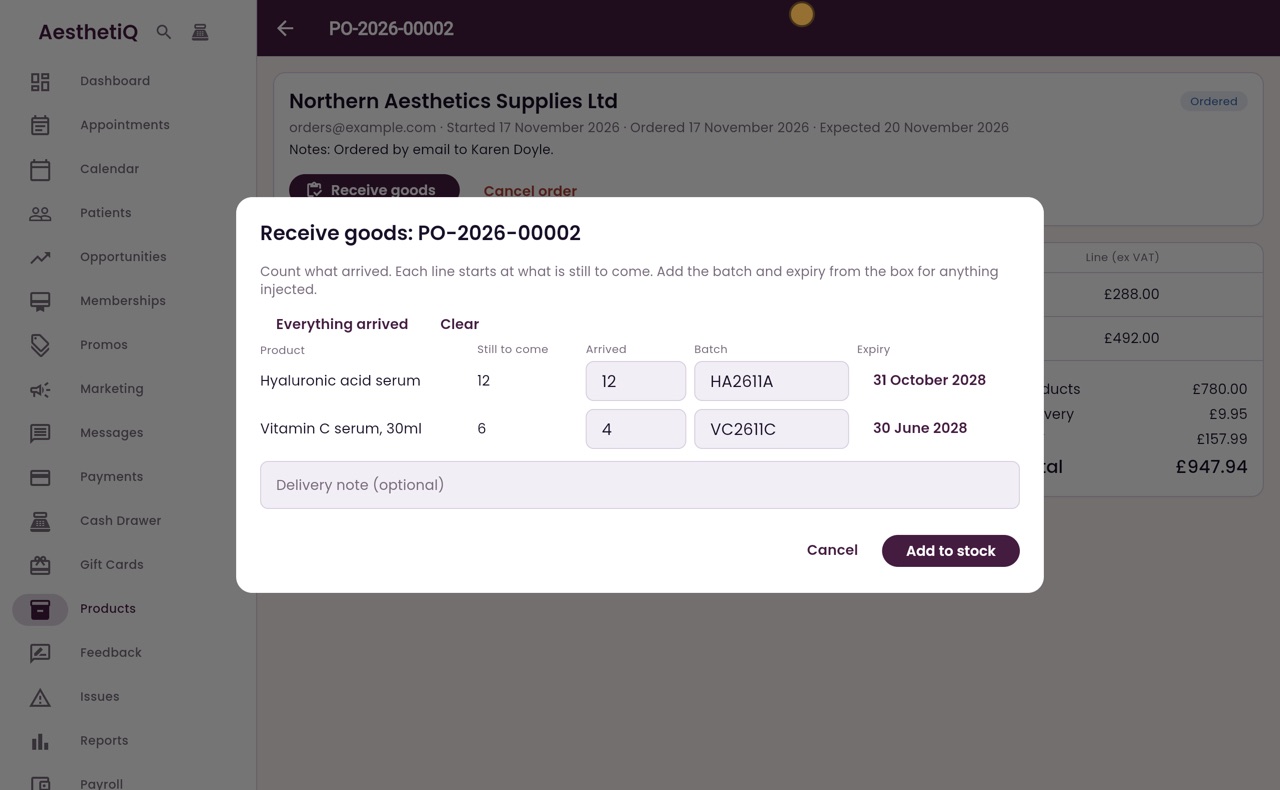
Only four of the six vitamin C serums came. Change Arrived to four, then add the batch number and expiry date for those too.
- 06Ryan
Delivery note
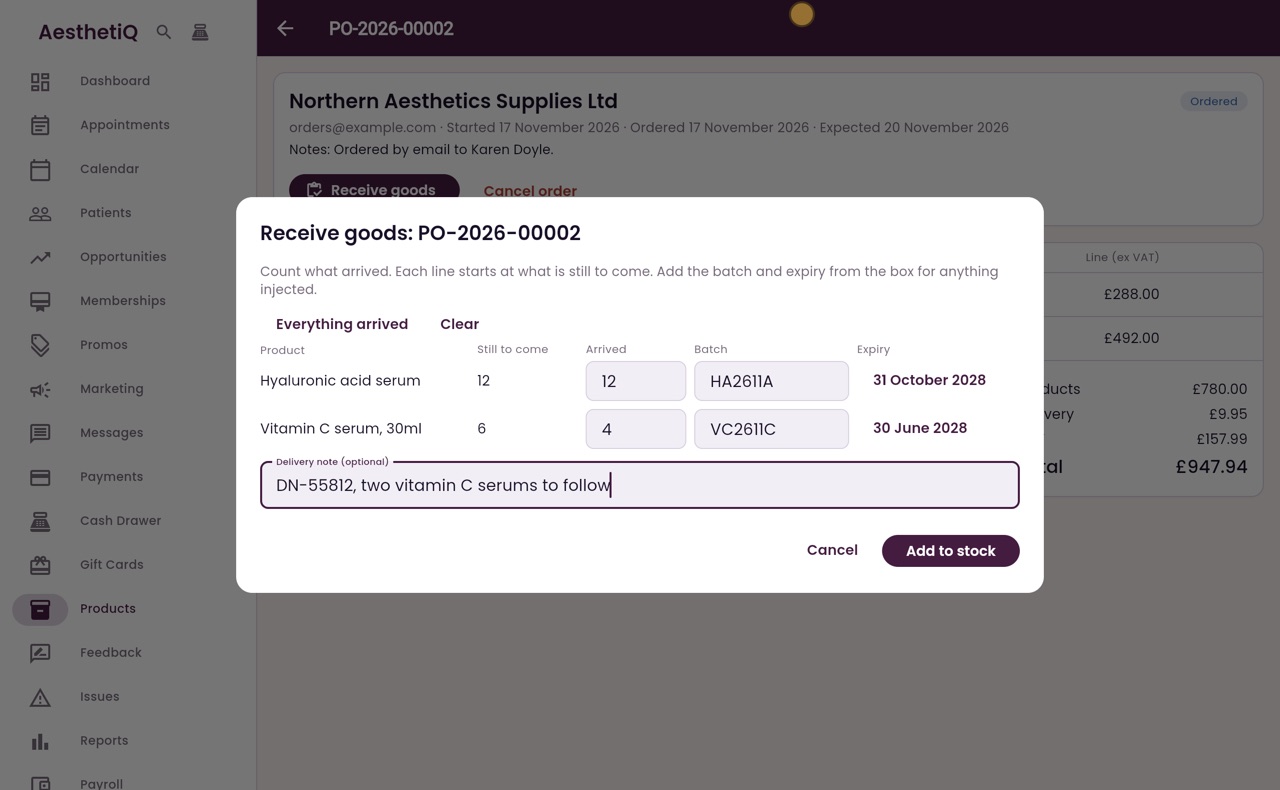
Add the delivery note number from the supplier's paperwork, and what is still to follow.
- 07Ryan
Add to stock
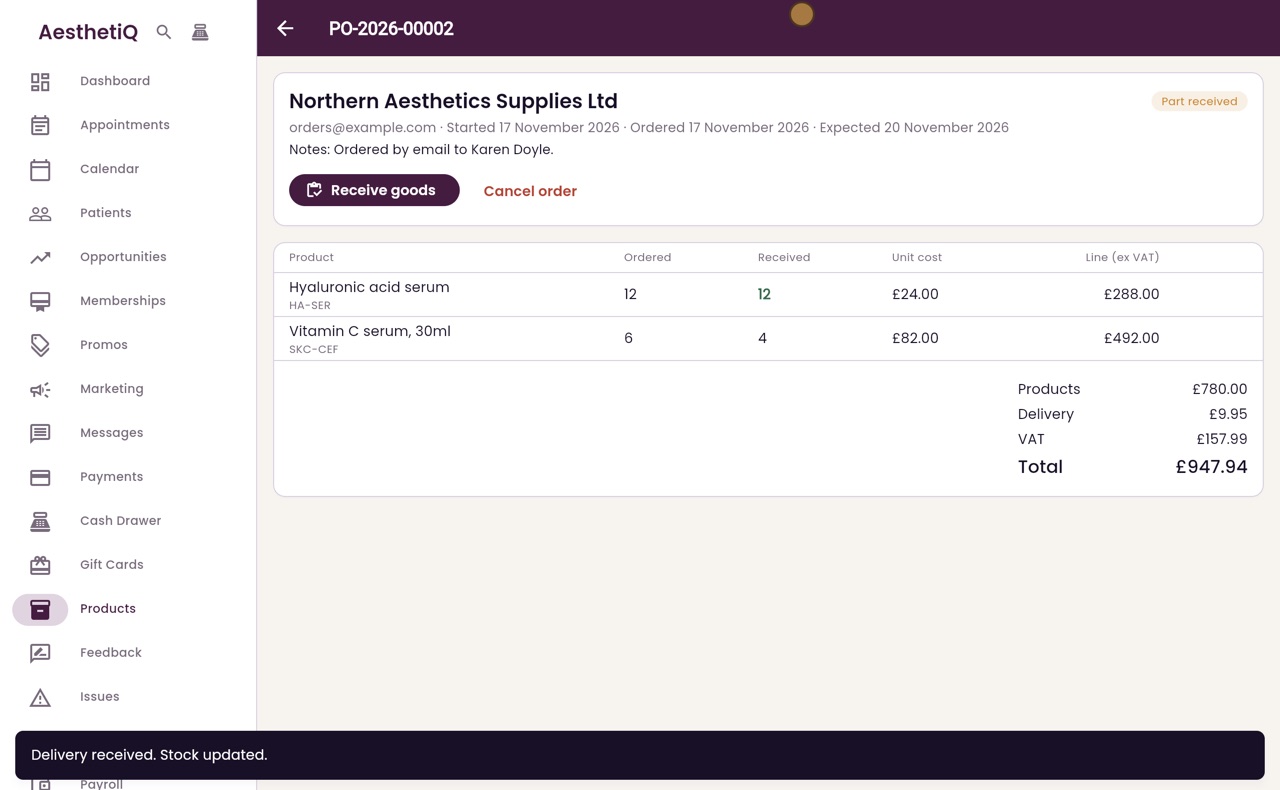
Click Add to stock. AesthetiQ says Delivery received. Stock updated.
- 08Ryan
Part received
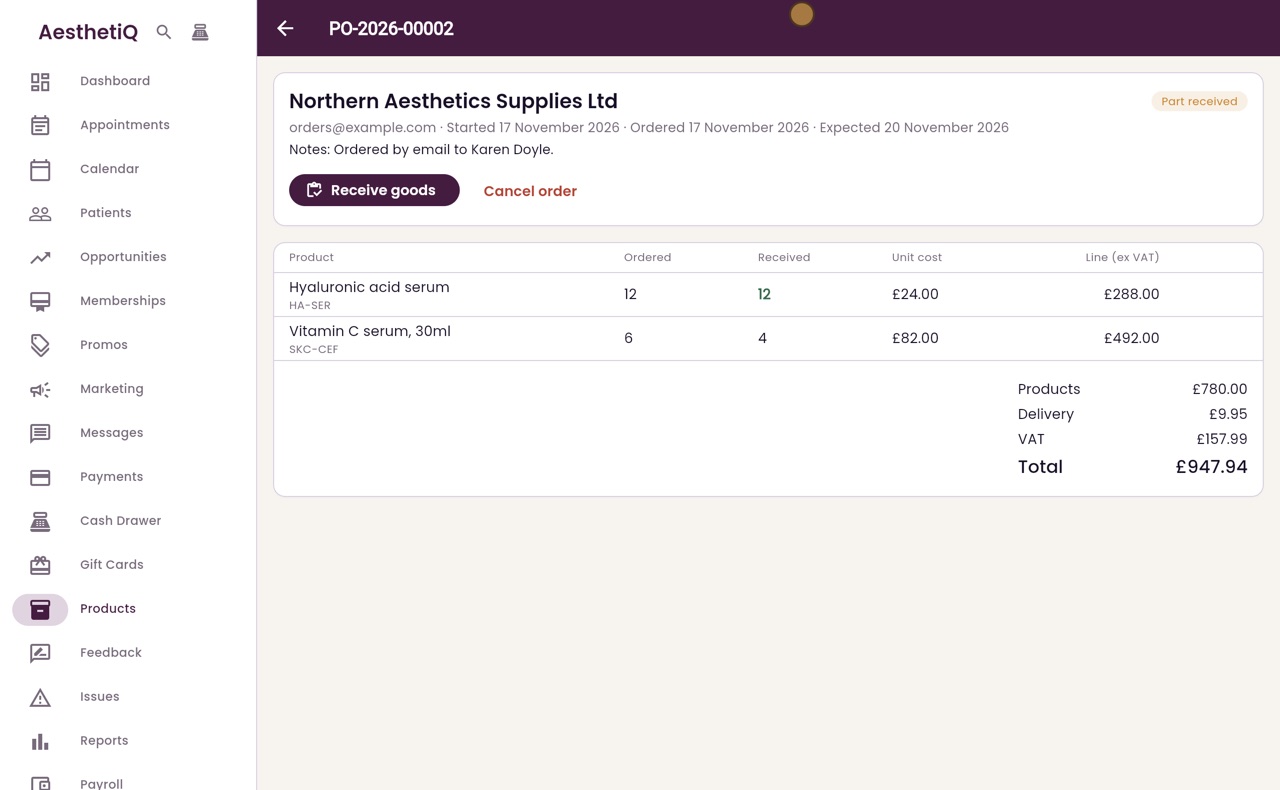
The order is now Part received. The Received column shows twelve and four, so two vitamin C serums are still to come.
- 09Ryan
Stock goes up
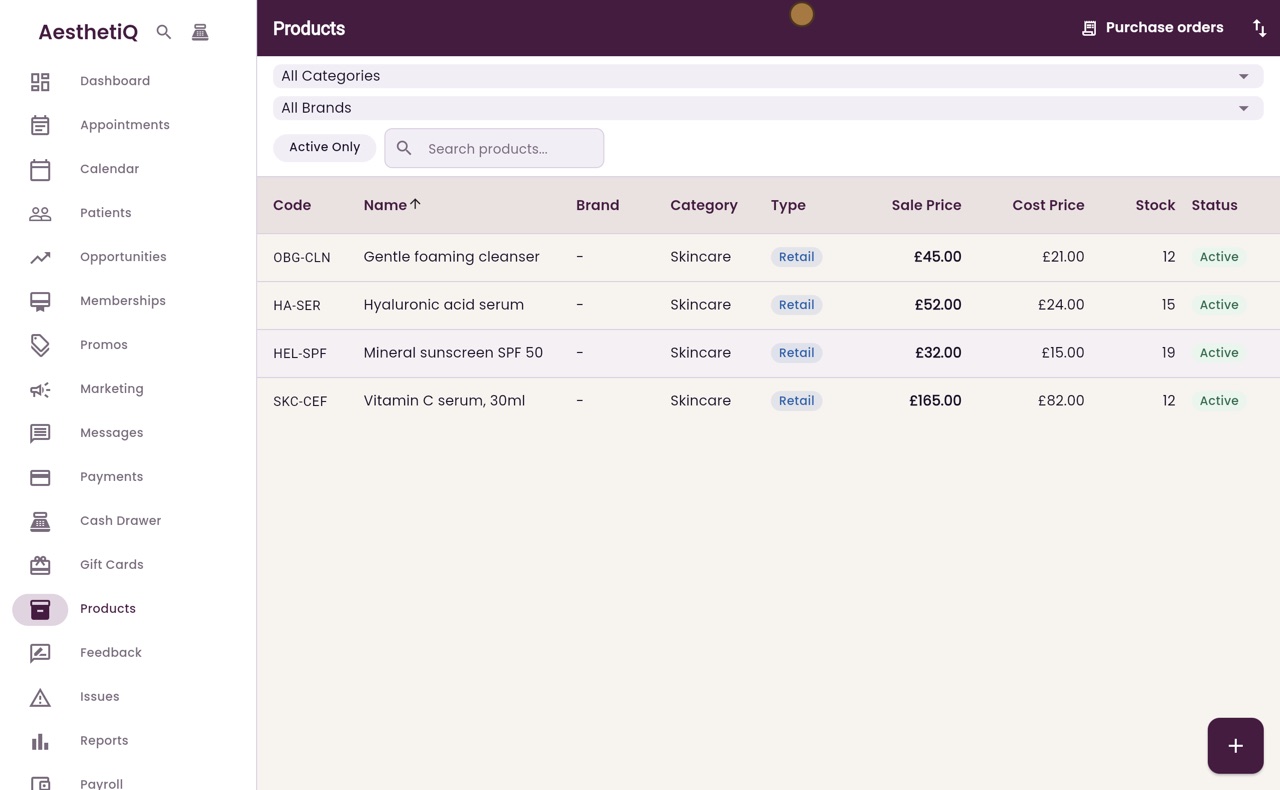
Click Back twice to return to Products. Hyaluronic acid serum has gone up from three to fifteen, and vitamin C serum from eight to twelve.
- 10Ryan
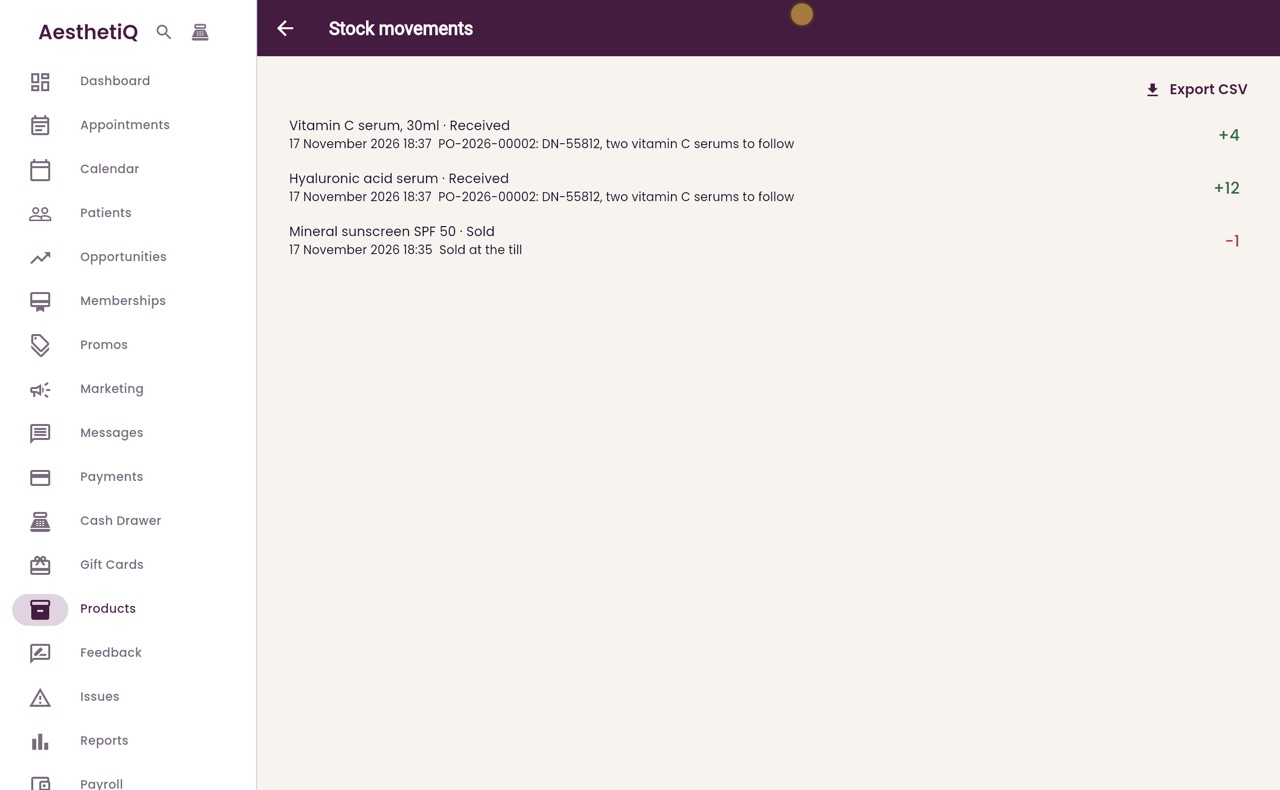
Stock movements
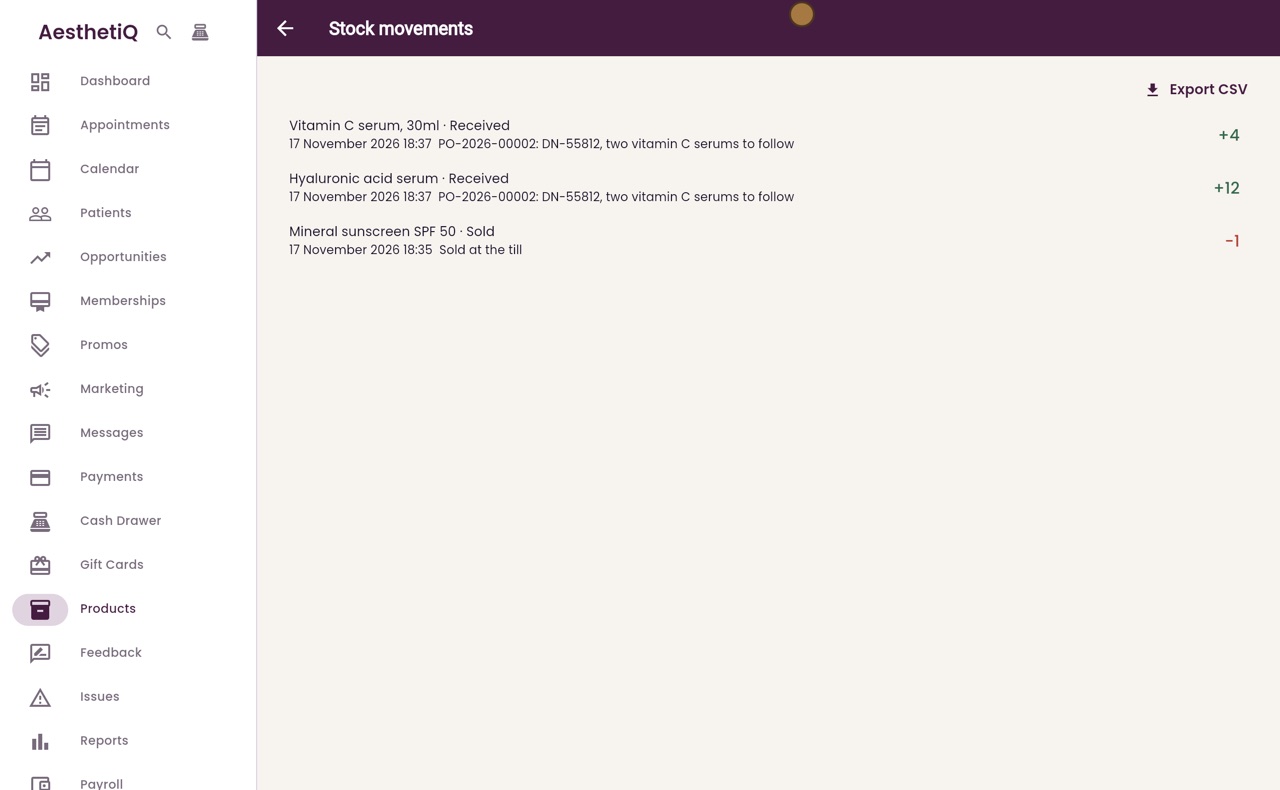
Click Stock movements. Each product delivered is listed as Received, with the quantity added, the order number and the delivery note.
- 11Libby
Done
That is receiving goods against a purchase order. When the rest arrives, open the order and click Receive goods again. Once everything is in, the order shows Received.